
v0.3.8
scrollable_positioned_list
항목으로 프로그래밍 방식으로 스크롤할 수 있는 보조 메서드가 포함된 목록입니다.
2천좋아요 66.8만30일 다운로드140Pub 점수
AndroidiOSWebmacOSWindowsLinux
Flutter로 제작된 간단한 운동용 타이머!

항목으로 프로그래밍 방식으로 스크롤할 수 있는 보조 메서드가 포함된 목록입니다.
텍스트 음성 변환을 위한 플러터 플러그인입니다. 이 플러그인은 iOS, macOS, Android, 웹 및 Windows에서 지원됩니다.
 v2.1.2
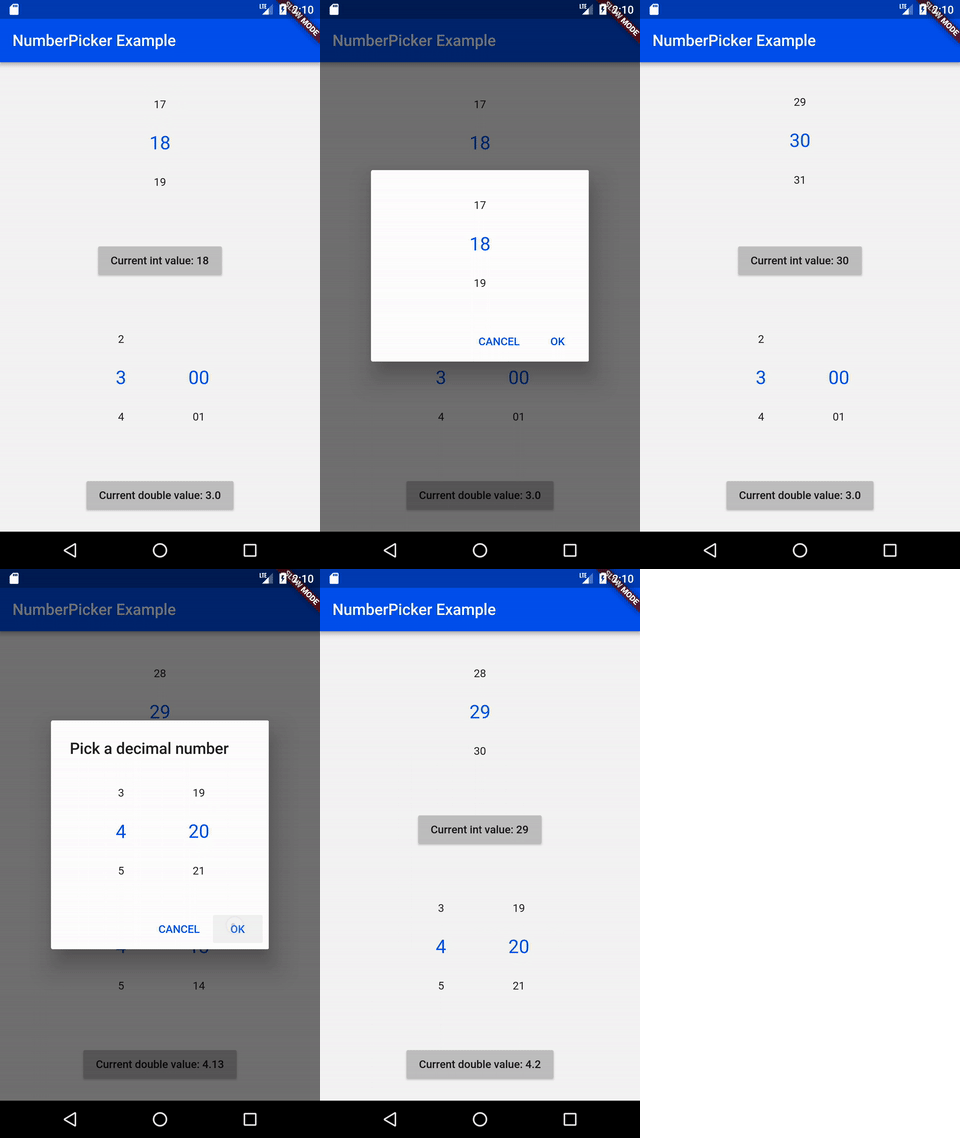
NumberPicker는 사용자가 스피너를 회전시켜 숫자를 선택할 수 있도록 해주는 위젯입니다。
이전 상태를 모두 잃고 애플리케이션을 간편하게 다시 시작합니다
intl_utils는 ARB 파일에서 Dart 로컬라이제이션 코드를 생성하는 Dart 라이브러리입니다. 생성된 코드는 Intl 라이브러리에 의존합니다.
pubspec.yaml/lock 파일을 사용하여 세부 정보가 풍부하고 더 나은 오픈소스 라이선스 목록을 생성하는 도구입니다.
안드로이드 및 iOS에서 파일을 선택하고 저장하기 위한 대화 상자입니다.
Flutter, Dart pubspec.yaml 종속성을 알파벳 순서로 정렬하는 데 도움을 줍니다.
 v3.0.0
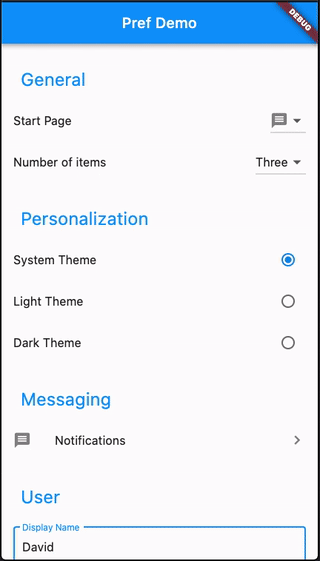
고급 기능과 하위 페이지를 사용하여 선호 설정 화면을 쉽게 만들 수 있습니다
Android 및 iOS 플랫폼에서 앱의 설정을 저장하고 읽기 위해 shared_preferences 플러그인을 사용하는 라이브러리 패키지입니다.
^1.18.0^1.7.0{"sdk":"flutter"}^3.0.2{"sdk":"flutter"}^2.4.0^1.1.1^4.0.2^8.2.5^0.19.0^4.9.0^2.1.2^1.8.0^2.1.3^2.8.0^4.1.0+3^6.1.2^0.3.8^9.0.0^2.4.1^6.2.6^4.4.0^1.2.5^2.4.11^0.13.1^4.0.0^3.0.2^2.8.7^6.8.0^1.0.5아래는 영문 원문 스냅샷입니다. 최신 내용은 GitHub에서 확인하세요.
Contributors Forks Stargazers Issues MIT License Übersetzungsstatus ko-fi GitHub Workflow Status (branch) GitHub release (latest SemVer) F-Droid
A simple timer for your workouts, built with Flutter!
Get it on F-Droid
Get it on GitHub
NOTE: Due to the process of releasing updates on F-Droid, the version there can be outdated for a few days. The version on GitHub will always be the latest. Keep in mind, that the F-Droid and GitHub versions are not compatible with each other. If you switch, you will loose ALL your data. You need to backup your workouts to keep them.
You can export individual workouts or create an export of all your workouts and import them later. You can also transfer them to another device.
See the open issues for a list of proposed features (and known issues).
Contributions are what make the open source community such an amazing place to learn, inspire, and create. Any contributions you make are greatly appreciated.
git checkout -b feature/AmazingFeature)git commit -m 'Add some AmazingFeature')git push origin feature/AmazingFeature)flutter pub getflutter pub global activate script_runnerscr buildflutter build apk or run using your IDEDistributed under the MIT License. See LICENSE for more information.