


 v1.1.10
paged_vertical_calendar
캘린더 기반 인터페이스를 구현하기 위한 간단한 페이징 프레임워크입니다.
129좋아요 7.2천30일 다운로드160Pub 점수
AndroidiOSWebmacOSWindowsLinux
캘린더 기반 인터페이스를 구현하기 위한 간단한 페이징 프레임워크입니다.

아래는 영문 원문 스냅샷입니다. 최신 내용은 GitHub에서 확인하세요.


A simple paginated framework for implementing calendar based interfaces.
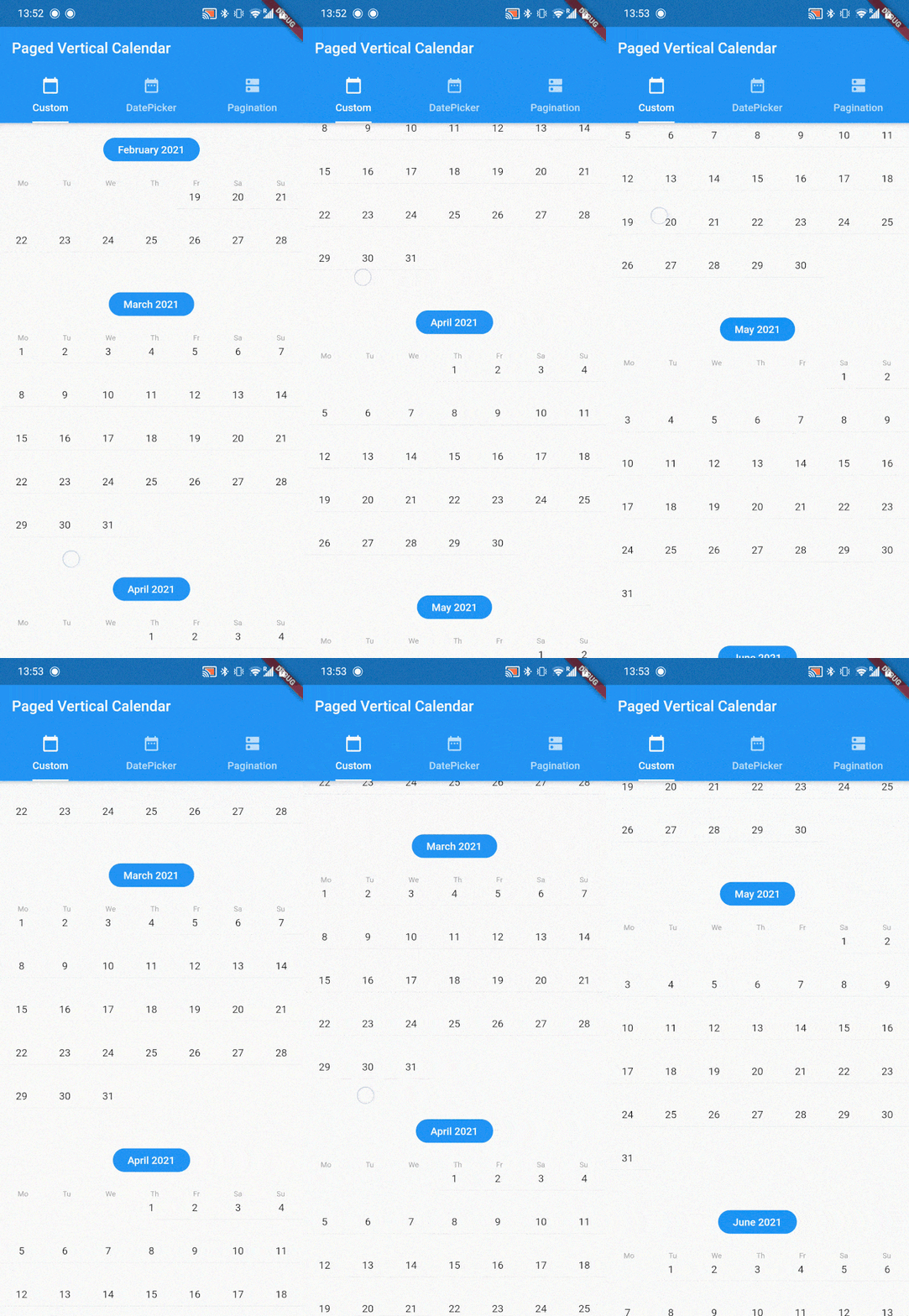
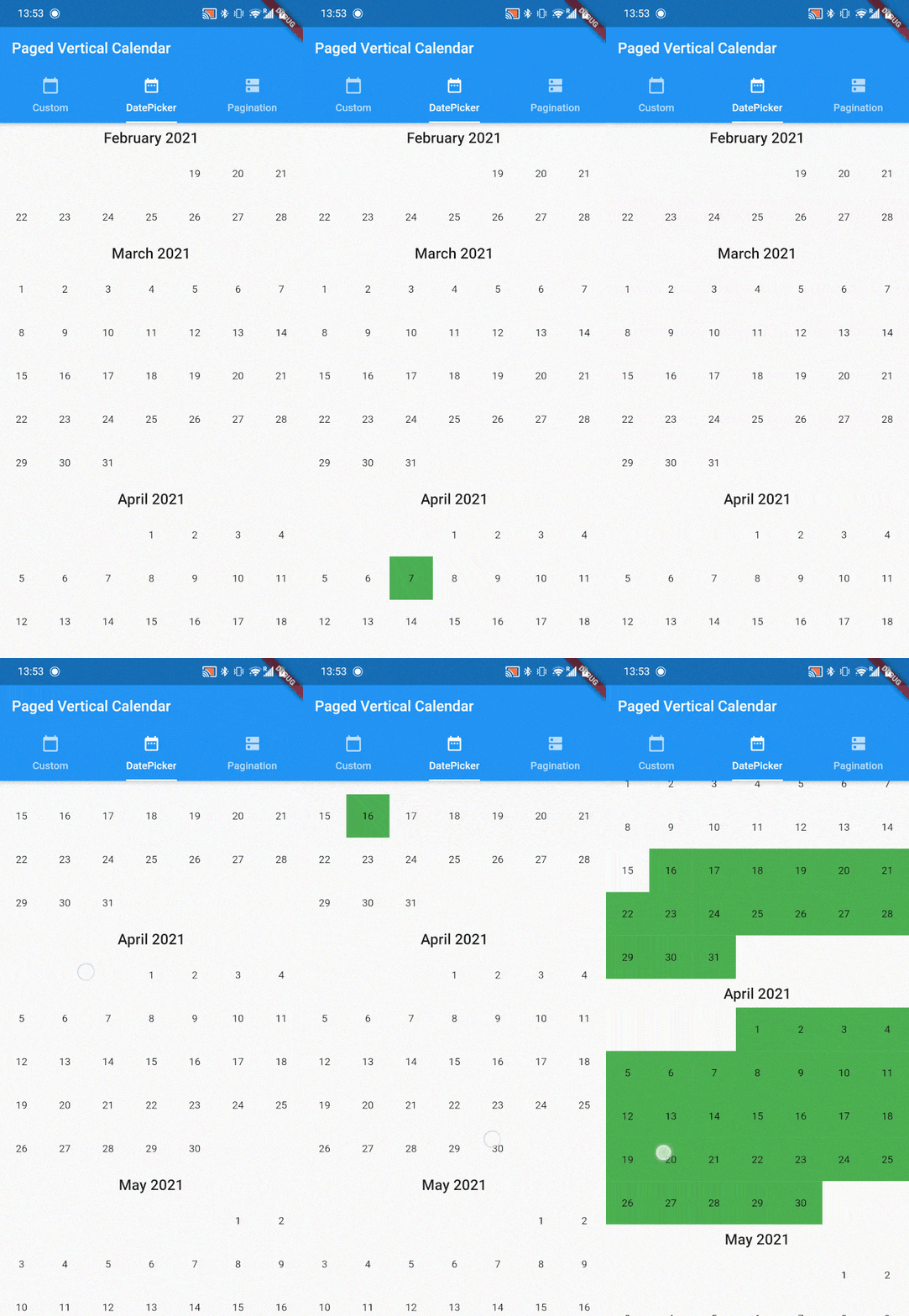
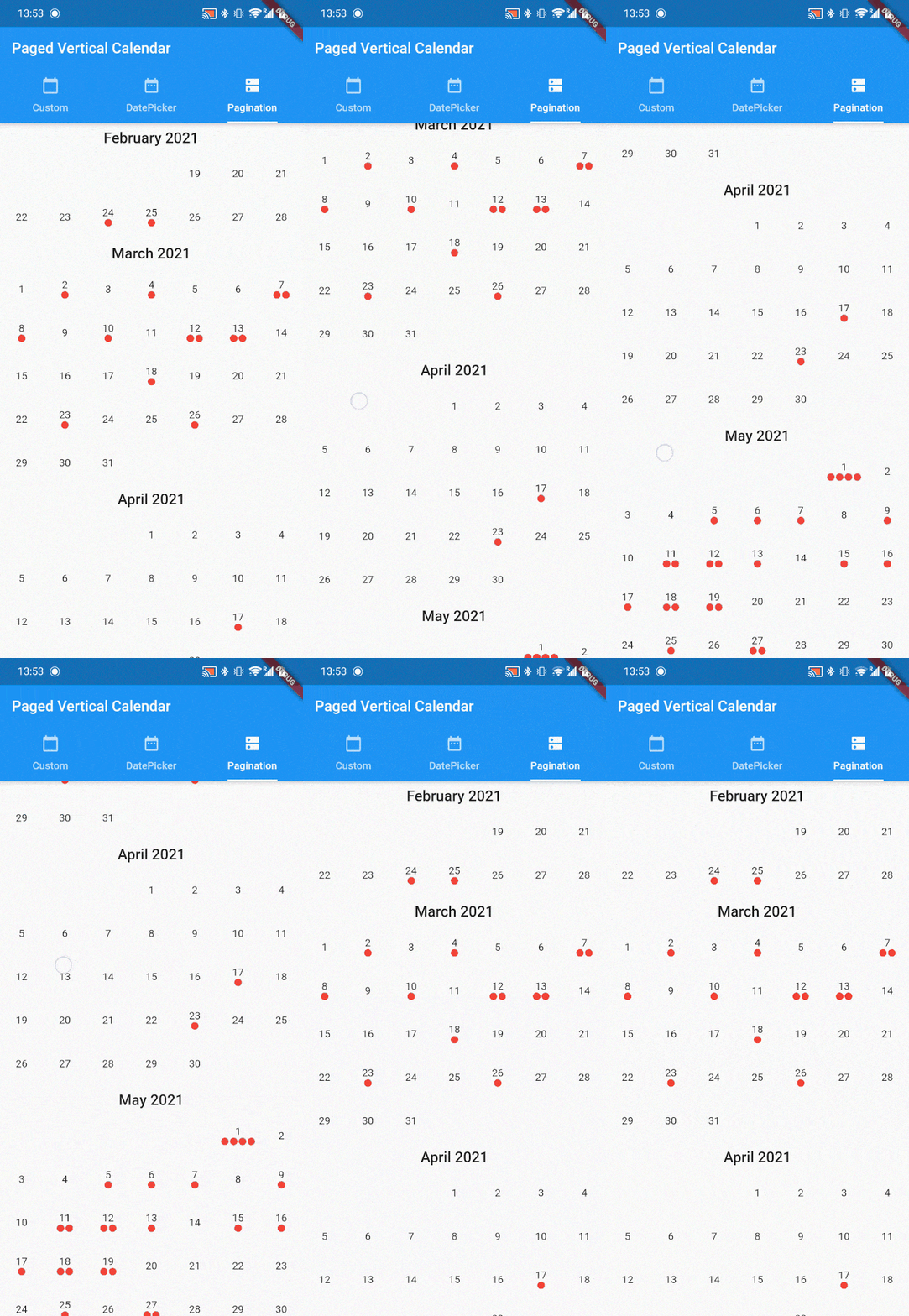
paged_vertical_calendar is a very minimalistic framework that automatically loads months based on scoll behavior. It provides many useful callbacks to implement your own calendar interactions and builders to customize the calendar as much as you want. Check the example for several implementations like date range selection and paginated data visualisation.
PagedVerticalCalendar has no required parameters and can be dropped in anywhere providing it has a fixed height.
Scaffold(
  body: PagedVerticalCalendar(),
);
Several callback are provided to facilitate easy implementation of any calendar interactions
PagedVerticalCalendar(
  minDate: DateTime.now().subtract(Duration(days 365)),
  maxDate: DateTime.now().add(Duration(days 365)),
  initialDate: DateTime.now().add(Duration(days 3)),
  invisibleMonthsThreshold: 1,
  startWeekWithSunday: true,
  onMonthLoaded: (year, month) {
    // on month widget load
  },
  onDayPressed: (value) {
    // on day widget pressed
  },
  onPaginationCompleted: (direction) {
    // on pagination completion
  },
);
onMonthLoaded is a callback that fires for every month added to the list. When this function fires can be altered by setting the invisibleMonthsThreshold pararamter.
invisibleMonthsThreshold decides how many months outside of the widgets view should be loaded. In other words, how many months should be preloaded before the user reaches that scroll position. It defaults to 1.
onDayPressed Is a simple onPressed callback but also provides the DateTime of the day that has been pressed.
If your app is localized for countries where the week starts on Sunday, you can flip startWeekWithSundayto true.
If a minDate is provided the calendar will stop scrolling up at that date. make sure minDate < maxDate.
If a maxDate is provided the calendar will stop scrolling down at that date. make sure maxDate > minDate.
If an initialDate is provided the calendar start by displaying this date (otherwise DateTime.now()). make sure minDate < initialData < maxDate.
Finally when a minDate or maxDate is provided to the PagedVerticalCalendar, the onPaginationCompleted callback can be used. it will return a PaginationDirection to indicate what side of the calendar has been reached.
and many many more, see the docs!!!
PagedVerticalCalendar provides default calendar styling, but these can be fully customized. To do so, several builders are provided:
PagedVerticalCalendar(
  monthBuilder: (context, month, year) {
    // provide a month header widget
  },
  dayBuilder: (context, date) {
    // provide a day widget
  },
  listPadding: // provide EdgeInset value
);
monthBuilder provides the year and month as integers. this builder has to return a widget that will form the header of ever month. the intl package works well here for date formatting.
dayBuilder provides the day as a DateTime. this builder wil be called for every day. You usually want to provide at least a text widget with the current day number.
listPadding can be provided in case you need the list to have padding.
If this package is useful to you please :thumbsup: on pub.dev and :star: on github. If you have any Issues, recommendations or pull requests I'd love to see them!
의존성 목록 4 개
{"sdk":"flutter"}^5.1.0{"sdk":"flutter"}^6.0.0사용 목적에 따라 검색하고 개발 활동을 비교한 뒤 원본 저장소에서 요구 사항을 확인하세요.
“A repository is the most basic element of GitHub.”
GitHub Docs — About repositories ↗