

 v1.3.2
password_strength_checker
보안 비밀번호 생성, 노출된 비밀번호 확인, 강도에 대한 시각적 피드백 또는 최소 비밀번호 강도가 필요한 폼 검증을 수행합니다.
55좋아요 1.1만30일 다운로드150Pub 점수
AndroidiOSWebmacOSWindowsLinux
보안 강화된 비밀번호 생성, 유출된 비밀번호 확인, 비밀번호 강도에 대한 시각적 피드백 또는 최소 비밀번호 강도가 필요한 폼 검증을 받으세요.

아래는 영문 원문 스냅샷입니다. 최신 내용은 GitHub에서 확인하세요.






Generate secure passwords, check for exposed passwords, get visual feedback for password strength or get form validation with a minimum password strength required.
Check the strength of the password in a visual way, with an animation when the strength changes according to the settings given by the user.
Use it also inside a Form to get form validation!
commonDictionary, a map with 10,000 leaked passwords!PasswordStrengthChecker to have a visual feedback.PasswordStrengthFormChecker to have a built-in TextFormField inside the widget and get form validation using a minimumStrengthRequired.PasswordGenerator class to generate a secure random password based on the input configurations (PasswordGeneratorConfiguration).PasswordStrength default enum (see Custom Strength).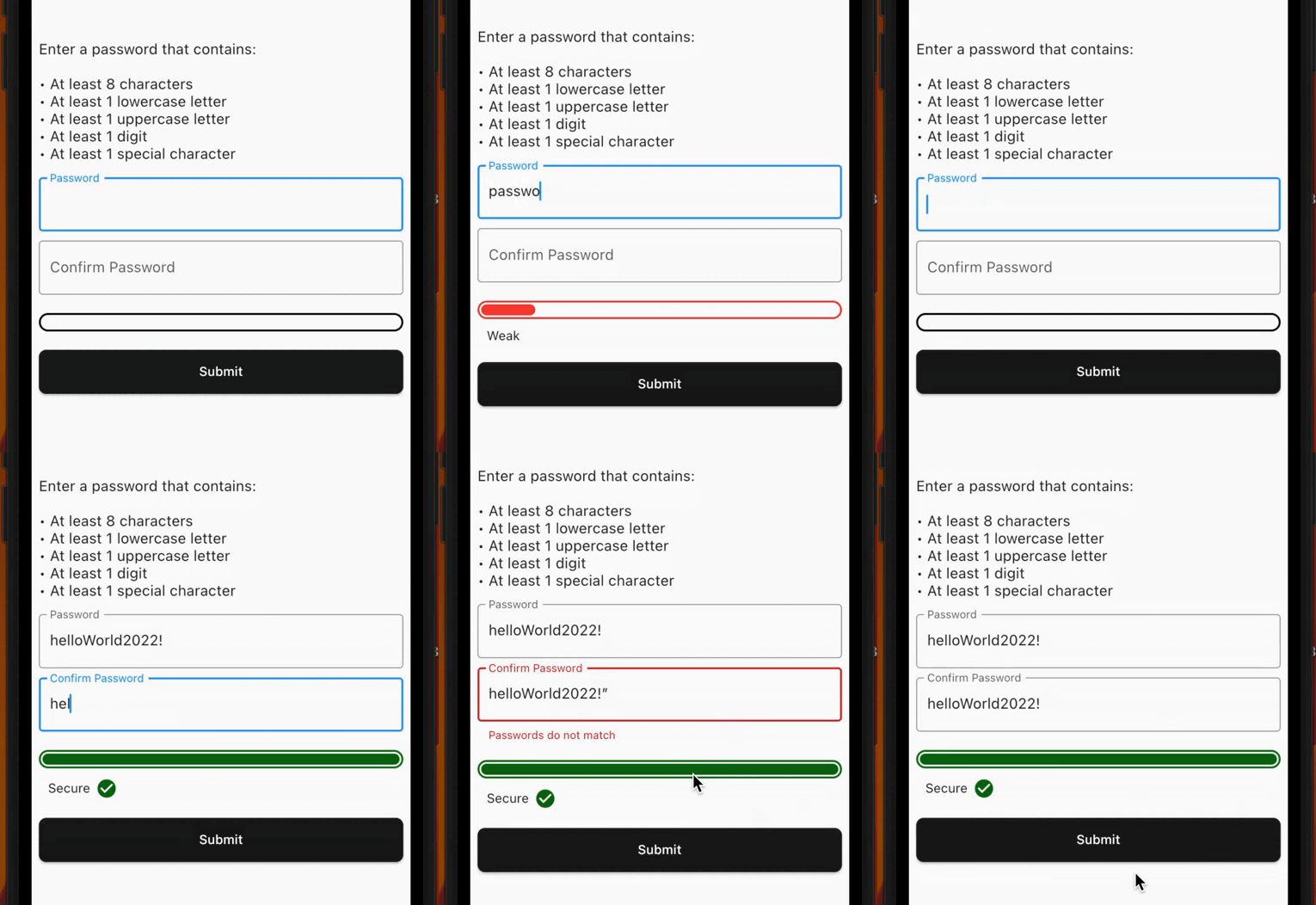
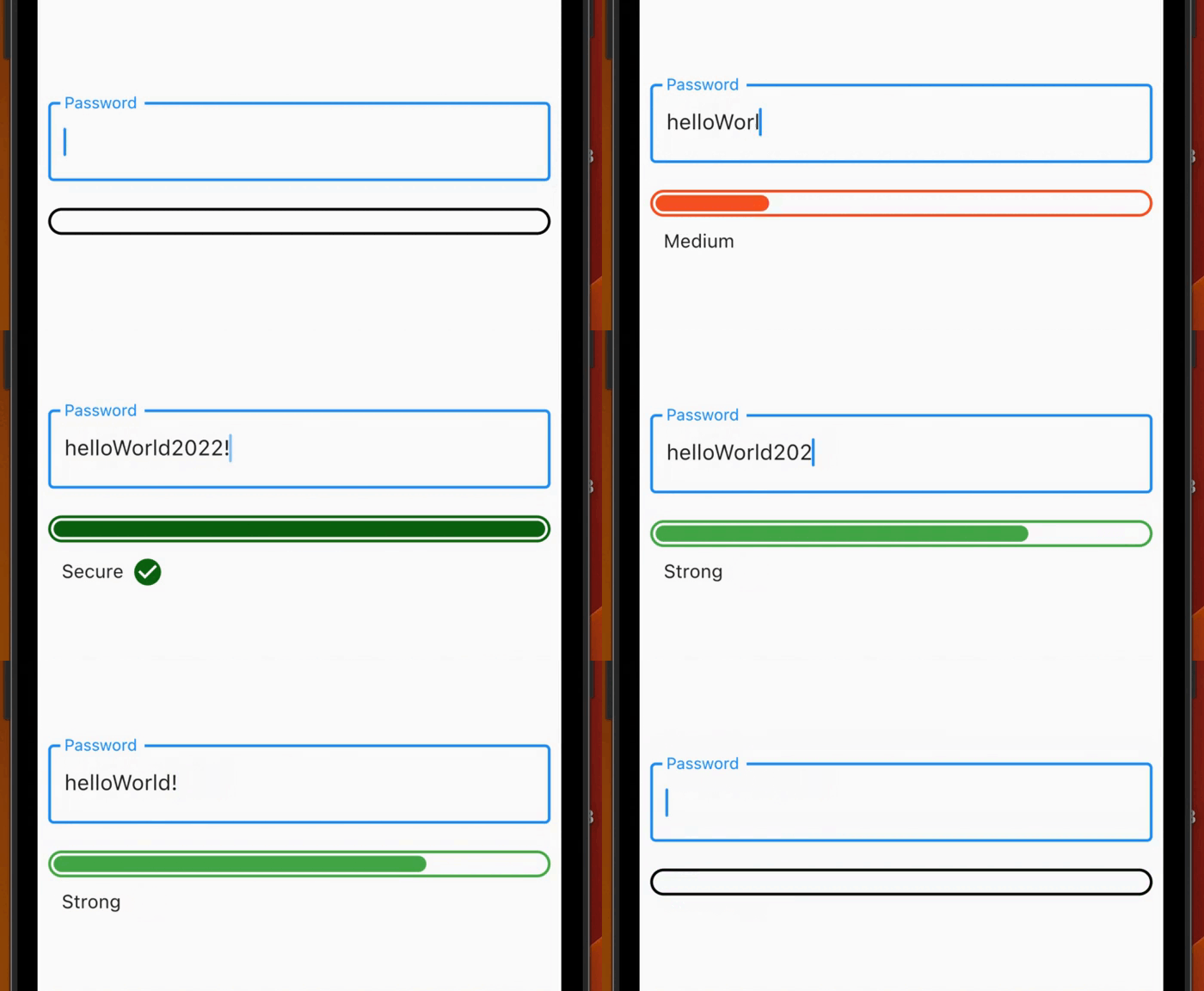

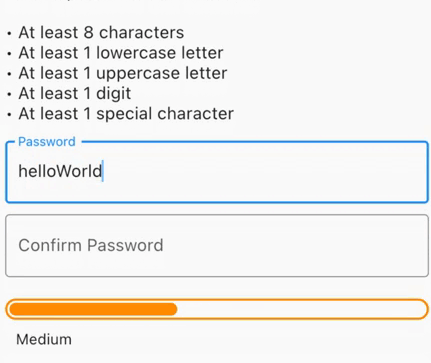
You can use the PasswordStrengthChecker to only have a visual feedback, for example:
final passNotifier = ValueNotifier<PasswordStrength?>(null);
// ...
PasswordStrengthChecker(
  strength: passNotifier,
),
See the full example here.
You can use the PasswordStrengthFormChecker to have a built-in TextFormField inside the widget and get form validation using a minimumStrengthRequired. For example:
PasswordStrengthFormChecker(
  minimumStrengthRequired: PasswordStrength.secure,
  onChanged: (password, notifier) {
    notifier.value = PasswordStrength.calculate(text: password);
  },
),
See the full example here.
You can use the PasswordGeneratorclass to generate a secure random password based on the configurations. For example:
final config = PasswordGeneratorConfiguration(
  length: 32,
  minUppercase: 8,
  minSpecialChars: 8,
  // ...
);

final passwordGenerator = PasswordGenerator.fromConfig(
  configuration: config,
);

final password = passwordGenerator.generate();
See the full example here.
You can use the default PasswordStrength enum to set the strength of the password, or you can create your own enum that implements PasswordStrengthItem and use it. For example:
enum CustomPassStrength implements PasswordStrengthItem {
  weak,
  medium,
  strong;

  @override
  Color get statusColor => switch (this) {
      CustomPassStrength.weak => Colors.red,
      CustomPassStrength.medium => Colors.orange,
      CustomPassStrength.strong => Colors.green,
    };

  @override
  Widget? get statusWidget => switch (this) {
      CustomPassStrength.weak => const Text('Weak'),
      CustomPassStrength.medium => const Text('Medium'),
      CustomPassStrength.strong => const Text('Strong'),
    };

  @override
  double get widthPerc => switch (this) {
      CustomPassStrength.weak => 0.15,
      CustomPassStrength.medium => 0.4,
      CustomPassStrength.strong => 0.75,
    };

  static CustomPassStrength? calculate({required String text}) {
    // Implement your custom logic here
    if (text.isEmpty) {
      return null;
    }
    // Use the [commonDictionary] to see if a password
    // is in 10,000 common exposed password list.
    if (commonDictionary[text] == true) {
      return CustomPassStrength.weak;
    }
    if (text.length < 6) {
      return CustomPassStrength.weak;
    } else if (text.length < 10) {
      return CustomPassStrength.medium;
    } else {
      return CustomPassStrength.strong;
    }
  }
}
The project is open source and you can contribute to it here -> repository link
Made with ❤️ from dariowskii
의존성 목록 3 개
{"sdk":"flutter"}{"sdk":"flutter"}^6.0.0사용 목적에 따라 검색하고 개발 활동을 비교한 뒤 원본 저장소에서 요구 사항을 확인하세요.
“A repository is the most basic element of GitHub.”
GitHub Docs — About repositories ↗