
flutter_json_form
JSON 정의를 사용하여 상호작용형 양식 렌더링

- 스타
- 3
- 포크
- 1
- 최근 푸시(UTC)
- 2026. 5. 6.
- 프로젝트 상태
- 활성
원본 README
아래는 영문 원문 스냅샷입니다. 최신 내용은 GitHub에서 확인하세요.
Flutter Json Form
A form renderer which automatically creates highly customizable forms based on json input. An Json schema as of Draft-07 has to be provided for the structure of the form and an optional Ui Schema can be set to customize the appearance of the form. This allows defining dynamic dependencies like the visibility of fields depending on the value of other fields.
A Demo of flutter_json_form exists to play around with the functionality and debug own schemas.
Features
Overview
- Automatically create rich forms based on json schema (Draft-07)
- Customize the visual appearance and dynamic dependencies between form elements with an optional Ui Schema
- Automatically handles form validation based on the json schema
- Submitted form data is represented in json for easy processing
Theming
The form elements are based on Material 3 widgets and therefore inherit theming from the app's theme like Icons, Font, Colors, Boarder etc.
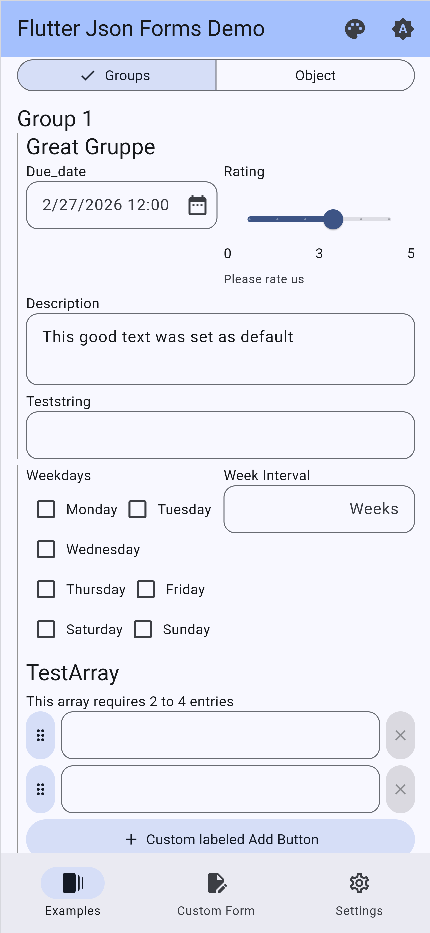 |
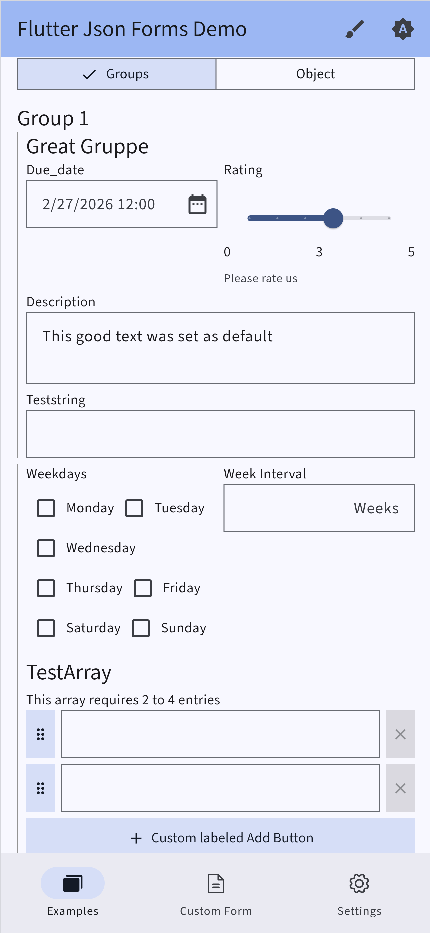 |
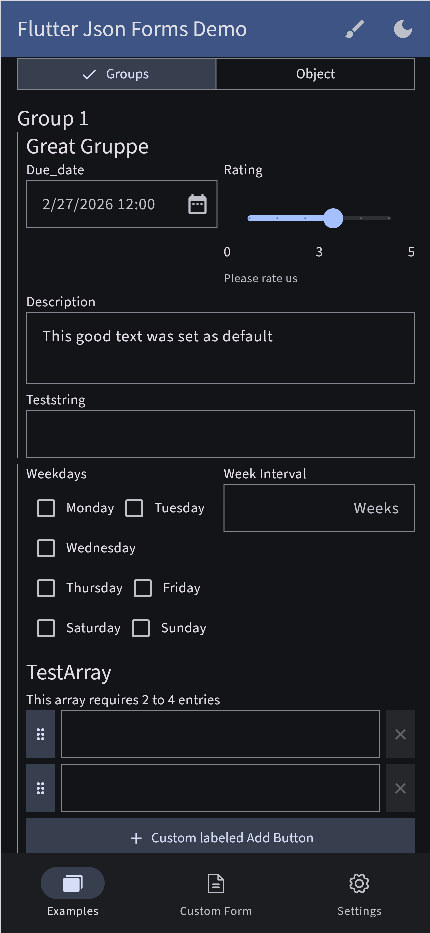 |
Note: In the future it is also planned to further customize element theming like array and object renderings which are currently hard coded widgets in the form renderer itself. It is planned to support this in different steps where you can first customize simple things like paddings of elements or the icon for specific elements but for more control you can also provide custom builder methods to render completely custom widgets. The same is planned for the elements itself by providing own widget builders for the different form elements like simple text fields, time pickers etc. where the renderer abstracts away the logic on when which element to load and things like onSaved callbacks but they can be further customized by the user.
Dynamic dependencies
A common use case for forms is to show or hide fields based on the value of other fields. This can be easily achieved by providing a Ui Schema with showOn conditions for the specific fields. The form renderer will then automatically evaluate these conditions and show or hide the fields accordingly. This also works for elements within objects and also array elements can have dependencies on other fields either within an array or outside of it.
And more...
The form_renderer supports a variety of features like objects and array that can be nested within each other as often as needed, a variety of input elements like color pickers, time range pickers, file uploads and so on, a wizard mode to split the form into multiple steps and much more. The demo contains a lot of examples to play around with the functionality and test your own schemas.
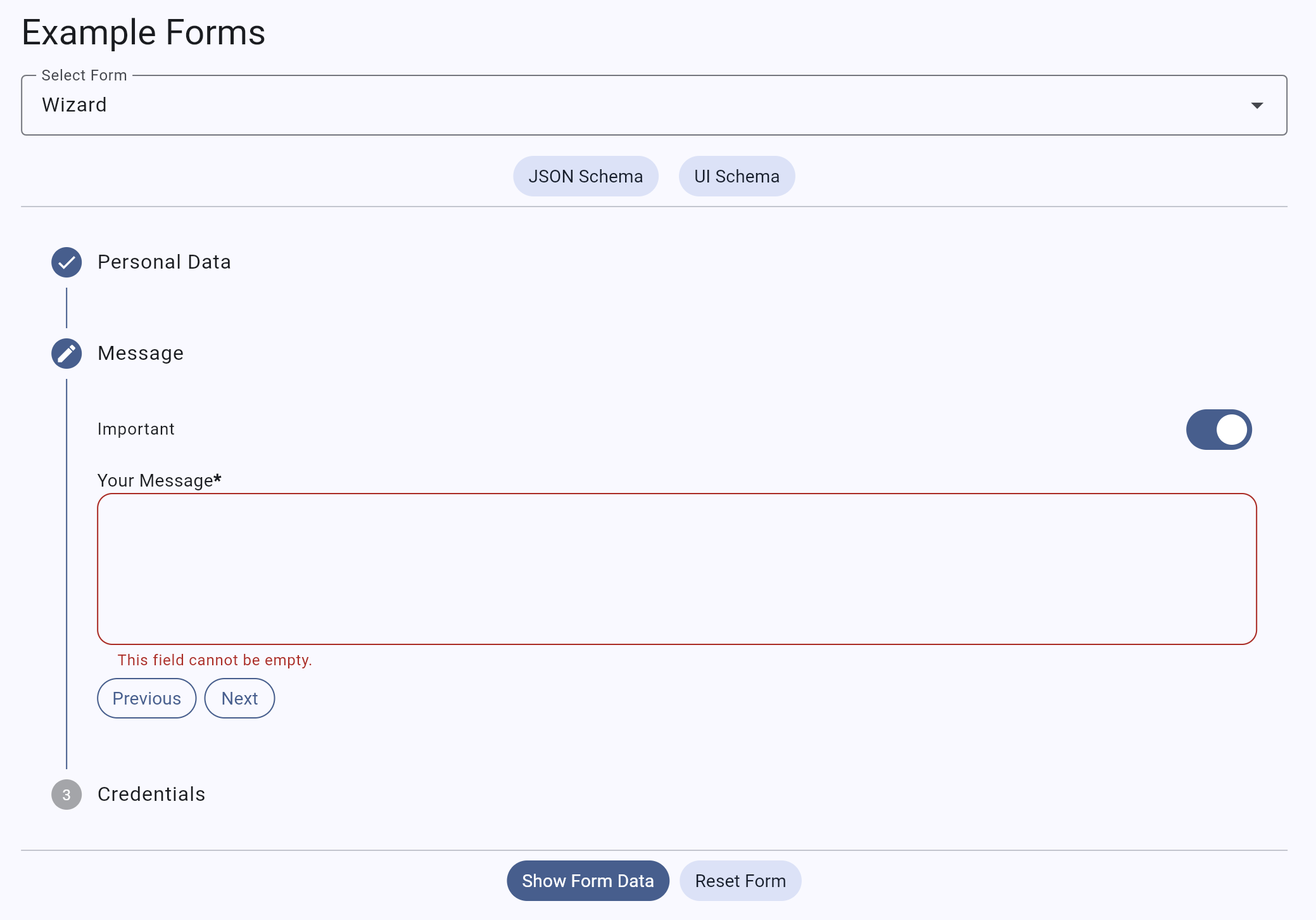
Getting started
To use the form renderer you need a valid json schema as of (Draft-07) to define the form. The Ui Schema is optional and gets generated automatically if not provided but to further customize the form and define dynamic dependencies between fields, you have to generate your own Ui Schema.
To use the package, add it to your pubspec.yaml file:
dependencies:
  flutter_json_form: ^0.0.1
Then, run flutter pub get to install the package.
Usage
The form renderer can be used like this:
import 'package:flutter/material.dart';
import 'package:flutter_json_form/flutter_json_form.dart';

void main() {
  runApp(
    FlutterJsonFormsDemo()
  );
}

class FlutterJsonFormsDemo extends extends StatelessWidget {
  final GlobalKey<FlutterJsonFormState> formKey;

  FlutterJsonFormsDemo({super.key}):
        formKey = GlobalKey<FlutterJsonFormState>();

  @override
  Widget build(BuildContext context) {
    return Scaffold(
      body: FlutterJsonForm(
        key: formKey,
        jsonSchema: {...},
        uiSchema: {...},
        validate: false,
        formData: {...},
      ),
    );
  }
Example values for the jsonSchema, uiSchema and formData can be seen here:
Register Form
  jsonSchema = {
      "name": "registration",
      "title": "Registration",
      "type": "object",
      "description": "A simple registration form example",
      "$schema": "http://json-schema.org/draft-07/schema#",
      "properties": {
          "firstName": {
              "type": "string",
              "title": "First Name"
          },
          "lastName": {
              "type": "string",
              "title": "Last Name"
          },
          "newsletter": {
              "type": "boolean",
              "default": true,
              "title": "Sign up for newsletter"
          },
          "email": {
              "type": "string",
              "title": "Email",
              "format": "email"
          }
      },
      "required": [
          "firstName",
          "lastName"
      ]
  };

  uiSchema = {
      "version": "2.0",
      "$schema": "ui.schema.json",
      "layout": {
          "type": "Group",
          "options": {
              "label": "Registration"
          },
          "elements": [
              {
                  "type": "HorizontalLayout",
                  "elements": [
                      {
                          "type": "Control",
                          "scope": "#/properties/firstName",
                          "options": {
                              "placeholder": "First Name"
                          }
                      },
                      {
                          "type": "Control",
                          "scope": "#/properties/lastName",
                          "options": {
                              "placeholder": "Last Name"
                          }
                      }
                  ]
              },
              {
                  "type": "Control",
                  "scope": "#/properties/newsletter",
                  "options": {
                      "label": "Sign up for newsletter"
                  }
              },
              {
                  "type": "Control",
                  "scope": "#/properties/email",
                  "showOn": {
                      "path": "#/properties/newsletter",
                      "type": "EQUALS",
                      "referenceValue": true
                  },
                  "options": {
                      "placeholder": "Email address",
                      "format": "email"
                  }
              },
              {
                  "type": "Button",
                  "buttonType": "submit",
                  "text": "Sign Up",
                  "options": {
                      "variant": "primary"
                  }
              }
          ]
      }
  };

  formData = {
      "firstName": "John",
  };
The formData can be set to prefill the form with existing data. If not provided, the form will be empty (except default values are set in the json schema).
Development
To read more about the development process, check out the development guide.
Roadmap
The following features are currently planned for the future:
- appearance of form renderer elements like arrays objects and single elements can be easily themed by providing a custom Theme object
- Customization: completely provide own widgets for the elements
- logic of the renderer can be further customized by providing callback/mapper functions
- ui schema is constantly expanded with more features to allow more customization of forms

educorvi GmbH & Co. KG ↗
분류
사용 중인 의존성
의존성 목록 19 개
- flutter
{"sdk":"flutter"} - flutter_form_builder
^10.1.0 - form_builder_validators
^11.2.0 - form_builder_extra_fields
^12.1.0 - form_builder_file_picker
^5.0.0 - form_builder_image_picker
^4.0.0 - json_schema
^5.1.6 - path_provider
^2.1.2 - flutter_widget_from_html
^0.17.0 - url_launcher
^6.2.5 - flutter_js
^0.8.5 - http
^1.5.0 - web
^1.1.1 - intl
any - skeletonizer
^2.1.0 - logging
^1.3.0 - flutter_test개발 의존성
{"sdk":"flutter"} - flutter_lints개발 의존성
^6.0.0 - integration_test개발 의존성
{"sdk":"flutter"}
프로젝트에 맞는 저장소를 선택하려면?
사용 목적에 따라 검색하고 개발 활동을 비교한 뒤 원본 저장소에서 요구 사항을 확인하세요.
- 이름, 작성자 또는 설명으로 검색하고 기술 주제로 범위를 좁힙니다.
- 스타, 포크, 최근 푸시를 함께 비교하세요. 스타는 관심의 지표이며 품질을 보장하지 않습니다.
- 사용하기 전에 GitHub에서 README, 라이선스, Issues를 확인하세요.
출처 및 관리
“A repository is the most basic element of GitHub.”
GitHub Docs — About repositories ↗