
 v0.3.0+2
sticky_headers
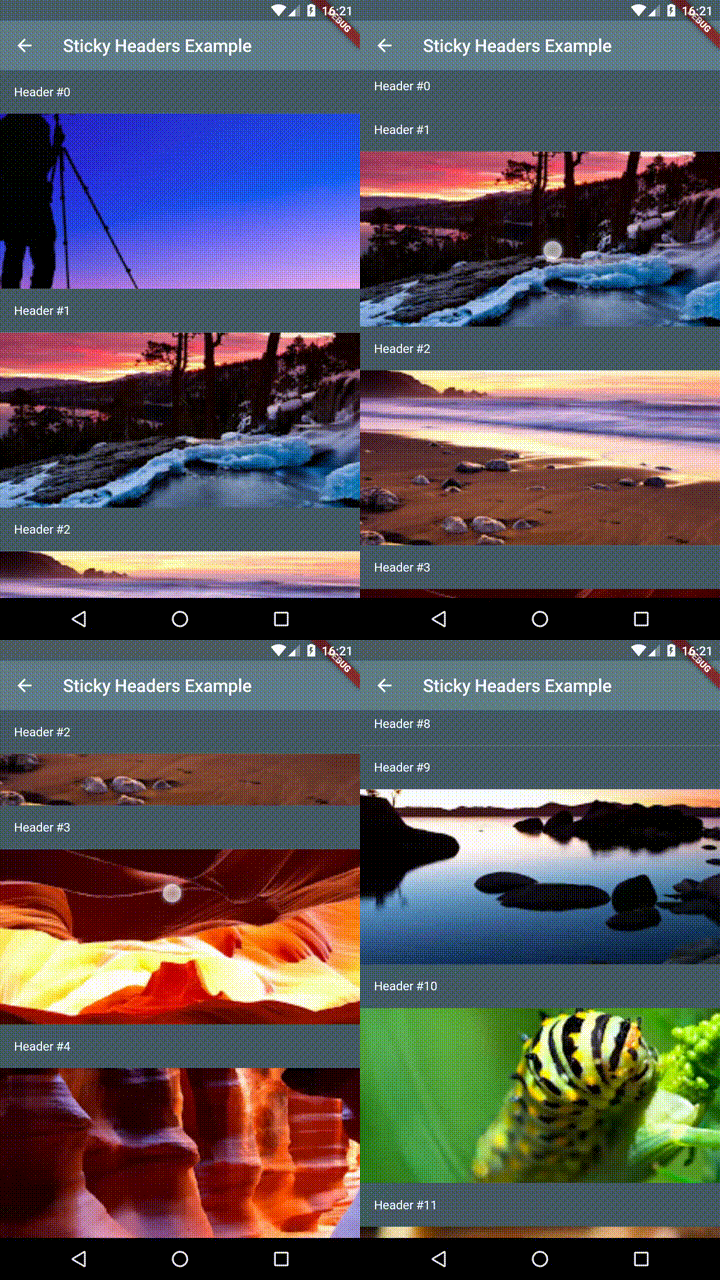
Flutter 스티키 헤더 - 스크롤 가능한 콘텐츠 위에 헤더를 배치할 수 있으며, 콘텐츠를 스크롤할 때 컨테이너 상단에 고정됩니다.
903좋아요 1.8만30일 다운로드140Pub 점수
AndroidiOSWebmacOSWindowsLinux
Flutter 스티키 헤더 - Flutter 앱에서 스크롤 가능한 콘텐츠에 '스티키 헤더'를 배치할 수 있게 해줍니다. 특별한 래퍼나 마법이 필요하지 않습니다. 유지보수자: @slightfoot

의존성 목록 3 개
{"sdk":"flutter"}—{"sdk":"flutter"}아래는 영문 원문 스냅샷입니다. 최신 내용은 GitHub에서 확인하세요.
Flutter Community: sticky_headers
Lets you place headers on scrollable content that will stick to the top of the container whilst the content is scrolled.
You can place a StickyHeader or StickyHeaderBuilder
inside any scrollable content, such as: ListView, GridView, CustomScrollView,
SingleChildScrollView or similar.
Depend on it:
dependencies:
  sticky_headers: "^0.3.0"
Import it:
import 'package:sticky_headers/sticky_headers.dart';
Use it:
class Example extends StatelessWidget {
  @override
  Widget build(BuildContext context) {
    return ListView.builder(itemBuilder: (context, index) {
      return StickyHeader(
        header: Container(
          height: 50.0,
          color: Colors.blueGrey[700],
          padding: EdgeInsets.symmetric(horizontal: 16.0),
          alignment: Alignment.centerLeft,
          child: Text('Header #$index',
            style: const TextStyle(color: Colors.white),
          ),
        ),
        content: Container(
          child: Image.network(
            imageForIndex(index),
            fit: BoxFit.cover,
            width: double.infinity,
            height: 200.0,
          ),
        ),
      );
    });
  }
}
Demo 1
Demo 2
Demo 3
If you encounter any problems feel free to open an issue. If you feel the library is missing a feature, please raise a ticket on Github and I'll look into it. Pull request are also welcome.