패키지, 저장소 및 앱 카테고리 검색

sticky_headers 표지
패키지 상세v0.3.0+2

sticky_headers

Flutter 스티키 헤더 - 스크롤 가능한 콘텐츠 위에 헤더를 배치할 수 있으며, 콘텐츠를 스크롤할 때 컨테이너 상단에 고정됩니다.

AndroidiOSWebmacOSWindowsLinux
30일 다운로드
1.2만
좋아요
903
Pub 점수
140

패키지 설치

flutter pub add sticky_headers

패키지 개요

공개 정보를 바탕으로 생성한 선택 가이드입니다.

StickyHeaders는 사용자가 콘텐츠를 스크롤할 때 리스트 상단에 헤더를 고정할 수 있도록 해주는 Flutter 패키지입니다. 연락처나 캘린더 항목과 같은 그룹화된 목록을 만들기에 적합하며, 섹션 헤더가 스크롤 중에도 항상 보이도록 할 수 있습니다. 이 패키지는 ListView 및 기타 스크롤 가능한 위젯과 원활하게 통합되어 부드러운 성능과 사용자 정의 가능한 헤더 동작을 제공합니다. Android, iOS, Web, macOS, Windows, Linux 등 모든 주요 플랫폼을 지원합니다.

사용 사례

  • 그룹화된 목록
  • 연락처 목록
  • 캘린더 보기
  • 섹션화된 데이터 표시
  • 스크롤 가능한 콘텐츠와 지속적인 헤더

주요 기능

  • 스크롤 시 스티키 헤더
  • 사용자 지정 가능한 헤더 스타일
  • 스무스 스크롤 통합
  • 여러 스크롤 가능한 위젯을 지원
  • 크로스 플랫폼 호환성

적합한 대상

  • 리스트 기반 앱을 개발하는 개발자
  • 분류된 데이터를 가진 앱
  • 지속적인 섹션 헤더가 필요한 UI
  • Flutter 초보자가 스크롤 가능한 레이아웃을 배운다
  • 다중 플랫폼을 대상으로 하는 프로젝트

고려 사항

  • 대규모 데이터 세트에서 성능에 영향을 미칠 수 있습니다
  • 헤더 높이를 신중하게 다뤄야 합니다
  • 제한된 내장 애니메이션
  • 매우 동적 콘텐츠에 최적화되지 않음
  • 복잡한 레이아웃에서는 헤더 위치를 수동으로 조정해야 할 수도 있습니다

원본 README

연결된 소스 저장소의 README 원문 스냅샷입니다. 최신 내용은 저장소에서 확인하세요.

Flutter Community: sticky_headers

Flutter Sticky Headers

pub package

Lets you place headers on scrollable content that will stick to the top of the container whilst the content is scrolled.

Usage

You can place a StickyHeader or StickyHeaderBuilder inside any scrollable content, such as: ListView, GridView, CustomScrollView, SingleChildScrollView or similar.

Depend on it:

dependencies:
  sticky_headers: "^0.3.0"

Import it:

import 'package:sticky_headers/sticky_headers.dart';

Use it:

class Example extends StatelessWidget {
  @override
  Widget build(BuildContext context) {
    return ListView.builder(itemBuilder: (context, index) {
      return StickyHeader(
        header: Container(
          height: 50.0,
          color: Colors.blueGrey[700],
          padding: EdgeInsets.symmetric(horizontal: 16.0),
          alignment: Alignment.centerLeft,
          child: Text('Header #$index',
            style: const TextStyle(color: Colors.white),
          ),
        ),
        content: Container(
          child: Image.network(
            imageForIndex(index), 
            fit: BoxFit.cover,
            width: double.infinity, 
            height: 200.0,
          ),
        ),
      );
    });
  }
}

Examples

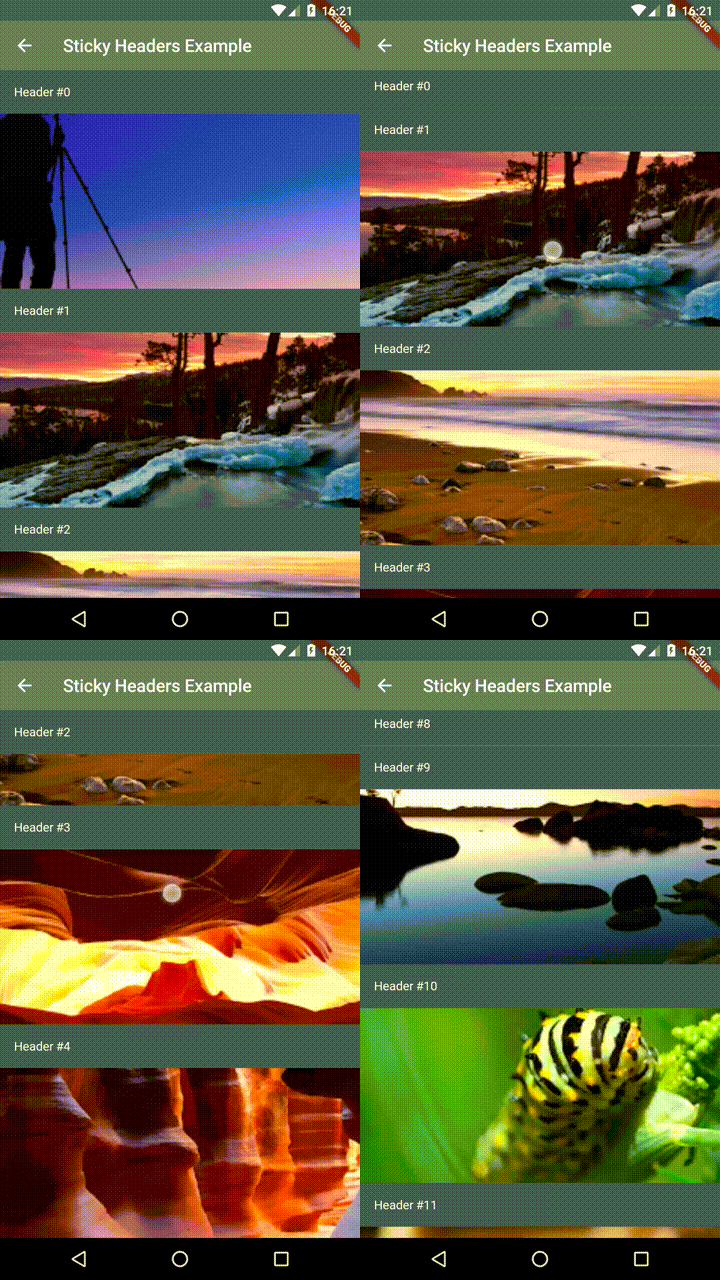
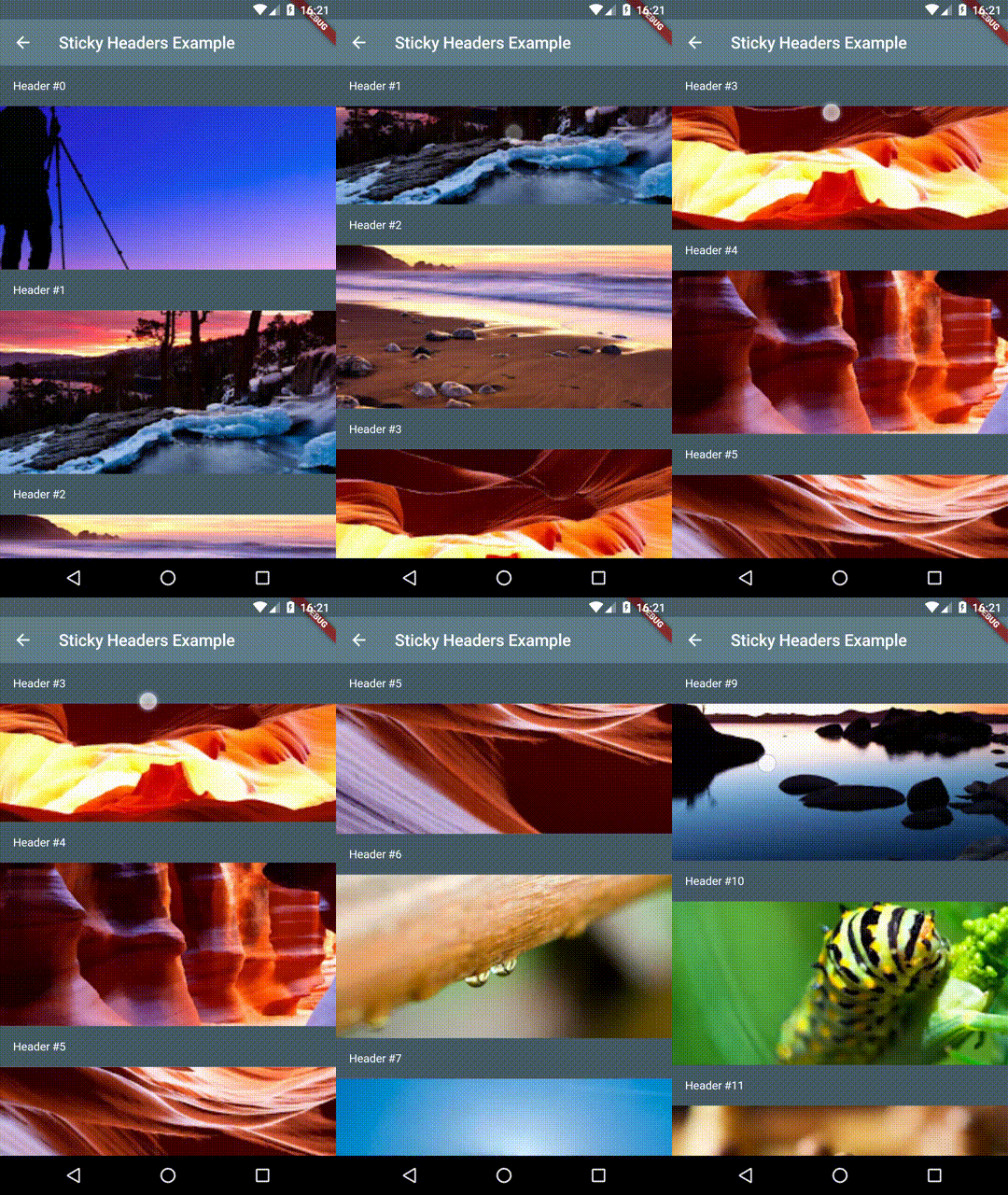
Example 1 - Headers and Content

Demo 1

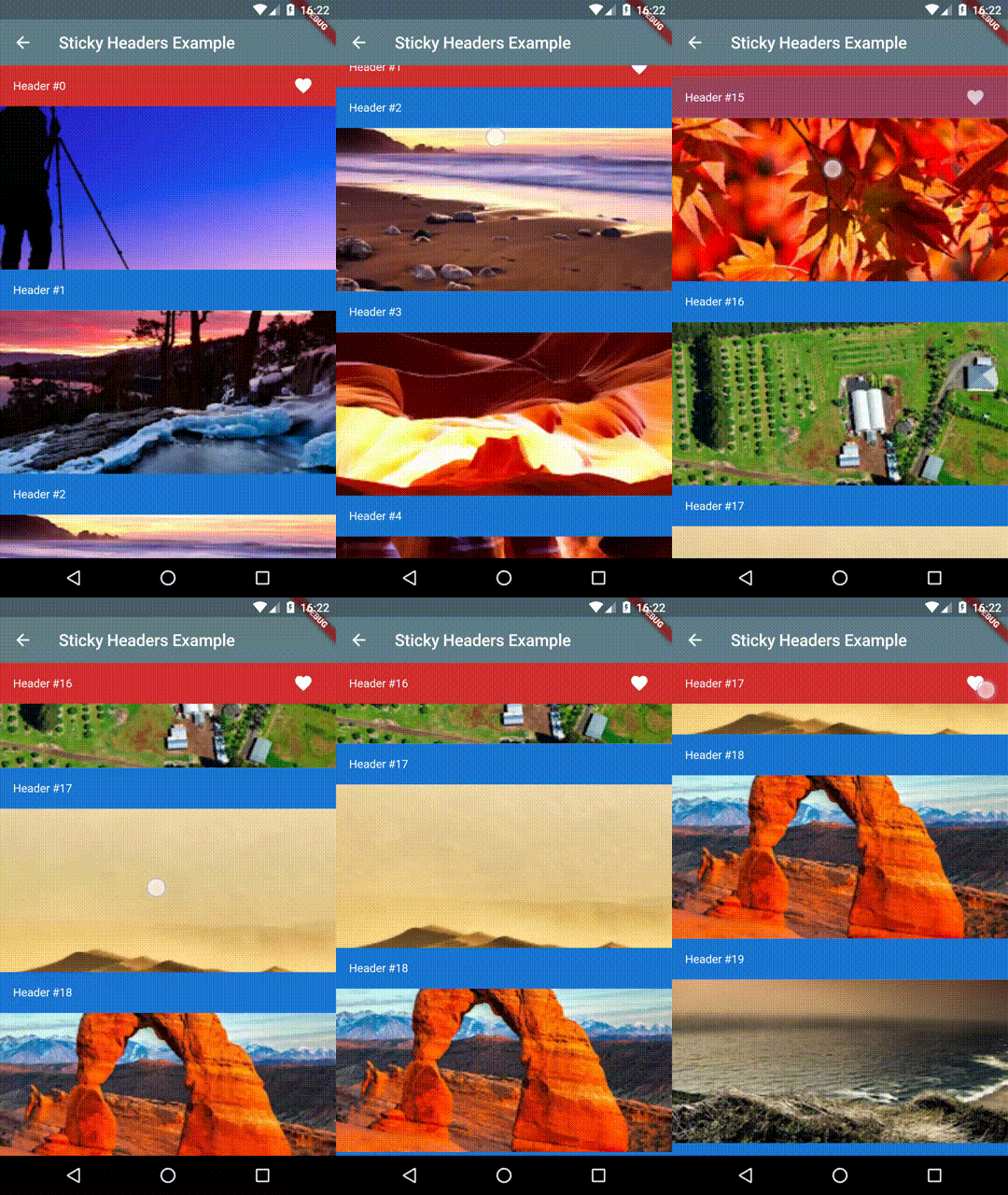
Example 2 - Animated Headers with Content

Demo 2

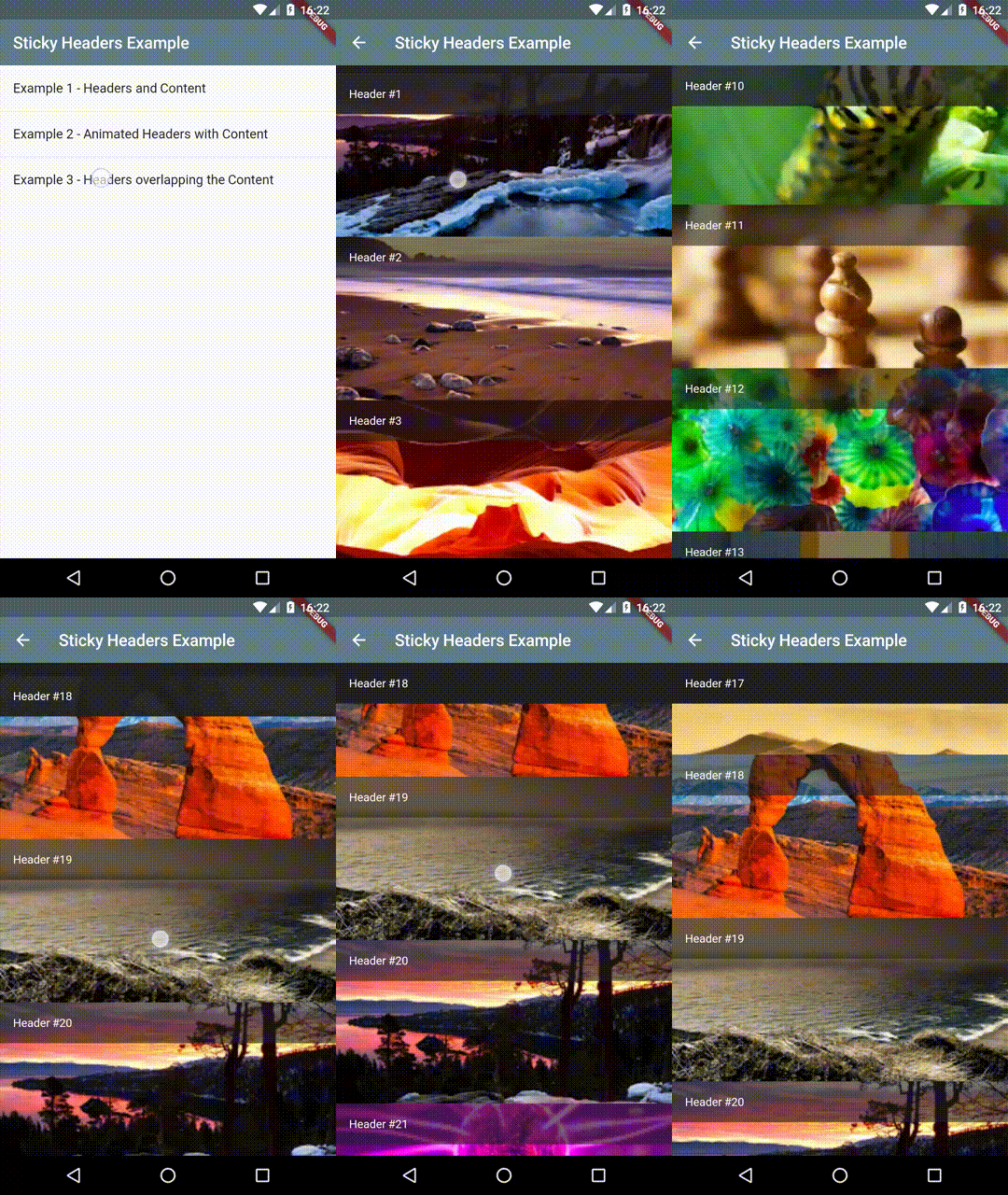
Example 3 - Headers overlapping the Content

Demo 3

Bugs/Requests

If you encounter any problems feel free to open an issue. If you feel the library is missing a feature, please raise a ticket on Github and I'll look into it. Pull request are also welcome.

카테고리

소스 저장소

이 패키지를 사용하는 프로젝트