

 v11.6.0
flutter_quill
Android, iOS, 웹 및 데스크톱 플랫폼을 위한 풍부한 텍스트 편집기입니다. Flutter용 WYSIWYG 에디터이자 Quill 컴포넌트입니다.
2.2천좋아요 35.5만30일 다운로드150Pub 점수
AndroidiOSmacOSWindowsLinux
Flutter와 Appwrite를 사용한 Google Docs 클론

아래는 영문 원문 스냅샷입니다. 최신 내용은 GitHub에서 확인하세요.
This project is a demo application showing how to create a rich text editing experience, similar to Google Docs, using Flutter, Appwrite, and Flutter-Quill. This is meant to serve as a demo on how to use these tools. Please see the video tutorial for a step-by-step walkthrough. Beginner friendly 😎
Collaborate with other users on the same document in real-time.

Easily create and re-open documents. Everything is saved to your Appwrite database.

Easy authentication using Appwrite.

Packages used in this project.

Appwrite is an open-source alternative to Firebase and makes it possible to easily integrate authentication and add a backend database for your application. Appwrite also makes it possible to add real-time listeners to your database quickly.
Appwrite sponsored this project and tutorial
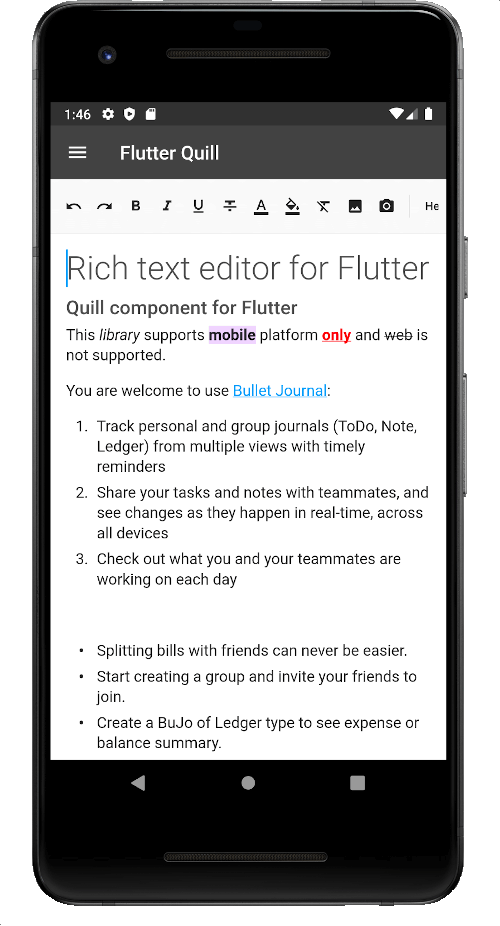
FlutterQuill is a rich text editor and a Quill component for Flutter. This package makes it easy to sync incremental changes to other editors (real-time changes).
Honorable Mentions: SuperEditor
Riverpod is an excellent choice for a state management solution in your Flutter application, and this tutorial demonstrates multiple scenarios where Riverpod truly shines. If you've not used it before, this project may change your mind. The video tutorial highlights numerous excellent features and demos how to structure and organize your providers.
Routemaster simplifies the complexity of Flutter's 2.0 Navigator. This project creates two separate route maps:
Riverpod, and the authentication state from Appwrite, determine which routes to allow.
Equatable: A Dart package that helps implement value-based equality without needing to explicitly override == and hashCode.
The project is split into multiple sections to make the tutorial easy to follow.
For a complete step-by-step guide, see: https://youtu.be/0_GJ1w_iG44
For the most up-to-date code: see the master branch.
The tutorial sections are extracted as dedicated branches on Github, meaning you can easily follow along and always have the latest code before starting new sections.
Android, iOS, 웹 및 데스크톱 플랫폼을 위한 풍부한 텍스트 편집기입니다. Flutter용 WYSIWYG 에디터이자 Quill 컴포넌트입니다.
Appwrite는 매우 간단한 REST API를 통해 복잡하고 반복적인 개발 작업을 추상화하고 단순화하는 오픈소스 자체 호스팅 백엔드 서버입니다.
웹, 모바일 및 데스크톱용으로 사용하기 쉬운 플러터 라우터입니다. URL 기반 라우팅, 간단한 탭 및 중첩된 경로 탐색을 지원합니다.
의존성 목록 11 개
{"sdk":"flutter"}^1.0.2^1.0.2^1.0.3^0.9.5^4.0.1^2.0.3^4.1.0^3.0.6{"sdk":"flutter"}^1.0.0사용 목적에 따라 검색하고 개발 활동을 비교한 뒤 원본 저장소에서 요구 사항을 확인하세요.
“A repository is the most basic element of GitHub.”
GitHub Docs — About repositories ↗