
 v0.3.4
animated_flip_counter
하나의 숫자에서 다른 숫자로 전환되는 암시적 애니메이션 위젯으로, 스타일, 소수점 자릿수 및 음수 값을 사용자 정의할 수 있습니다.
653좋아요 6.3만30일 다운로드150Pub 점수
AndroidiOSWebmacOSWindowsLinux
한 숫자에서 다른 숫자로 전환되는 암시적 애니메이션 위젯입니다.

의존성 목록 3 개
{"sdk":"flutter"}—{"sdk":"flutter"}아래는 영문 원문 스냅샷입니다. 최신 내용은 GitHub에서 확인하세요.
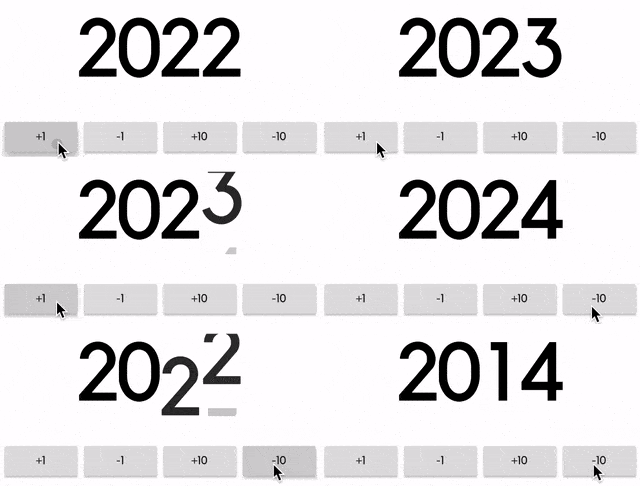
An implicit animation widget that flips from one number to another.
It can be useful to display information that's constantly changing.
https://github.com/h65wang/flutter-animated-counter/raw/master/gifs/demo.gifSimply pass in a value and an optional duration and curve, just like any other implicit animation widget in Flutter.
AnimatedFlipCounter(
  duration: Duration(milliseconds: 500),
  value: _value, // pass in a value like 2014
)
Use fractionDigits to specify how many digits to show after the decimal point. It handles negative values as well.
AnimatedFlipCounter(
  value: _value,
  fractionDigits: 2, // decimal precision
  suffix: "%",
  textStyle: TextStyle(
      fontSize: 40,
      color: _value >= 0 ? Colors.green : Colors.red,
  ),
)
Use the familiar TextStyle parameter for styling, and use prefix and suffix for additional texts.
AnimatedFlipCounter(
  value: _value,
  prefix: "Level ",
  textStyle: TextStyle(
    fontSize: 80,
    fontWeight: FontWeight.bold,
    letterSpacing: -8.0,
    color: Colors.yellow,
    shadows: [
      BoxShadow(
        color: Colors.orange,
        offset: Offset(8, 8),
        blurRadius: 8,
      ),
    ],
  ),
)