
 v1.4.1
responsive_grid_list
ListView.builder() 또는 SliverChildBuilderDelegate를 사용한 SliverList을 사용하여 반응형 그리드 목록을 만드는 Flutter 플러그인입니다.
150좋아요 1.1만30일 다운로드150Pub 점수
AndroidiOSWebmacOSWindowsLinux
ListView.builder() 또는 SliverChildBuilderDelegate를 사용한 SliverList로 반응형 그리드 목록을 생성하는 Flutter 플러그인

{"sdk":"flutter"}^3.2.2{"sdk":"flutter"}^1.21.1^10.0.0아래는 영문 원문 스냅샷입니다. 최신 내용은 GitHub에서 확인하세요.
Pub Version codecov style: very good analysis
A Flutter plugin to create responsive grid lists using ListView.builder(), SliverList with a SliverChildBuilderDelegate or any other list.
The provided Widgets essentially work like a Flutter Wrap Widget but they are more performant with large lists because of the internal use of ListView.builder() functions.
The items in the grid are all the same width and have the same height per row. This means when a Card widget for example is higher because of a large description or so, the whole row will get higher. The row after that can be lower since it will be the height of it's highest child.
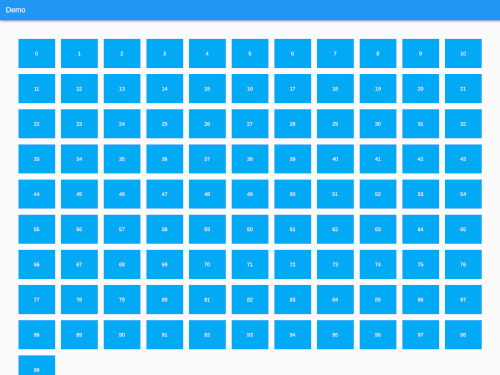
| Mobile | Desktop |
|---|---|
| Mobile Example | Mobile Example |
import 'package:responsive_grid_list/responsive_grid_list.dart';
A Responsive Grid List which uses ListView.builder() internally.
ResponsiveGridList(
    horizontalGridSpacing: 16, // Horizontal space between grid items
    verticalGridSpacing: 16, // Vertical space between grid items
    horizontalGridMargin: 50, // Horizontal space around the grid
    verticalGridMargin: 50, // Vertical space around the grid
    minItemWidth: 300, // The minimum item width (can be smaller, if the layout constraints are smaller)
    minItemsPerRow: 2, // The minimum items to show in a single row. Takes precedence over minItemWidth
    maxItemsPerRow: 5, // The maximum items to show in a single row. Can be useful on large screens
    listViewBuilderOptions: ListViewBuilderOptions(), // Options that are getting passed to the ListView.builder() function
    children: [...], // The list of widgets in the list
);
A Responsive Grid List which uses SliverList with a SliverChildBuilderDelegate internally.
ResponsiveSliverGridList(
    horizontalGridSpacing: 16, // Horizontal space between grid items
    verticalGridSpacing: 16, // Vertical space between grid items
    horizontalGridMargin: 50, // Horizontal space around the grid
    verticalGridMargin: 50, // Vertical space around the grid
    minItemWidth: 300, // The minimum item width (can be smaller, if the layout constraints are smaller)
    minItemsPerRow: 2, // The minimum items to show in a single row. Takes precedence over minItemWidth
    maxItemsPerRow: 5, // The maximum items to show in a single row. Can be useful on large screens
    sliverChildBuilderDelegateOptions: SliverChildBuilderDelegateOptions(), // Options that are getting passed to the SliverChildBuilderDelegate() function
    children: [...], // The list of widgets in the list
);
A Responsive Grid List which offers a builder in which every List / Column can be used with this package.
ResponsiveGridListBuilder(
    horizontalGridSpacing: 16, // Horizontal space between grid items
    verticalGridSpacing: 16, // Vertical space between grid items
    horizontalGridMargin: 50, // Horizontal space around the grid
    verticalGridMargin: 50, // Vertical space around the grid
    minItemWidth: 300, // The minimum item width (can be smaller, if the layout constraints are smaller)
    minItemsPerRow: 2, // The minimum items to show in a single row. Takes precedence over minItemWidth
    maxItemsPerRow: 5, // The maximum items to show in a single row. Can be useful on large screens
    gridItems: [...], // The list of widgets in the grid
    builder: (context, items) {
      // Place to build a List or Column to access all properties.
      // Set [items] as children attribute for example.
    }
);
AbstractResponsiveGridListTo create a Responsive Grid you can extend the AbstractResponsiveGridList class and access the getResponsiveGridListItems(double maxWidth) function to generate the grid and pipe it into your custom list.
class MyResponsiveGridList extends AbstractResponsiveGridList{
   /// Constructor etc...
  [...]

  @override
  Widget build(BuildContext context) {
    return LayoutBuilder(
      builder: (BuildContext context, BoxConstraints constraints) {

        // The abstract class has a function to generate the grid from
        // the constructor's paramters and the layout constraints max width
        var items = getResponsiveGridListItems(constraints.maxWidth);

        return [...]
      },
    );
  }
}
GridView instead. It offers aspectRatio.