
 v4.3.0
animated_text_kit
아름답고 멋진 텍스트 애니메이션 모음이 포함된 플러터 패키지 프로젝트입니다.
5.7천좋아요 15.1만30일 다운로드160Pub 점수
AndroidiOSWebmacOSWindowsLinux
코딩 퀴즈는 학습을 매우 즐겁게 만들어 줍니다. 여기서 단순히 배우는 것이 아니라 게임을 하면서 배웁니다. 우리의 퀴즈는 재미있고 지식을 즉각적으로 놀라게 합니다.
 v4.3.0
아름답고 멋진 텍스트 애니메이션 모음이 포함된 플러터 패키지 프로젝트입니다.
Animate.css에서 영감을 받은 아름다운 애니메이션으로, 외부 종속성 없이 사용 가능한 사용자 정의 위젯 기반 애니메이션 제공
 v3.1.3
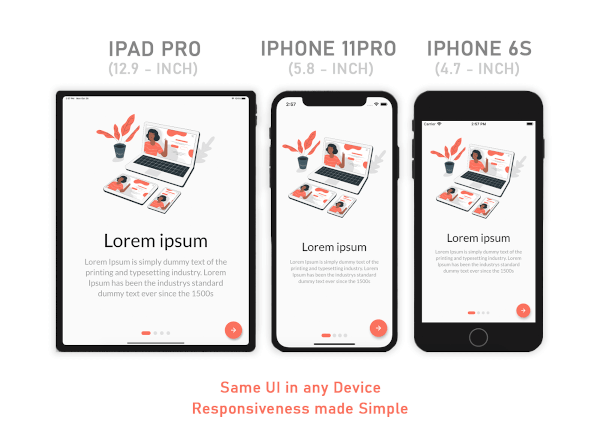
모바일, 웹, 데스크톱용 반응형 UI 솔루션 — 적응을 쉽게 만듭니다.
Flutter에서 위, 아래, 왼쪽 및 오른쪽 스와이프를 감지하는 간단한 방법입니다.
의존성 목록 16 개
{"sdk":"flutter"}^1.0.2^2.0.15^6.0.2^8.0.1^7.2.0^2.0.12^0.13.4^1.0.1^2.1.0^0.0.1^4.2.1^4.0.0^0.9.2^1.0.4{"sdk":"flutter"}아래는 영문 원문 스냅샷입니다. 최신 내용은 GitHub에서 확인하세요.
GitHub Workflow Status (branch) GitHub forks GitHub stars GitHub watchers GitHub contributors GitHub last commit GitHub top language
mockup
Besides the Flutter development setup on your computer, this project needs a
quizapi.io API key. The key is not stored in the repo — it is passed
in at build time and read via String.fromEnvironment:
flutter run   --dart-define=QUIZ_API_KEY=qa_sk_your_api_key
flutter build --dart-define=QUIZ_API_KEY=qa_sk_your_api_key
In VS Code, add it to .vscode/launch.json instead so you don't have to pass it every time:
{
  "configurations": [
    {
      "name": "code_quizzy",
      "request": "launch",
      "type": "dart",
      "toolArgs": ["--dart-define=QUIZ_API_KEY=qa_sk_your_api_key"]
    }
  ]
}
Without the key the app shows a "Missing API Key" screen rather than failing silently.
The app talks to the v1 API, which authenticates with an Authorization: Bearer <key> header
and returns its payloads inside a {success, data, meta} envelope. Topics are loaded at
runtime from GET /api/v1/categories, so the topic list never goes stale.
You've done entire steps correctly and I make sure that this project will have paramount effect on your progress learning Flutter