
 v1.0.4
animated_introduction
이미지와 애니메이션을 포함한 새로운 플러터 소개 패키지로, 앱 기능 또는 제품 홍보에 사용할 수 있습니다.
104좋아요 10830일 다운로드150Pub 점수
AndroidiOSWebmacOSWindowsLinux
Flutter용 애니메이션 소개 화면 슬라이드 패키지
아래는 영문 원문 스냅샷입니다. 최신 내용은 GitHub에서 확인하세요.
Simple Animated Introduction Screen for Flutter
Add this to your flutter app to get a simple animated introduction screen.
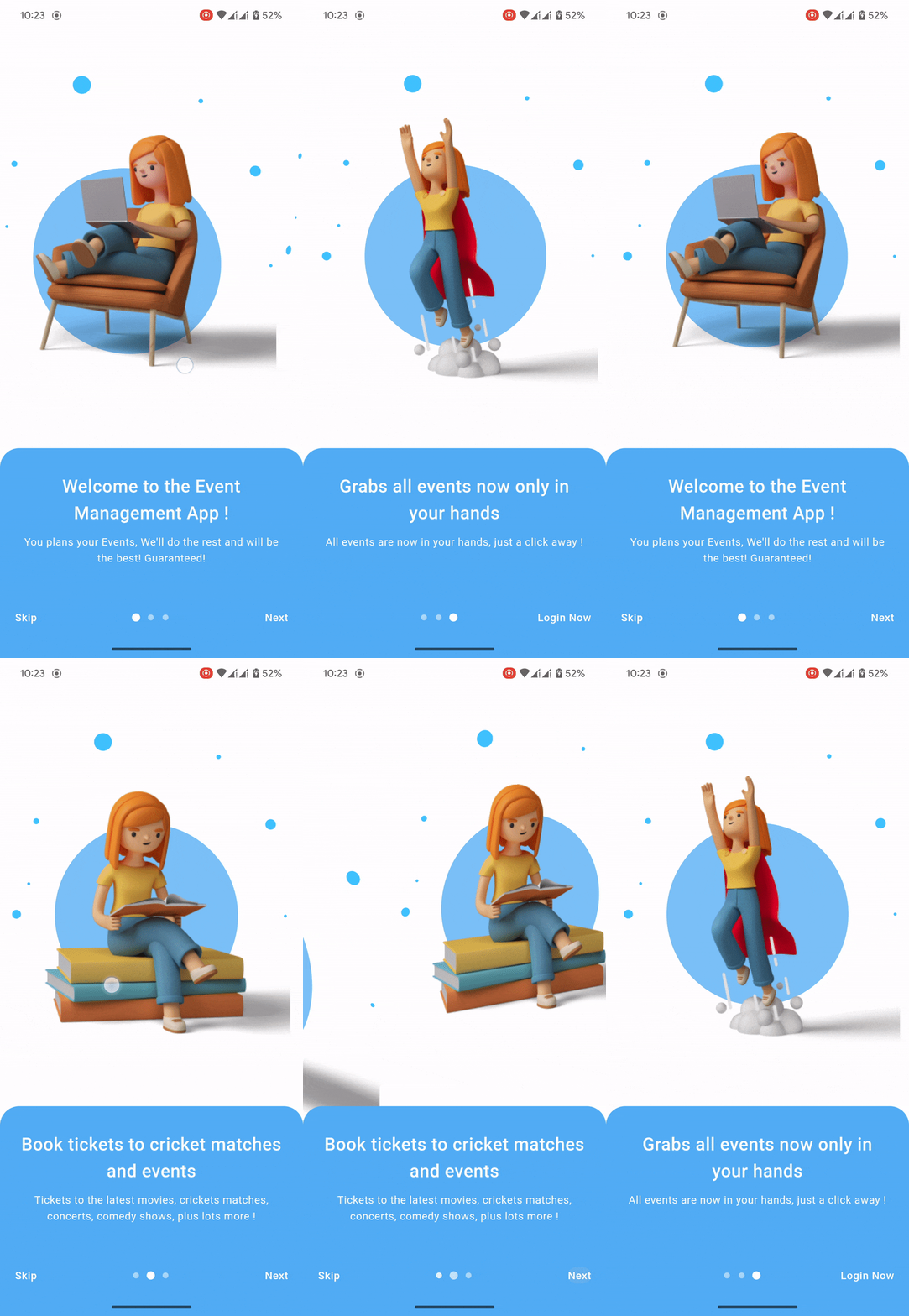
Add this to your package's pubspec.yaml file:
dependencies:
  animated_introduction: ^1.0.3
import 'package:animated_introduction/animated_introduction.dart';
SingleIntroScreen objectsfinal List<SingleIntroScreen> pages = [
const SingleIntroScreen(
title: 'Welcome to the Event Management App !',
description: 'You plans your Events, We\'ll do the rest and will be the best! Guaranteed! ',
imageAsset: 'assets/onboard_one.png',
),
const SingleIntroScreen(
title: 'Book tickets to cricket matches and events',
description: 'Tickets to the latest movies, crickets matches, concerts, comedy shows, plus lots more !',
imageAsset: 'assets/onboard_two.png',
),
const SingleIntroScreen(
title: 'Grabs all events now only in your hands',
description: 'All events are now in your hands, just a click away ! ',
imageAsset: 'assets/onboard_three.png',
),
];
AnimatedIntroduction widgetScaffold(
body: AnimatedIntroduction(
slides: pages,
indicatorType: IndicatorType.circle,
onDone: () {
/// TODO: Go to desire page like login or home
},
),
);

의존성 목록 3 개
{"sdk":"flutter"}{"sdk":"flutter"}^2.0.0사용 목적에 따라 검색하고 개발 활동을 비교한 뒤 원본 저장소에서 요구 사항을 확인하세요.
“A repository is the most basic element of GitHub.”
GitHub Docs — About repositories ↗