
 v1.3.0
cupertino_onboarding
iOS 스타일의 온보딩 경험을 제공하는 Flutter 패키지입니다.
194좋아요 78530일 다운로드150Pub 점수
AndroidiOSWebmacOSWindowsLinux
최소한의 코드로 아름답고 iOS 스타일의 간편한 온보딩 경험을 제공하는 Flutter 패키지입니다.

^2.1.0{"sdk":"flutter"}{"sdk":"flutter"}^4.6.0^6.0.0아래는 영문 원문 스냅샷입니다. 최신 내용은 GitHub에서 확인하세요.
style: very good analysis pub.dev badge GitHub build status codecov License: MIT
Flutter package that provides a beautiful, iOS-like, easy onboarding experience with minimal code.
It's designed to easily showcase your app's features and provide a simple way for users to learn about your app.
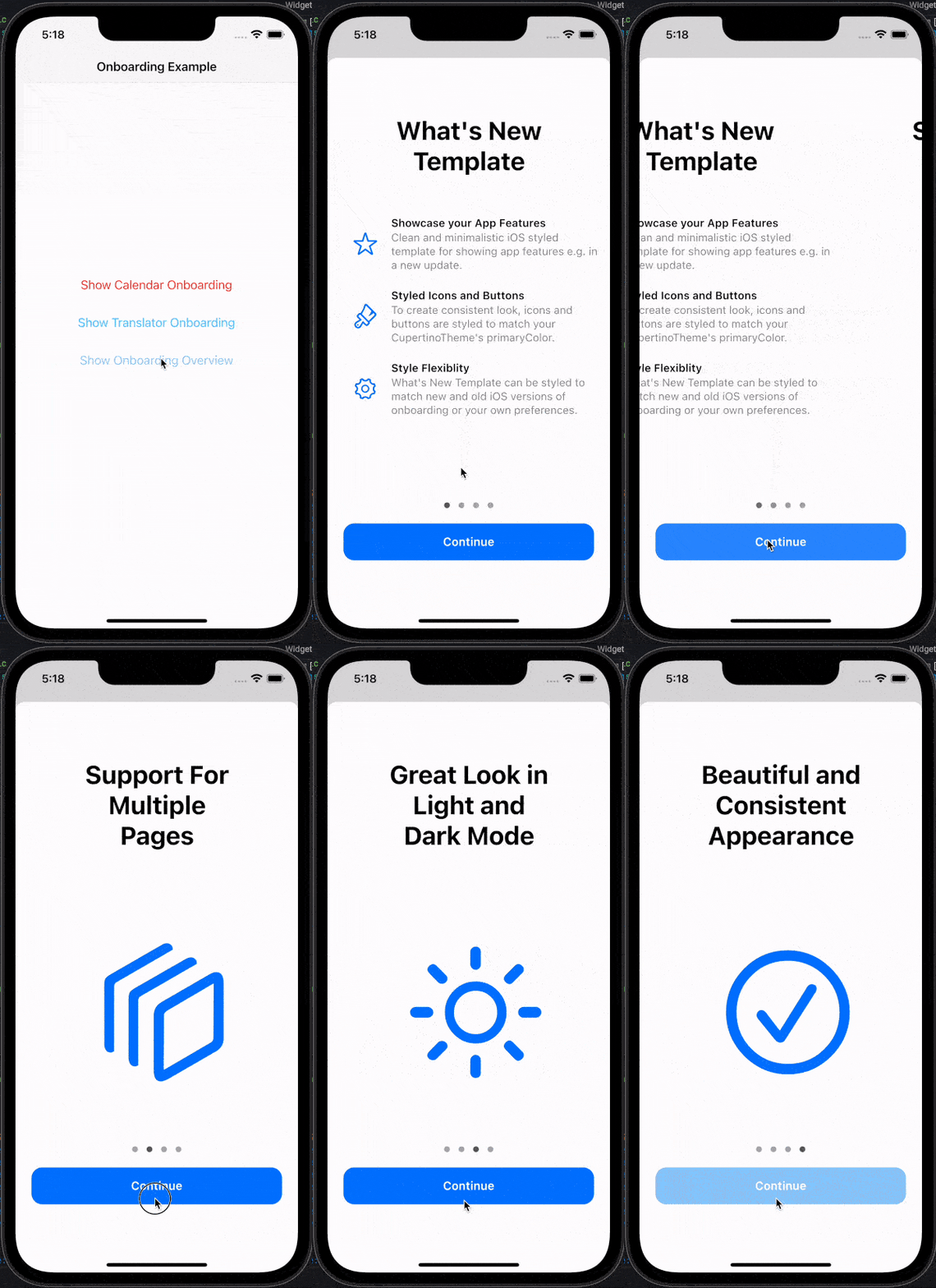
onboarding example calendar example translator exampleAdd the package to your pubspec.yaml file:
cupertino_onboarding: ^1.2.0
Import the library:
import 'package:cupertino_onboarding/cupertino_onboarding.dart';
Create CupertinoOnboarding widget and pass your pages as parameter:
@override
Widget build(BuildContext context) {
  return CupertinoOnboarding(
    onPressedOnLastPage: () => Navigator.pop(context),
    pages: [
      // To create What's New page like Calendar or Translator
      // examples in the readme, use `WhatsNewPage` widget:

      // Actual code from the Calendar example:
      WhatsNewPage(
        title: const Text("What's New in Calendar"),
        features: [
          // Feature's type must be `WhatsNewFeature`
          WhatsNewFeature(
            icon: Icon(
              CupertinoIcons.mail,
              color: CupertinoColors.systemRed.resolveFrom(context),
            ),
            title: const Text('Found Events'),
            description: const Text(
              'Siri suggests events found in Mail, Messages, and Safari, so you can add them easily, such as flight reservations and hotel bookings.',
            ),
          ),
          WhatsNewFeature(
            icon: Icon(
              CupertinoIcons.time,
              color: CupertinoColors.systemRed.resolveFrom(context),
            ),
            title: const Text('Time to Leave'),
            description: const Text(
              "Calendar uses Apple Maps to look up locations, traffic conditions, and transit options to tell you when it's time to leave.",
            ),
          ),
        ],
      ),

      // To create custom onboarding page, use
      // `CupertinoOnboardingPage` widget:

      // Actual code from the GIF example:
      const CupertinoOnboardingPage(
        title: Text('Support For Multiple Pages'),
        body: Icon(
          CupertinoIcons.square_stack_3d_down_right,
          size: 200,
        ),
      ),
      const CupertinoOnboardingPage(
        title: Text('Great Look in Light and Dark Mode'),
        body: Icon(
          CupertinoIcons.sun_max,
          size: 200,
        ),
      ),
    ],
  );
}
CupertinoOnboarding can be shown as any other widget, but to match native feel, consider using modal_bottom_sheet package or other modal view.
See API reference for more information about customizing look and feel of the onboarding.
Feel free to contribute to this project.
Please file feature requests and bugs at the issue tracker.
If you fixed a bug or implemented a feature by yourself, feel free to send a pull request.
I am working on my packages in my free time.
If this package is helping you, please consider buying me a coffee, so I can keep updating and maintaining this package.