

 v2.6.1
sms_autofill
SMS 코드 자동 채우기 지원을 제공하는 Flutter 플러그인
881좋아요 20.7만30일 다운로드140Pub 점수
AndroidiOS
SMS 코드 자동 채우기 지원을 제공하는 Flutter 플러그인

아래는 영문 원문 스냅샷입니다. 최신 내용은 GitHub에서 확인하세요.
 Flutter plugin to provide SMS code autofill support.
For iOS, this package is not needed as the SMS autofill is provided by default, but not for Android, that's where this package is useful.
No permission to read SMS messages is asked to the user as there no need thanks to SMSRetriever API.
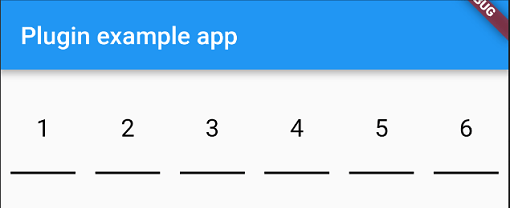
You have two widgets at your disposable for autofill an SMS code, PinFieldAutoFill and TextFieldPinAutoFill.
Just before you sent your phone number to the backend, you need to let the plugin know that it needs to listen for the SMS with the code.
To do that you need to do:
await SmsAutoFill().listenForCode();
This will listen for the SMS with the code during 5 minutes and when received, autofill the following widget.
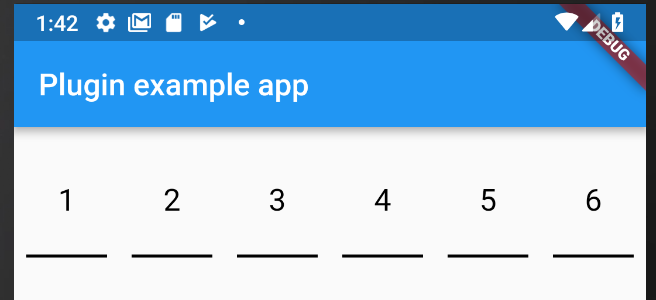
PinFieldAutoFill(
                decoration: // UnderlineDecoration, BoxLooseDecoration or BoxTightDecoration see https://github.com/TinoGuo/pin_input_text_field for more info,
                currentCode: // prefill with a code
                onCodeSubmitted: //code submitted callback
                onCodeChanged: //code changed callback
                codeLength: //code length, default 6
              ),
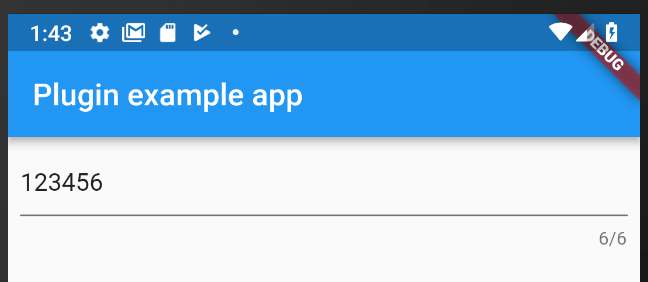
TextFieldPinAutoFill(
                decoration: // basic InputDecoration
                currentCode: // prefill with a code
                onCodeSubmitted: //code submitted callback
                onCodeChanged: //code changed callback
                codeLength: //code length, default 6
              ),
For the code to be receive, it need to follow some rules as describe here: https://developers.google.com/identity/sms-retriever/verify
One example of SMS would be:
ExampleApp: Your code is 123456
FA+9qCX9VSu
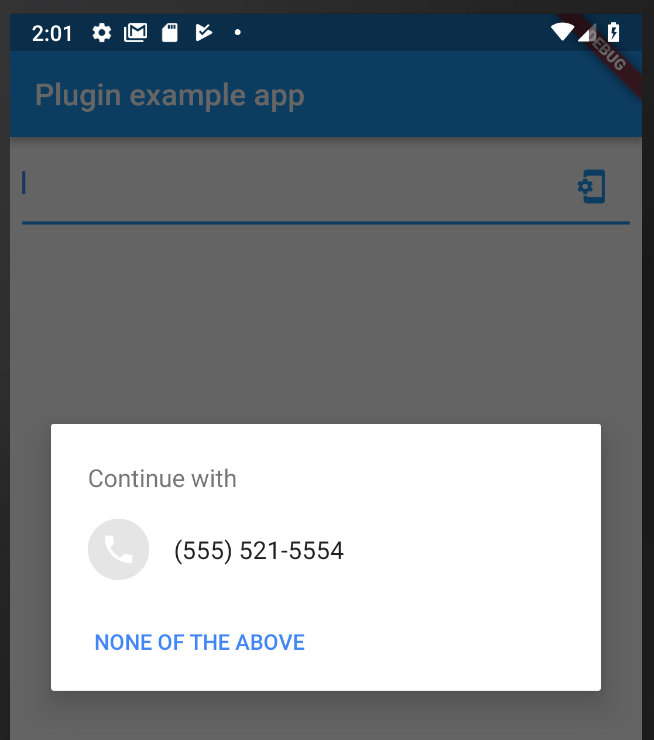
PhoneFieldHint is a widget that will allow you ask for system phone number and autofill the widget if a phone is choosen by the user.
If you want to create a custom widget that will autofill with the sms code, you can use the CodeAutoFill mixin that will offer you:
listenForCode() to listen for the SMS code from the native plugin when SMS is received, need to be called on your initState.cancel() to dispose the subscription of the SMS code from the native plugin, need to be called on your dispose.codeUpdated() called when the code is received, you can access the value with the field code.unregisterListener() to unregister the broadcast receiver, need to be called on your dispose.To get the app signature at runtime just call the getter getAppSignature on SmsAutoFill. You can also find the sample code in example app.
의존성 목록 2 개
>=4.2.0 <5.0.0{"sdk":"flutter"}사용 목적에 따라 검색하고 개발 활동을 비교한 뒤 원본 저장소에서 요구 사항을 확인하세요.
“A repository is the most basic element of GitHub.”
GitHub Docs — About repositories ↗