

v4.2.0
google_places_autocomplete_text_field
Flutter용 iOS, Android 및 웹에서 사용 가능한 완전히 사용자 정의 가능한 Google Places 자동 완성 TextFormField입니다.
38좋아요 3.1천30일 다운로드160Pub 점수
AndroidiOSmacOSWindowsLinux
julienandco/google_places_autocomplete_text_field open-source repository details.

아래는 영문 원문 스냅샷입니다. 최신 내용은 GitHub에서 확인하세요.
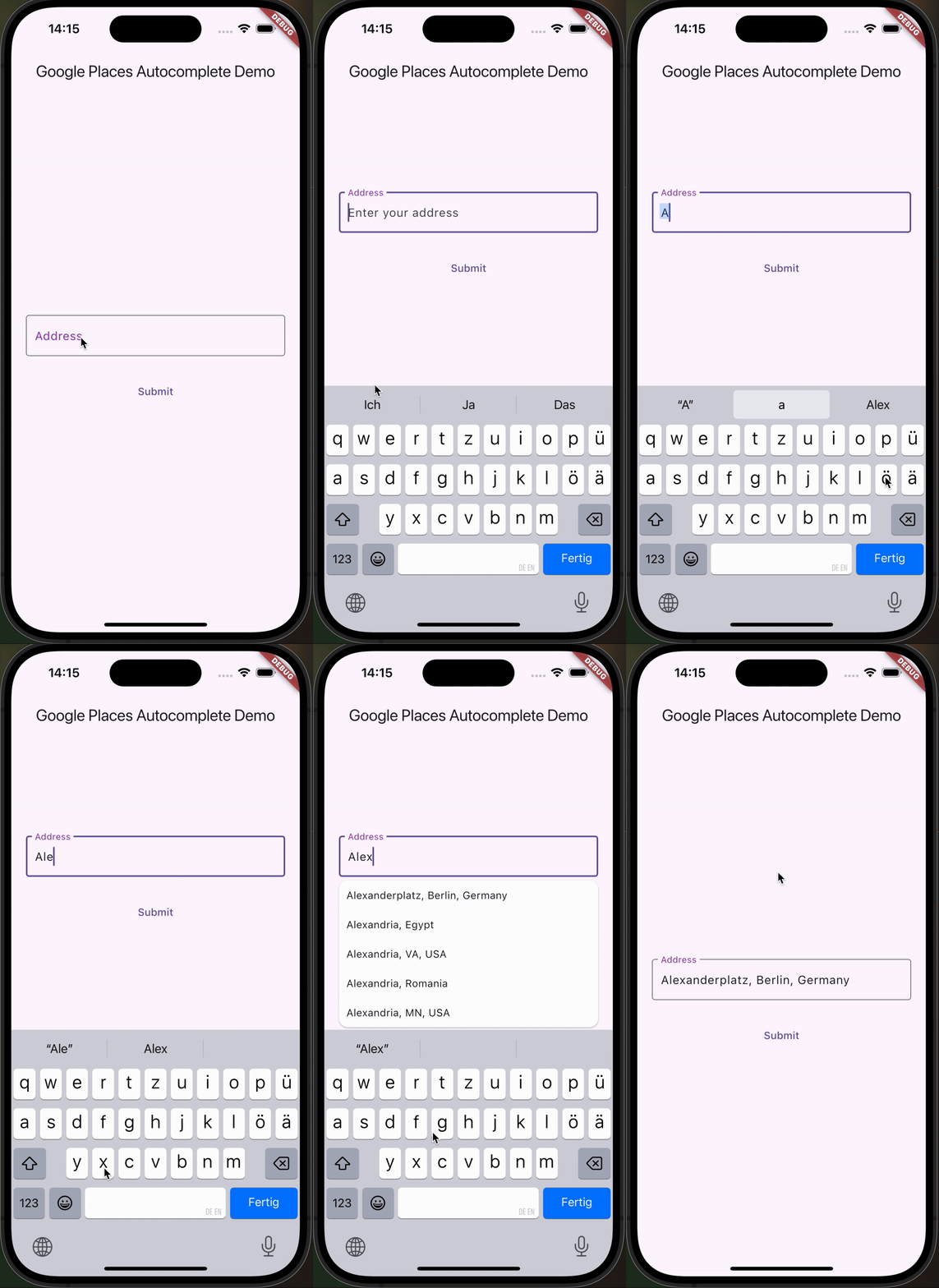
This Flutter package helps you build a TextField that provides autocompletion suggestions from the new Google Places API.
Go check it out on pub.dev!
dependencies:
  flutter:
    sdk: flutter
  google_places_autocomplete_text_field: <last-version>
    GooglePlacesAutoCompleteTextFormField(
        textEditingController: controller,
        config: const GoogleApiConfig(
          apiKey: 'YOUR_GOOGLE_API_KEY',
          // only needed if you build for the web
          proxyURL: 'https://your-proxy.com/',
          countries: ['de'], // optional, by default the list is empty (no restrictions)
          fetchPlaceDetailsWithCoordinates: true,  // if you require the coordinates from the place details
          debounceTime: 400, // defaults to 600 ms
          locationRestriction: LocationConfig.circle(
            circleCenter: const Coordinates(latitude: 52.5200, longitude: 13.4050),
            circleRadiusInKilometers: 1000,
          ), // either this or locationBias (or nothing)
          placeTypeRestriction: PlaceType.city, // if you want specific place types
        ),
        onPredictionWithCoordinatesReceived: (prediction) {
         // this method will return latlng with place detail
        print("Coordinates: (${prediction.lat},${prediction.lng})");
        // the place details are returned on the prediction as well
        print("Address: ${prediction.formattedAddress}");
        print("Components: ${prediction.addressComponents}");
        }, // this callback is called when fetchPlaceDetailsWithCoordinates is true
        onSuggestionClicked: (prediction) {
         controller.text = prediction.description;
          controller.selection = TextSelection.fromPosition(TextPosition(offset: prediction.description.length));
        }
    )
In case you're building for the web, you need to pass the widget a proxy URL, otherwise you will receive a CORS-Error, as there are calls to the Google Maps API being made from the frontend. If you are not Google, your domain will probably be different, thus leading to the CORS-Error. If you are Google: how ya doin 😏? I'd love to do an internship.
You can customize the GooglePlacesAutoCompleteTextFormField as you would with any other TextFormField.
의존성 목록 6 개
{"sdk":"flutter"}^5.9.0^0.28.0^2.13.0{"sdk":"flutter"}^6.0.0사용 목적에 따라 검색하고 개발 활동을 비교한 뒤 원본 저장소에서 요구 사항을 확인하세요.
“A repository is the most basic element of GitHub.”
GitHub Docs — About repositories ↗