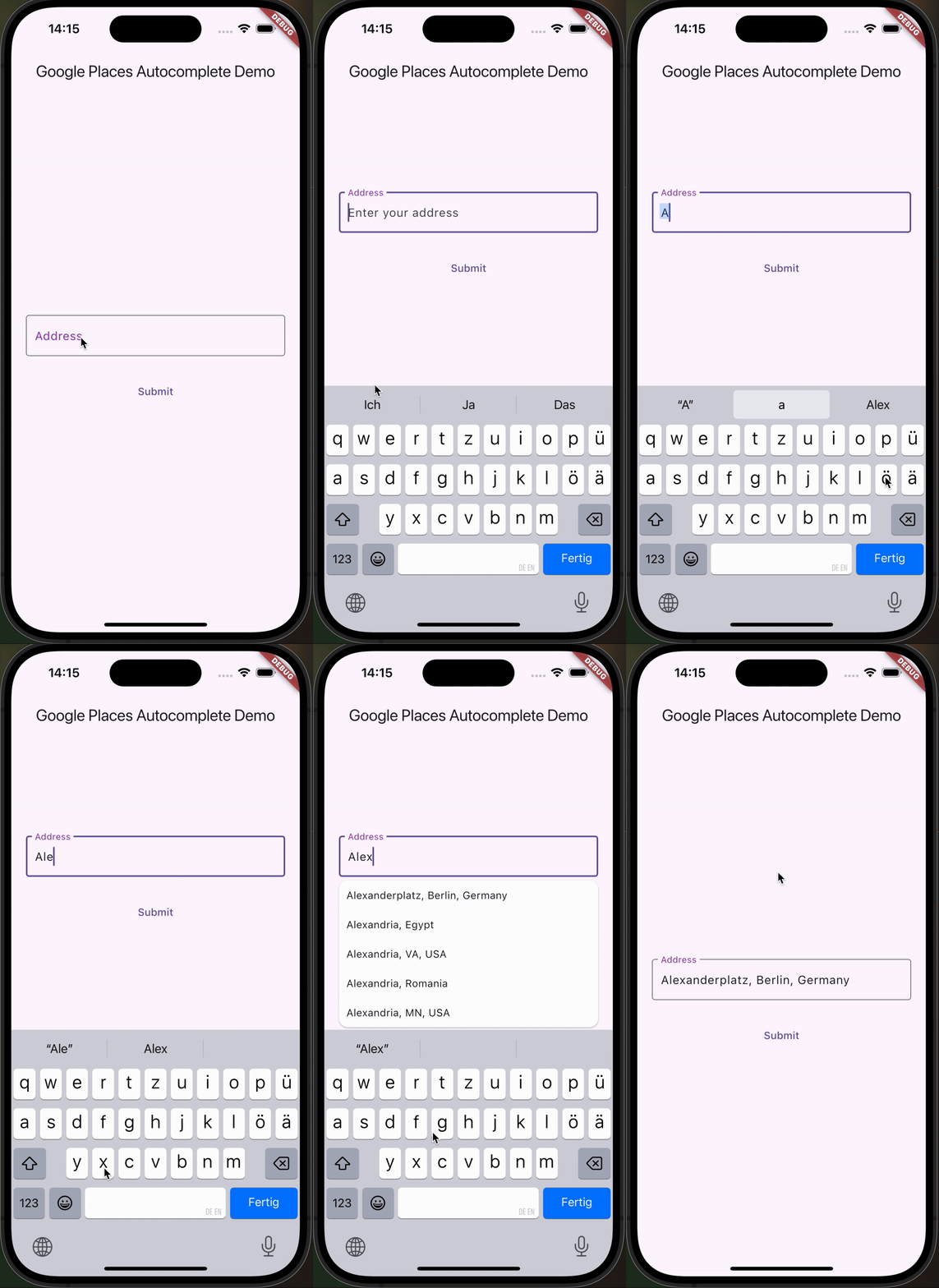
iOS, Android, 웹 플랫폼을 지원하는 사용자 정의 가능한 Flutter 텍스트 필드로, Google 장소 자동 완성 기능을 제공합니다. 실시간 제안은 Google Places API를 통해 제공되며, 사용자가 위치를 검색하고 선택할 수 있도록 합니다. 주소나 위치 입력이 필요한 양식에 원활하게 통합될 수 있도록 설계되었으며, 스타일과 동작에서 유연성을 제공합니다. 사용자가 입력한 주소로부터 정확한 지리 정보 데이터가 필요한 앱에 적합합니다.
사용 사례
양식 내 주소 입력
여행 앱에서의 위치 선택
배송 주소 입력
지역 기반 서비스
사용자 프로필 설정
주요 기능
실시간 장소 제안
사용자 정의 가능한 UI 및 스타일링
크로스 플랫폼 지원 (iOS, Android, Web)
Google Places API 통합
내장된 오류 처리 및 검증
적합한 대상
위치 입력이 필요한 모바일 및 웹 애플리케이션
배송 또는 지도 기능이 있는 앱
정확한 주소 입력이 필요한 양식
Google Places API를 사용하는 개발자
자동 완성 기능을 우선 고려하는 사용자 경험 프로젝트
고려 사항
Google Places API 키가 필요합니다
질의에 따라 사용 비용이 발생할 수 있습니다
인터넷 연결에 의존합니다
제안 목록 표시의 사용자 정의 제한
고부하 시 응답 시간에 지연이 발생할 수 있음
원본 README
연결된 소스 저장소의 README 원문 스냅샷입니다. 최신 내용은 저장소에서 확인하세요.
google_places_autocomplete_text_field
This Flutter package helps you build a TextField that provides autocompletion suggestions from the new Google Places API.
Integrate the Google AutoComplete TextField Widget in your code 🧩
GooglePlacesAutoCompleteTextFormField(
textEditingController: controller,
config: constGoogleApiConfig(
apiKey: 'YOUR_GOOGLE_API_KEY',
// only needed if you build for the web
proxyURL: 'https://your-proxy.com/',
countries: ['de'], // optional, by default the list is empty (no restrictions)
fetchPlaceDetailsWithCoordinates: true, // if you require the coordinates from the place details
debounceTime: 400, // defaults to 600 ms
locationRestriction: LocationConfig.circle(
circleCenter: constCoordinates(latitude: 52.5200, longitude: 13.4050),
circleRadiusInKilometers: 1000,
), // either this or locationBias (or nothing)
placeTypeRestriction: PlaceType.city, // if you want specific place types
),
onPredictionWithCoordinatesReceived: (prediction) {
// this method will return latlng with place detailprint("Coordinates: (${prediction.lat},${prediction.lng})");
// the place details are returned on the prediction as wellprint("Address: ${prediction.formattedAddress}");
print("Components: ${prediction.addressComponents}");
}, // this callback is called when fetchPlaceDetailsWithCoordinates is true
onSuggestionClicked: (prediction) {
controller.text = prediction.description;
controller.selection = TextSelection.fromPosition(TextPosition(offset: prediction.description.length));
}
)
Integrate the Google AutoComplete TextField Widget in your Web code 🌐
In case you're building for the web, you need to pass the widget a proxy URL, otherwise you will receive a CORS-Error, as there are calls to the Google Maps API being made from the frontend. If you are not Google, your domain will probably be different, thus leading to the CORS-Error. If you are Google: how ya doin 😏? I'd love to do an internship.
Customization Option
You can customize the GooglePlacesAutoCompleteTextFormField as you would with any other TextFormField.