

v1.0.2+1
extended_navbar_scaffold
확장 가능하고 부유형 네비게이션 바를 갖춘 사용자 정의 확장 Scaffold
88좋아요 1230일 다운로드40Pub 점수
플랫폼 정보 없음
확장 가능하고 부유형 네비게이션 바를 갖춘 사용자 정의 확장 Scaffold

아래는 영문 원문 스냅샷입니다. 최신 내용은 GitHub에서 확인하세요.


Custom Extended Scaffold
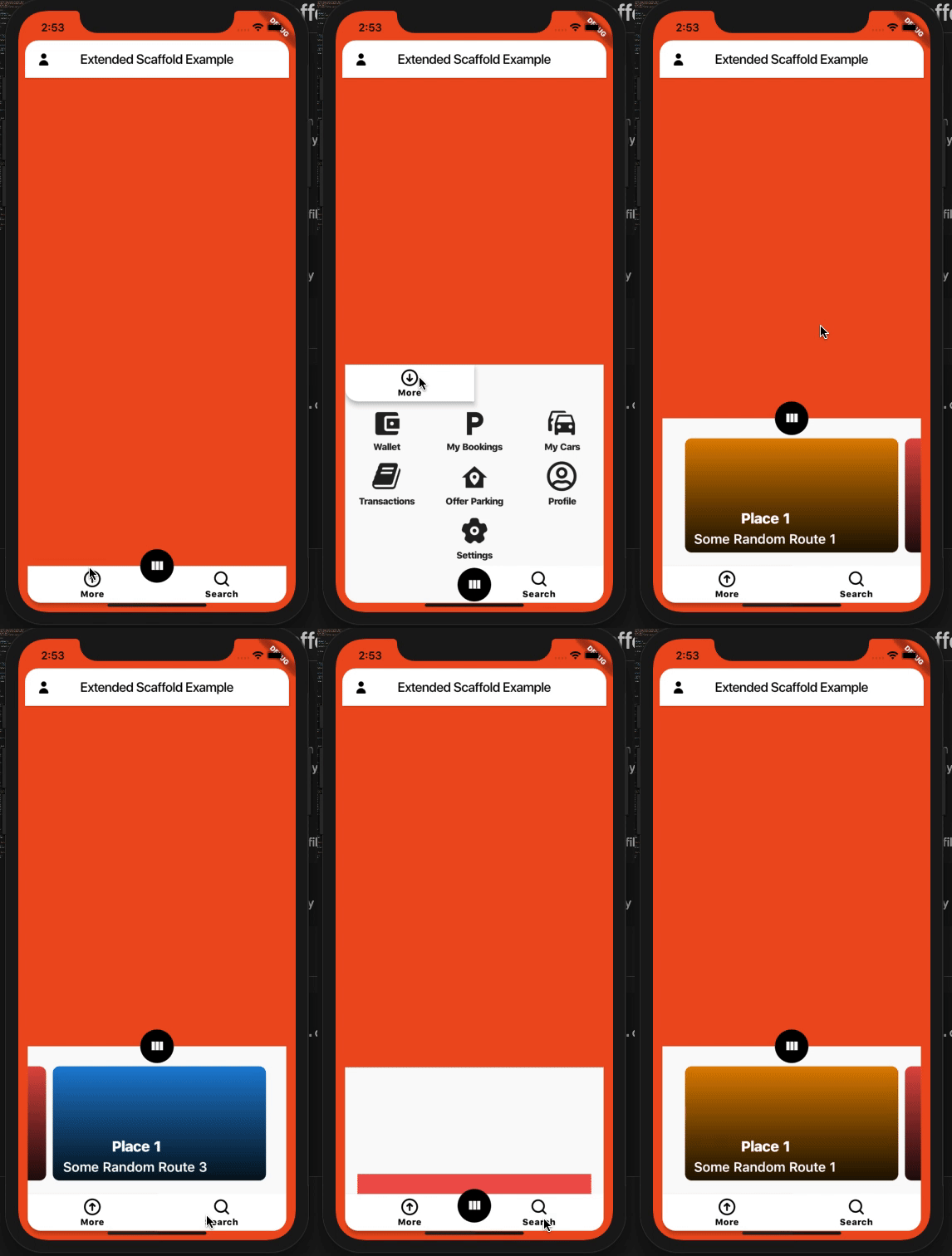
Custom Flutter widgets that makes Bottom Navigation Floating and can be expanded with much cleaner and easier way.
Add the following to your pubspec.yaml file:
dependencies:
  extended_navbar_scaffold: any
ExtendedNavigationBarScaffold(
  body: Container(
    color: Colors.deepOrange,
  ),
  elevation: 0,
  floatingAppBar: true,
  appBar: AppBar(
    shape: kAppbarShape,
    leading: IconButton(
      icon: Icon(
        EvaIcons.person,
        color: Colors.black,
      ),
      onPressed: () {},
    ),
    title: Text(
      'Extended Scaffold Example',
      style: TextStyle(color: Colors.black),
    ),
    centerTitle: true,
    backgroundColor: Colors.white,
  ),
  navBarColor: Colors.white,
  navBarIconColor: Colors.black,
  moreButtons: [
    MoreButtonModel(
      icon: MaterialCommunityIcons.wallet,
      label: 'Wallet',
      onTap: () {},
    ),
    MoreButtonModel(
      icon: MaterialCommunityIcons.parking,
      label: 'My Bookings',
      onTap: () {},
    ),
    MoreButtonModel(
      icon: MaterialCommunityIcons.car_multiple,
      label: 'My Cars',
      onTap: () {},
    ),
    MoreButtonModel(
      icon: FontAwesome.book,
      label: 'Transactions',
      onTap: () {},
    ),
    MoreButtonModel(
      icon: MaterialCommunityIcons.home_map_marker,
      label: 'Offer Parking',
      onTap: () {},
    ),
    MoreButtonModel(
      icon: FontAwesome5Regular.user_circle,
      label: 'Profile',
      onTap: () {},
    ),
    null,
    MoreButtonModel(
      icon: EvaIcons.settings,
      label: 'Settings',
      onTap: () {},
    ),
    null,
  ],
  searchWidget: Container(
    height: 50,
    color: Colors.redAccent,
  ),
  // onTap: (button) {},
  // currentBottomBarCenterPercent: (currentBottomBarParallexPercent) {},
  // currentBottomBarMorePercent: (currentBottomBarMorePercent) {},
  // currentBottomBarSearchPercent: (currentBottomBarSearchPercent) {},
  parallexCardPageTransformer: PageTransformer(
    pageViewBuilder: (context, visibilityResolver) {
      return PageView.builder(
        controller: PageController(viewportFraction: 0.85),
        itemCount: parallaxCardItemsList.length,
        itemBuilder: (context, index) {
          final item = parallaxCardItemsList[index];
          final pageVisibility =
              visibilityResolver.resolvePageVisibility(index);
          return ParallaxCardsWidget(
            item: item,
            pageVisibility: pageVisibility,
          );
        },
      );
    },
  ),
);

의존성 목록 3 개
{"sdk":"flutter"}^2.0.0{"sdk":"flutter"}사용 목적에 따라 검색하고 개발 활동을 비교한 뒤 원본 저장소에서 요구 사항을 확인하세요.
“A repository is the most basic element of GitHub.”
GitHub Docs — About repositories ↗