

 v2.1.3
flutter_swipe_button
SwipeButton를 사용하여 실수로 클릭하거나 다이얼로그가 나타나는 것을 방지하세요.
68좋아요 7천30일 다운로드140Pub 점수
AndroidiOSWebmacOSWindowsLinux
SwipeButton를 사용하여 실수로 클릭하거나 다이얼로그가 나타나는 것을 방지하세요.

아래는 영문 원문 스냅샷입니다. 최신 내용은 GitHub에서 확인하세요.


Avoid accidental clicks or dialogs to prevent them using SwipeButton.
| Example 1 | Example 2 | Example 3 |
|---|---|---|
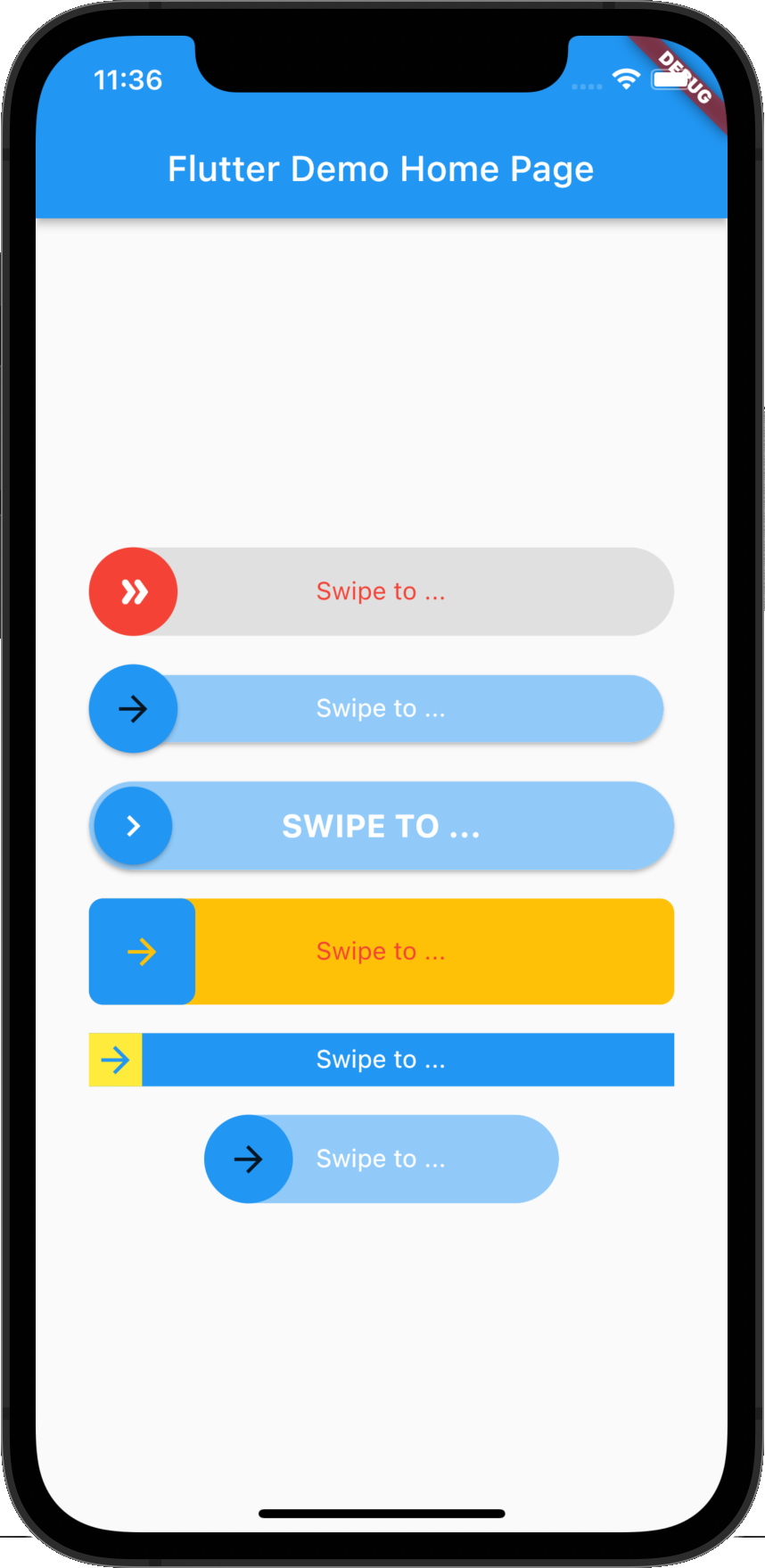 |
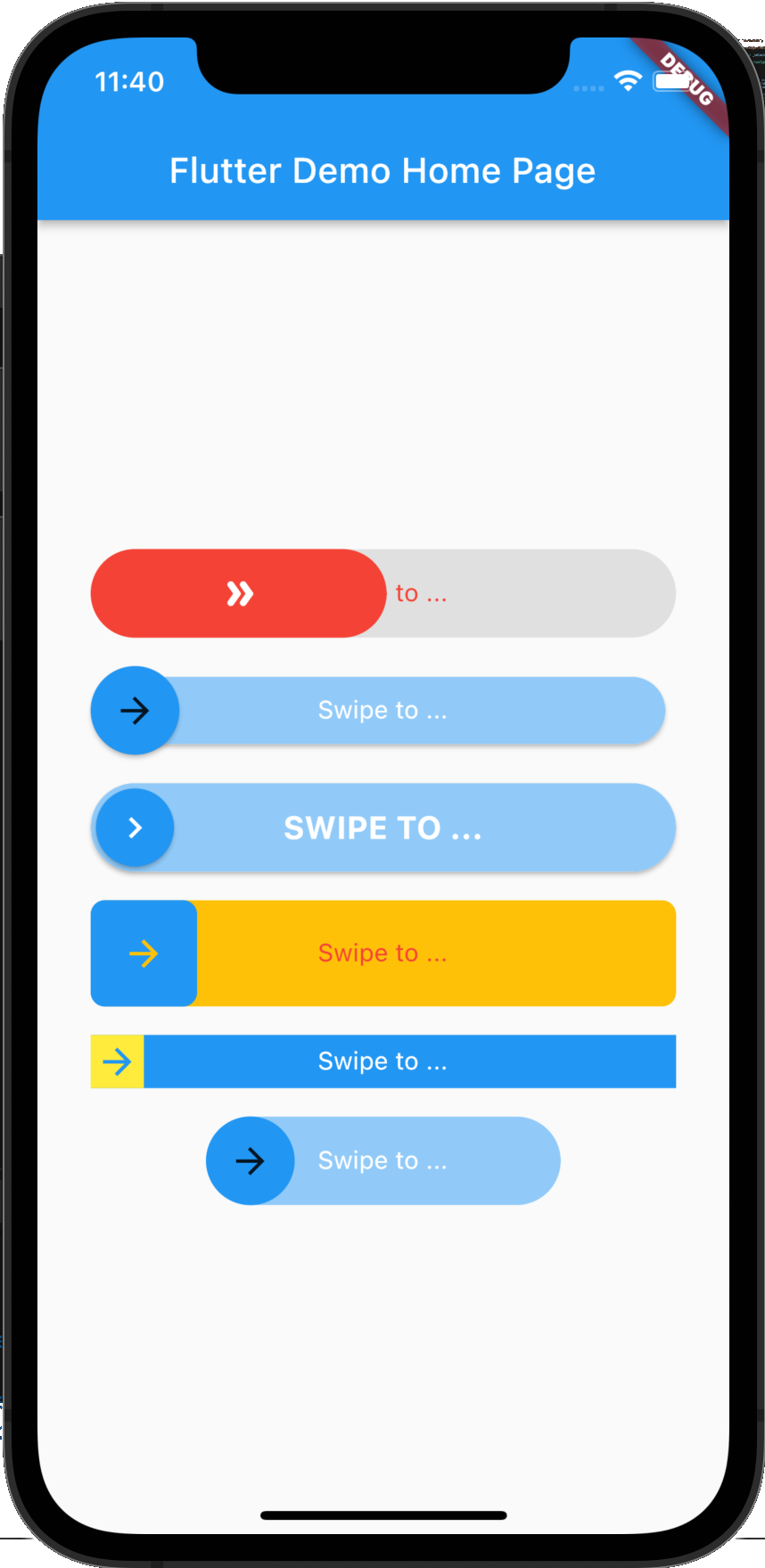 |
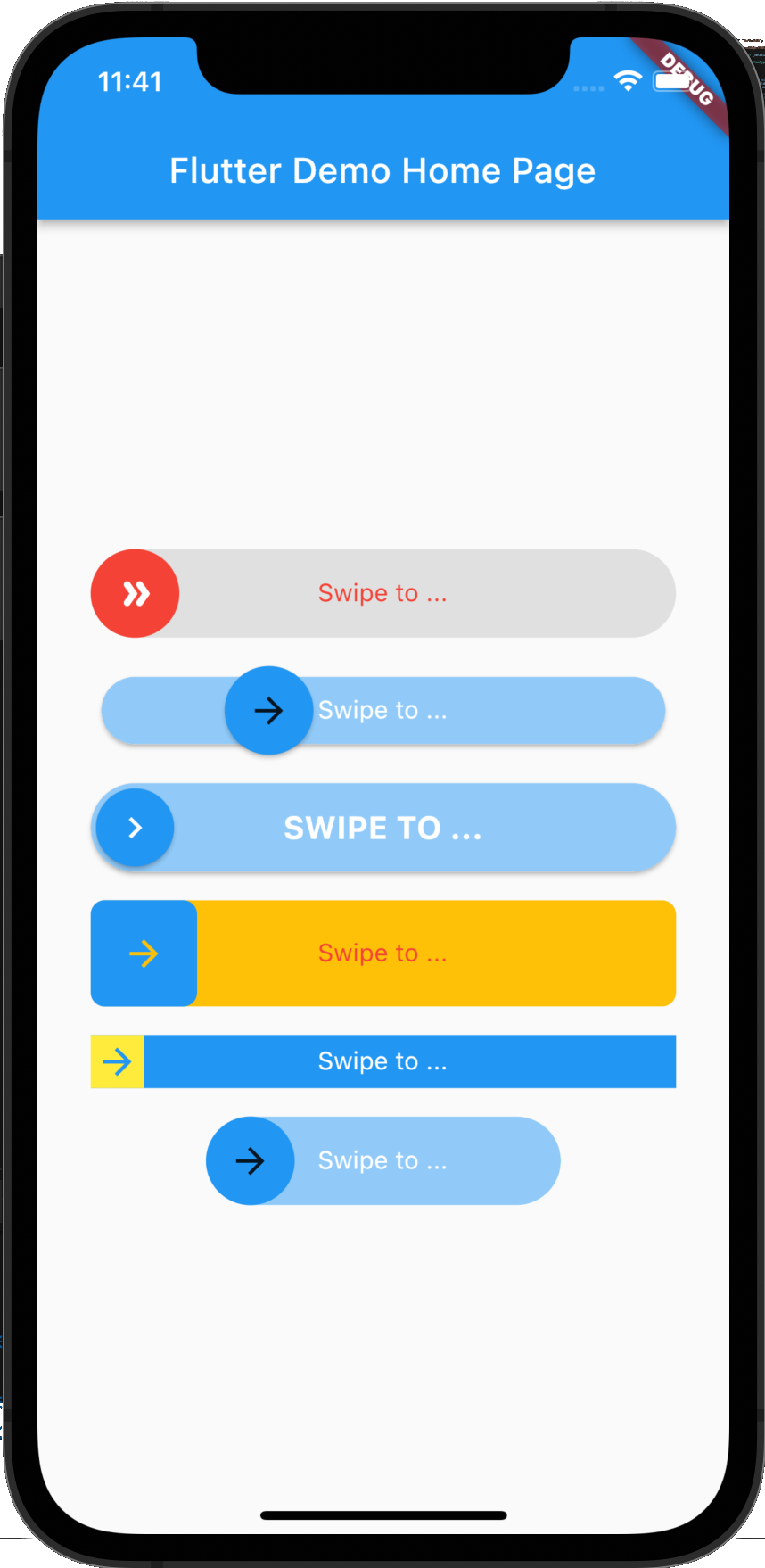 |
flutter_swipe_button: ^2.1.1+1
import 'package:flutter_swipe_button/flutter_swipe_button.dart';
SwipeButton.expand(
  thumb: Icon(
    Icons.double_arrow_rounded,
    color: Colors.white,
  ),
  child: Text(
    "Swipe to ...",
    style: TextStyle(
      color: Colors.red,
    ),
  ),
  activeThumbColor: Colors.red,
  activeTrackColor: Colors.grey.shade300,
  onSwipe: () {
    ScaffoldMessenger.of(context).showSnackBar(
      SnackBar(
        content: Text("Swipped"),
        backgroundColor: Colors.green,
      ),
    );
  },
)
SwipeButton(
  trackPadding: EdgeInsets.all(6),
  elevationThumb: 2,
  child: Text(
    "Swipe to ...",
    style: TextStyle(
      color: Colors.white,
    ),
  ),
  onSwipe: () {
    ScaffoldMessenger.of(context).showSnackBar(
      SnackBar(
        content: Text("Swipped"),
        backgroundColor: Colors.green,
      ),
    );
  },
)
SwipeButton(
  thumbPadding: EdgeInsets.all(3),
  thumb: Icon(
    Icons.chevron_right,
    color: Colors.white,
  ),
  elevationThumb: 2,
  elevationTrack: 2,
  child: Text(
    "Swipe to ...".toUpperCase(),
    style: TextStyle(
      color: Colors.white,
      fontSize: 18,
      fontWeight: FontWeight.bold,
    ),
  ),
  onSwipe: () {
    ScaffoldMessenger.of(context).showSnackBar(
      SnackBar(
        content: Text("Swipped"),
        backgroundColor: Colors.green,
      ),
    );
  },
)
SwipeButton(
  borderRadius: BorderRadius.circular(8),
  activeTrackColor: Colors.amber,
  height: 60,
  child: Text(
    "Swipe to ...",
    style: TextStyle(
      color: Colors.red,
    ),
  ),
  onSwipe: () {
    ScaffoldMessenger.of(context).showSnackBar(
      SnackBar(
        content: Text("Swipped"),
        backgroundColor: Colors.green,
      ),
    );
  },
)
SwipeButton(
  activeTrackColor: Colors.blue,
  activeThumbColor: Colors.yellow,
  borderRadius: BorderRadius.zero,
  height: 30,
  child: Text(
    "Swipe to ...",
    style: TextStyle(
      color: Colors.white,
    ),
  ),
  onSwipe: () {
    ScaffoldMessenger.of(context).showSnackBar(
      SnackBar(
        content: Text("Swipped"),
        backgroundColor: Colors.green,
      ),
    );
  },
)
SwipeButton(
  width: 200,
  child: Text(
    "Swipe to ...",
    style: TextStyle(
      color: Colors.white,
    ),
  ),
  onSwipe: () {
    ScaffoldMessenger.of(context).showSnackBar(
      SnackBar(
        content: Text("Swipped"),
        backgroundColor: Colors.green,
      ),
    );
  },
)
MIT License
의존성 목록 3 개
{"sdk":"flutter"}{"sdk":"flutter"}^4.0.0사용 목적에 따라 검색하고 개발 활동을 비교한 뒤 원본 저장소에서 요구 사항을 확인하세요.
“A repository is the most basic element of GitHub.”
GitHub Docs — About repositories ↗