패키지, 저장소 및 앱 카테고리 검색

flutter_swipe_button 표지
패키지 상세v2.1.3

flutter_swipe_button

SwipeButton를 사용하여 실수로 클릭하거나 다이얼로그가 나타나는 것을 방지하세요.

AndroidiOSWebmacOSWindowsLinux
30일 다운로드
7천
좋아요
68
Pub 점수
140

패키지 설치

flutter pub add flutter_swipe_button

패키지 개요

공개 정보를 바탕으로 생성한 선택 가이드입니다.

flutter_swipe_button 패키지는 Flutter 앱에서 부주의한 동작을 방지하는 스와이프 확인 인터페이스를 제공합니다. 사용자가 버튼을 스와이프하여 작업을 완료하도록 요구함으로써 중요한 작업(예: 데이터 삭제 또는 구매 확정)에 적합한 의도적인 상호작용 계층을 추가합니다. 이 컴포넌트는 사용자 정의가 가능하며 여러 플랫폼을 지원하고 기존 UI에 원활하게 통합됩니다. 무의식적인 상호작용을 줄이면서도 현대적이고 직관적인 디자인을 유지함으로써 사용자 경험을 향상시킵니다.

사용 사례

  • 의도하지 않은 삭제 방지
  • 민감한 작업 확인
  • 양성 오류를 줄이는 양식
  • 핵심 운영에 대한 보안 강화
  • 확인 대화 상자에 대한 사용자 경험(UX) 향상

주요 기능

  • 스와이프-확인 제스처
  • 사용자 정의 가능한 외관
  • 크로스 플랫폼 지원
  • 간단한 통합
  • 사용자 정의 애니메이션
  • 접근성 친화적인 디자인

적합한 대상

  • 고위험 작업을 포함하는 앱
  • 확인 단계가 필요한 사용자 인터페이스
  • 모바일 중심 애플리케이션
  • UX 안전성을 우선시하는 개발자
  • 최소한의 코드 변경이 필요한 프로젝트

고려 사항

  • 추가 접근성 테스트가 필요할 수 있습니다
  • 빠른 연속 상호작용에 부적합
  • 단방향 스와이프로 제한됨
  • 다중 플랫폼 간 디자인 일관성
  • 신규 사용자를 위한 학습 곡선 가능성
  • 제스처 인식 정확도에 의존

원본 README

연결된 소스 저장소의 README 원문 스냅샷입니다. 최신 내용은 저장소에서 확인하세요.

flutter_swipe_button

pub package License: MIT

Avoid accidental clicks or dialogs to prevent them using SwipeButton.

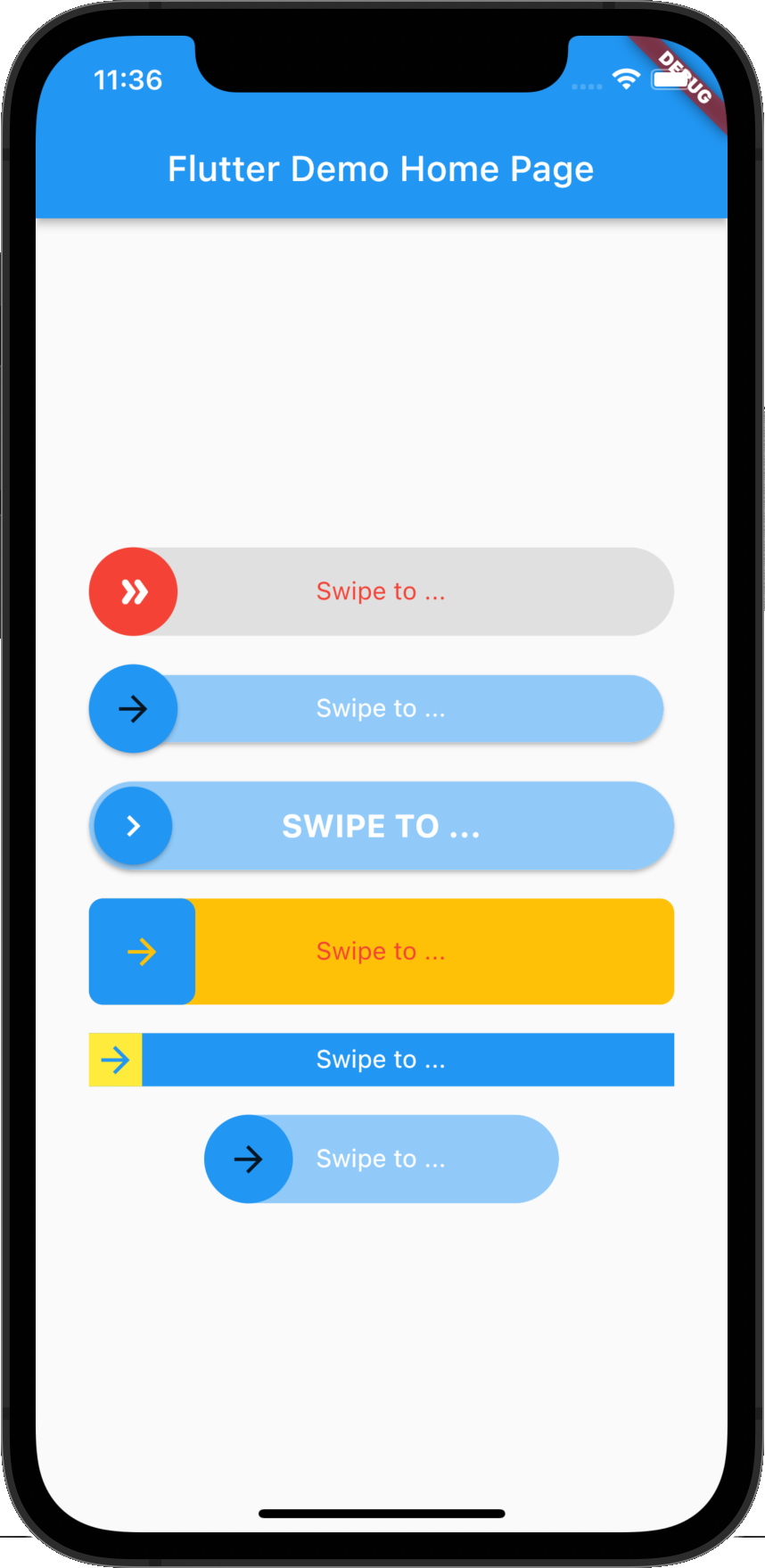
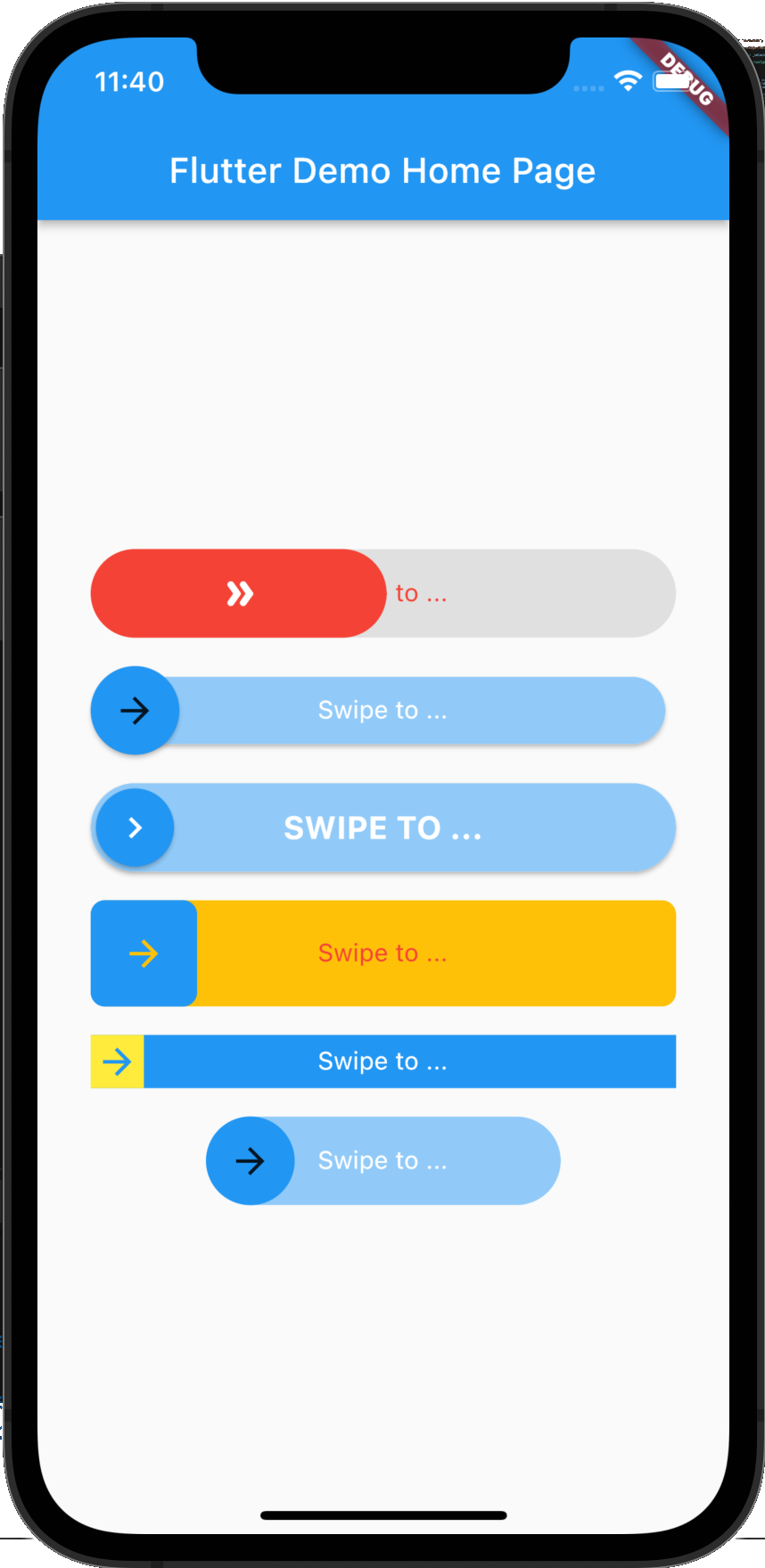
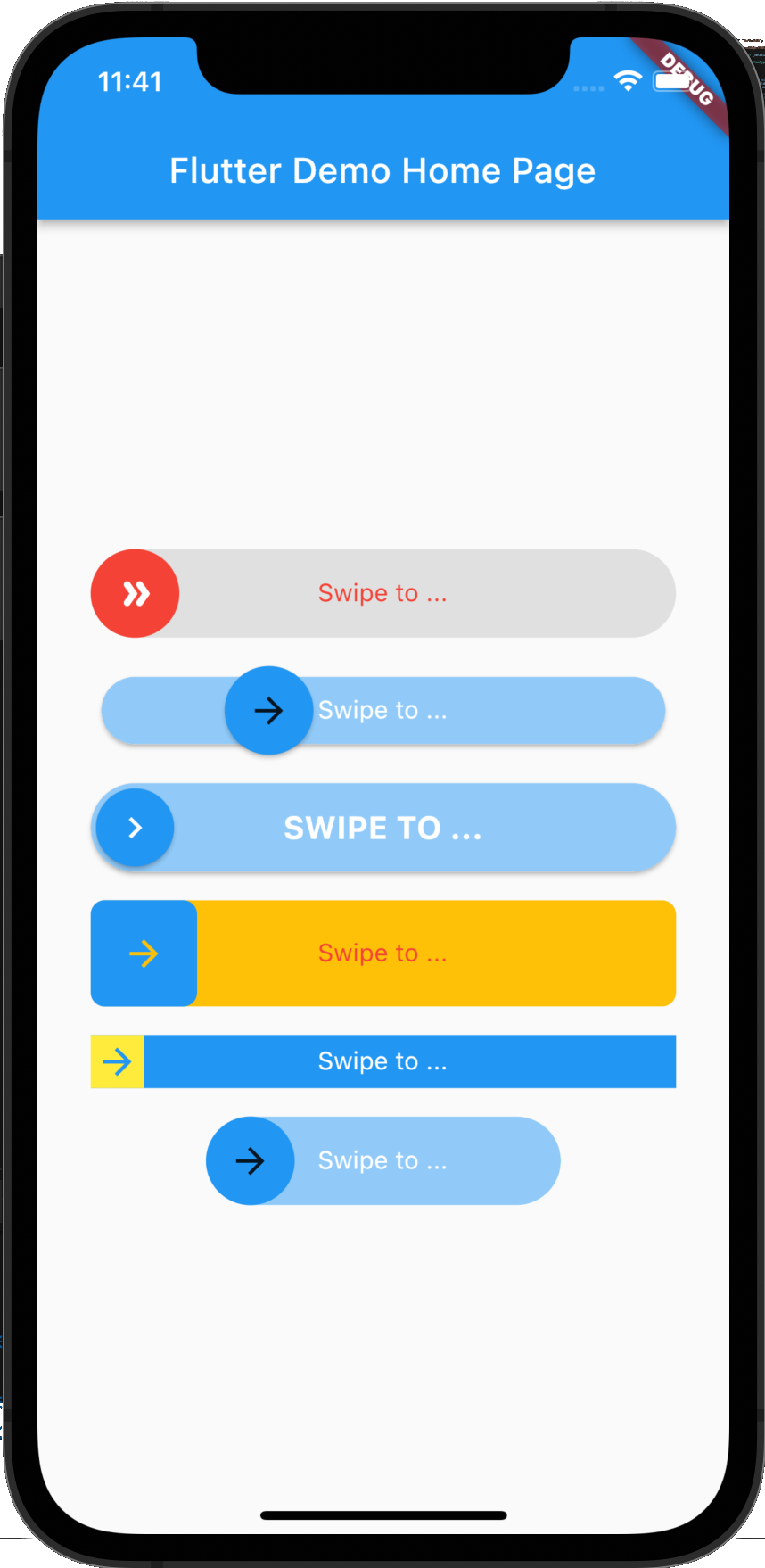
Screenshot

Example 1 Example 2 Example 3

Getting Started

Adding package
flutter_swipe_button: ^2.1.1+1
Importing package
import 'package:flutter_swipe_button/flutter_swipe_button.dart';

How to use

SwipeButton.expand(
  thumb: Icon(
    Icons.double_arrow_rounded,
    color: Colors.white,
  ),
  child: Text(
    "Swipe to ...",
    style: TextStyle(
      color: Colors.red,
    ),
  ),
  activeThumbColor: Colors.red,
  activeTrackColor: Colors.grey.shade300,
  onSwipe: () {
    ScaffoldMessenger.of(context).showSnackBar(
      SnackBar(
        content: Text("Swipped"),
        backgroundColor: Colors.green,
      ),
    );
  },
)

SwipeButton(
  trackPadding: EdgeInsets.all(6),
  elevationThumb: 2,
  child: Text(
    "Swipe to ...",
    style: TextStyle(
      color: Colors.white,
    ),
  ),
  onSwipe: () {
    ScaffoldMessenger.of(context).showSnackBar(
      SnackBar(
        content: Text("Swipped"),
        backgroundColor: Colors.green,
      ),
    );
  },
)

SwipeButton(
  thumbPadding: EdgeInsets.all(3),
  thumb: Icon(
    Icons.chevron_right,
    color: Colors.white,
  ),
  elevationThumb: 2,
  elevationTrack: 2,
  child: Text(
    "Swipe to ...".toUpperCase(),
    style: TextStyle(
      color: Colors.white,
      fontSize: 18,
      fontWeight: FontWeight.bold,
    ),
  ),
  onSwipe: () {
    ScaffoldMessenger.of(context).showSnackBar(
      SnackBar(
        content: Text("Swipped"),
        backgroundColor: Colors.green,
      ),
    );
  },
)

SwipeButton(
  borderRadius: BorderRadius.circular(8),
  activeTrackColor: Colors.amber,
  height: 60,
  child: Text(
    "Swipe to ...",
    style: TextStyle(
      color: Colors.red,
    ),
  ),
  onSwipe: () {
    ScaffoldMessenger.of(context).showSnackBar(
      SnackBar(
        content: Text("Swipped"),
        backgroundColor: Colors.green,
      ),
    );
  },
)

SwipeButton(
  activeTrackColor: Colors.blue,
  activeThumbColor: Colors.yellow,
  borderRadius: BorderRadius.zero,
  height: 30,
  child: Text(
    "Swipe to ...",
    style: TextStyle(
      color: Colors.white,
    ),
  ),
  onSwipe: () {
    ScaffoldMessenger.of(context).showSnackBar(
      SnackBar(
        content: Text("Swipped"),
        backgroundColor: Colors.green,
      ),
    );
  },
)

SwipeButton(
  width: 200,
  child: Text(
    "Swipe to ...",
    style: TextStyle(
      color: Colors.white,
    ),
  ),
  onSwipe: () {
    ScaffoldMessenger.of(context).showSnackBar(
      SnackBar(
        content: Text("Swipped"),
        backgroundColor: Colors.green,
      ),
    );
  },
)

License

MIT License

카테고리

소스 저장소

이 패키지를 사용하는 프로젝트

아직 데이터가 없습니다.