
 v1.0.0
outline_material_icons
Google의 새로운 아웃라인 테마의 매터리얼 디자인 아이콘을 제공합니다.
95좋아요 85330일 다운로드50Pub 점수
AndroidiOSWebmacOSWindowsLinux
Google의 Material Design 아이콘에서 새 외곽선 테마를 제공하여 Flutter 앱에서 사용할 수 있도록 합니다.

의존성 목록 2 개
{"sdk":"flutter"}{"sdk":"flutter"}아래는 영문 원문 스냅샷입니다. 최신 내용은 GitHub에서 확인하세요.
This package provides the 'outline' theme of icons on the Material Design website, which is not available in Flutter or as a .ttf font file.
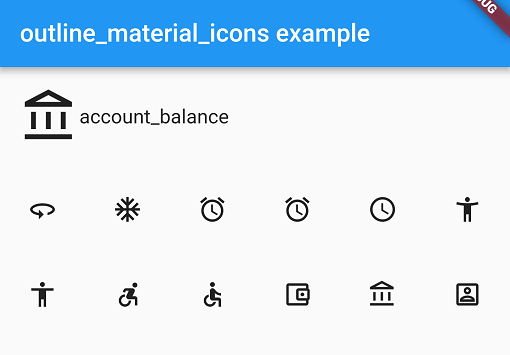
Example
These icons were downloaded in September 2018, they may be updated in the future.
Add the package to pubspec.yaml and use the OMIcons class.
Widget build(BuildContext context) => Icon(OMIcons.sentimentSatisfied);
Browse available icons using the example app or the Material Design icons website above.
There is a Map<String, int> of snake_case icon names to codepoints if you want to list all the icons. See the example app code for how. Using the OMIcons class directly is preferable in most cases.
All 'partly filled' icons are removed due to single colour restriction for .ttf fonts. This includes partly-filled battery icons and not-full-strength wifi/reception icons.
Icons with an underline have had the line made solid: border_color, format_color_fill and format_color_text.
These icons were renamed to avoid Dart errors/clashes: 360 -> icon360, class -> classIcon, sync -> syncIcon
For help getting started with Flutter, view our online documentation.
For help on editing package code, view the documentation.