패키지, 저장소 및 앱 카테고리 검색

outline_material_icons 표지
패키지 상세v1.0.0

outline_material_icons

Google의 새로운 아웃라인 테마의 매터리얼 디자인 아이콘을 제공합니다.

AndroidiOSWebmacOSWindowsLinux
30일 다운로드
859
좋아요
95
Pub 점수
50

패키지 설치

flutter pub add outline_material_icons

패키지 개요

공개 정보를 바탕으로 생성한 선택 가이드입니다.

Google의 Material Design 아이콘의 외곽선 버전을 제공하는 플러터 패키지로, 깔끔하고 미니멀한 미적 감각을 제공합니다. 이 아이콘들은 업데이트된 Material Design 시스템의 일부이며, 단순성과 명확성을 중시하는 현대적인 UI에 적합합니다. pub를 통해 쉽게 통합 가능하며, 모든 주요 플랫폼을 지원하고 애플리케이션 간 일관된 아이콘 표현을 보장합니다. 현재의 Material Design 가이드라인에 맞춰 앱 디자인을 구성하려는 개발자에게 특히 유용합니다.

사용 사례

  • 현대적인 앱 인터페이스
  • 미니멀리스트 UI 디자인
  • 크로스 플랫폼 앱
  • Material Design 3 호환성
  • 일관된 아이콘 스타일

주요 기능

  • 윤곽 스타일의 Material Design 아이콘
  • 모든 플러터 플랫폼을 지원합니다
  • pub를 통한 간편한 통합
  • 소스에서의 정기적인 업데이트
  • 경량이고 효율적

적합한 대상

  • Material Design 3를 사용하는 UI 디자이너
  • 다중 플랫폼을 대상으로 하는 개발자
  • 일관된 아이콘 세트가 필요한 앱
  • 현대 디자인 트렌드를 따르는 프로젝트

고려 사항

  • 초기 pub 가져오기에 인터넷이 필요합니다
  • 구글의 윤곽 아이콘 세트로 제한됨
  • 개별 아이콘에 맞춤 설정 옵션이 없습니다
  • 상류 GitHub 저장소에 의존
  • 사용자 정의 아이콘 필요에 적합하지 않습니다

원본 README

연결된 소스 저장소의 README 원문 스냅샷입니다. 최신 내용은 저장소에서 확인하세요.

outline_material_icons

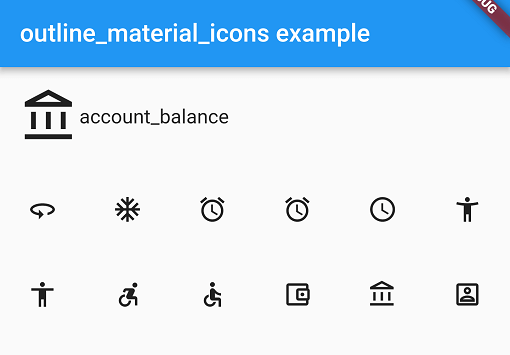
This package provides the 'outline' theme of icons on the Material Design website, which is not available in Flutter or as a .ttf font file.

Example

These icons were downloaded in September 2018, they may be updated in the future.

Usage

Add the package to pubspec.yaml and use the OMIcons class.

  Widget build(BuildContext context) => Icon(OMIcons.sentimentSatisfied);

Browse available icons using the example app or the Material Design icons website above.

There is a Map<String, int> of snake_case icon names to codepoints if you want to list all the icons. See the example app code for how. Using the OMIcons class directly is preferable in most cases.

Changes and omissions

All 'partly filled' icons are removed due to single colour restriction for .ttf fonts. This includes partly-filled battery icons and not-full-strength wifi/reception icons.

Icons with an underline have had the line made solid: border_color, format_color_fill and format_color_text.

These icons were renamed to avoid Dart errors/clashes: 360 -> icon360, class -> classIcon, sync -> syncIcon

Getting Started

For help getting started with Flutter, view our online documentation.

For help on editing package code, view the documentation.

카테고리

소스 저장소

이 패키지를 사용하는 프로젝트