
 v3.0.0
dotted_decoration
점선 장식은 점선 구분선, 사각형, 원 또는 둥근 사각형의 점선 테두리를 그리는 데 유용한 패키지입니다.
152좋아요 7.3만30일 다운로드150Pub 점수
AndroidiOSWebmacOSWindowsLinux
mdalameen/dotted_decoration open-source repository details.

{"sdk":"flutter"}{"sdk":"flutter"}^1.25.0아래는 영문 원문 스냅샷입니다. 최신 내용은 GitHub에서 확인하세요.
Dotted line decoration is custom decoration as simple as BoxDocoration can be used in Container widget to draw dotted divider, dotted border for rectangle, oval or circle.
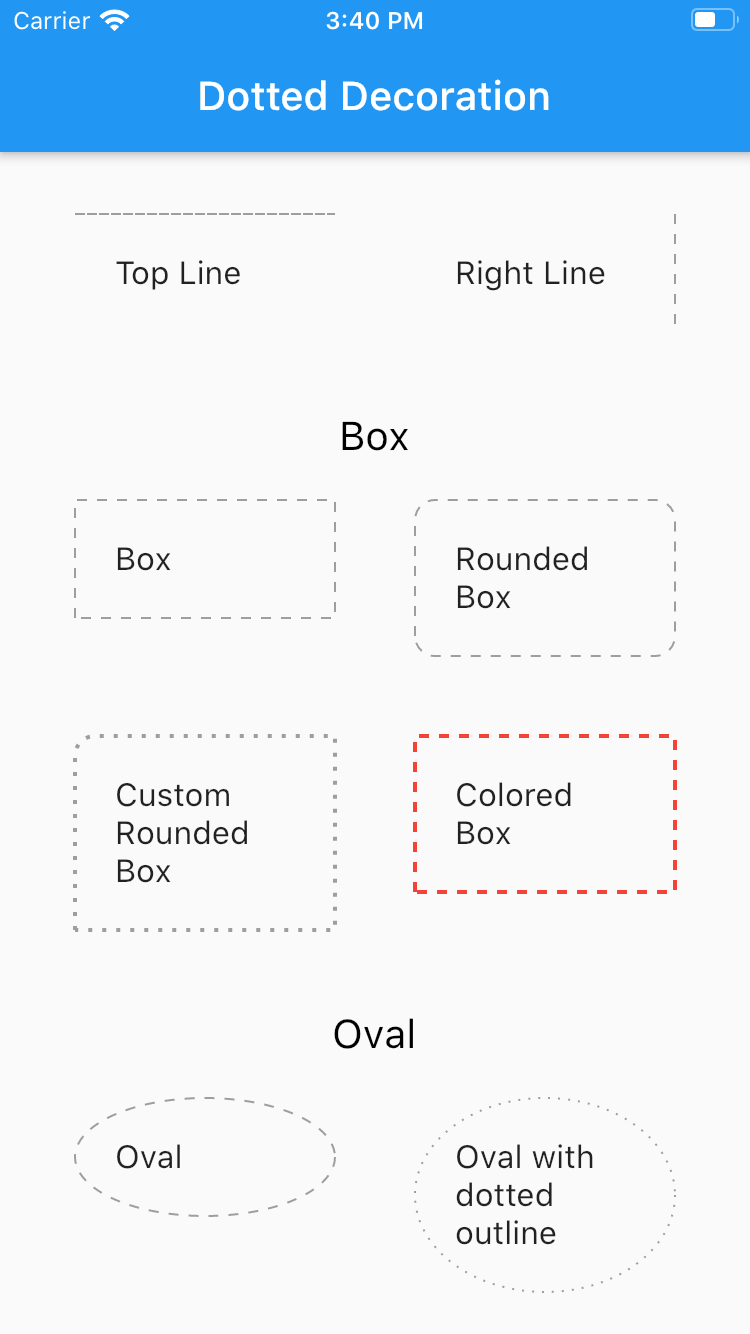
Flutter Dotted Decoration screenshot
To use this package, add dotted_decoration as a dependency in your pubspec.yaml file.
Create a container widget and assign DottedDecoration as decoration
Container(
    decoration: DottedDecoration()
    child: Text('Dotted Decoration')
)
Container(
    decoration: DottedDecoration()
    child: Text('Dotted Decoration')
)
To draw line
DottedDecoration(
  shape: Shape.line, linePosition: LinePosition.bottom),
To add rounded rection
DottedDecoration(
  shape: Shape.box,
  borderRadius: BorderRadius.circular(10), //remove this to get plane rectange
),
To add circle
//make sure width & height of container is same to get perfect circle or else it will end up in oval
DottedDecoration(shape: Shape.circle, dash: <int>[1, 4]);
Kind of outline shape, default shape is Shape.line.
shape: Shape.line
shape: Shape.box
shape: Shape.oval
Where line is located, default shape is LinePosition.bottom.
linePosition: LinePosition.bottom
linePosition: LinePosition.left
linePosition: LinePosition.right
linePosition: LinePosition.top
Border line order, first in dash and second is space.
dash: <int>[2, 5]
Line width.
strokeWidth: 2
Color of line, default shape is Colors.grey.
color: Colors.red