

 v1.0.4
advanced_graphview
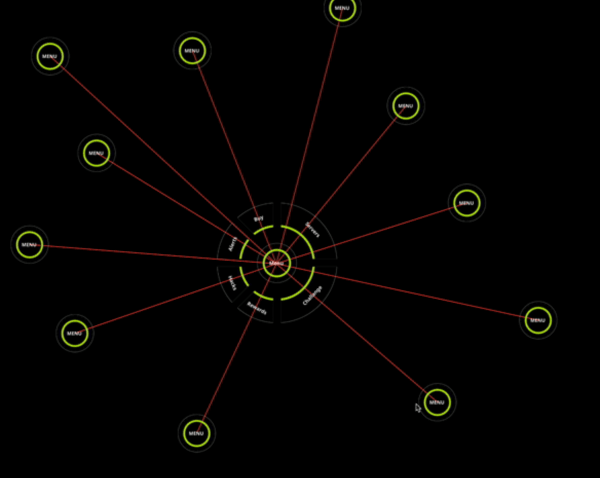
고급 그래프뷰는 간단한 설정으로 트리, 그래프, 토폴로지 UI를 생성할 수 있도록 합니다. 이 패키지는 다양한 흐름을 표시하는 데 사용할 수 있습니다.
29좋아요 27730일 다운로드150Pub 점수
AndroidiOSWebmacOSWindowsLinux
nikhilishwarkulal/advanced_graphview open-source repository details.

아래는 영문 원문 스냅샷입니다. 최신 내용은 GitHub에서 확인하세요.
Advanced Graphview enables user to create Tree, Graph, Topology Ui with simple Setup.


Advanced Graphview can create Tree, Graph, Topology Ui with simple Setup..
Add the package in pubspec.yaml and then use the widget AdvancedGraphview.
Widget exampleWidget(){
  TestGraphNode getExampleNode() {
    return TestGraphNode(
      id: '1',
      value: "Advanced Graphview",
      graphNodes: [
      ],
    );
  }

 return AdvancedGraphview(
    nodePadding: 50,
    nodeSize: 200,
    isDebug: false,
    graphNode: getExampleNode(),
    backgroundColor: Colors.black,
    pixelRatio: 10,
    onNodeTap: (graphNode) {
      ScaffoldMessenger.of(context).showSnackBar(SnackBar(
        content: Text("Tap Event detected ${graphNode.id}"),
      ));
    },
    advancedGraphviewController: advancedGraphviewController,
    onDrawLine: (lineFrom, lineTwo) {
      return Paint()
        ..color = Colors.blue
        ..strokeWidth = 1;
    },
    builder: (GraphNode graphNode) {
      return Container(
        width: 200,
        height: 200,
        child: const Center(
          child: Text("Hello"),
        ),
      );
    },
  );
}

class TestGraphNode extends GraphNode {
  @override
  final String id;

  final String value;

  @override
  final List<GraphNode> graphNodes;
  TestGraphNode({
    required this.id,
    required this.graphNodes,
    required this.value,
  });
}
For additional information contact us at nikhilishwar2@gmail.com or sharathkkotian@gmail.com. We welcome more contributors on this project.
의존성 목록 4 개
{"sdk":"flutter"}^1.14.0{"sdk":"flutter"}^3.0.1사용 목적에 따라 검색하고 개발 활동을 비교한 뒤 원본 저장소에서 요구 사항을 확인하세요.
“A repository is the most basic element of GitHub.”
GitHub Docs — About repositories ↗