

 v1.2.2
flutter_verification_code_field
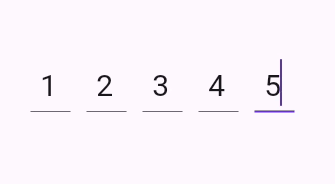
Flutter 인증 코드 입력. 주로 인증 이메일이나 메시지에서 OTP 코드를 입력하거나 붙여넣는 데 사용됩니다.
27좋아요 9630일 다운로드160Pub 점수
AndroidiOS
otakoyi/flutter_verification_code_field open-source repository details.

아래는 영문 원문 스냅샷입니다. 최신 내용은 GitHub에서 확인하세요.
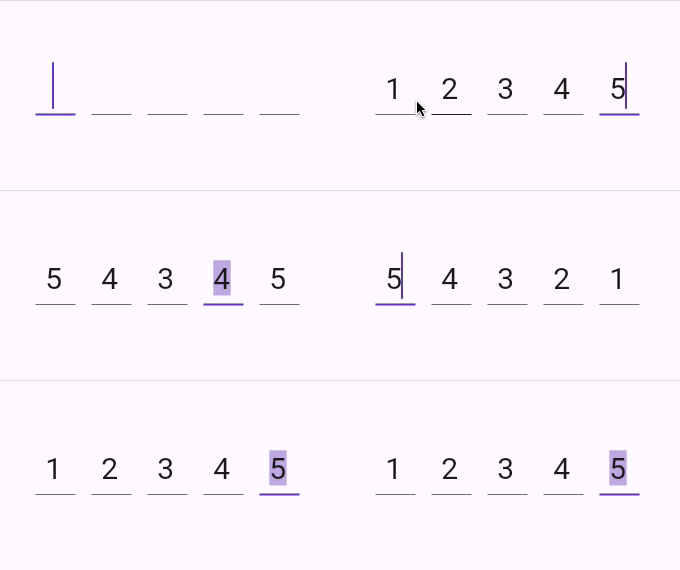
A flutter package which contains a verification code field with a number of advantages, namely with the ability to customize your own validation pattern, customize the number of OTP fields or their size, as well as the spacing between OTP fields, also supports text insertion or character replacement in any cell.

Add this to your package's pubspec.yaml file:
dependencies:
  flutter_verification_code_field: ^1.0.0
You can install packages from the command line:
with pub:
$ pub get
with Flutter:
$ flutter pub get
Now in your Dart code, you can use:
import 'package:flutter_verification_code_field/flutter_verification_code_field.dart';
VerificationCodeField is a Hook Widget that can be used for OTP verification.
Include it in your code like:
    VerificationCodeField(
      length: 5,
      onFilled: (value) => print(value),
      size: Size(30, 60),
      spaceBetween: 16,
      matchingPattern: RegExp(r'^\d+$'),
    );
It has many configurable properties, including:
length – Number of the OTP Fieldssize – Size of the single OTP FieldspaceBetween – Space between the OTP fieldsmatchingPattern – Pattern for validationThere are also custom callback:
onFilled – Callback function that is called when the verification code is filledIf you encounter any problems feel free to open an issue. If you feel the library is missing a feature, please raise a ticket on GitHub and I'll look into it. Pull request are also welcome.
의존성 목록 5 개
{"sdk":"flutter"}^0.21.2^2.4.1{"sdk":"flutter"}^5.0.0사용 목적에 따라 검색하고 개발 활동을 비교한 뒤 원본 저장소에서 요구 사항을 확인하세요.
“A repository is the most basic element of GitHub.”
GitHub Docs — About repositories ↗