
v0.12.2
camera
카메라를 제어하기 위한 플러터 플러그인입니다. 카메라 피드 미리보기, 이미지 및 비디오 캡처, Dart로 이미지 버퍼 스트리밍을 지원합니다.
2.6천좋아요 102만30일 다운로드160Pub 점수
AndroidiOSWeb
AI와 머신러닝의 힘을 활용하여 온라인 시험에서의 부정행위를 줄이려는 Flutter 앱

카메라를 제어하기 위한 플러터 플러그인입니다. 카메라 피드 미리보기, 이미지 및 비디오 캡처, Dart로 이미지 버퍼 스트리밍을 지원합니다.
MobX용 플러터 통합입니다. 추적되는 관측 가능한 값이 변경될 때 자동으로 재구성되는 Observer 위젯 세트를 제공합니다.
MobX는 애플리케이션 상태를 반응적으로 관리하는 라이브러리입니다. 관찰 가능한 항목, 액션 및 반응의 힘을 활용하여 Dart 및 Flutter 앱을 강화하세요.
MobX용 코드 생성기로 @observable, @computed, @action를 사용하여 코드에 주석을 달고 Store 클래스를 생성하는 기능을 추가합니다.
 v4.0.2
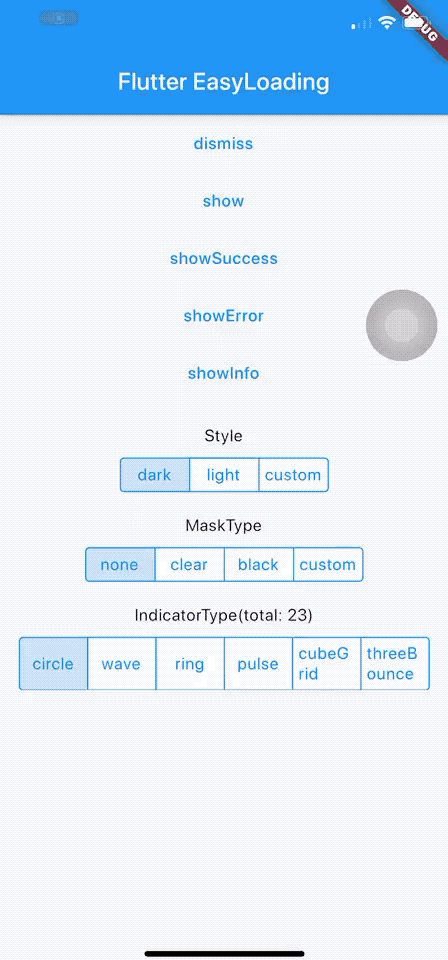
Flutter용 깔끔하고 가벼운 로딩/토스트 위젯으로, 컨텍스트 없이도 쉽게 사용 가능하며 iOS, Android, Web을 지원합니다.
이미지에서 얼굴을 감지하고 중요한 얼굴 특징을 식별하며 감지된 얼굴의 윤곽을 얻기 위해 Google의 ML Kit 얼굴 감지 기능을 사용하는 Flutter 플러그인입니다.
.env 파일을 사용하여 어떤 플러터 애플리케이션도 전역 변수로 쉽게 구성할 수 있습니다.
날짜를 형식화하는 간단한 API입니다. 다양한 상수를 제공하여 날짜 형식 문자열을 만들 수 있습니다. 형식 문자열에 따라 날짜를 포맷하기 위해 `formatDate` 메서드를 사용하십시오.
간단한 카운트다운 타이머입니다. 간단한 타이머를 만들기 위해 사용됩니다. 순수한 모든 것
Duration 작업을 더 쉽게 만들어주는 유틸리티입니다. 지속 시간을 인간이 읽기 쉬운 형식으로 포맷하고, 인간이 읽기 쉬운 형식의 지속 시간을 Dart의 Duration으로 파싱합니다.
Flutter용 JS-LIKE 확인 대화 상자 위젯. Flutter 앱에서 확인 대화 상자를 쉽게 간단하게 사용하세요.
의존성 목록 21 개
{"sdk":"flutter"}^1.0.2^2.0.7+4^2.0.6+1^6.0.3^4.0.6^0.9.8+1—^2.0.11^0.3.0^2.2.1^3.0.5^0.13.4^2.0.6^3.0.11^1.0.1^5.0.2^3.2.0{"sdk":"flutter"}^2.1.11^2.0.7아래는 영문 원문 스냅샷입니다. 최신 내용은 GitHub에서 확인하세요.
An App that aims to stop cheating in online exams with the power of AI and ML, co-created with Samyak Sukhdeve
We also have a web version of the app with more features and better features, check that project here
https://user-images.githubusercontent.com/28570857/178106216-25d91b1c-06cf-42fa-85fc-cf3540868b1f.png
Login Page
Home page
Exam Page
The user can answer MCQ-based questions
The user can also view their progress
image
AI-powered face motion detector
We've used Google's on-device ml-kit to track the motion of the user's face.
We can check if a user is trying to cheat by monitoring the position of their face
image
http://10.0.2.2/ instead of localhostlocalhostPORT numberBACKEND_URL is appended with /apihttps://github.com/prathamesh-mutkure/anti-cheat-exam-app.gitflutter pub getflutter packages pub run build_runner build.env file and set the following variables
BACKEND_URLflutter runProject Demo for Web version
Mobile App (Android & iOS)
Project Thesis (Submitted mobile app as final year project for my diploma)
Feel free to contact me on Twitter or LinkedIn, know more about me at prathamesh.co