
 v3.1.0
arrow_path
Path 객체를 사용하여 화살표를 쉽게 그릴 수 있습니다. 경로를 병합하여 어떤 곡선에도 화살표를 추가하고 한 번에 모두 그리세요.
50좋아요 3.5천30일 다운로드160Pub 점수
AndroidiOSWebmacOSWindowsLinux
Path 개체를 사용하여 화살표를 쉽게 그리는 Flutter 패키지입니다. 경로를 조합하여 어떤 곡선에도 화살표를 추가하고 한 번에 모두 그릴 수 있습니다.

{"sdk":"flutter"}^2.0.1아래는 영문 원문 스냅샷입니다. 최신 내용은 GitHub에서 확인하세요.
Draw arrows with Path objects easily. Paths can be composited to add arrows to any curve and draw all at once.
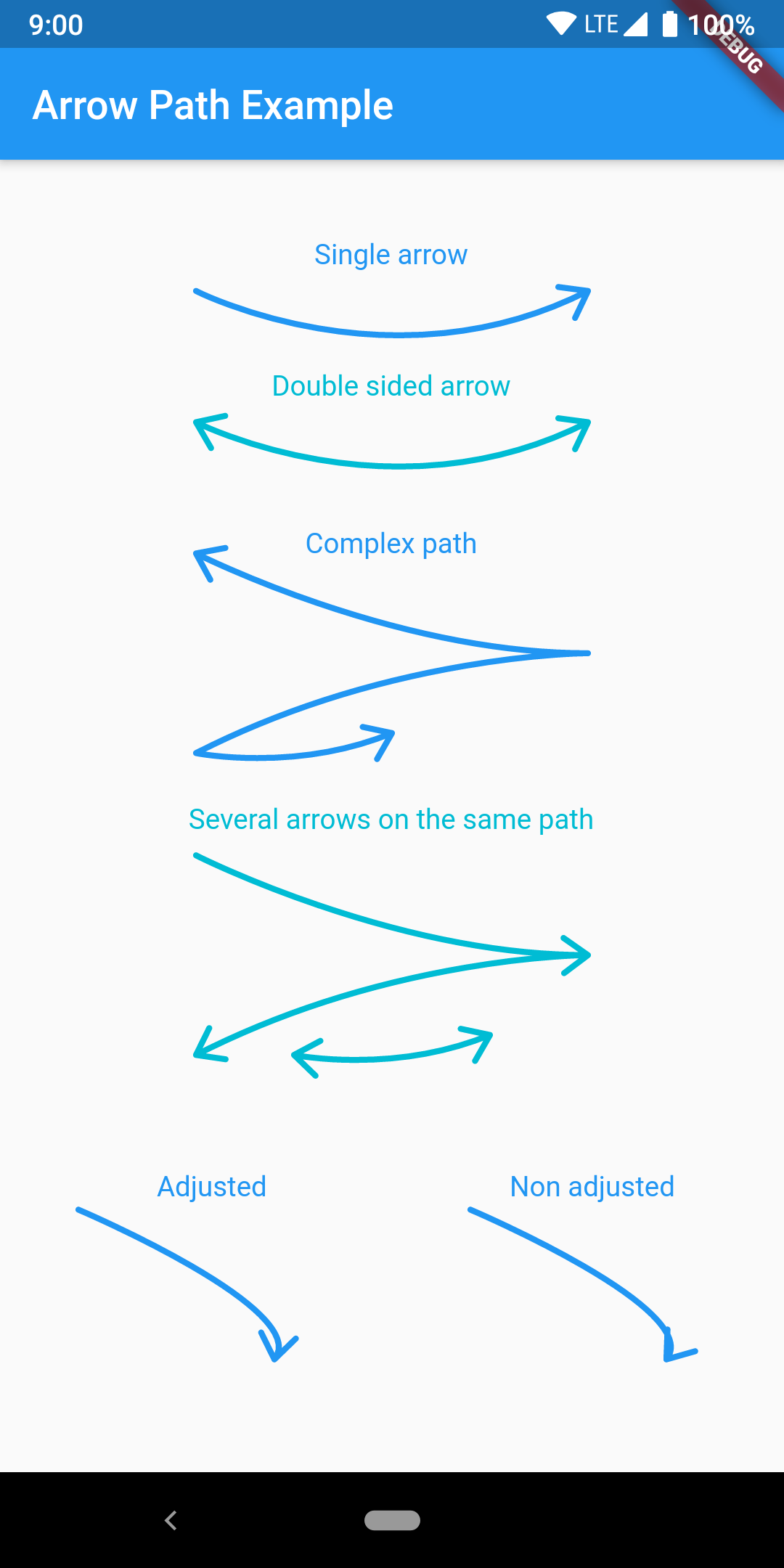
https://raw.githubusercontent.com/quentinleguennec/flutter-arrow-path/master/example/arrow_path_example.png
The arrow is drawn using the direction of the tangent to the curve at the end of the curve. It features an adjustment parameter to also look at the tangent just before the end of the segment and rotate the tip of the arrow based on the angle difference to improve the look of the arrow when the curvature at the end is high.
Have a look at the example app to get started.
ArrowPath.make() is now deprecated, use ArrowPath.addTip() instead.
If you are not using the isDoubleSided argument of ArrowPath.make() then you can safely replace it by ArrowPath.addTip() without any other change.
If you are using the isDoubleSided argument of ArrowPath.make() then change yor code like this:
Before:
  Path path = Path();
  path.relativeLineTo(100, 100);
  path = ArrowPath.make(path, isDoubleSided: true);
After:
  Path path = Path();
  path.relativeLineTo(100, 100);
  path = ArrowPath.addTip(path);
  path = ArrowPath.addTip(path, isBackward: true);