패키지, 저장소 및 앱 카테고리 검색

arrow_path 표지
패키지 상세v3.1.0

arrow_path

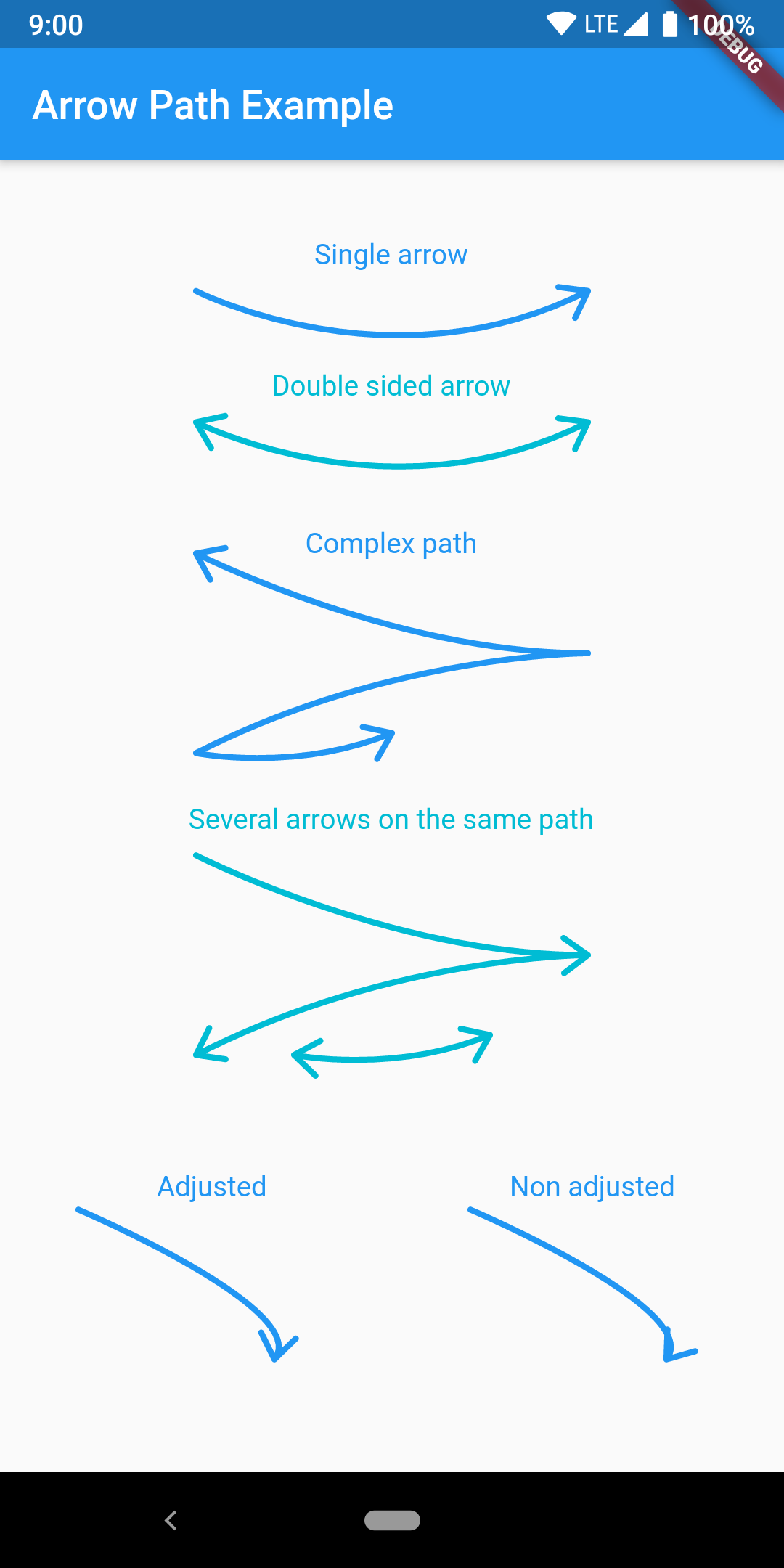
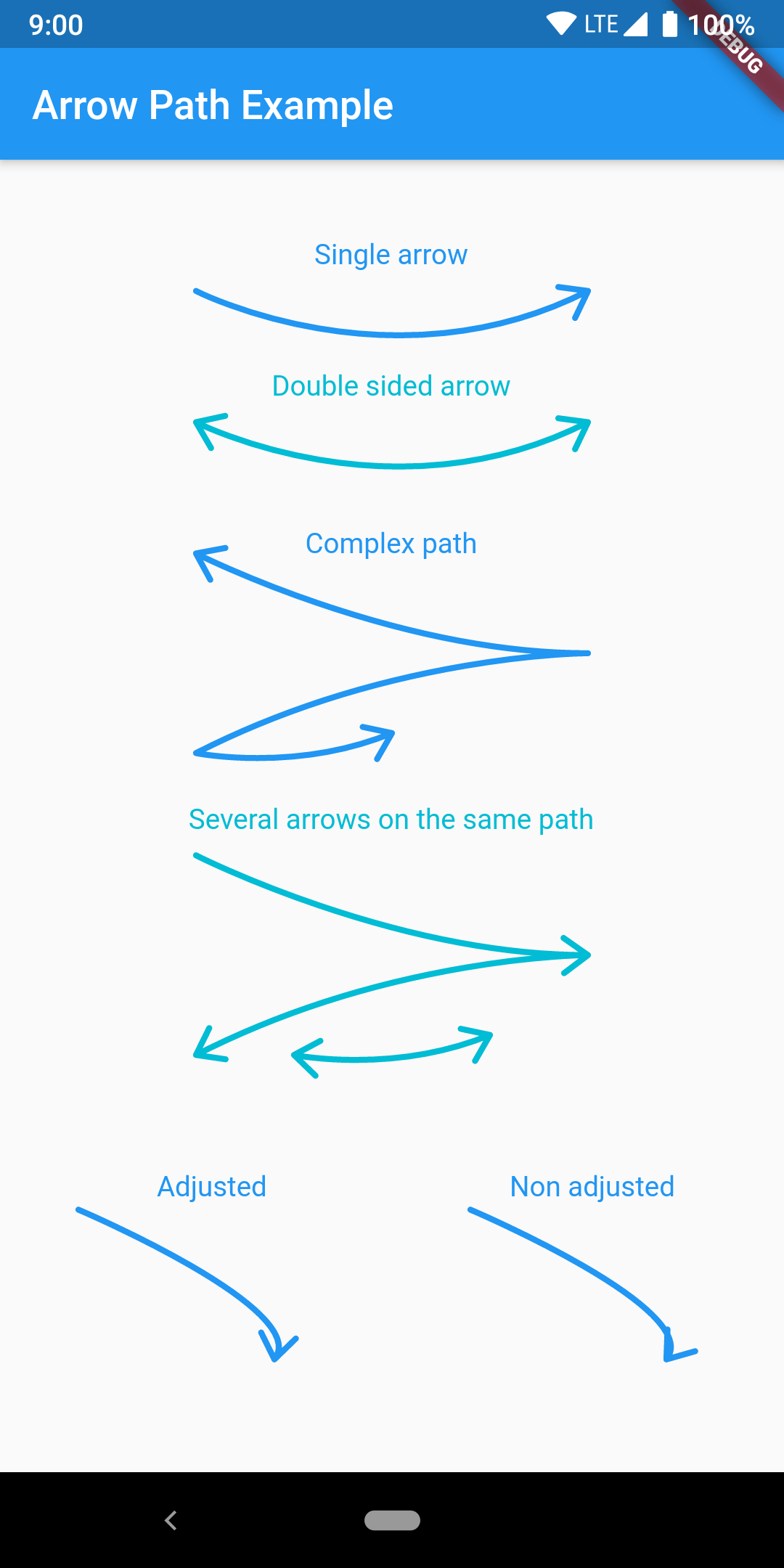
Path 객체를 사용하여 화살표를 쉽게 그릴 수 있습니다. 경로를 병합하여 어떤 곡선에도 화살표를 추가하고 한 번에 모두 그리세요.

AndroidiOSWebmacOSWindowsLinux
30일 다운로드
3.4천
좋아요
50
Pub 점수
160

패키지 설치

flutter pub add arrow_path

패키지 개요

공개 정보를 바탕으로 생성한 선택 가이드입니다.

ArrowPath는 Path 객체를 사용하여 화살표를 그리는 것을 간소화하는 Flutter 패키지입니다. 개발자가 어떤 곡선이나 경로에도 쉽게 화살촉을 추가할 수 있으며, 복잡한 디자인을 위해 여러 화살표를 조합하는 기능도 지원합니다. 방향성 흐름, 다이어그램 또는 인터랙티브 UI 요소를 시각화하는 데 이상적입니다. Android, iOS, Web, macOS, Windows, Linux 등 모든 주요 플랫폼에서 지원되며 일관된 렌더링을 보장합니다. 성능과 유연성을 고려해 제작되었으며, 기존의 페인팅 워크플로우에 원활하게 통합됩니다.

사용 사례

  • 방향성 흐름 다이어그램 만들기
  • UI 내 데이터 경로 시각화
  • 화살표 기반의 인터랙티브 인터페이스 설계
  • 방향성 지표를 활용한 차트 향상
  • 사용자 지정 그리기 도구 만들기

주요 기능

  • 어떤 경로에도 화살촉을 쉽게 추가
  • 복합 화살표 경로 지원
  • 크로스 플랫폼 호환성
  • 고성능 렌더링
  • Canvas와의 간단한 통합
  • 유연한 사용자 정의 옵션

적합한 대상

  • 동적 경로를 사용하는 UI 디자이너
  • 다이어그램 도구를 개발하는 개발자
  • 시각적 안내가 있는 교육용 앱
  • 데이터 시각화 애플리케이션
  • 인터랙티브 그림 기능

고려 사항

  • Flutter의 Path 및 Canvas에 익숙해야 합니다
  • 동적 화살표 위치 지정을 위해 추가 로직이 필요할 수 있습니다
  • 매우 높은 빈도의 업데이트에 최적화되지 않음
  • 애니메이션 지원 없이 정적 화살표 스타일만 가능

원본 README

연결된 소스 저장소의 README 원문 스냅샷입니다. 최신 내용은 저장소에서 확인하세요.

pub package pub points

Flutter arrow_path package

Draw arrows with Path objects easily. Paths can be composited to add arrows to any curve and draw all at once.

The arrow is drawn using the direction of the tangent to the curve at the end of the curve. It features an adjustment parameter to also look at the tangent just before the end of the segment and rotate the tip of the arrow based on the angle difference to improve the look of the arrow when the curvature at the end is high.

Getting Started

Have a look at the example app to get started.

Migration from [3.0.0] to [3.1.0]

ArrowPath.make() is now deprecated, use ArrowPath.addTip() instead.

If you are not using the isDoubleSided argument of ArrowPath.make() then you can safely replace it by ArrowPath.addTip() without any other change.

If you are using the isDoubleSided argument of ArrowPath.make() then change yor code like this:

Before:

  Path path = Path();
  path.relativeLineTo(100, 100);
  path = ArrowPath.make(path, isDoubleSided: true);

After:

  Path path = Path();
  path.relativeLineTo(100, 100);
  path = ArrowPath.addTip(path);
  path = ArrowPath.addTip(path, isBackward: true);

카테고리

소스 저장소

이 패키지를 사용하는 프로젝트