

v0.0.2
biometricx
Flutter 앱에서 생체 인증을 사용하는 간편한 방법입니다.
36좋아요 14530일 다운로드150Pub 점수
Android
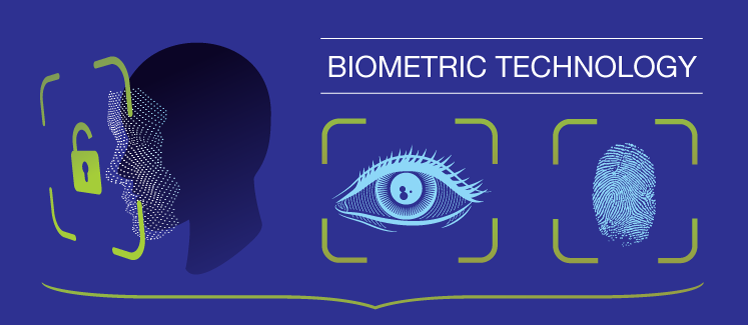
Flutter 앱에서 생체 인식 인증을 사용하는 간편한 방법입니다. 지문, FaceID 및 홍채를 지원합니다.

아래는 영문 원문 스냅샷입니다. 최신 내용은 GitHub에서 확인하세요.
The easy way to use biometric authentication in your Flutter app.
Supports Fingerprint, FaceID and Iris.
$ flutter pub add biometricx
Change your android MainActivity to extends FlutterFragmentActivity.
import io.flutter.embedding.android.FlutterFragmentActivity

// kotlin
class MainActivity: FlutterFragmentActivity() {
  ...
}
import io.flutter.embedding.android.FlutterFragmentActivity;

// java
class MainActivity extends FlutterFragmentActivity {
  ...
}
To check biometric type of your device.
BiometricType type = await BiometricX.type;
Here is the list of biometric types.
BiometricType.FACE
BiometricType.FINGERPRINT
BiometricType.IRIS
BiometricType.MULTIPLE
BiometricType.NONE
BiometricType.NO_HARDWARE
BiometricType.UNAVAILABLE
BiometricType.UNSUPPORTED
To check if your device can use biometric authentication.
bool isBiometricEnabled = await BiometricX.isEnabled;
To encrypt data using biometric authentication.
BiometricResult result = await BiometricX.encrypt({
  biometricKey: 'salkuadrat',
  message: 'This is a very secret message',
});

if (result.isSuccess && result.hasData) {
  // Keep this messageKey to decrypt your message.
  // This messageKey will be randomly generated by BiometricX plugin.
  String messageKey = result.data!;
} else {
  showToast(result.errorMsg, context: context);
}
If you need a persistent messageKey, you can supply it as parameter to encrypt.
BiometricResult result = await BiometricX.encrypt({
  biometricKey: 'salkuadrat',
  messageKey: 'secret_message', // use persistent messageKey
  message: 'This is a very secret message',
});

if (result.isSuccess && result.hasData) {
  // Keep this messageKey to decrypt your message.
  // This will be the same value as messageKey above ('secret_message')
  String messageKey = result.data!;
} else {
  showToast(result.errorMsg, context: context);
}
To decrypt data using biometric authentication.
// Use the same biometricKey that is used to encrypt your message.
// Use messageKey that you get from [BiometricX.encrypt].
BiometricResult result = await BiometricX.decrypt({
  biometricKey: 'salkuadrat',
  messageKey: messageKey,
});

if (result.isSuccess && result.hasData) {
  // This will contains your original message.
  String message = result.data!;
} else {
  showToast(result.errorMsg, context: context);
}
To show custom message in your biometric prompt, method encrypt and decrypt have parameters you can use to change the biometric prompt dialog.
BiometricResult result = await BiometricX.encrypt({
  biometricKey: 'salkuadrat',
  message: 'This is a very secret message',
  title: 'Biometric Encryption',
  subtitle: 'Enter biometric credentials to encrypt your message',
  description: 'Scan fingerprint or face.',
  negativeButtonText: 'USE PASSWORD',
  confirmationRequired: true,
});
BiometricResult message = await BiometricX.decrypt({
  biometricKey: 'salkuadrat',
  messageKey: messageKey,
  title: 'Biometric Decryption',
  subtitle: 'Enter biometric credentials to decrypt your message',
  description: 'Scan fingerprint or face.',
  negativeButtonText: 'USE PASSWORD',
  confirmationRequired: true,
});
의존성 목록 2 개
{"sdk":"flutter"}{"sdk":"flutter"}사용 목적에 따라 검색하고 개발 활동을 비교한 뒤 원본 저장소에서 요구 사항을 확인하세요.
“A repository is the most basic element of GitHub.”
GitHub Docs — About repositories ↗