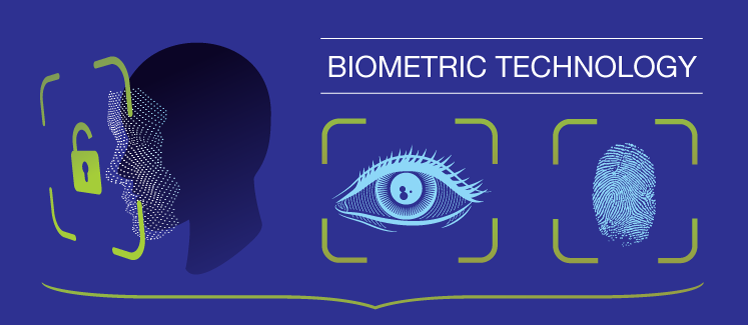
BiometricX는 안드로이드 앱에 지문 또는 얼굴 인식과 같은 생체 인증을 통합하는 것을 간편하게 만드는 플러터 패키지입니다. 장치 수준의 생체 인증을 사용하여 사용자를 안전하게 인증하고, 생체 인증 가능 여부를 확인할 수 있는 간단한 API를 제공합니다. 복잡한 플랫폼별 구현을 추상화하여 개발자가 최소한의 코드로 보안 인증을 쉽게 구현할 수 있도록 설계되었습니다. 이 패키지는 안드로이드 전용이며, 신뢰성 높은 성능과 보안을 위해 네이티브 생체 인증 API를 활용합니다.
사용 사례
보안 앱 로그인
사용자 신원 확인
보호된 데이터 액세스
세션 재인증
이중 인증
주요 기능
생체 인식 검사용 간단한 API
안드로이드 전용 지원
보안 생체 인증
자동 백업 처리
최소한의 설정 필요
적합한 대상
보안 사용자 인증이 필요한 앱
빠른 생체 인식 통합을 원하는 개발자
안드로이드 보안에 초점을 맞춘 프로젝트
민감한 데이터를 포함한 모바일 앱
빠른 생체 인식 테스트가 필요한 프로토타입
고려 사항
안드로이드 플랫폼에 한정
기기 생체 인식 하드웨어 필요
iOS 지원 없음
Android SDK 버전 호환성에 따라 다릅니다
매니페스트에서 적절한 권한 처리가 필요합니다
원본 README
연결된 소스 저장소의 README 원문 스냅샷입니다. 최신 내용은 저장소에서 확인하세요.
BiometricX
The easy way to use biometric authentication in your Flutter app.
Supports Fingerprint, FaceID and Iris.
BiometricResult result = awaitBiometricX.encrypt({
biometricKey: 'salkuadrat',
message: 'This is a very secret message',
});
if (result.isSuccess && result.hasData) {
// Keep this messageKey to decrypt your message.// This messageKey will be randomly generated by BiometricX plugin.String messageKey = result.data!;
} else {
showToast(result.errorMsg, context: context);
}
If you need a persistent messageKey, you can supply it as parameter to encrypt.
BiometricResult result = awaitBiometricX.encrypt({
biometricKey: 'salkuadrat',
messageKey: 'secret_message', // use persistent messageKey
message: 'This is a very secret message',
});
if (result.isSuccess && result.hasData) {
// Keep this messageKey to decrypt your message.// This will be the same value as messageKey above ('secret_message')String messageKey = result.data!;
} else {
showToast(result.errorMsg, context: context);
}
To decrypt data using biometric authentication.
// Use the same biometricKey that is used to encrypt your message.// Use messageKey that you get from [BiometricX.encrypt].BiometricResult result = awaitBiometricX.decrypt({
biometricKey: 'salkuadrat',
messageKey: messageKey,
});
if (result.isSuccess && result.hasData) {
// This will contains your original message.String message = result.data!;
} else {
showToast(result.errorMsg, context: context);
}
To show custom message in your biometric prompt, method encrypt and decrypt have parameters you can use to change the biometric prompt dialog.
BiometricResult result = awaitBiometricX.encrypt({
biometricKey: 'salkuadrat',
message: 'This is a very secret message',
title: 'Biometric Encryption',
subtitle: 'Enter biometric credentials to encrypt your message',
description: 'Scan fingerprint or face.',
negativeButtonText: 'USE PASSWORD',
confirmationRequired: true,
});
BiometricResult message = awaitBiometricX.decrypt({
biometricKey: 'salkuadrat',
messageKey: messageKey,
title: 'Biometric Decryption',
subtitle: 'Enter biometric credentials to decrypt your message',
description: 'Scan fingerprint or face.',
negativeButtonText: 'USE PASSWORD',
confirmationRequired: true,
});