
 v1.1.4
flutter_acrylic
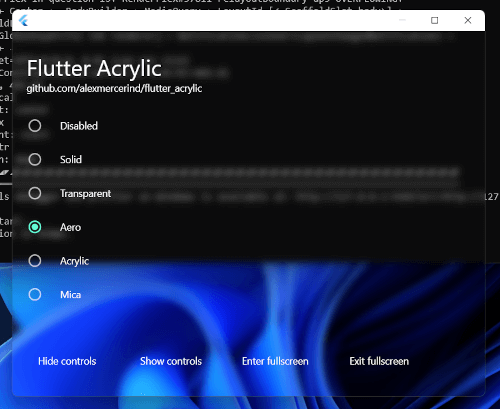
Flutter용 Windows, macOS 및 Linux의 윈도우 아크릴, 미카 및 투명 효과.
600좋아요 2만30일 다운로드150Pub 점수
macOSWindowsLinux
Keyviz는 실시간으로 키 입력을 시각화하는 무료 및 오픈소스 소프트웨어입니다! 화면 녹화, 발표, 협업 또는 언제든지 필요할 때 관객이 어떤 유용한 단축키/키를 누르고 있는지 알려주세요.
 v1.1.4
Flutter용 Windows, macOS 및 Linux의 윈도우 아크릴, 미카 및 투명 효과.
이 플러그인을 사용하면 Flutter 데스크톱 앱에서 시스템 트레이를 정의할 수 있습니다.
이 플러그인을 사용하면 Flutter 데스크톱 앱에서 화면 크기, 디스플레이, 커서 위치 등의 정보를 검색할 수 있습니다.
 v0.3.4
Flutter 데스크톱(윈도우즈)용 키보드 이벤트 플러그인
{"sdk":"flutter"}{"git":{"url":"https://github.com/Krysl/keyboard_event.git","ref":"main"}}^6.0.3^1.1.0^0.1.8^6.1.5^0.2.5^1.0.0^0.1.2^2.0.15{"sdk":"flutter"}^2.0.0^3.6.2아래는 영문 원문 스냅샷입니다. 최신 내용은 GitHub에서 확인하세요.
Keyviz - Visualize your keystrokes in real-time | Product Hunt downloads
Keyviz is a free and open-source software to visualize your ⌨️ keystrokes in realtime! Let your audience know what handy shortcuts/keys you're pressing during screencasts, presentations, collaborations, or whenever you need it.
keyviz-preview
multiple-styles
Don't restrain yourself to just black & white! Change the visualization's style, size, color (modifier and normal keys), border, icon, and symbols.
keyviz-settings
Powerful and easy to use configuration options.
You can download the latest version of keyviz from the Github Releases page. Unzip the downloaded file, run the installer and follow the familiar steps to install keyviz.
You can check out this video tutorial as well.
To get started, follow the above installation process. You can start visualizing your keystrokes by just running the application.
To open the settings window, find the keyviz icon on the right side of the Taskbar or Taskbar > Hidden Icons ^. Then click on the icon and select Settings. The settings window will appear from which, you customize the style, appearance, and other general settings of the visualization.
If you want to request any features, join our discord community and let us know about your suggestions. You can also vote for the requested features by others and see the future development plans.