

 v3.0.2
flutter_vision
Yolov5, Yolov8 및 Yolov11 관리를 위한 플러그인으로 LiteRT(TensorFlow Lite)를 지원합니다. 안드로이드에서 객체 탐지 및 세그멘테이션을 지원합니다. iOS는 개발 중입니다.
116좋아요 54330일 다운로드160Pub 점수
AndroidiOS
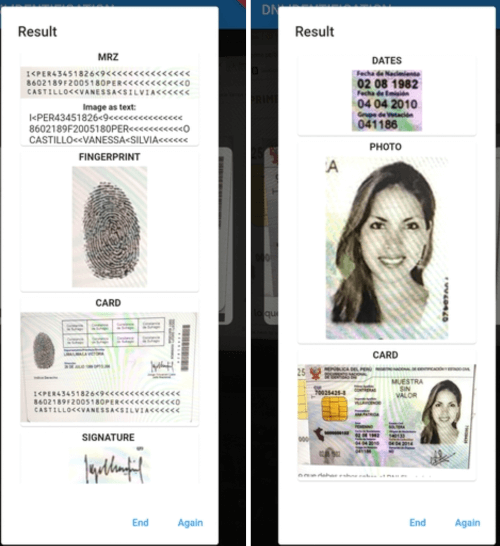
Yolov5 모델과 Tesseract v4를 관리하기 위한 Flutter 플러그인으로, TensorFlow Lite 2.x를 통해 액세스합니다. iOS 및 Android에서 객체 감지, 세그멘테이션 및 OCR을 지원합니다.

아래는 영문 원문 스냅샷입니다. 최신 내용은 GitHub에서 확인하세요.
A Flutter plugin for managing Yolov5, Yolov8, and Yolov11 accessing with LiteRT (TensorFlow Lite). Support object detection and segmentation on Android. iOS not updated, working in progress.
Add flutter_vision as a dependency in your pubspec.yaml file.
In android/app/build.gradle, add the following setting in android block.
    android{
        aaptOptions {
            noCompress 'tflite'
            noCompress 'lite'
        }
    }
Coming soon ...
assets folder and place your labels file and model file in it. In pubspec.yaml add: assets:
- assets/labels.txt
- assets/yolovx.tflite
import 'package:flutter_vision/flutter_vision.dart';
FlutterVision vision = FlutterVision();
modelVersion: yolov5 or yolov8 or yolov8seg or yolo11 or yolov11await vision.loadYoloModel(
labels: 'assets/labelss.txt',
modelPath: 'assets/yolov5n.tflite',
modelVersion: "yolov5",
quantization: false,
numThreads: 1,
useGpu: false);
confThreshold work with yolov5 other case it is omited.Make use of camera plugin
final result = await vision.yoloOnFrame(
        bytesList: cameraImage.planes.map((plane) => plane.bytes).toList(),
        imageHeight: cameraImage.height,
        imageWidth: cameraImage.width,
        iouThreshold: 0.4,
        confThreshold: 0.4,
        classThreshold: 0.5);
final result = await vision.yoloOnImage(
        bytesList: byte,
        imageHeight: image.height,
        imageWidth: image.width,
        iouThreshold: 0.8,
        confThreshold: 0.4,
        classThreshold: 0.7);
await vision.closeYoloModel();
result is a List<Map<String,dynamic>> where Map have the following keys:
   Map<String, dynamic>:{
    "box": [x1:left, y1:top, x2:right, y2:bottom, class_confidence]
    "tag": String: detected class
   }
result is a List<Map<String,dynamic>> where Map have the following keys:
   Map<String, dynamic>:{
    "box": [x1:left, y1:top, x2:right, y2:bottom, class_confidence]
    "tag": String: detected class
    "polygons": List<Map<String, double>>: [{x:coordx, y:coordy}]
   }

의존성 목록 5 개
^0.11.2{"sdk":"flutter"}^1.9.0^2.1.5^5.0.0사용 목적에 따라 검색하고 개발 활동을 비교한 뒤 원본 저장소에서 요구 사항을 확인하세요.
“A repository is the most basic element of GitHub.”
GitHub Docs — About repositories ↗