


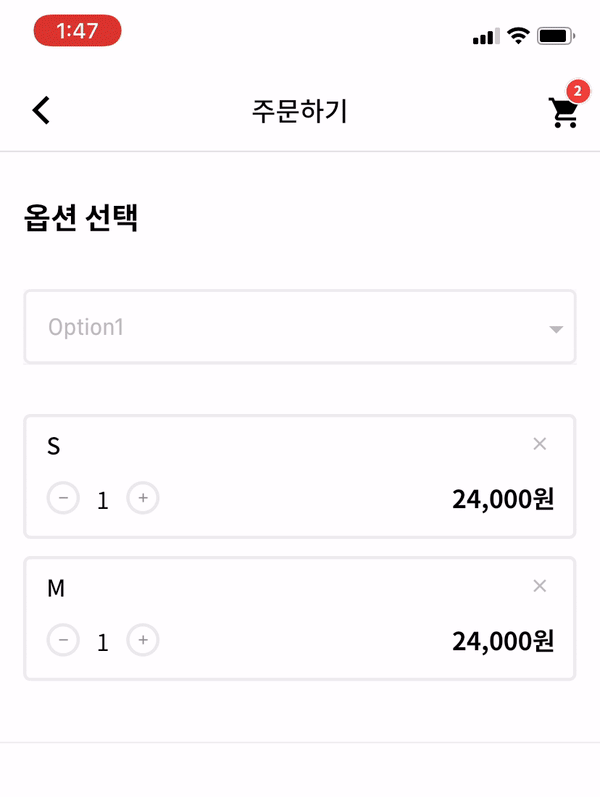
 v1.0.3
dropdown_below
Flutter 사용자 정의 드롭다운 상자. 개발자는 취향에 따라 많은 옵션을 맞춤 설정할 수 있습니다. 드롭다운 UX에 큰 장점이 될 수 있습니다.
71좋아요 1.1천30일 다운로드140Pub 점수
AndroidiOSWebmacOSWindowsLinux
Flutter 드롭다운 위젯입니다.

아래는 영문 원문 스냅샷입니다. 최신 내용은 GitHub에서 확인하세요.


| options | description | type | required |
|---|---|---|---|
| itemWidth | dropdown item's box width | double | X |
| itemTextstyle | dropdown item's text style | double | X |
| boxTextstyle | seletced box text style | TextStyle | X |
| boxPadding | seletced box inner padding | EdgeInsetsGeometry | X |
| boxHeight | seletced box height | double | X |
| boxWidth | seletced box width | double | X |
| hint | text before you choose item | Widget | X |
| value | selected item | T | X |
| boxDecoration | box's border, borderRadius, color | BoxDecoration | X |
| icon | widget which is right beside | Widget | X |
| items | itemsList | List<DropdownMenuItem> | O |
| onChange | change item function | ValueChanged | O |
_testList's type is always be a list.
If you want to use map or other type, you can customize this package.
  List _testList = [{'no': 1, 'keyword': 'blue'},{'no': 2, 'keyword': 'black'},{'no': 3, 'keyword': 'red'}];
  List<DropdownMenuItem> _dropdownTestItems;
  var _selectedTest;
If you want to customize item's child widget ex) Text -> Container, You can change any widget you want.
  @override
  void initState() {
    _dropdownTestItems = buildDropdownTestItems(_testList);
    super.initState();
  }

  List<DropdownMenuItem> buildDropdownTestItems(List _testList) {
    List<DropdownMenuItem> items = List();
    for (var i in _testList) {
      items.add(
        DropdownMenuItem(
          value: i,
          child: Text(i['keyword']),
        ),
      );
    }
    return items;
  }
  onChangeDropdownTests(selectedTest) {
    print(selectedTest);
    setState(() {
      _selectedTest = selectedTest;
    });
  }
Dropdown Widget.
    DropdownBelow(
      itemWidth: 200,
      itemTextstyle: TextStyle(fontSize: 14, fontWeight: FontWeight.w400, color: Colors.black),
      boxTextstyle: TextStyle(fontSize: 14, fontWeight: FontWeight.w400, color: Color(0XFFbbbbbb)),
      boxPadding: EdgeInsets.fromLTRB(13, 12, 0, 12),
      boxHeight: 45,
      boxWidth: 200,
      hint: Text('choose item'),
      value: _selectedTest,
      items: _dropdownTestItems,
      onChanged: onChangeDropdownTests,
    ),
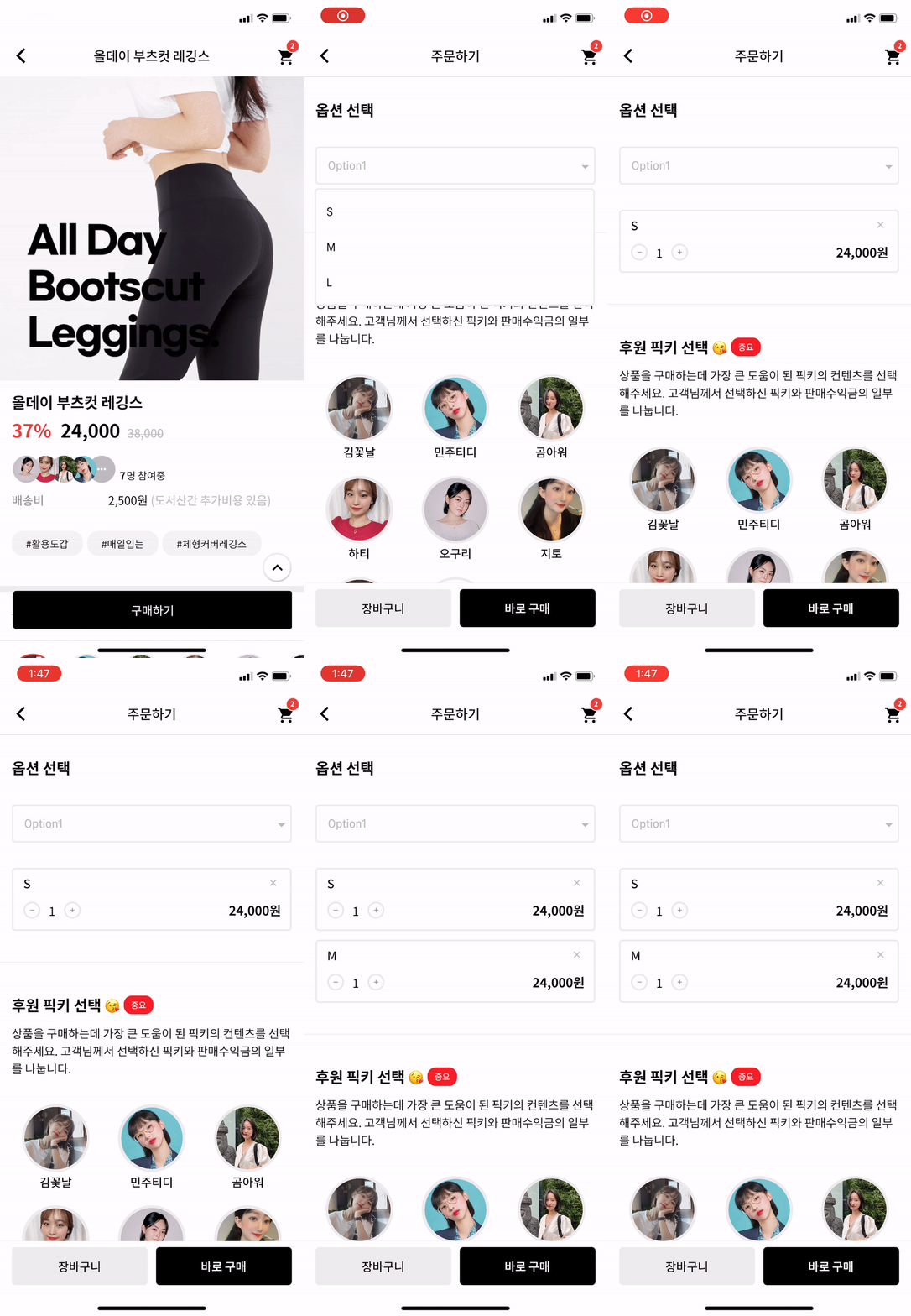
IF you want to make itemBox dropdown when you enter the page?
Put this code to initState like this.
Timer(Duration(milliseconds: 200), () {
    CustomDropdownButtonState state = dropdownKey1.currentState;
    state.callTap();
});
And put key to Widget like this.
DropdownBelow(
  key: dropdownKey1,
  itemWidth: 200,
  itemTextstyle: TextStyle(fontSize: 14, fontWeight: FontWeight.w400, color: Colors.black),
  boxTextstyle: TextStyle(fontSize: 14, fontWeight: FontWeight.w400, color: Color(0XFFbbbbbb)),
  boxPadding: EdgeInsets.fromLTRB(13, 12, 0, 12),
  boxHeight: 45,
  boxWidth: 200,
  hint: Text('choose item'),
  value: _selectedTest,
  items: _dropdownTestItems,
  onChanged: onChangeDropdownTests,
)
Actually, dropdown widget is made by Navigation. So, it can work.
의존성 목록 2 개
{"sdk":"flutter"}{"sdk":"flutter"}사용 목적에 따라 검색하고 개발 활동을 비교한 뒤 원본 저장소에서 요구 사항을 확인하세요.
“A repository is the most basic element of GitHub.”
GitHub Docs — About repositories ↗