
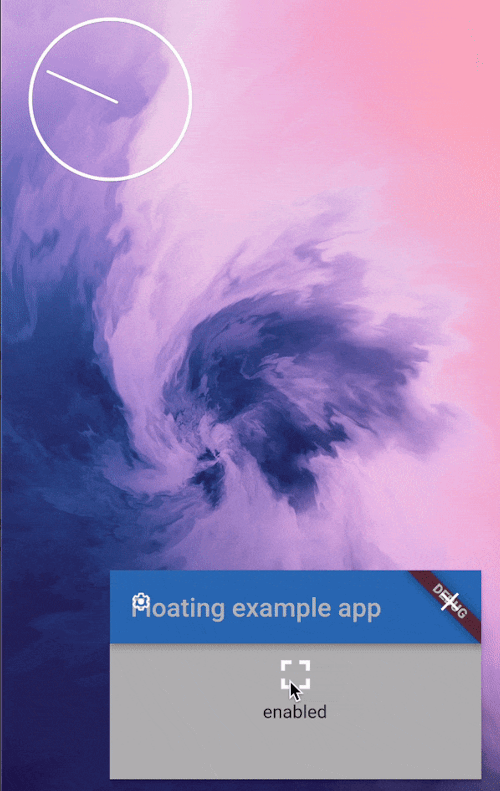
 v6.0.0
floating
Flutter용 피처 인 피처 모드 관리. Android 전용.
270좋아요 1.4만30일 다운로드160Pub 점수
Android
Flutter용 피처 인 피처 모드 관리. Android 전용.

{"sdk":"flutter"}^2.1.8{"sdk":"flutter"}^5.0.0^5.1.0아래는 영문 원문 스냅샷입니다. 최신 내용은 GitHub에서 확인하세요.
Picture in Picture management for Flutter. Android only
Picture in picture demoAdd android:supportsPictureInPicture="true" line to the <activity> tag in android/src/main/AndroidManifest.xml:
<manifest>
   <application>
        <activity
            android:name=".MainActivity"
            android:supportsPictureInPicture="true"
            ...
This package provides a helper PiPSwitcher widget for switching the displayed widgets according to current PiP status. Use it like so:
PiPSwitcher(
    childWhenDisabled: Scaffold(...),
    childWhenEnabled: JustVideo(),
)
PiP mode in desired mode is available only in Android so iOS and web support is not planned until the platforms adds native support for such feature.
final floating = Floating();
final canUsePiP = await floating.isPipAvailable;
PiP may be unavailable because of system settings managed by admin or device manufacturer. Also, the device may have Android version that was released without this feature.
final currentStatus = await floating.pipStatus;
Possible statuses:
| Status | Description | Will enable() have an effect? |
|---|---|---|
| disabled | PiP is available to use but currently disabled. | Yes |
| enabled | PiP is enabled. The app can display content but will not receive user inputs until the user decides to bring the app to it's full size. | No |
| automatic | PiP will be enabled automatically by the OS. | Yes |
| unavailable | PiP is disabled on given device. | No |
Enable PiP right away:
final statusAfterEnabling = await floating.enable(ImmediatePiP());
Enable PiP when the app gets minimized via system gesture:
final statusAfterEnabling = await floating.enable(OnLeavePiP());
To later cancel, use .cancelOnLeavePiP().
When enabled, PiP mode can be toggled off by the user via system UI.
aspectRatio:The default 16/9 aspect ratio can be overridden with custom Rational.
Eg. to make PiP square use: .enable(aspectRatio: Rational(1, 1)) or .enable(aspectRatio: Rational.square()).
sourceRectHint:By default, system will simply use fade animation to tween between full app and PiP. Switching animation can be smoother by using source rect hint (example animation).
Check the example project to see an example of usage.