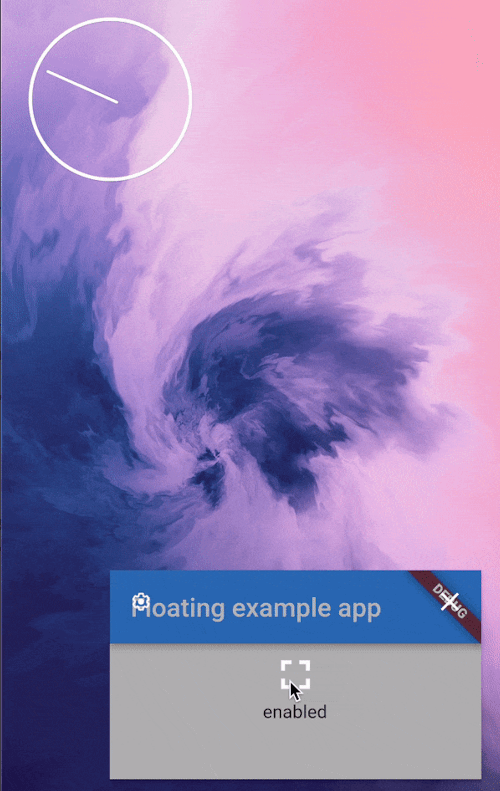
플로팅 패키지는 Flutter 애플리케이션에서 Picture-in-Picture(PiP) 모드 관리를 가능하게 하며, 특히 안드로이드용입니다. 개발자는 미디어 재생을 사용자가 다른 앱과 상호작용하는 동안 이동 및 크기 조정이 가능한 작은 부유 창으로 원활하게 전환할 수 있습니다. 비디오나 오디오 콘텐츠가 백그라운드에서 지속적으로 재생되어야 할 경우에 특히 유용합니다. 이 패키지는 안드로이드의 PiP API와 직접 통합되어 PiP 동작을 제어하기 위한 간단한 인터페이스를 제공합니다. 전체 앱 포커스 없이도 지속적인 재생이 필요한 비디오 및 오디오 사용 사례를 지원합니다.
사용 사례
배경 비디오 재생
PiP 모드에서 오디오 스트리밍
지속적인 재생이 필요한 미디어 앱
안드로이드에서의 멀티태스킹 지원
최소화된 보기로 비디오 통화
주요 기능
Android 전용 PiP 지원
PiP 활성화를 위한 간단한 API
자동 피피 상태 처리
사용자 지정 가능한 피피 크기 및 위치
Android의 PiP API와의 통합
적합한 대상
비디오 플레이어 앱
오디오 스트리밍 앱
미디어 콘텐츠를 갖춘 교육 앱
다중 작업 기능이 필요한 앱
Android 장치를 대상으로 하는 개발자
고려 사항
Android에서만 사용 가능
Android 8.0+ (API 26) 필요
미디어 재생 시나리오에 제한됨
iOS 지원 없음
PiP 라이프사이클 이벤트를 올바르게 처리해야 합니다
원본 README
연결된 소스 저장소의 README 원문 스냅샷입니다. 최신 내용은 저장소에서 확인하세요.
floating
Picture in Picture management for Flutter. Android only
App configuration
Add android:supportsPictureInPicture="true" line to the <activity> tag in android/src/main/AndroidManifest.xml:
PiP mode in desired mode is available only in Android
so iOS and web support is not planned until
the platforms adds native support for such feature.
Create a Floating instance
final floating = Floating();
Check if PiP is available
final canUsePiP = await floating.isPipAvailable;
PiP may be unavailable because of system settings managed
by admin or device manufacturer. Also, the device may
have Android version that was released without this feature.
Check if app is in PiP mode
final currentStatus = await floating.pipStatus;
Possible statuses:
Status
Description
Will enable() have an effect?
disabled
PiP is available to use but currently disabled.
Yes
enabled
PiP is enabled. The app can display content but will not receive user inputs until the user decides to bring the app to it's full size.
No
automatic
PiP will be enabled automatically by the OS.
Yes
unavailable
PiP is disabled on given device.
No
Enable PiP mode
Enable PiP right away:
final statusAfterEnabling = await floating.enable(ImmediatePiP());
Enable PiP when the app gets minimized via system gesture:
final statusAfterEnabling = await floating.enable(OnLeavePiP());
To later cancel, use .cancelOnLeavePiP().
When enabled, PiP mode can be toggled off by the user via system UI.
Arguments
aspectRatio:
The default 16/9 aspect ratio can be overridden with custom Rational.
Eg. to make PiP square use: .enable(aspectRatio: Rational(1, 1)) or .enable(aspectRatio: Rational.square()).
sourceRectHint:
By default, system will simply use fade animation to tween between full app and PiP.
Switching animation can be smoother by using source rect hint (example animation).