
 v2.6.1
cr_logger
Plugin de log poderoso. Suporta plataformas Android, iOS e Web.
49Curtidas 444Downloads em 30 dias120Pontos Pub
AndroidiOSWeb
Cleveroad/cr_logger open-source repository details.
Texto original em inglês. Visite o GitHub para a versão atual.
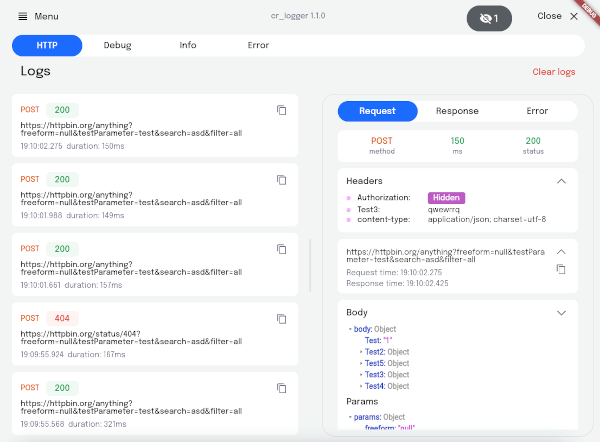
Web example
Flutter plugin for logging
Supported Dart http client plugins:
✔️ Dio
✔️ Chopper
✔️ Http from http/http package
✔️ HttpClient from dart:io package
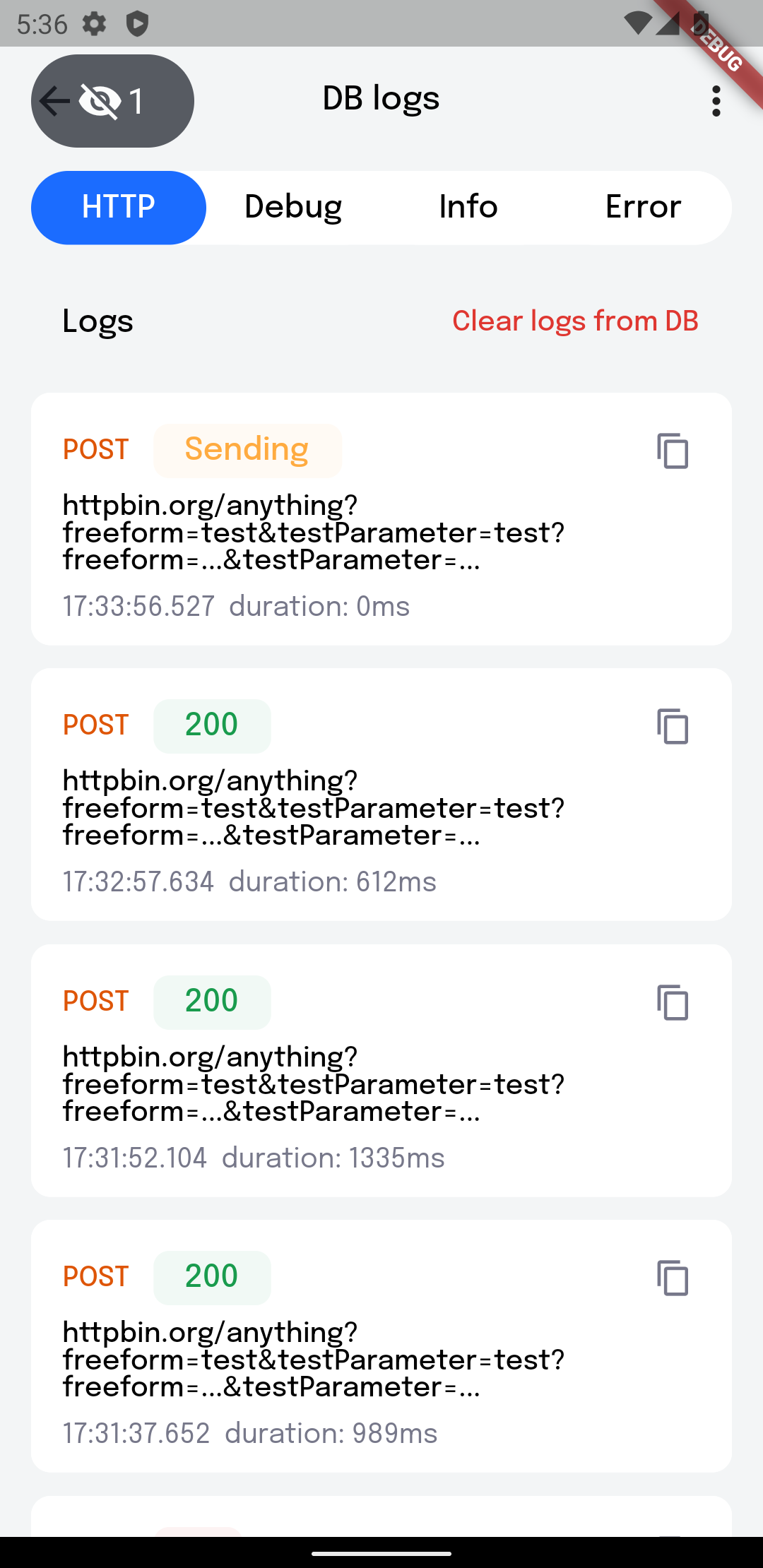
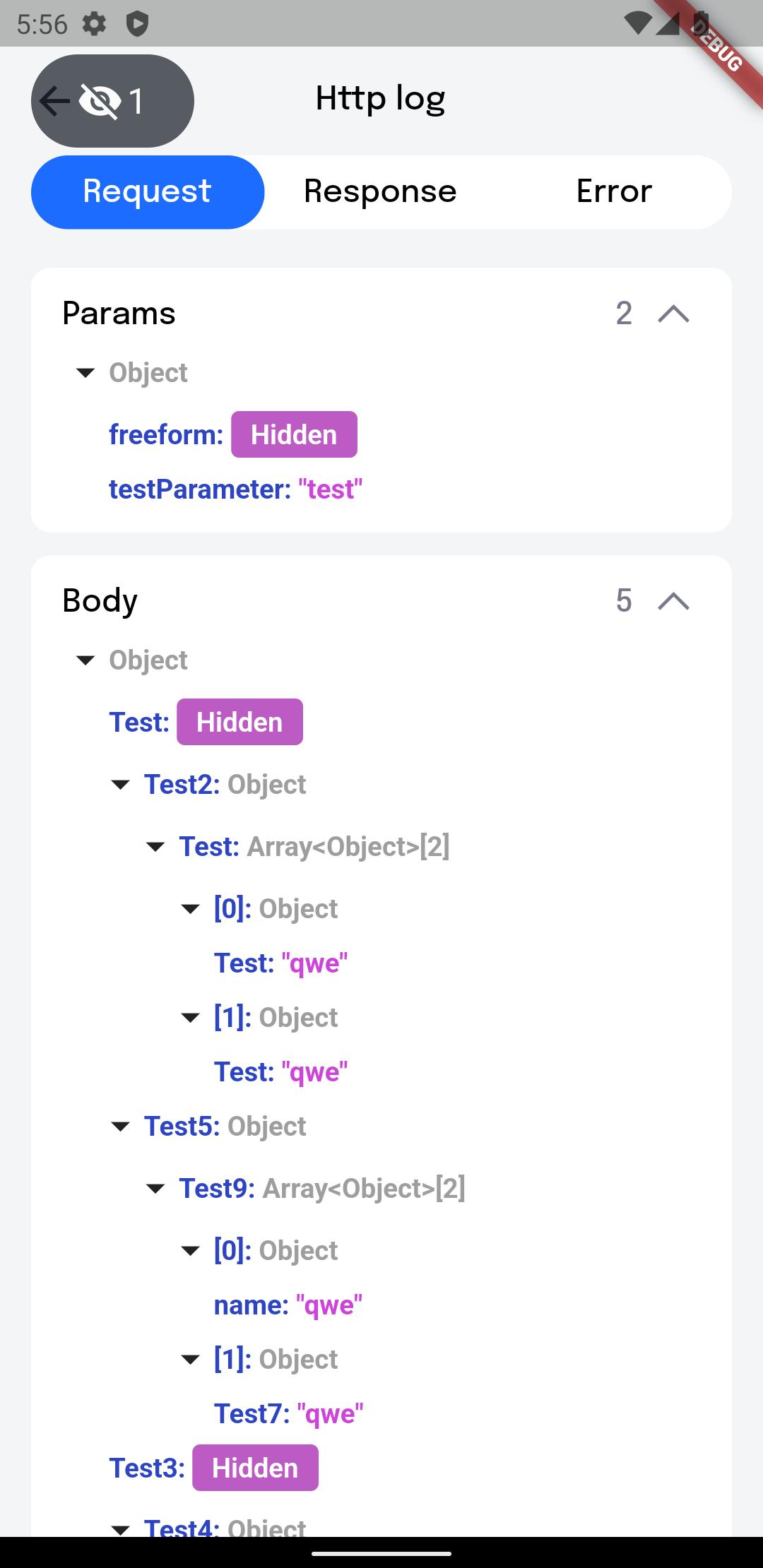
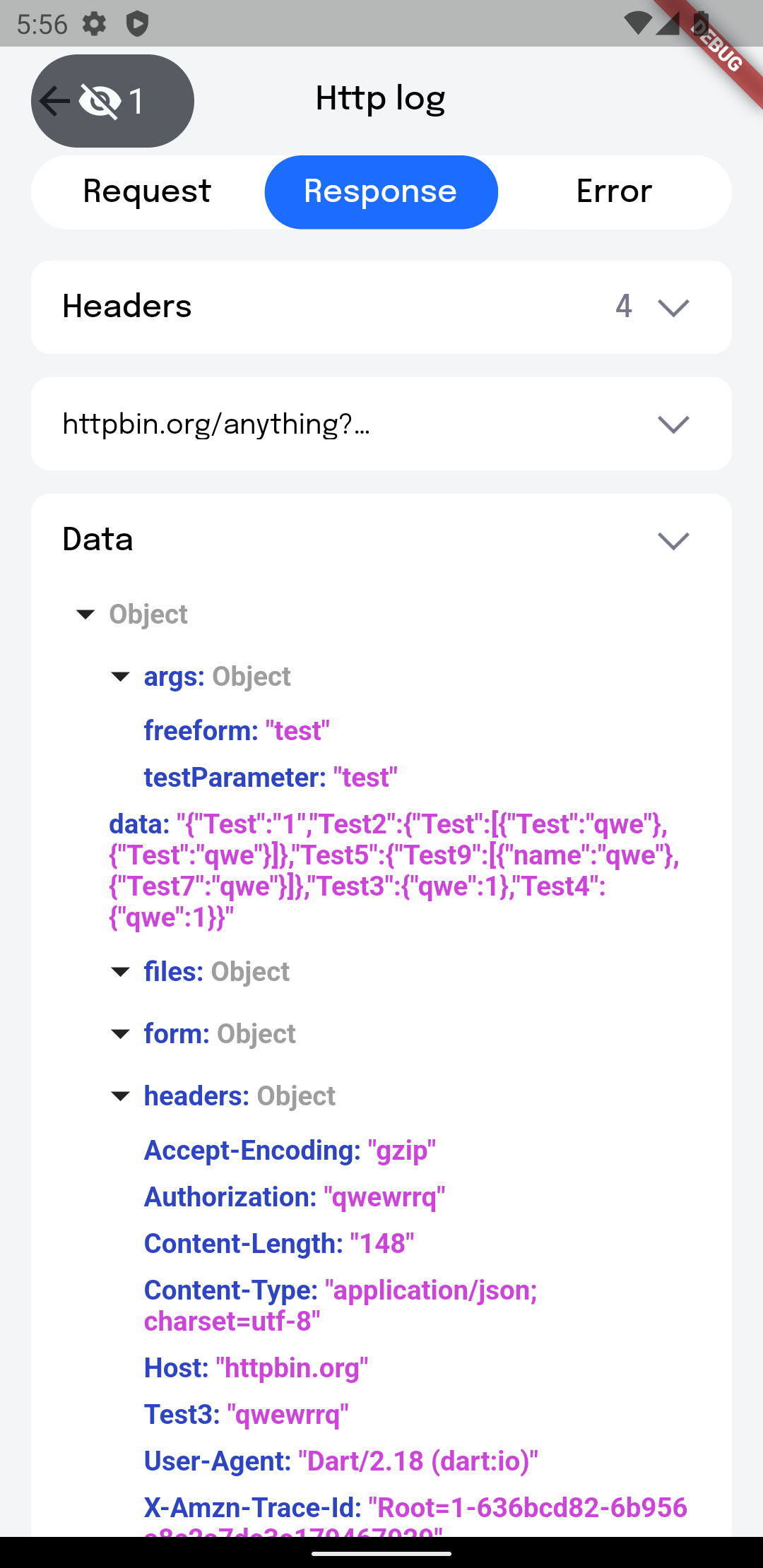
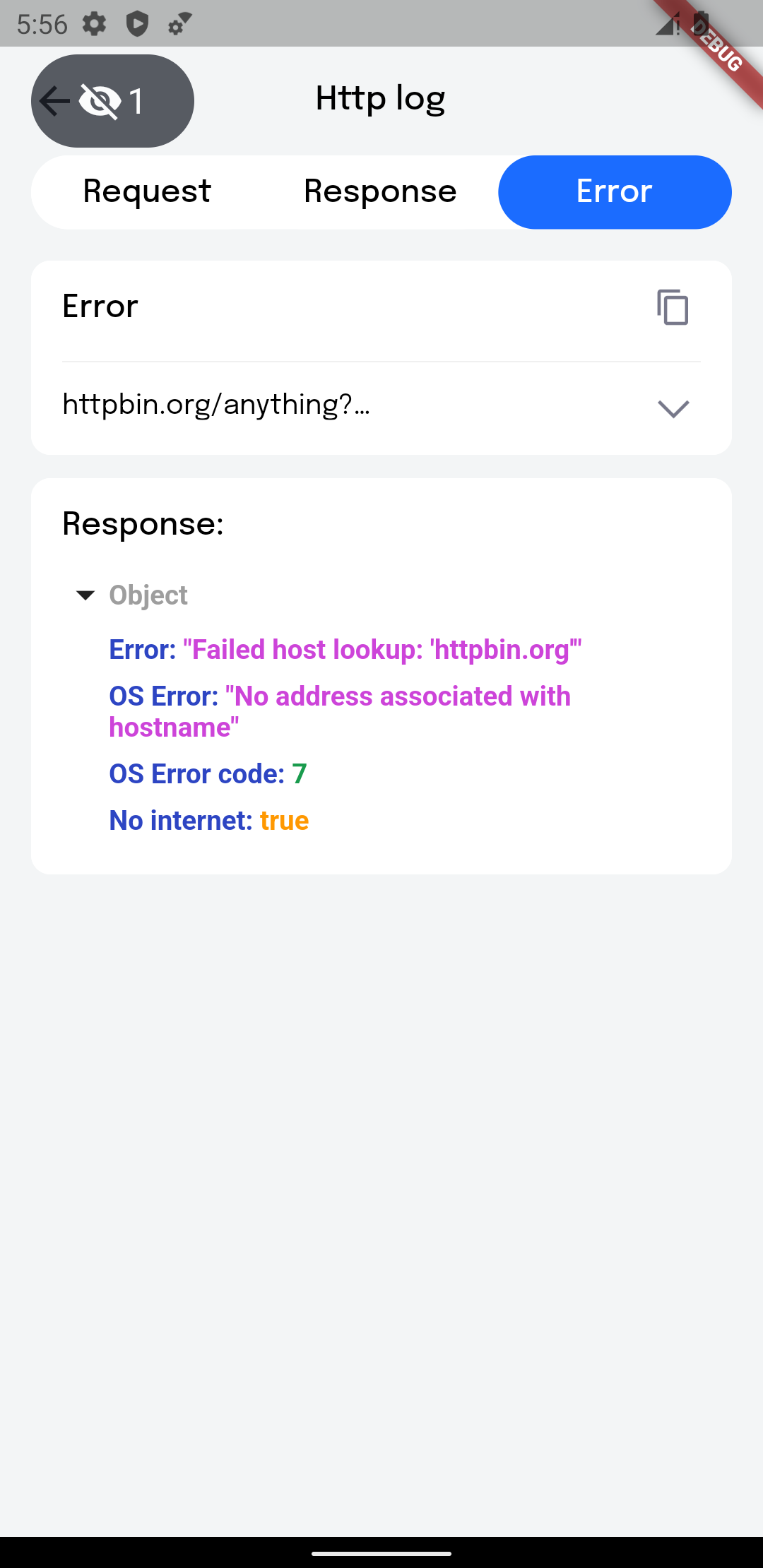
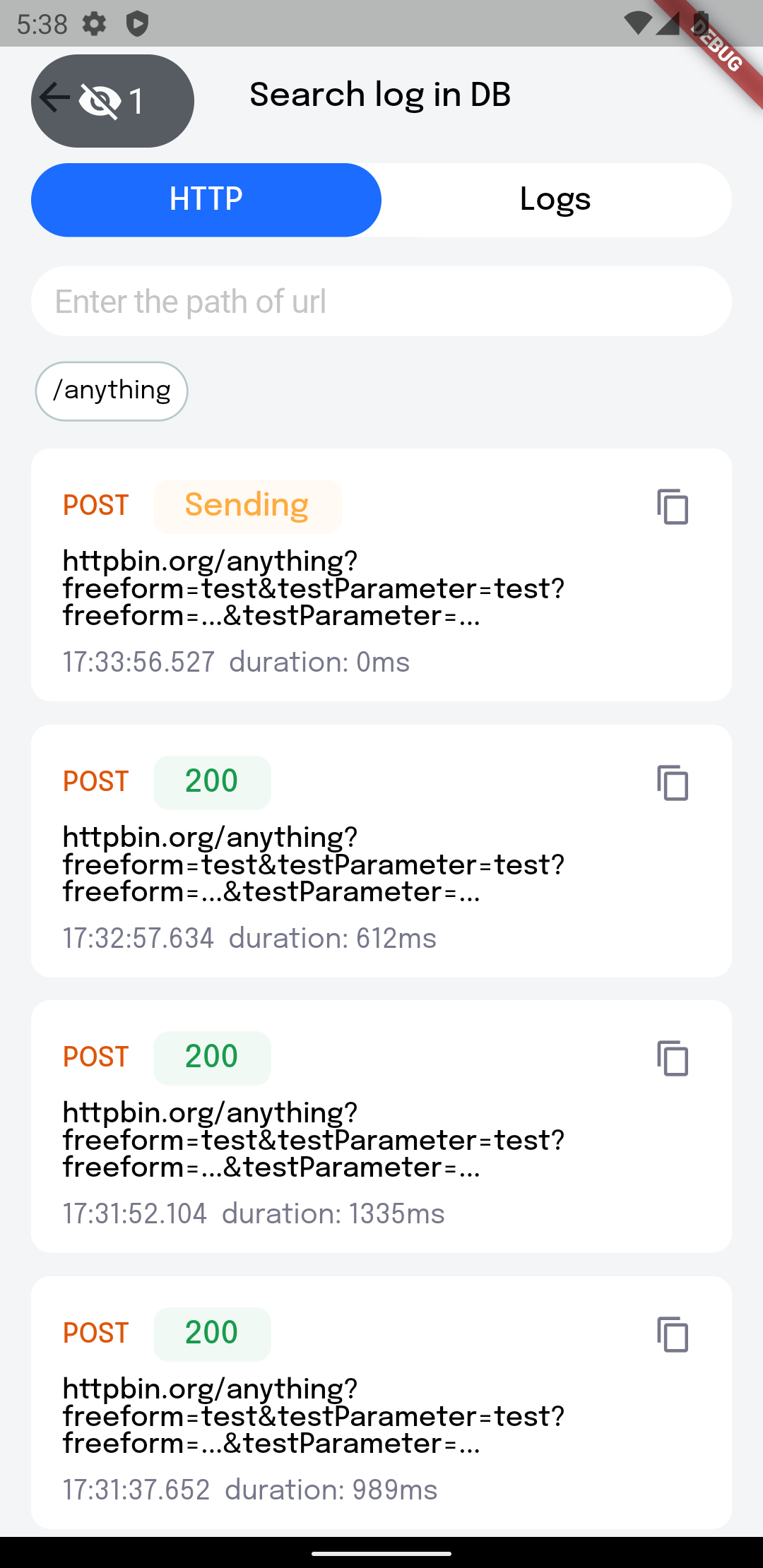
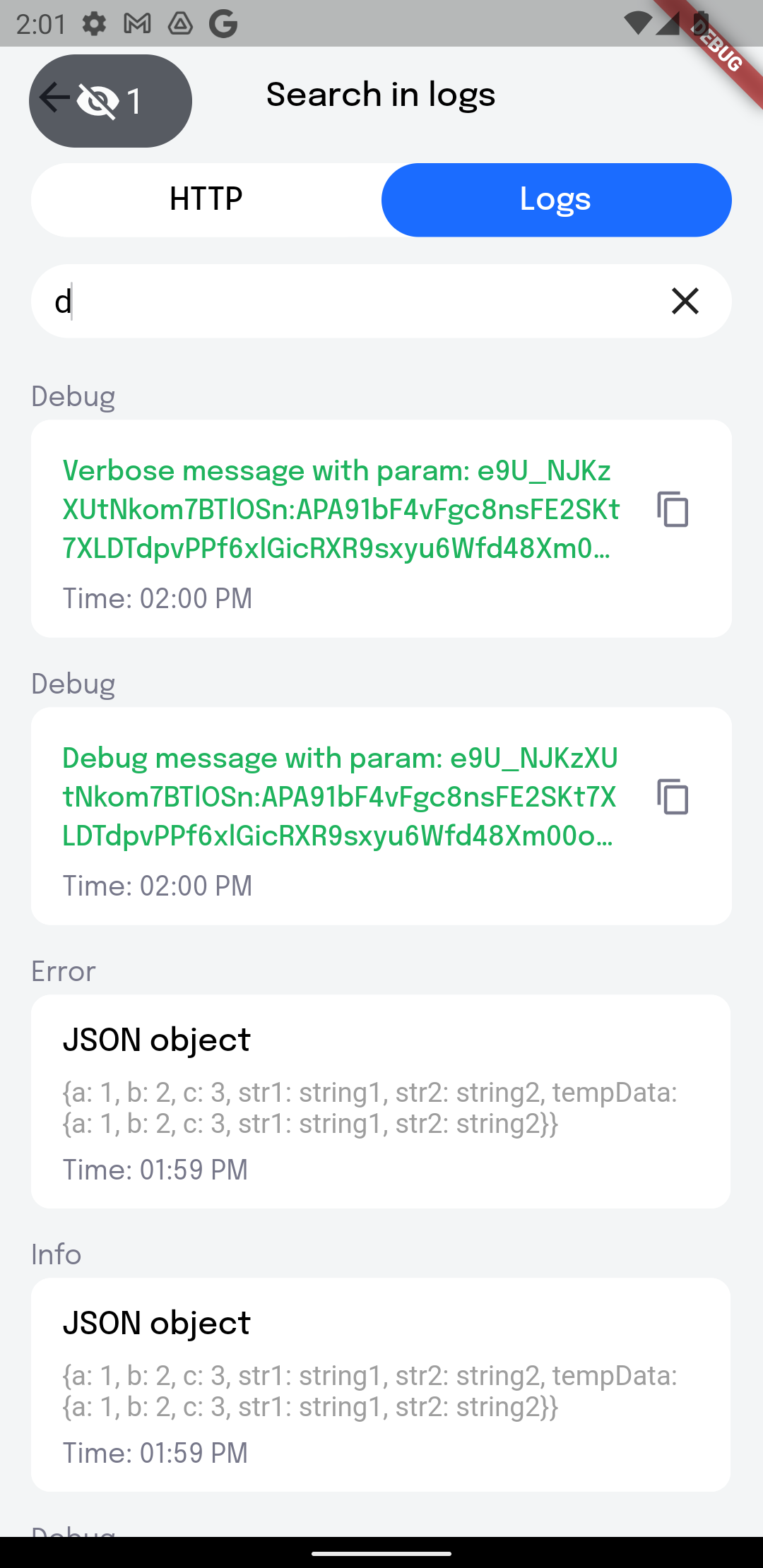
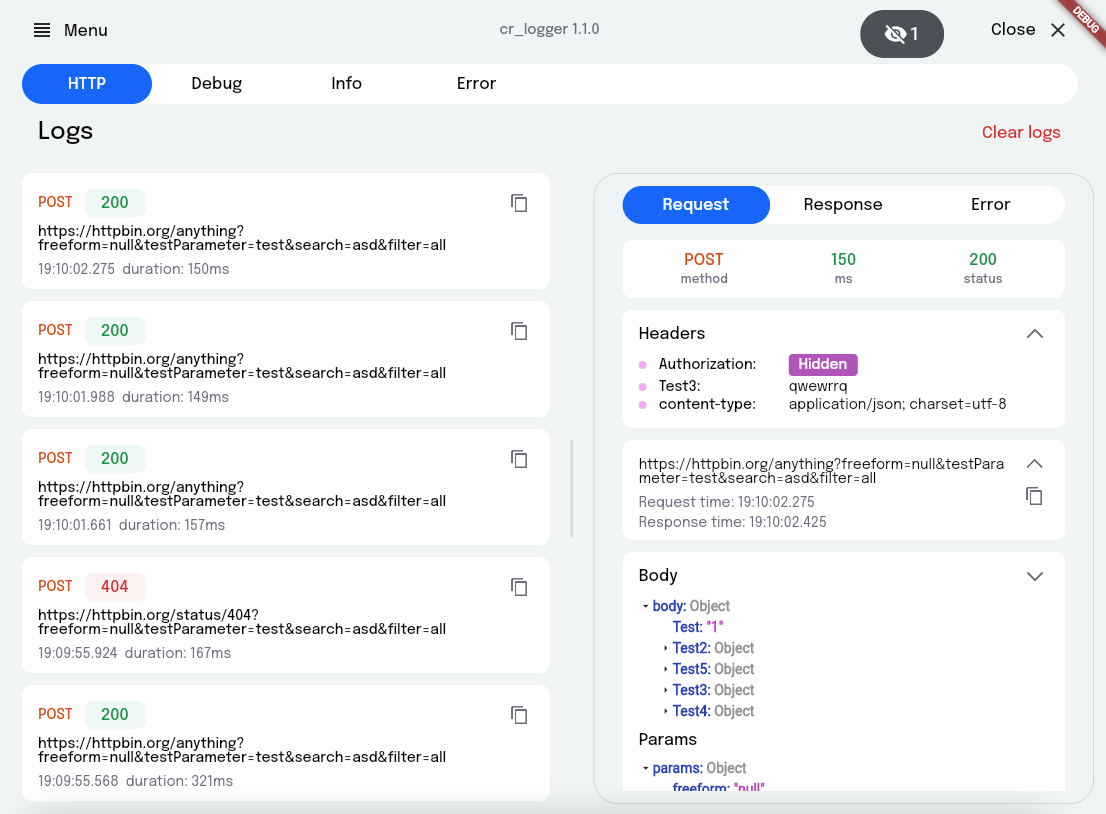
Add plugin to the project:
dependencies:
  cr_logger: ^2.2.0
Initialize the logger. main.dart:
❗ Database won't be working in Web
void main()  {
  ...
  CRLoggerInitializer.instance.init(
    theme: ThemeData.light(),
    levelColors: {
      Level.debug: Colors.grey.shade300,
      Level.warning: Colors.orange,
    },
    hiddenFields: [
      'token',
    ],
    logFileName: 'my_logs',
    printLogs: true,
    useCrLoggerInReleaseBuild: false,
    useDatabase: false,
  );
}
printLogs - Prints all logs while [printLogs] is true
useCrLoggerInReleaseBuild - All logs will be printed and used database when [kReleaseMode] is
true
useDatabase - Use database for logs history. Allows persisting logs on app restart. It will
work only with [useCrLoggerInReleaseBuild] set to true.
theme - Custom logger theme
levelColors - Colors for message types levelColors (debug, verbose, info, warning, error, wtf)
hiddenFields - List of keys, whose value need to be replaced by string 'Hidden'
logFileName - File name when sharing logs
maxLogsCount - Maximum number of each type of logs (http, debug, info, error), by default = 50
maxDatabaseLogsCount - Maximum number of each type of logs (http, debug, info, error), which
will be saved to database, by default = 50
logger - Custom logger
printLogsCompactly - If the value is false, then all logs, except HTTP logs, will have borders,
with a link to the place where the print is called and the time when the log was created.
Otherwise it will write only log message. By default = true
Initialize Inspector (optional):
return MaterialApp(
  home: const MainPage(),
  builder: (context, child) => CrInspector(child: child!),
);
Define the variables:
4.1 appInfo - you can provide custom information to be displayed on the AppInfo page
CRLoggerInitializer.instance.appInfo = {
  'Build type': buildType.toString(),
  'Endpoint': 'https/cr_logger/example/',
};
4.2 logFileName - file name when exporting logs
4.3 hiddenFields - list of keys for headers to hide when showing network logs
Add the overlay button:
CRLoggerInitializer.instance.showDebugButton(context);
button - Custom floating button
left - X-axis start position
top - Y-axis start position
Support for importing logs from json:
await CRLoggerInitializer.instance.createLogsFromJson(json);
You can get the current proxy settings to initialise Charles:
final proxy = CRLoggerInitializer.instance.getProxySettings();
if (proxy != null) {
  RestClient.instance.init(proxy);
}
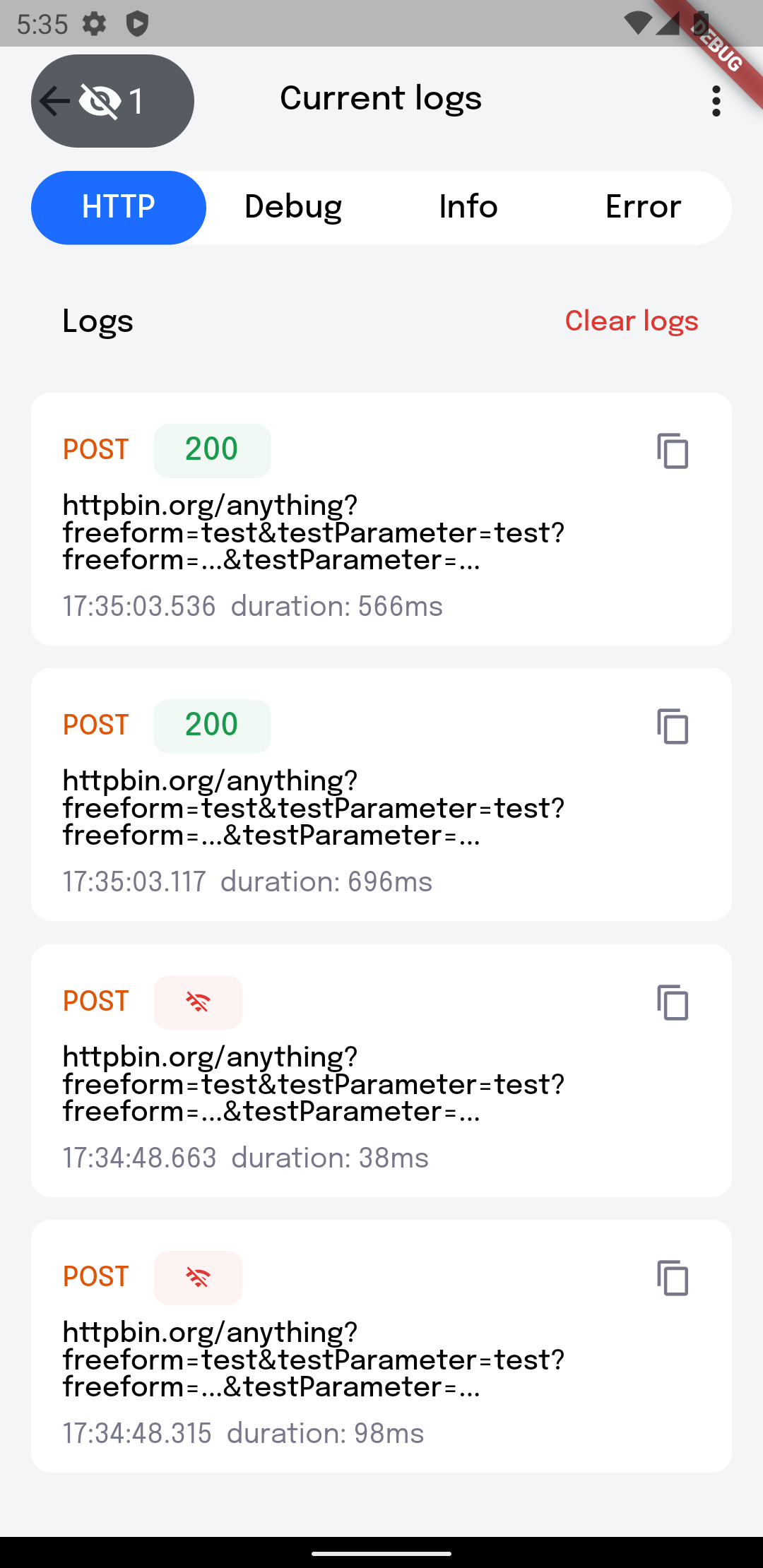
If the logger is enabled, a floating button appears on the screen; it also indicates the project
build number. It's quite easy to use, just click on the floating button to show the main screen of
the logger You can also double tap on the button to invoke Quick Actions.
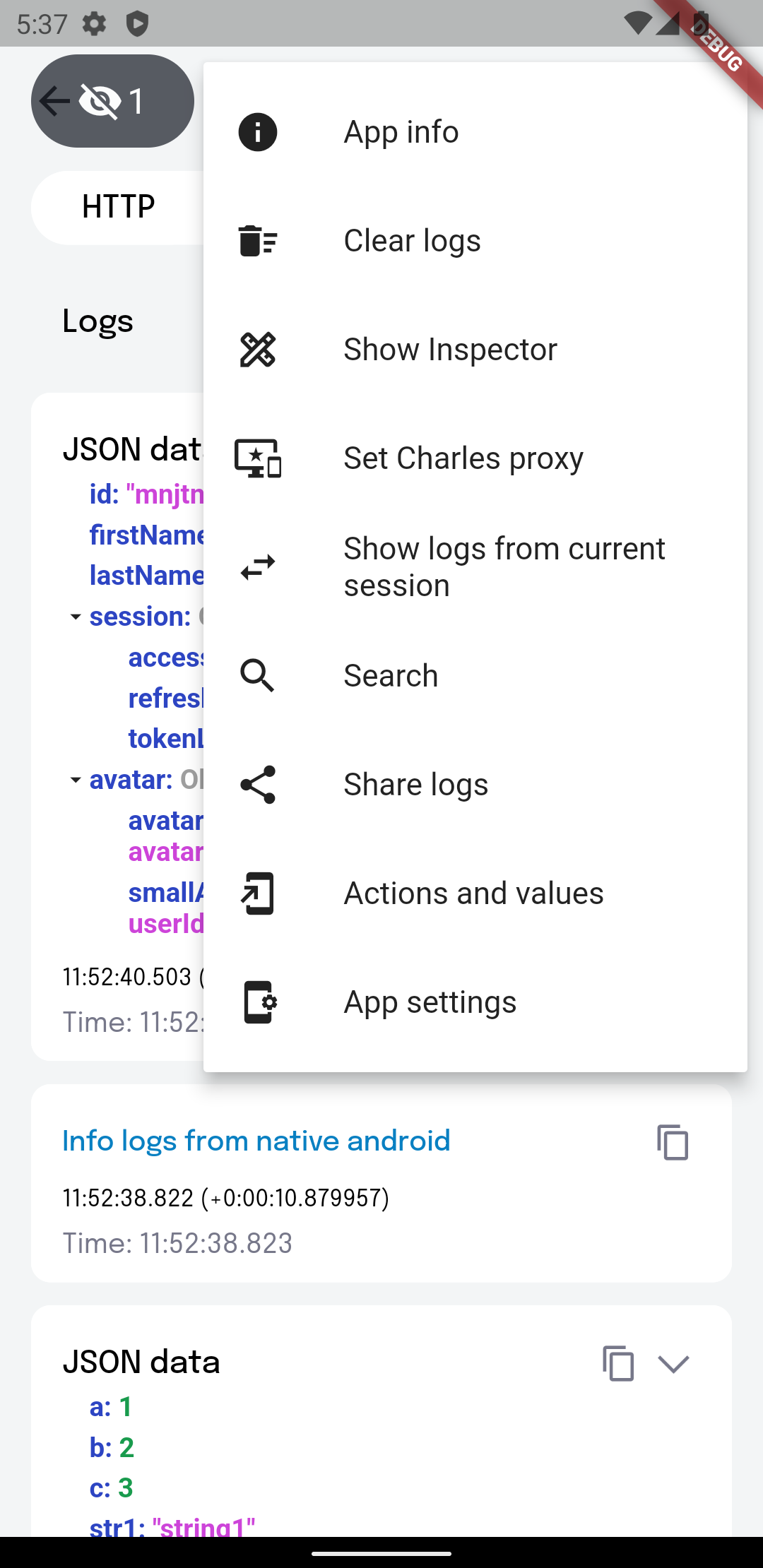
Using this popup menu, you can quickly access the desired CRLogger options. Called by a long press or double tap on the debug button.
Allows you to view Package name, app version, build version
Clears certain logs or all of them. It is possible to do this with logs from the database
If the inspector is enabled, then a panel appears on the right side of the screen, with buttons to toggle size inspection and the color picker.
Needed to set proxy settings for Charles
Provides search by logs. By paths, you can search for HTTP log you need. Also there is a search for logs from the database.
Share logs with your team
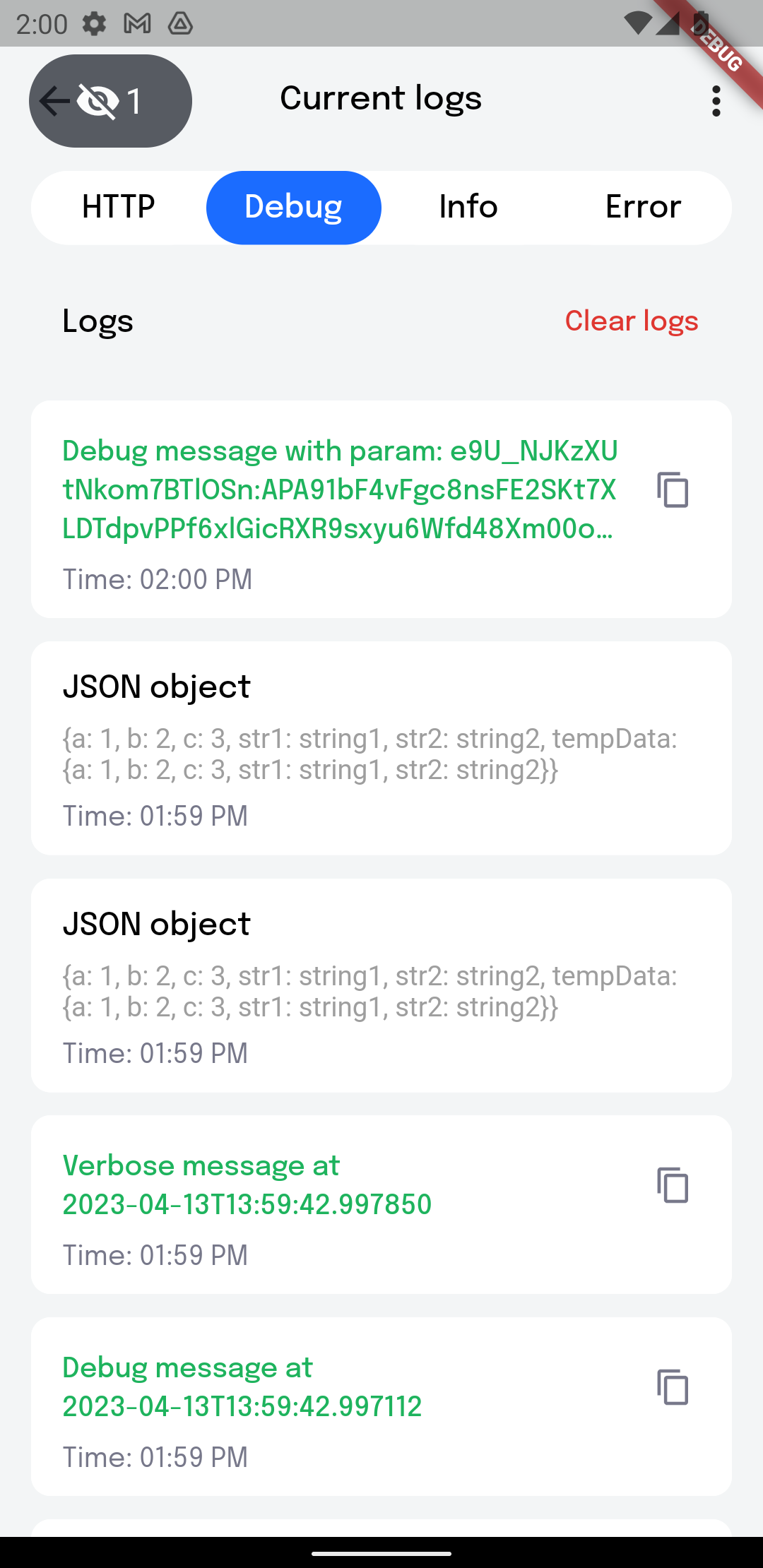
You can create log with parameters. To do this use {{parameter}} pattern to highlight text needed to be displayed as parameter.
Example:
  const parameter = 'PARAMETER';
  log.d('Debug message with param: {{$parameter}}');
  log.v('Verbose message with param: {{$parameter}}');
  log.i('Info message with param: {{$parameter}}');
  log.e('Error message with param: {{$parameter}}');
Now you can copy the value of this parameter by simply clicking on it in the details of the log.
Opens a page that contains action buttons and value notifiers.
Action buttons allows you to add different callbacks for testing
Add actions:
CRLoggerInitializer.instance.addActionButton('Log Hi', () => log.i('Hi'));
CRLoggerInitializer.instance.addActionButton(
  'Log By',
  () => log.i('By'),
  connectedWidgetId: 'some identifier',
);
Remove actions by specified id:
CRLoggerInitializer.instance.removeActionsById('some identifier');
Value notifiers help keep track of changes to variables of ValueNotifier type.
Type notifiers:
 /// Type notifiers
  final boolNotifier = ValueNotifier<bool>(false);
  final stringNotifier = ValueNotifier<String>('integer: ');

 /// Widget notifiers
 final boolWithWidgetNotifier = ValueNotifier<bool>(false);
 final boolWidget = ValueListenableBuilder<bool>(
   valueListenable: boolWithWidgetNotifier,
   builder: (_, value, __) => SwitchListTile(
     title: const Text('Bool'),
     subtitle: Text(value.toString()),
     value: value,
     onChanged: (newValue) => boolWithWidgetNotifier.value = newValue,
   ),
 );
  final textNotifier = ValueNotifier<Text>(
   const Text('Widget text'),
  );
  final textWidget = ValueListenableBuilder<Text>(
   valueListenable: textNotifier,
   builder: (_, value, __) => Row(
     children: [
       const Text('Icon'),
       const Spacer(),
       value,
       const Spacer(),
     ],
   ),
 );
Add notifiers:
You can add either a name and a notifier or just a widget. If you just want to see the
value of the notifier, it's better to use name + notifier. In other case, if you need to
change notifier's value, for example via a switcher, it's better to add a widget.
 CRLoggerInitializer.instance.addValueNotifier(
   widget: boolWidget,
 );

 CRLoggerInitializer.instance.addValueNotifier(
   name: 'Bool',
   notifier: boolNotifier,
 );
 CRLoggerInitializer.instance.addValueNotifier(
   widget: textWidget,
 );
Remove notifiers by specified id:
CRLoggerInitializer.instance.removeNotifiersById('some identifier');
Clear all notifiers:
CRLoggerInitializer.instance.notifierListClear();
Initialize the following callbacks (optional):
5.1. ShareLogsFileCallback - when needed to share logs file on the app's side
CRLoggerInitializer.instance.onShareLogsFile = (path) async {
  await Share.shareFiles([path]);
};
Opens application settings
In IntelliJ/Studio you can collapse the request/response body:
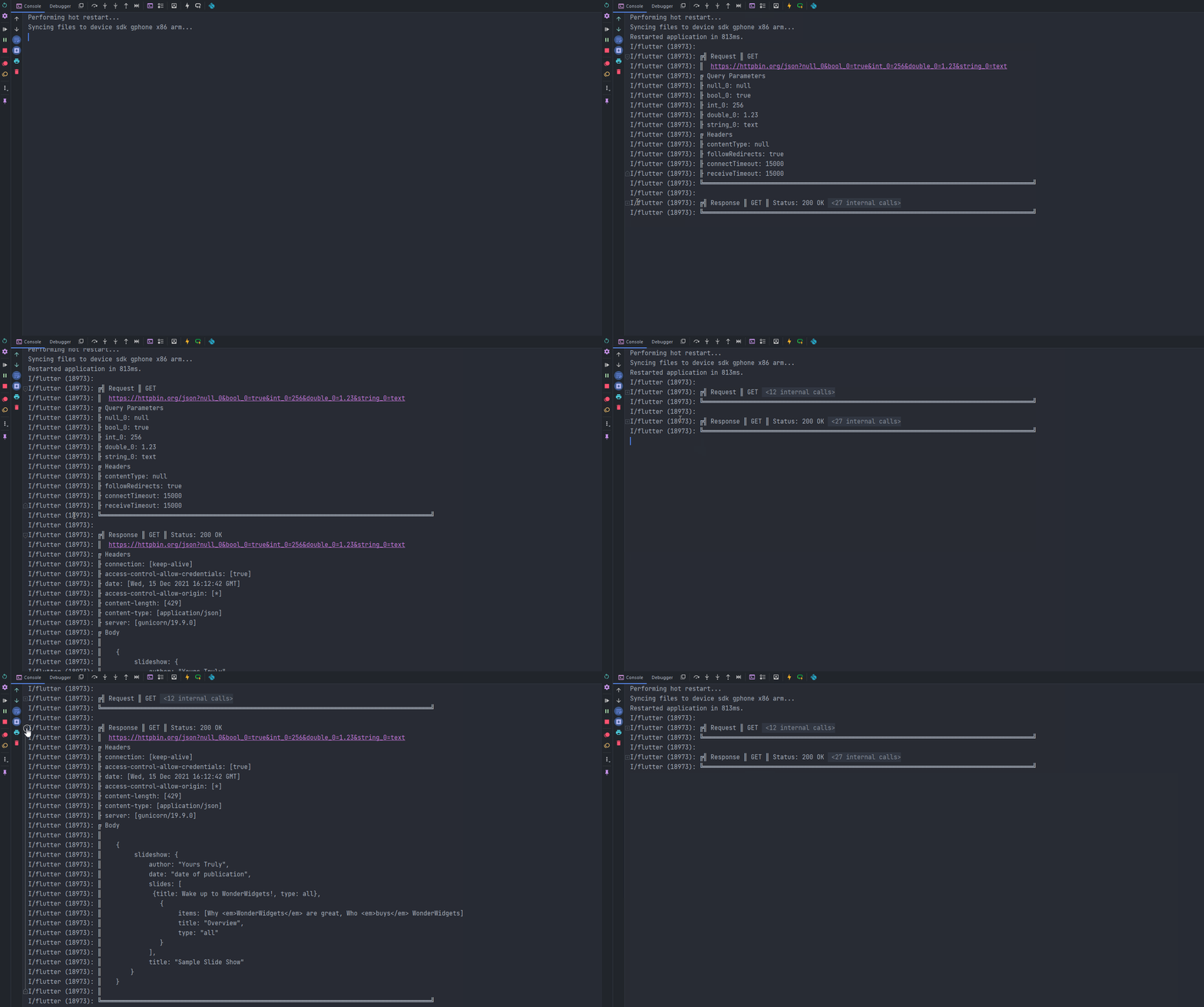
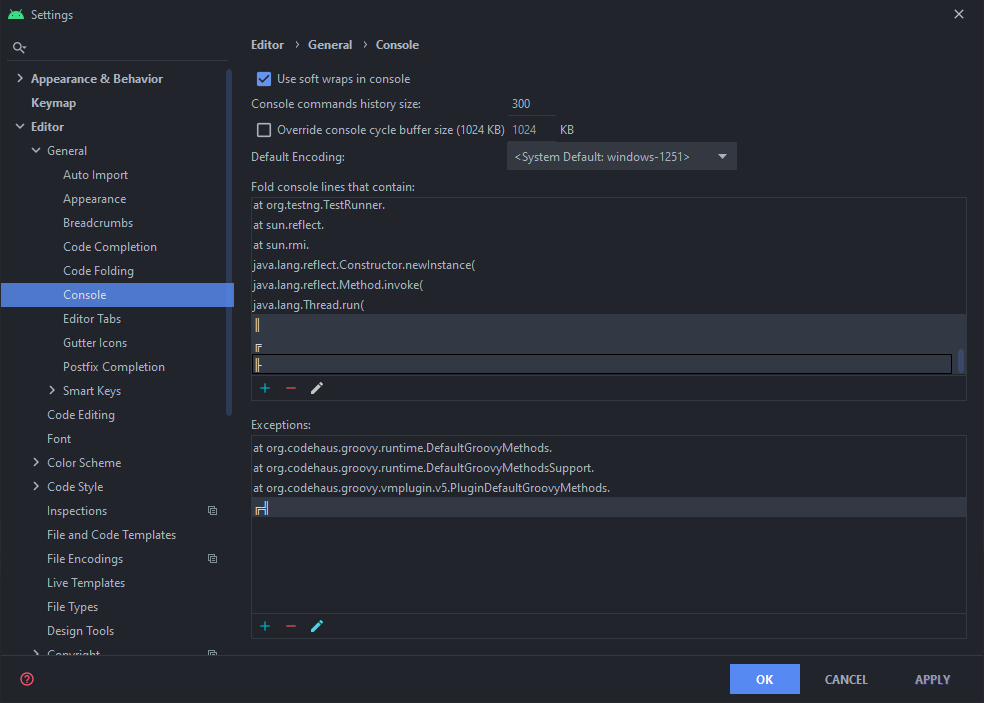
Set up this is by going to Preferences -> Editor -> General -> Console
and under Fold console lines that contain add these 2 rules: ║, ╟
and under Exceptions add 1 rule: ╔╣

Lista de dependências 27 itens
{"sdk":"flutter"}{"sdk":"flutter"}>=0.13.0 <2.0.0^1.1.1>=5.5.0+1 <6.0.0>=8.0.0 <9.0.0>=2.0.0 <3.0.0>=8.0.0 <9.0.0>=3.0.7 <5.0.0>=5.0.0 <7.0.0>=2.0.0 <2.2.0>=1.8.0 <2.0.0>=1.0.0 <4.0.0>=2.0.0 <3.0.0^3.2.1>=3.0.0+2 <4.0.0^0.7.2>=5.0.0 <6.0.0>=7.0.0 <7.3.0>=2.3.0 <3.0.0>=1.0.1 <1.3.0^1.1.0^1.0.0+1^1.0.1>=0.5.1 <2.0.0{"sdk":"flutter"}^6.0.0Filtre pelo caso de uso, compare a atividade e confira o projeto original antes de adotá-lo.
“A repository is the most basic element of GitHub.”
GitHub Docs — About repositories ↗