Orientação gerada a partir de informações públicas. Apenas para referência.
cr_logger é um poderoso plugin de registro para Flutter que oferece um registro consistente e robusto em plataformas Android, iOS e web. Projetado para desenvolvedores que precisam de informações detalhadas de depuração, suporta registro estruturado com formatos de saída personalizáveis. O plugin se integra perfeitamente nos fluxos de trabalho de desenvolvimento, permitindo o rastreamento fácil do comportamento do aplicativo e problemas de desempenho. Com suporte a múltiplas plataformas, o cr_logger garante um registro confiável independentemente do ambiente-alvo. É ideal tanto para uso em desenvolvimento quanto em produção, com níveis de log configuráveis e destinos de saída.
Casos de uso
Depurando problemas de aplicativos
Monitorar o desempenho do aplicativo
Rastreamento de ações do usuário
Capturando erros em tempo de execução
Habilitar análise em tempo real de logs
Apoio ao desenvolvimento multiplataforma
Principais recursos
Registro cruzado de plataformas (Android, iOS, Web)
níveis de log configuráveis
Saída de log estruturada
Integração fácil com aplicativos Flutter
Suporte para formatadores de log personalizados
Sobreposição de desempenho mínima
Indicado para
Desenvolvedores Flutter que precisam de registro unificado
Equipes que constroem aplicativos multiplataforma
Aplicativos que exigem diagnósticos detalhados em tempo de execução
Ambientes de desenvolvimento e produção
Projetos com requisitos rigorosos de registro
Considerações
Pode exigir configuração para ambientes de produção
A saída de log deve ser filtrada em compilações de lançamento
O impacto no desempenho depende da frequência de registro
Não destinado ao registro de alto volume sem otimização
Requer manipulação cuidadosa de dados sensíveis nos logs
README original
Snapshot do README original do repositório-fonte vinculado. Consulte o repositório para o conteúdo mais recente.
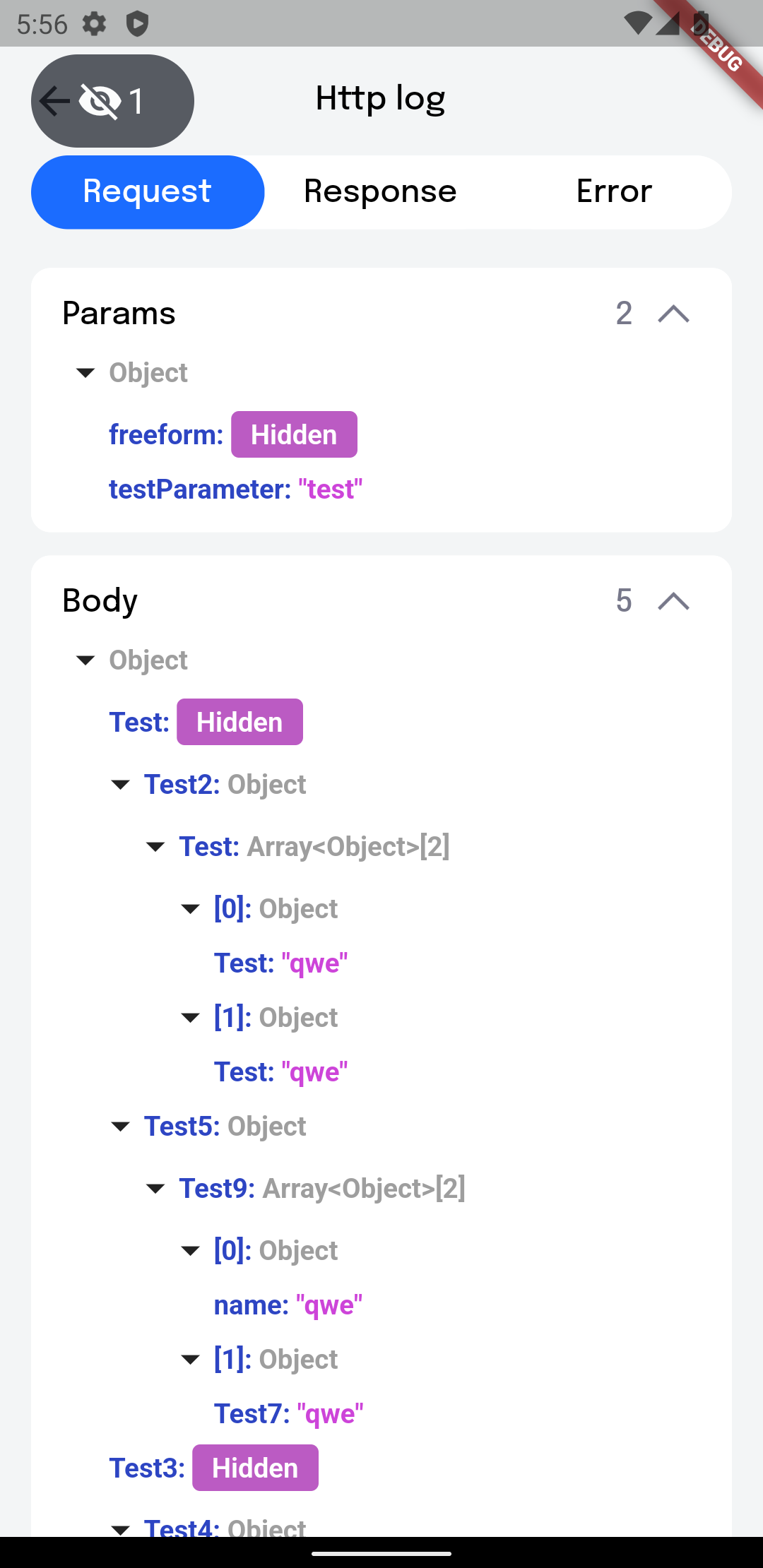
hiddenFields - List of keys, whose value need to be replaced by string 'Hidden'
logFileName - File name when sharing logs
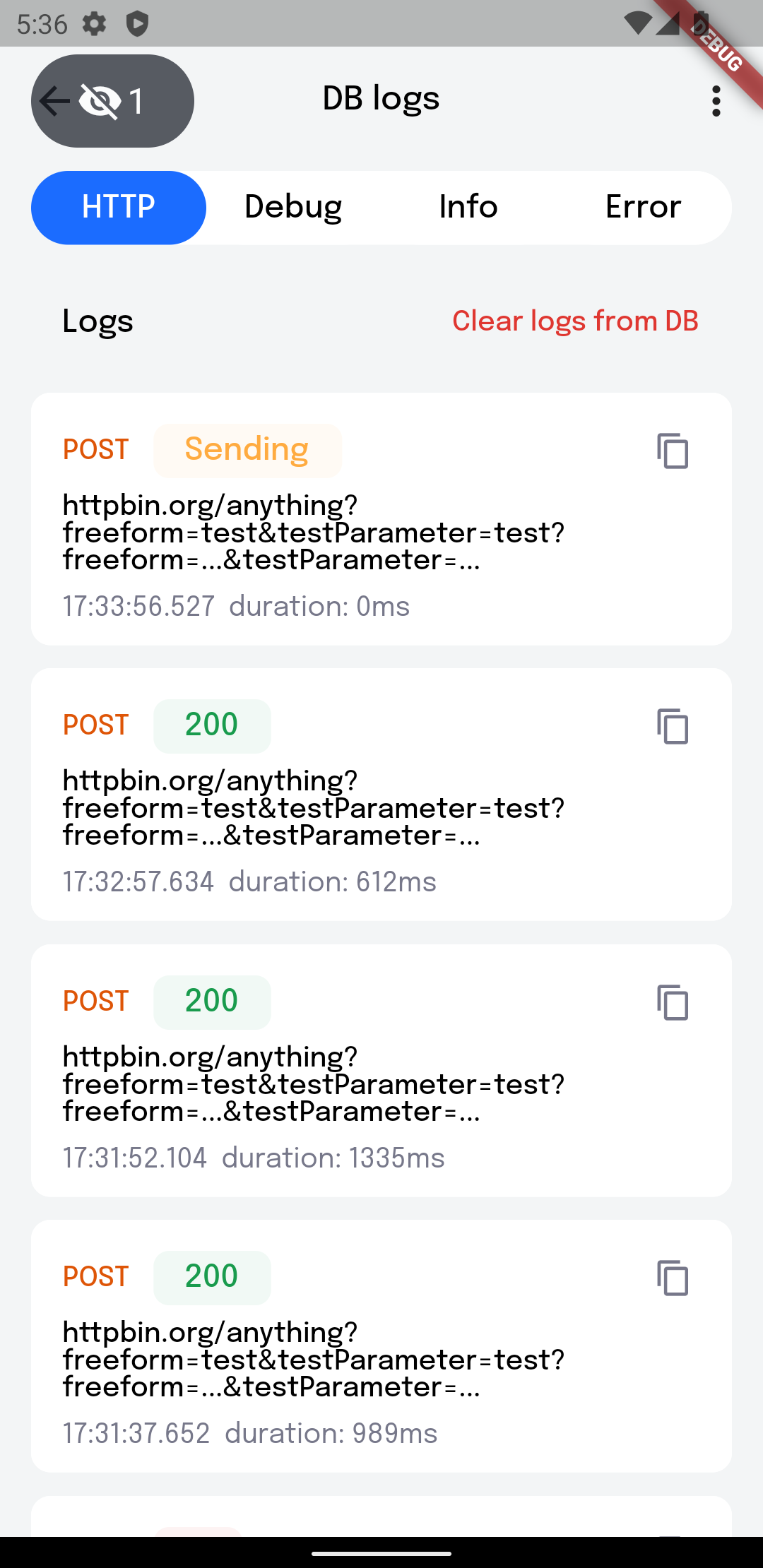
maxLogsCount - Maximum number of each type of logs (http, debug, info, error), by default = 50
maxDatabaseLogsCount - Maximum number of each type of logs (http, debug, info, error), which
will be saved to database, by default = 50
logger - Custom logger
printLogsCompactly - If the value is false, then all logs, except HTTP logs, will have borders,
with a link to the place where the print is called and the time when the log was created.
Otherwise it will write only log message. By default = true
You can get the current proxy settings to initialise Charles:
final proxy = CRLoggerInitializer.instance.getProxySettings();
if (proxy != null) {
  RestClient.instance.init(proxy);
}
Usage
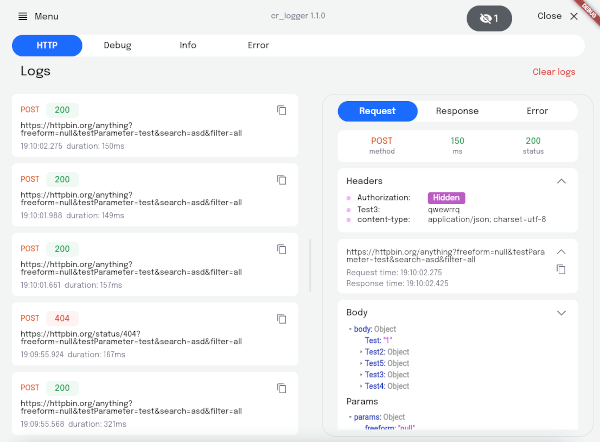
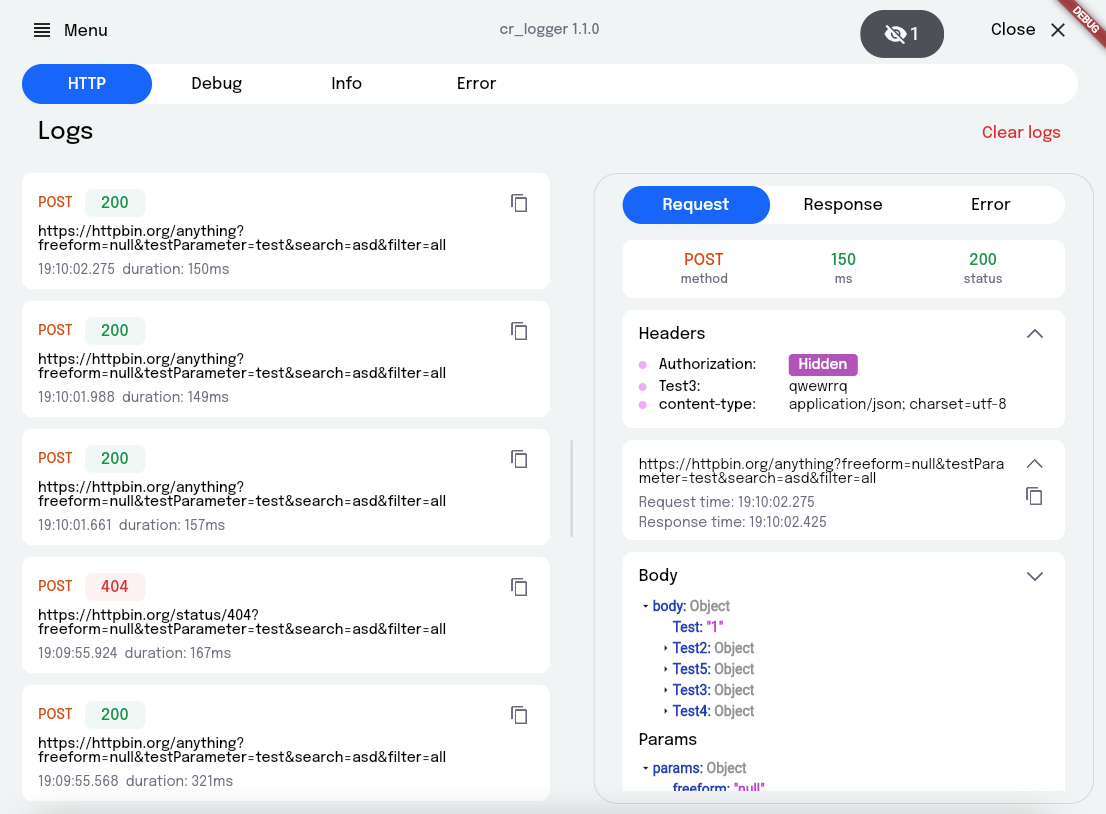
If the logger is enabled, a floating button appears on the screen; it also indicates the project
build number. It's quite easy to use, just click on the floating button to show the main screen of
the logger You can also double tap on the button to invoke Quick Actions.
Quick actions
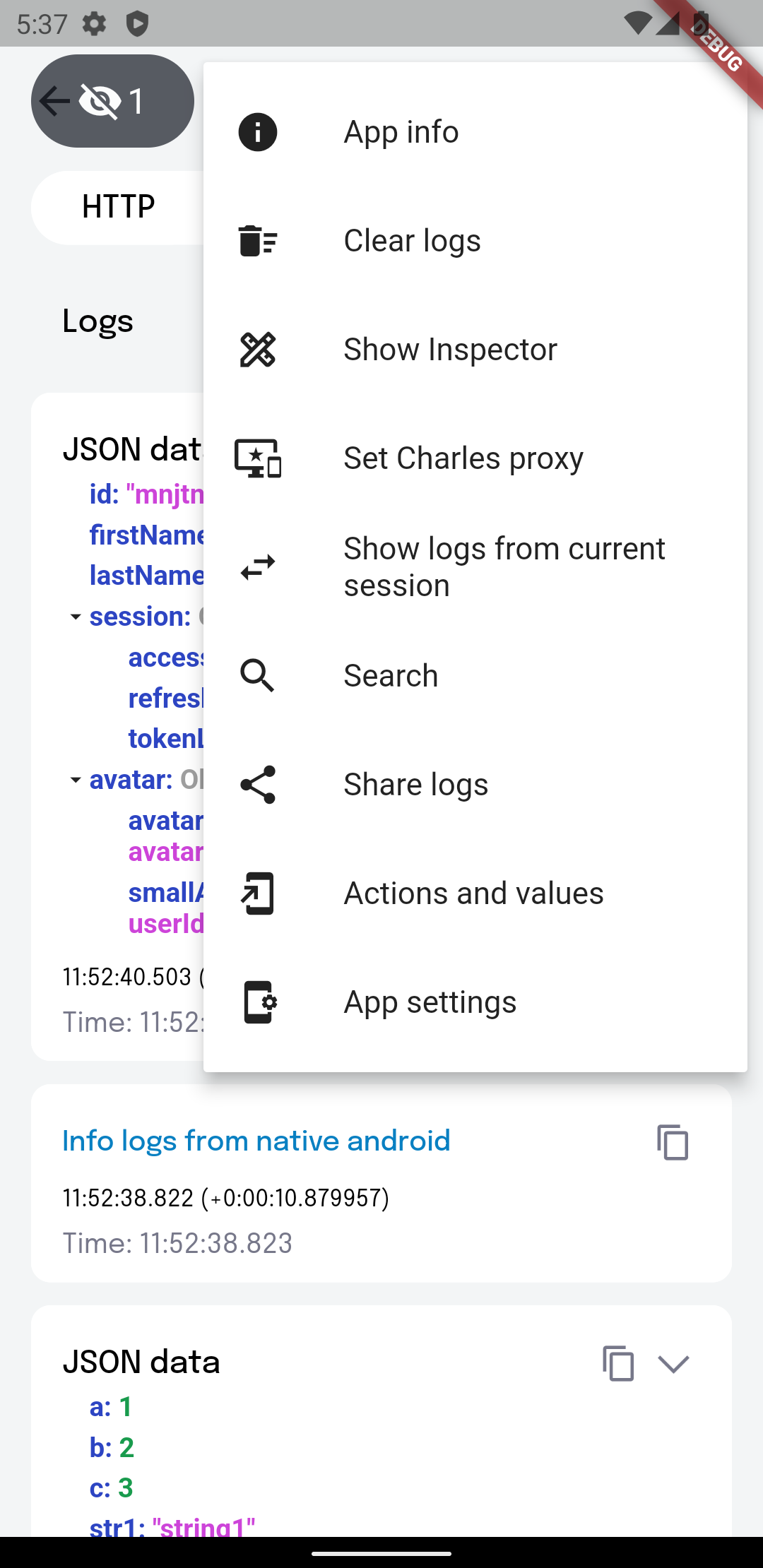
Using this popup menu, you can quickly access the desired CRLogger options. Called by a long
press or double tap on the debug button.
App info
Allows you to view Package name, app version, build version
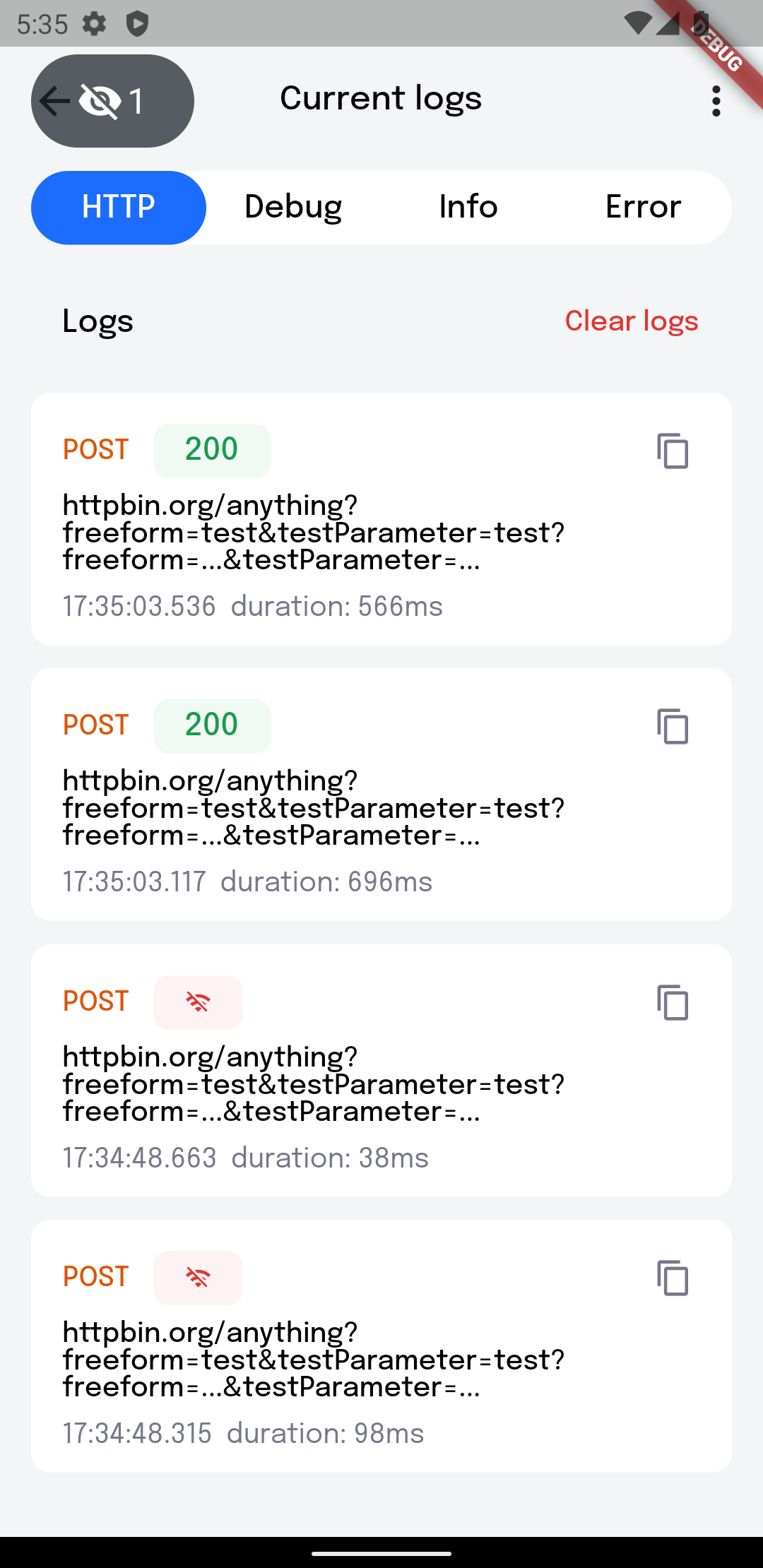
Clear logs
Clears certain logs or all of them. It is possible to do this with logs from the database
Show Inspector
If the inspector is enabled, then a panel appears on the right side of the screen, with buttons
to toggle size inspection and the color picker.
Set Charles proxy
Needed to set proxy settings for Charles
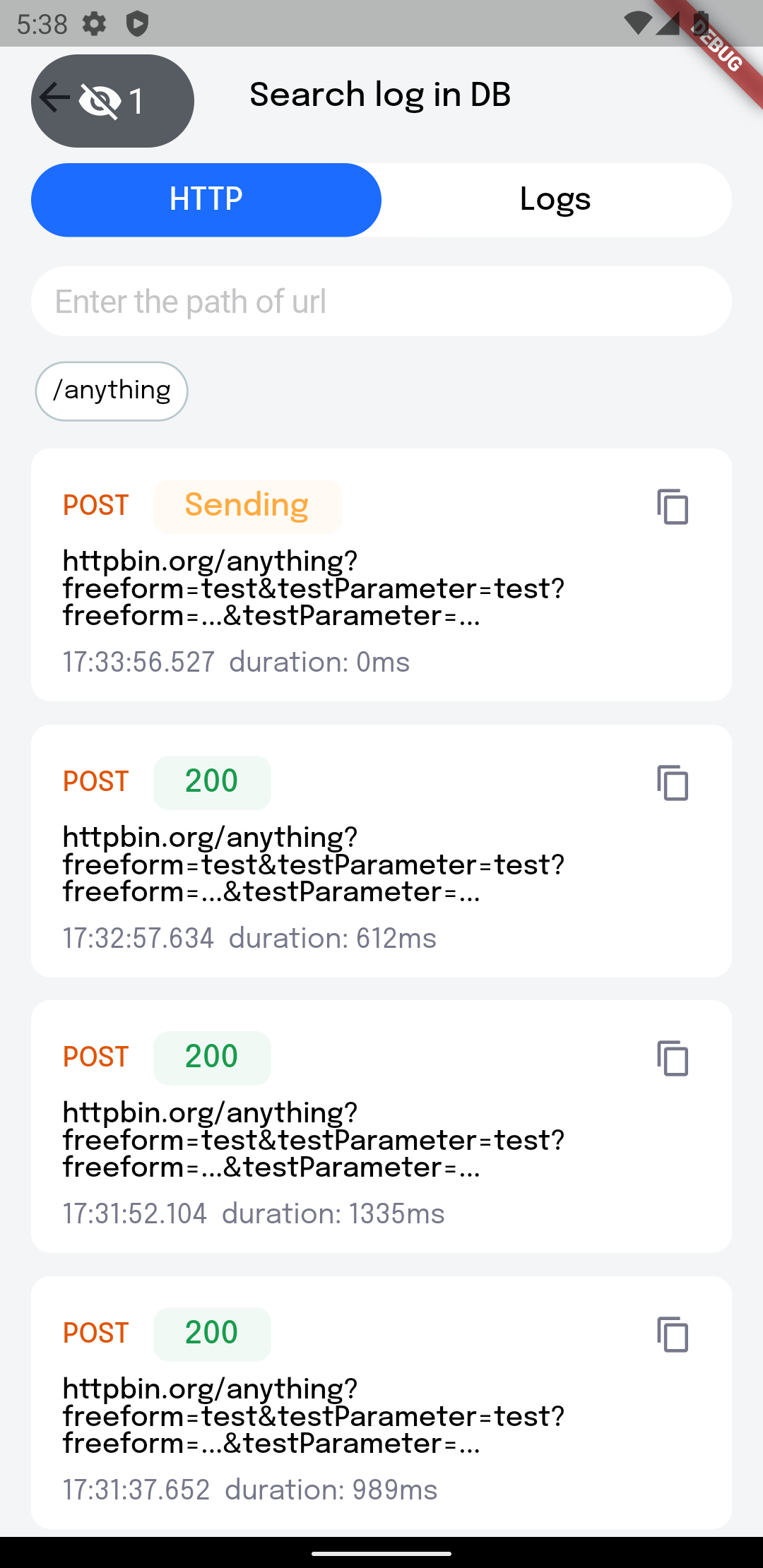
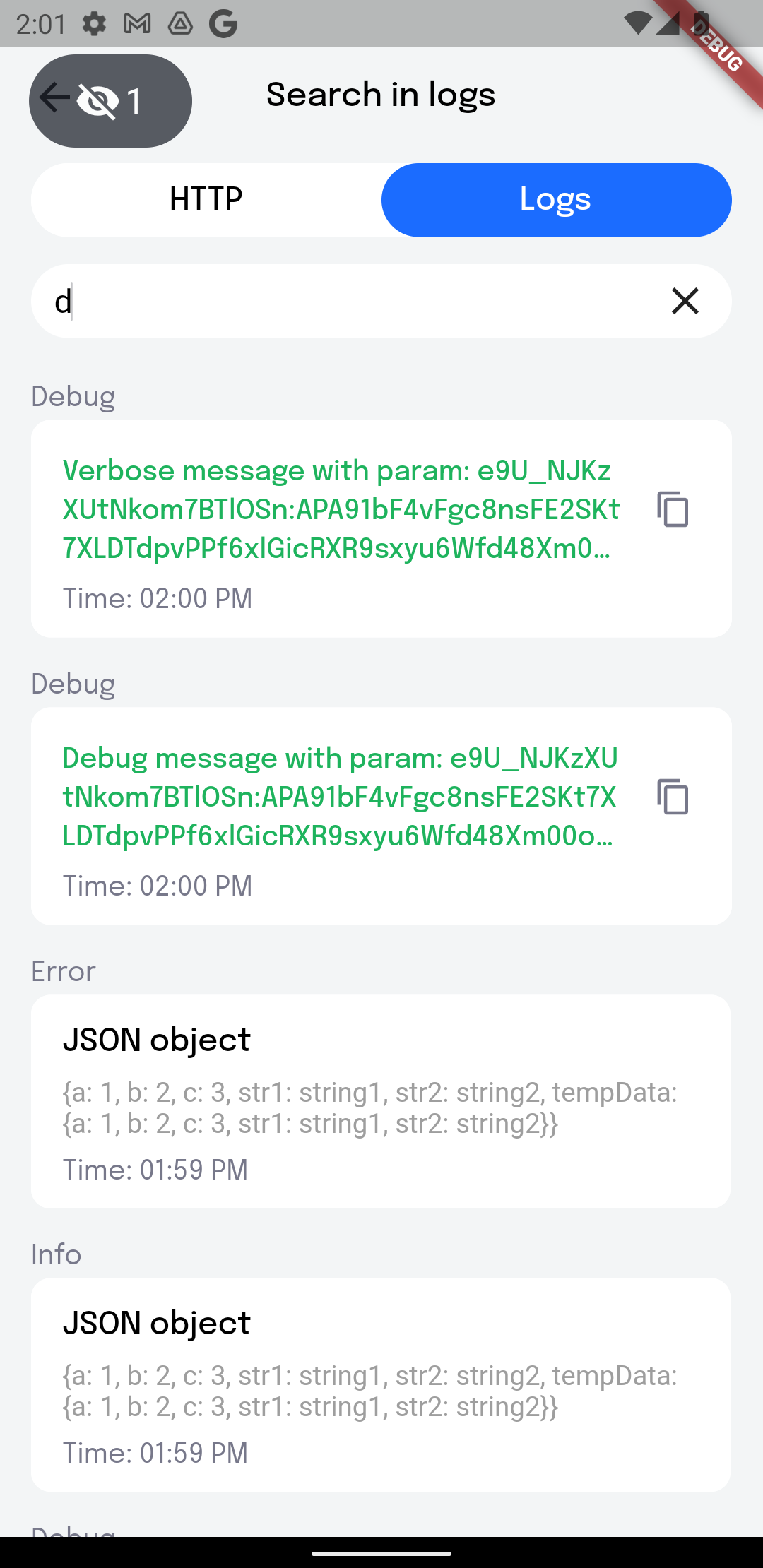
Search
Provides search by logs. By paths, you can search for HTTP log you need. Also there is a
search for logs from the database.
Share logs
Share logs with your team
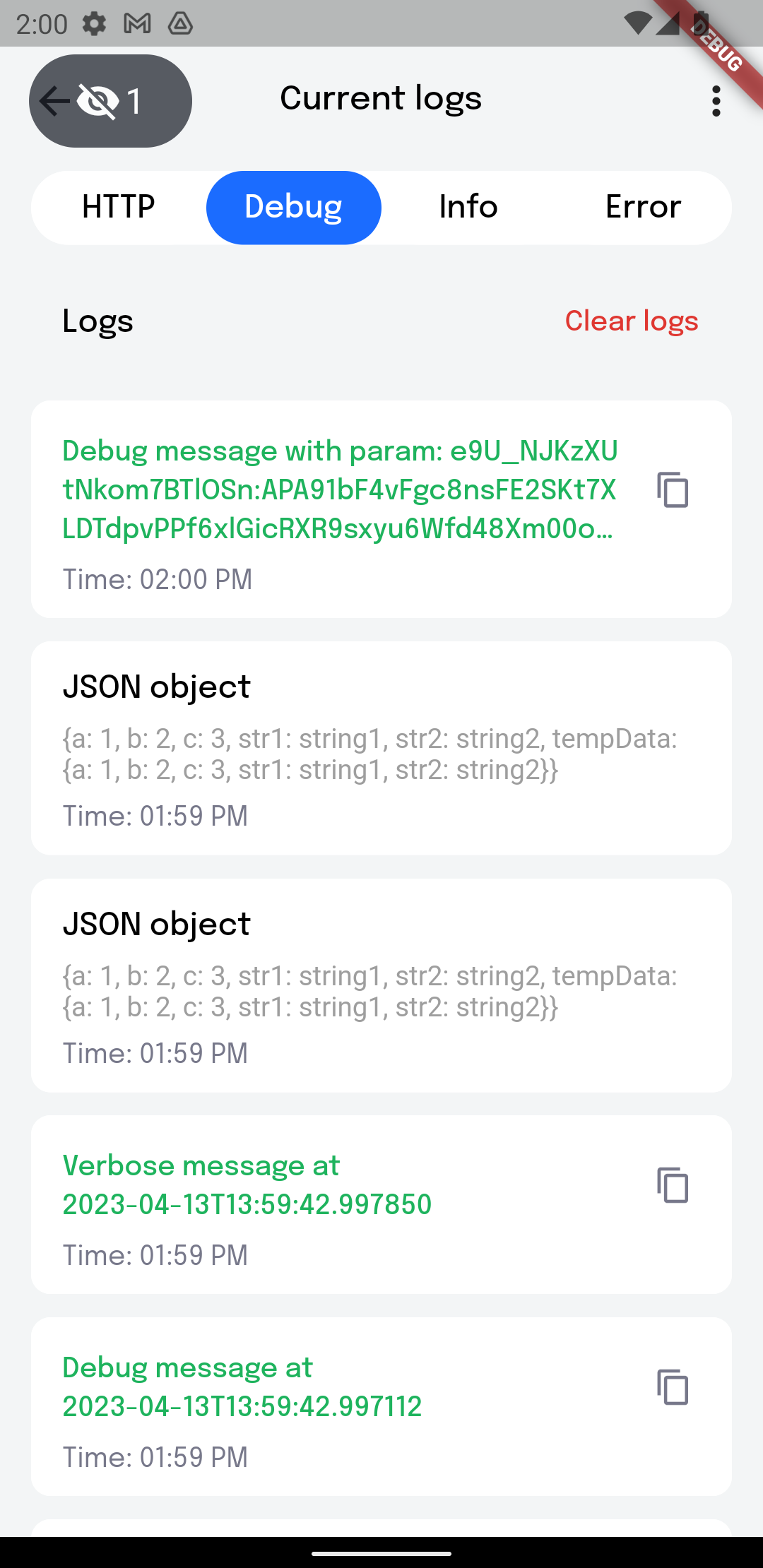
Create log with parameter
You can create log with parameters. To do this use {{parameter}} pattern to highlight text needed to be displayed as parameter.
Example:
  const parameter = 'PARAMETER';
  log.d('Debug message with param: {{$parameter}}');
  log.v('Verbose message with param: {{$parameter}}');
  log.i('Info message with param: {{$parameter}}');
  log.e('Error message with param: {{$parameter}}');
Now you can copy the value of this parameter by simply clicking on it in the details of the log.
Actions and values
Opens a page that contains action buttons and value notifiers.
Action buttons allows you to add different callbacks for testing
Add notifiers:
You can add either a name and a notifier or just a widget. If you just want to see the
value of the notifier, it's better to use name + notifier. In other case, if you need to
change notifier's value, for example via a switcher, it's better to add a widget.
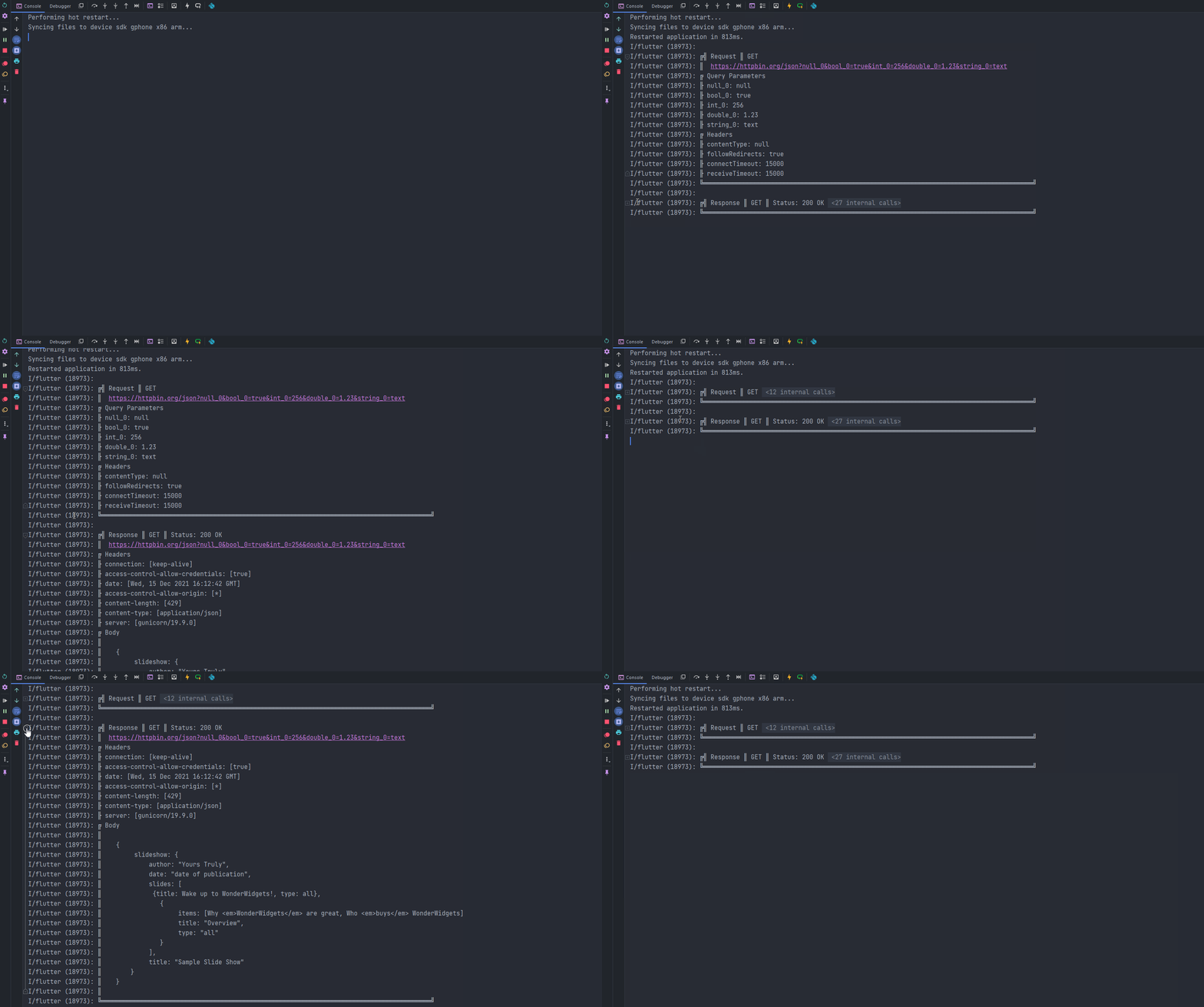
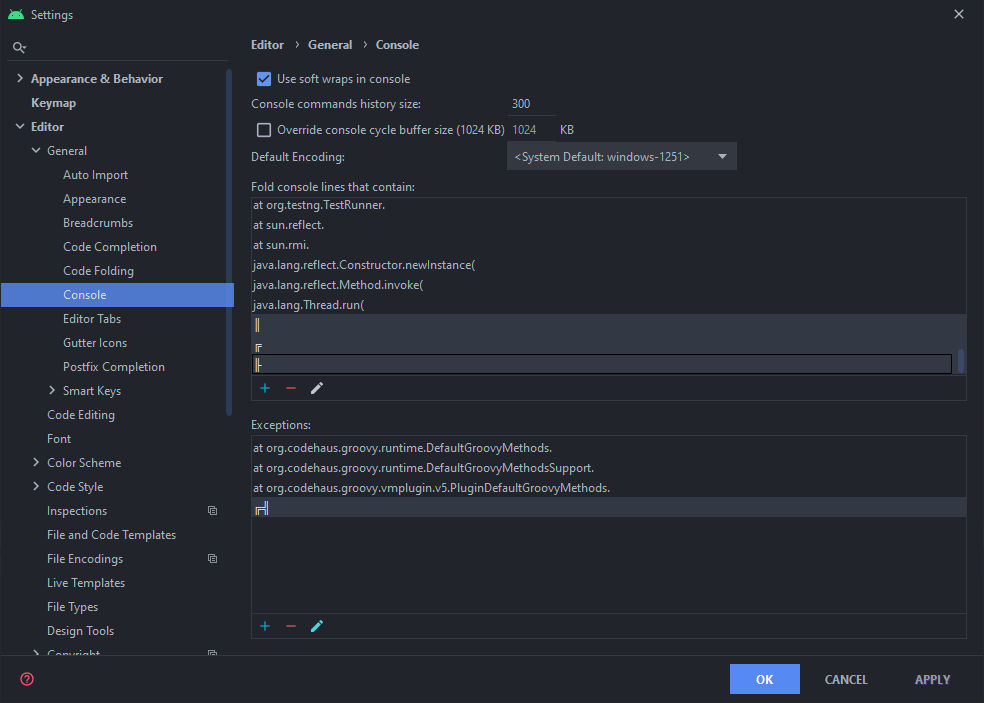
In IntelliJ/Studio you can collapse the request/response body:
Set up this is by going to Preferences -> Editor -> General -> Console
and under Fold console lines that contain add these 2 rules: ║, ╟
and under Exceptions add 1 rule: ╔╣