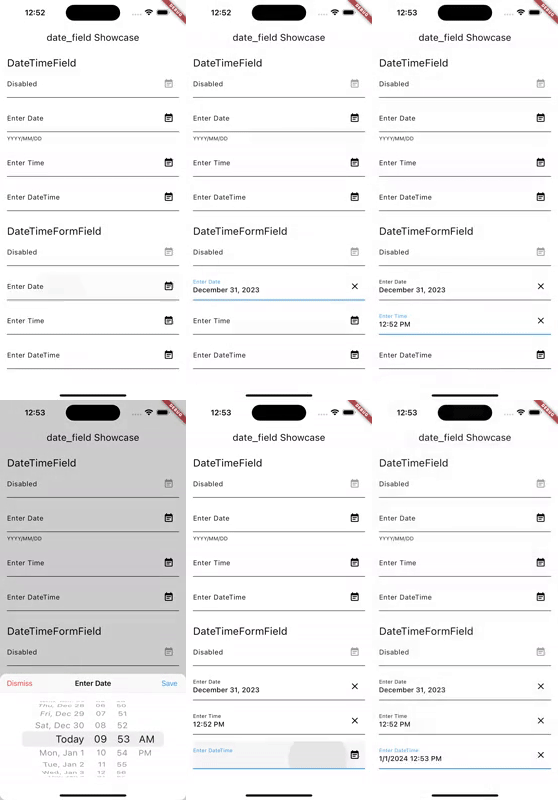
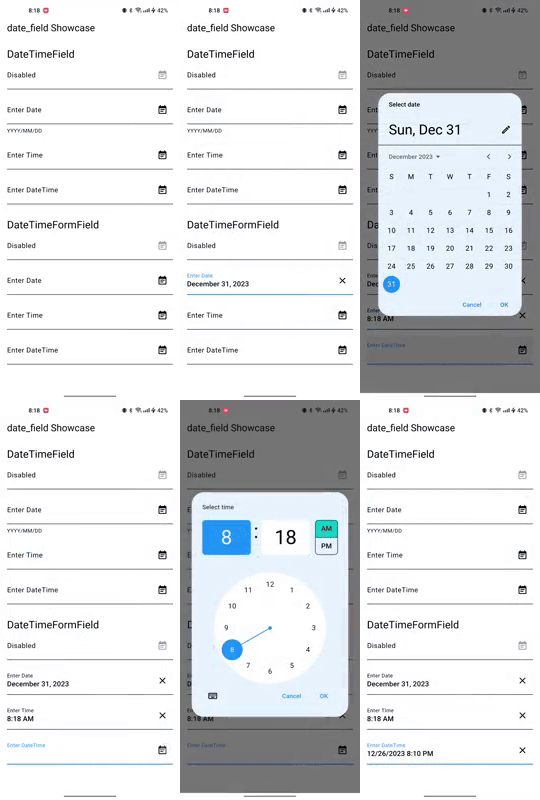
Texto original em inglês. Visite o GitHub para a versão atual.
Welcome to the Date Field package! 📅
This package provides two widgets, DateTimeField and DateTimeFormField, which allow users to pick a
date and/or time from an input field. You can customize the appearance of the widgets using the
decoration argument, and specify whether to ask for a date, a time, or both using the mode
parameter. You can further customize the picker by configuring dialog properties.
iOS
Android
Getting Started 🚀
Add date_field package to your dependencies in pubspec.yaml.
dependencies:...date_field:^6.0.0
Run flutter pub get to install the package.
Initialize your systems locale. If not, users might see AM/PM even when
they configured their system to use 24h format. Add the following code to your main function:
To display the adaptive dialog without the field widget, you can directly use the showAdaptiveDateTimePicker.
finalDateTime? result = awaitshowAdaptiveDateTimePicker(
context: context,
mode: DateTimeFieldPickerMode.dateAndTime,
);
Note that you can also use the showMaterialDateTimePicker and showCupertinoDateTimePicker functions to show
the Material and Cupertino pickers directly.
Features 🎨
DateTimeField: A widget that allows users to pick a date and/or time from an input field.
DateTimeFormField: A FormField that contains a DateTimeField.
showAdaptiveDateTimePicker: A function that shows a date and/or time picker dialog based on the platform,
with the ability to customize the dialog properties.
showCupertinoDateTimePicker: A function that shows a Cupertino date and/or time picker dialog.
showMaterialDateTimePicker: A function that shows a Material date picker dialog.
Migration to 4.0.0 🚀
Version 4.0.0 contains breaking changes. Use dart fix to migrate to the latest version.
Known Issues 🐛
The pickers and formatted DateTimes adjust only on iOS and Android to the Device Systems Region.
On all other platforms, the pickers adjust to the locale.
See 32006
License 📜
This package is released under the MIT license.
Contributing 🤝
Contributions to this package are welcome! If you find a bug or have a feature request, please
create an issue on the GitHub repository. If you'd like to contribute code, please create a pull
request with your changes.
Before submitting a pull request, please make sure to run the tests and ensure they all pass.
Additionally, please follow the existing coding style and make sure your code is well-documented.