
v4.5.2
go_router_builder
Um construtor que suporta ajudantes de rota fortemente tipados gerados para o pacote: go_router
302Curtidas 371 milDownloads em 30 dias160Pontos Pub
AndroidiOSmacOSWindowsLinux
Repositório oficial do aplicativo móvel Nepanikař (Não se Passe) para primeiros socorros psicológicos. Foi projetado e consultado com especialistas para ajudar com problemas de saúde mental.

Um construtor que suporta ajudantes de rota fortemente tipados gerados para o pacote: go_router
Banco de dados documental baseado em arquivo persistente embutido NoSQL para Dart VM e Flutter com suporte a criptografia.
 v0.12.1
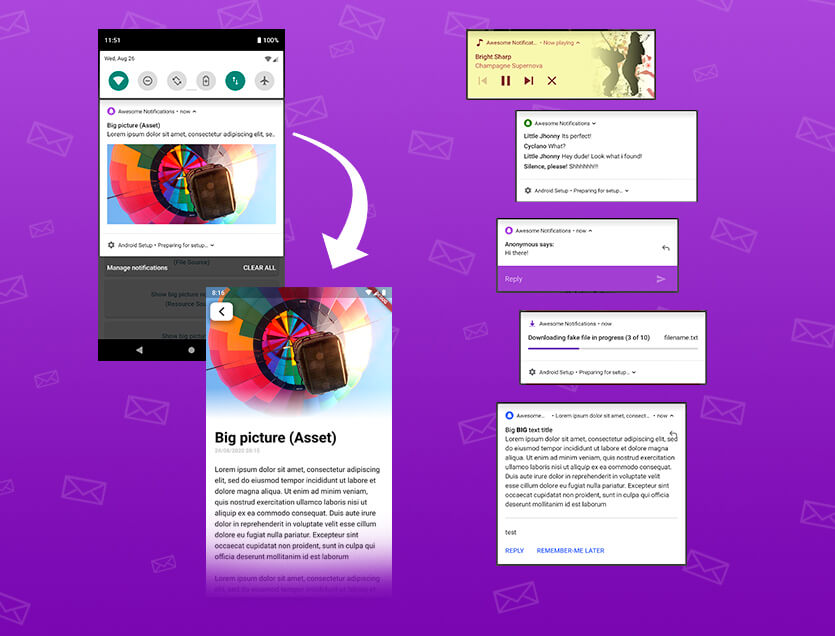
Uma solução completa para criar notificações locais e push, personalizando botões, imagens, sons, emoticons e aplicando vários layouts diferentes em aplicativos Flutter.
 v4.1.3
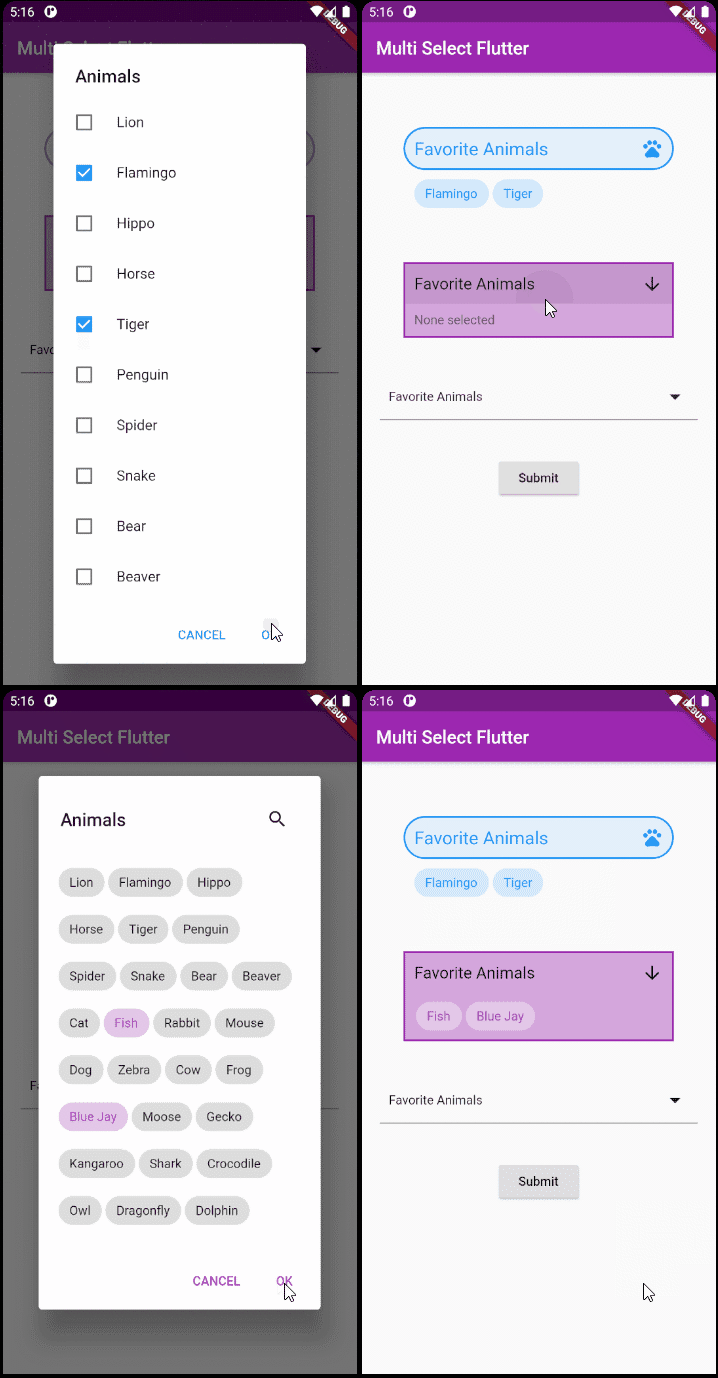
Um pacote flexível de seleção múltipla para Flutter. Crie widgets de seleção múltipla do jeito que quiser.
Uma classe simples (mas correta) do Dart para validação de endereços de e-mail
Biblioteca de data e hora para Flutter, Web e servidor com suporte a fuso horário, calendários, culturas, formatação e análise.
Biblioteca de análise de links de baixo nível (texto, URLs, e-mails, números de telefone, tags de usuários) em Dart.
 v0.1.0
Uma maneira simples de desenhar formas poligonais e cortá-las.
Utilitário de teste para garantir que o código Dart gerado dentro de um pacote esteja atualizado ao usar o pacote: build.
Diálogos para selecionar e salvar arquivos no Android e no iOS.
 v2.0.0
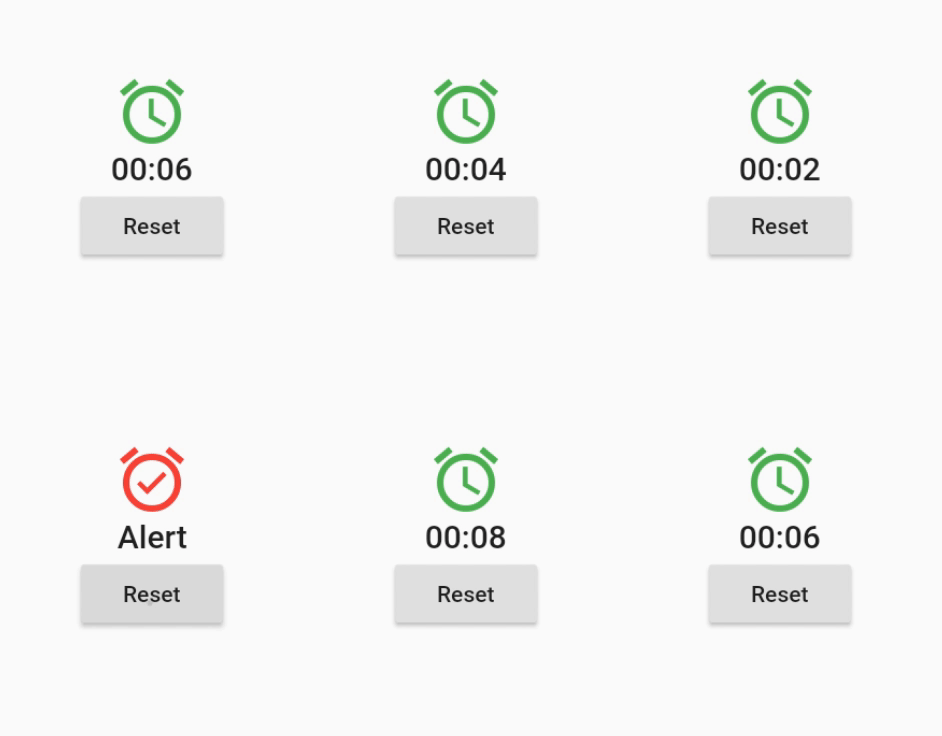
Um widget que se reconstrói em eventos de tempo agendados, periódicos ou gerados dinamicamente.
Este pacote é uma cópia do pacote shared_preferences, mas sem o prefixo nas chaves. É usado para migrar dados de um aplicativo nativo anterior.
Lista de dependências 50 itens
^3.0.0^0.12.0^1.19.0^1.0.5any^3.0.0^2.0.5^12.0.0^4.0.0^5.0.0^1.1.1{"sdk":"flutter"}^4.5.2^3.0.0{"sdk":"flutter"}^2.2.17^2.2.0^3.1.0^9.0.5^17.0.0any^0.20.2^4.9.0^0.10.5^5.0.0^3.3.0any^3.2.2{"path":"./packages/nepanikar_contacts_gen"}^10.1.0^1.8.2^2.0.12^0.1.0^6.0.5^0.28.0^3.4.0+6^2.0.6^0.9.17^2.0.0^2.0.1^6.3.2^1.4.0^2.16.0^3.1.1^5.1.0+1{"sdk":"flutter"}^4.0.0-dev.3^4.0.1^6.11.2^2.0.1Texto original em inglês. Visite o GitHub para a versão atual.
First aid for psychological issues - Official mobile app for nepanikar.eu
Run command flutter run from root folder of application.
flutter_gen package lets us quickly generate paths for images/icons.
To add a new asset, add it to ./assets/ and then run flutter packages pub run build_runner build -d.
If you are creating a new assets folder, do not forget to reference it in pubspec.yaml.
We are using Localazy for managing app localizations.
The prerequisites for running the localization update script are:
stringcase: pip install stringcasenpm install -g @localazy/cli or see Installation
page for other options)After that, you can simply run the script located in ./bin/localazy/localazy_gen.sh.
When adding a new language:
Contacts & help data are generated from Dart objects for easier maintainability. These data are then converted and
shipped within the app as JSON which is located in the ./assets/contacts/ folder. The whole contacts & help UI in
the app is controlled by the content of this JSON file.
The prerequisites for updating and regenerating these data is:
The source of these data is managed by nepanikar_contacts_gen Dart package.
Source data are located in ./packages/nepanikar_contacts_gen/bin/translation_extra_files/{language_tag}.dart.
Make the necessary changes, then simply run the script located in ./bin/nepanikar_contacts_gen/
to regenerate the JSON file.
flutter run - run applicationflutter packages pub run build_runner build -d - regenerate go_route/freezed/assets filesflutter pub run build_runner watch -d - watch and generate automatically changes when files are changedflutter gen-l10n - recompile .arb language filesflutter pub run flutter_native_splash:create - regenerate splash screendart format --line-length 100 ./ - automatic formatting of the project