


 v3.1.1
waterfall_flow
Uma exibição de grade do Flutter que cria rapidamente um layout de fluxo de água.
233Curtidas 21,8 milDownloads em 30 dias140Pontos Pub
AndroidiOSWebmacOSWindowsLinux
Uma visualização de grade do Flutter que suporta layout de fluxo de cascata.

Texto original em inglês. Visite o GitHub para a versão atual.


A Flutter grid view easy to build waterfall flow layout quickly.
Language: English | 中文简体
dependencies:
  waterfall_flow: any
import 'package:waterfall_flow/waterfall_flow.dart';
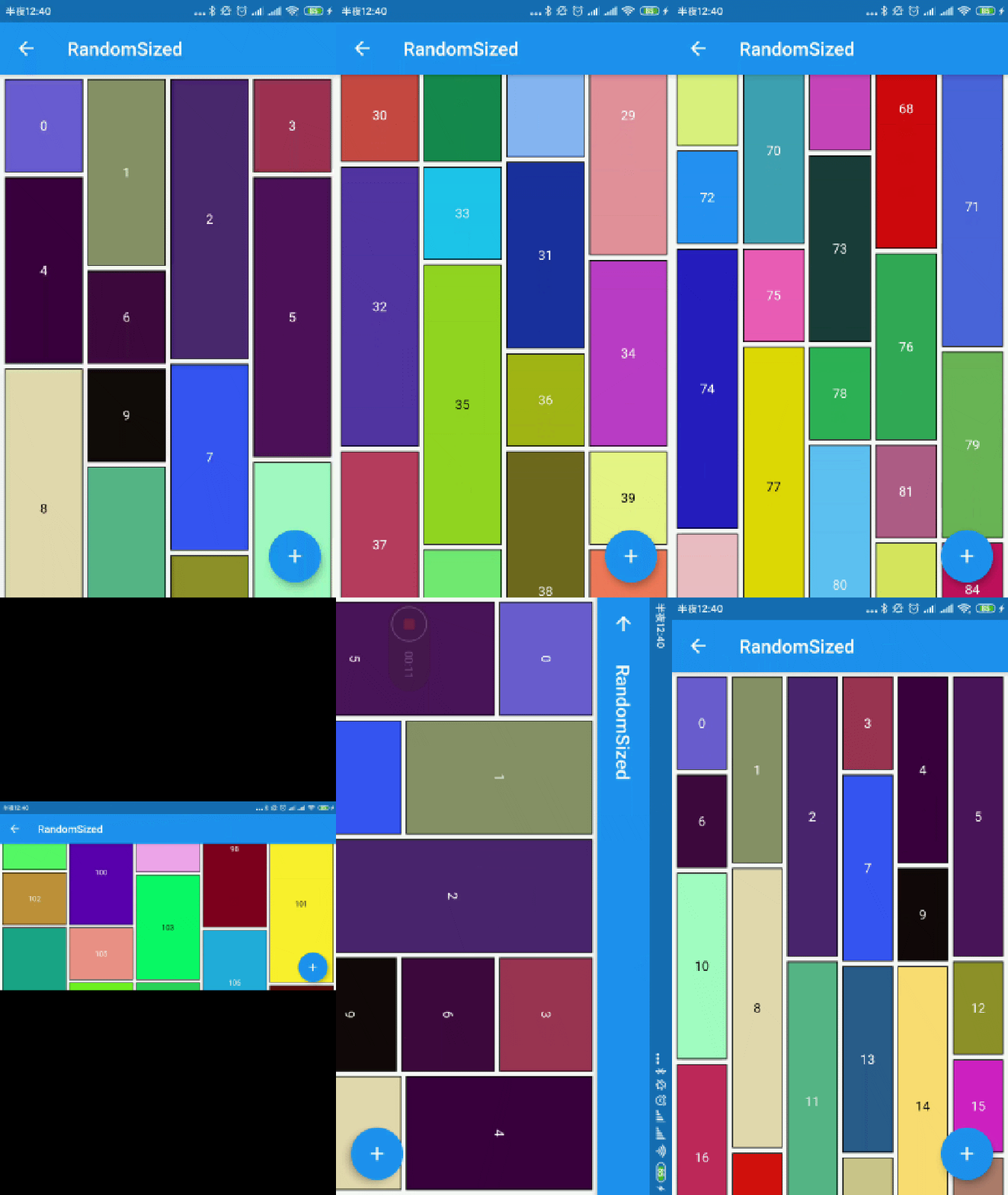 |
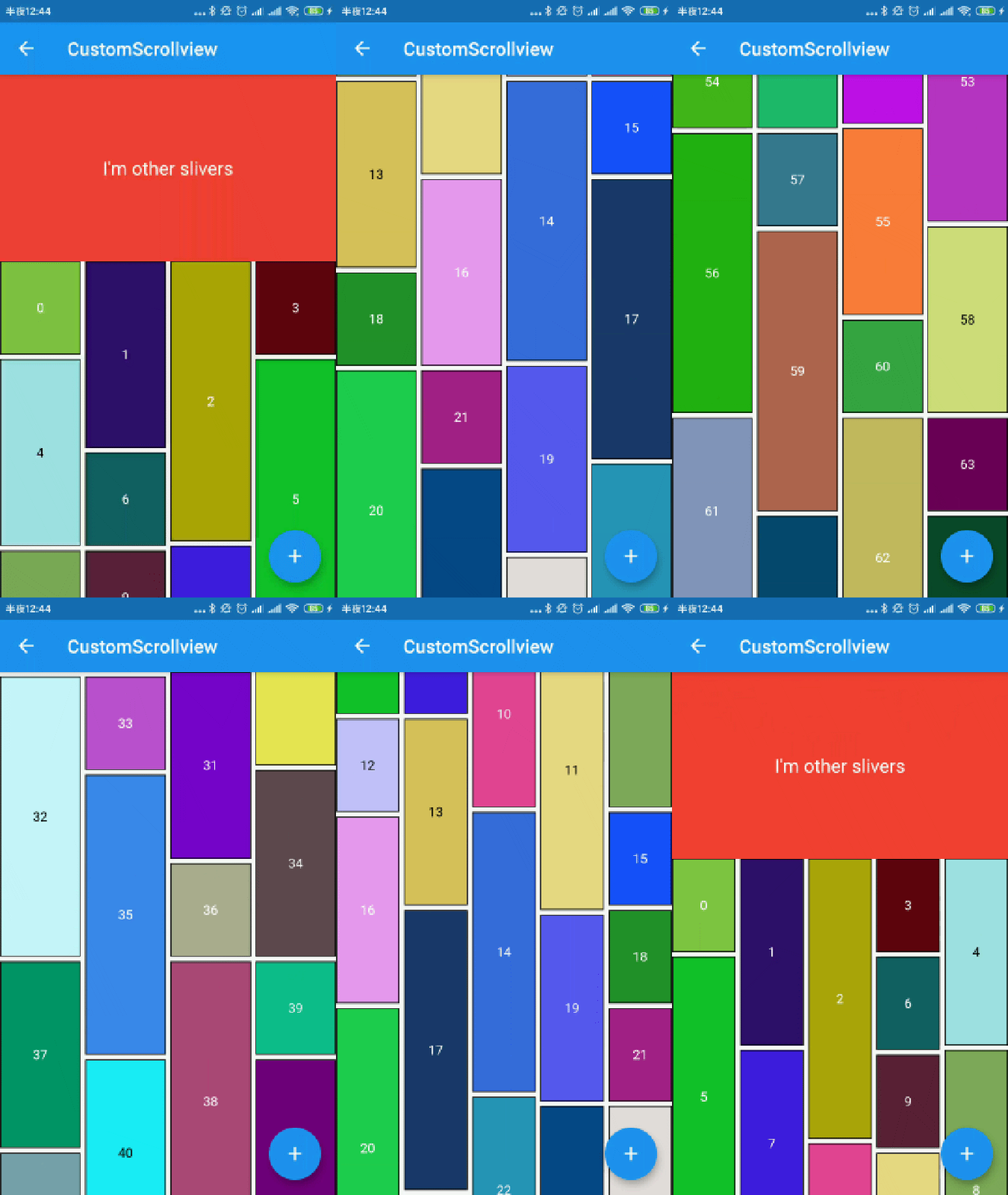 |
|---|---|
 |
 |
you can define waterfall flow layout within SliverWaterfallFlowDelegate.
| parameter | description | default |
|---|---|---|
| crossAxisCount | The number of children in the cross axis. | required |
| parameter | description | default |
|---|---|---|
| maxCrossAxisExtent | The maximum extent of tiles in the cross axis. | required |
| parameter | description | default |
|---|---|---|
| mainAxisSpacing | The number of logical pixels between each child along the main axis. | 0.0 |
| crossAxisSpacing | The number of logical pixels between each child along the cross axis. | 0.0 |
| collectGarbage | Call when collect garbage, return indexs to collect | - |
| lastChildLayoutTypeBuilder | The builder to get layout type of last child ,Notice: it should only for last child | - |
| viewportBuilder | The builder to get indexs in viewport | - |
| closeToTrailing | Whether make layout close to trailing | false |
            WaterfallFlow.builder(
              //cacheExtent: 0.0,
              padding: EdgeInsets.all(5.0),
              gridDelegate: SliverWaterfallFlowDelegateWithFixedCrossAxisCount(
                  crossAxisCount: 2,
                  crossAxisSpacing: 5.0,
                  mainAxisSpacing: 5.0,
                  /// follow max child trailing layout offset and layout with full cross axis extend
                  /// last child as loadmore item/no more item in [GridView] and [WaterfallFlow]
                  /// with full cross axis extend
                  //  LastChildLayoutType.fullCrossAxisExtend,

                  /// as foot at trailing and layout with full cross axis extend
                  /// show no more item at trailing when children are not full of viewport
                  /// if children is full of viewport, it's the same as fullCrossAxisExtend
                  //  LastChildLayoutType.foot,
                  lastChildLayoutTypeBuilder: (index) => index == _list.length
                      ? LastChildLayoutType.foot
                      : LastChildLayoutType.none,
                  ),
track the indexes are collect, you can collect garbage at that monment(for example Image cache)
        WaterfallFlow.builder(
            gridDelegate: SliverWaterfallFlowDelegateWithFixedCrossAxisCount(
                collectGarbage: (List<int> garbages) {
                  ///collectGarbage
                  garbages.forEach((index) {
                    final provider = ExtendedNetworkImageProvider(
                      _list[index].imageUrl,
                    );
                    provider.evict();
                  });
                },
              ),
track the indexes go into the viewport, it's not include cache extent.
        WaterfallFlow.builder(
            gridDelegate: SliverWaterfallFlowDelegateWithFixedCrossAxisCount(
                viewportBuilder: (int firstIndex, int lastIndex) {
                print("viewport : [$firstIndex,$lastIndex]");
                }),
build lastChild as special child in the case that it is loadmore/no more item.
        enum LastChildLayoutType {
        /// as default child
        none,

        /// follow max child trailing layout offset and layout with full cross axis extend
        /// last child as loadmore item/no more item in [ExtendedGridView] and [WaterfallFlow]
        /// with full cross axis extend
        fullCrossAxisExtend,

        /// as foot at trailing and layout with full cross axis extend
        /// show no more item at trailing when children are not full of viewport
        /// if children is full of viewport, it's the same as fullCrossAxisExtend
        foot,
        }

      WaterfallFlow.builder(
        gridDelegate: SliverWaterfallFlowDelegateWithFixedCrossAxisCount(
            lastChildLayoutTypeBuilder: (index) => index == length
                ? LastChildLayoutType.foot
                : LastChildLayoutType.none,
            ),
when reverse property of List is true, layout is as following. it likes chat list, and new session will insert to zero index. but it's not right when items are not full of viewport.
     trailing
-----------------
|               |
|               |
|     item2     |
|     item1     |
|     item0     |
-----------------
     leading
to solve it, you could set closeToTrailing to true, layout is as following. support [ExtendedGridView],[ExtendedList],[WaterfallFlow]. and it also works when reverse is flase, layout will close to trailing.
     trailing
-----------------
|     item2     |
|     item1     |
|     item0     |
|               |
|               |
-----------------
     leading
      WaterfallFlow.builder(
        reverse: true,
        gridDelegate: SliverWaterfallFlowDelegateWithFixedCrossAxisCount(closeToTrailing: true),
Lista de dependências 4 itens
^1.15.0^3.0.0{"sdk":"flutter"}{"sdk":"flutter"}Filtre pelo caso de uso, compare a atividade e confira o projeto original antes de adotá-lo.
“A repository is the most basic element of GitHub.”
GitHub Docs — About repositories ↗