

 v9.2.2+2
flutter_screen_lock
Fornece a capacidade de bloquear a tela no iOS e no Android. A autenticação biométrica pode ser usada além do código de acesso.
309Curtidas 4,1 milDownloads em 30 dias160Pontos Pub
AndroidiOSWebmacOSWindowsLinux
Fornece a capacidade de bloquear a tela no iOS e no Android. A autenticação biométrica pode ser usada além do código de acesso.

Texto original em inglês. Visite o GitHub para a versão atual.
This Flutter plugin provides an feature for screen lock. Enter your passcode to unlock the screen. You can also use biometric authentication as an option.
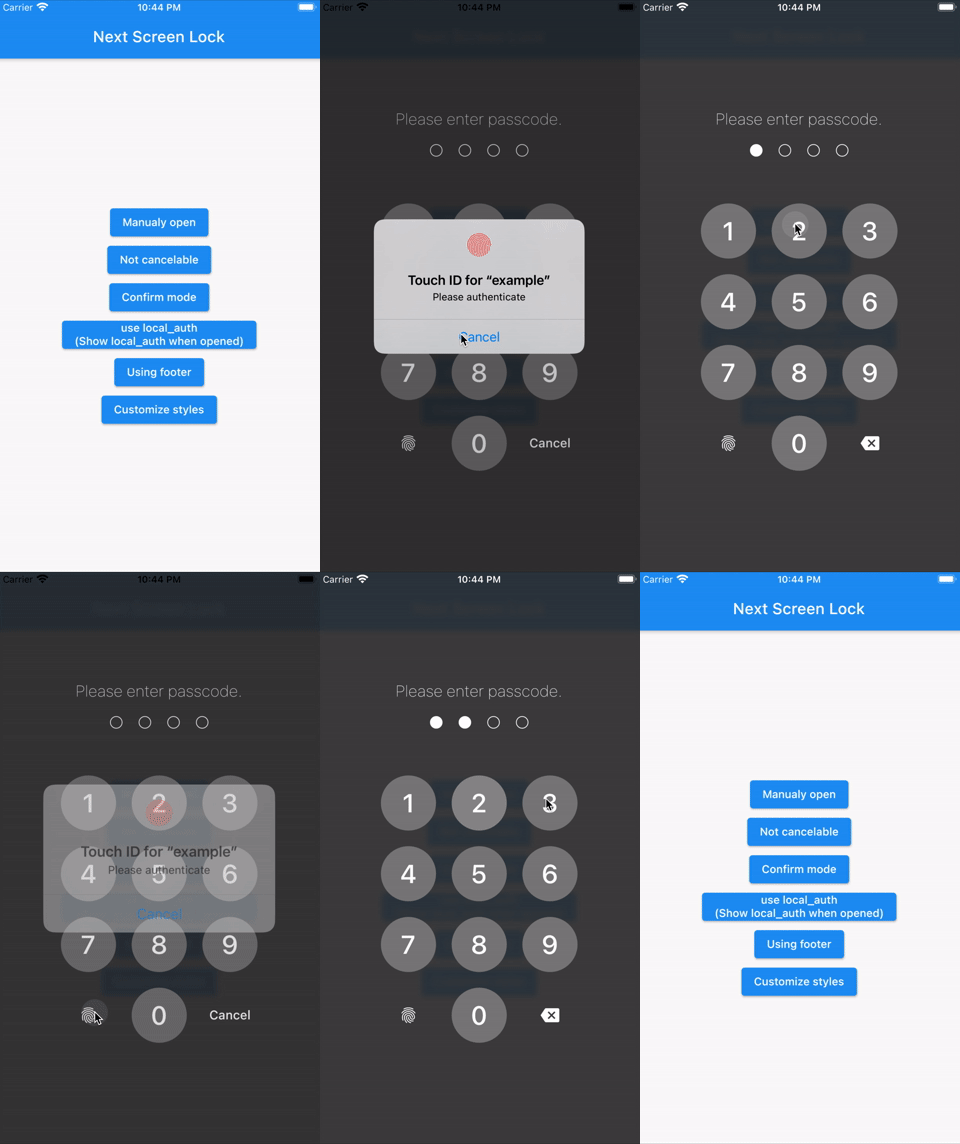
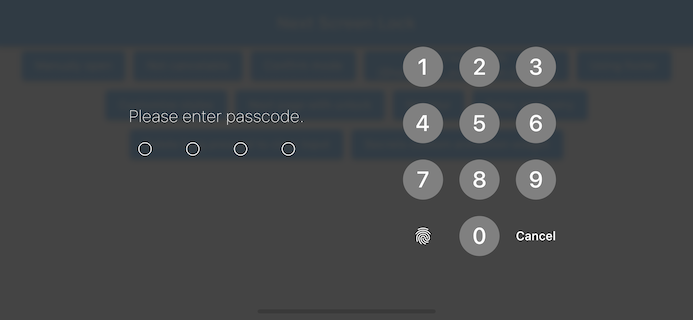
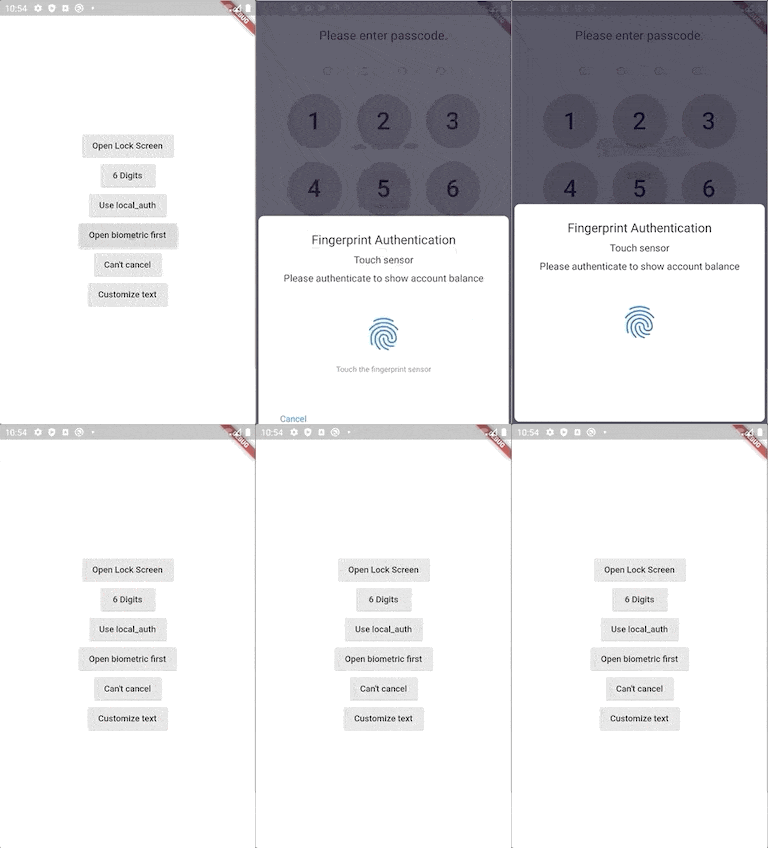
Cancel and Delete widgetYou can easily lock the screen with the following code.
To unlock, enter correctString.
If you give the same input as correctString, it will automatically close the screen.
import 'package:flutter_screen_lock/flutter_screen_lock.dart';

screenLock(
  context: context,
  correctString: '1234',
);
Provides a screen lock that cannot be cancelled.
import 'package:flutter_screen_lock/flutter_screen_lock.dart';

screenLock(
  context: context,
  correctString: '1234',
  canCancel: false,
);
You can have users create a new passcode with confirmation
import 'package:flutter_screen_lock/flutter_screen_lock.dart';

screenLockCreate(
  context: context,
  onConfirmed: (value) => print(value), // store new passcode somewhere here
);
import 'package:flutter_screen_lock/flutter_screen_lock.dart';

final inputController = InputController();

screenLockCreate(
  context: context,
  inputController: inputController,
);

// Somewhere else...
inputController.unsetConfirmed(); // reset first and confirm input
Add the local_auth package to pubspec.yml.
It includes an example that calls biometrics as soon as screenLock is displayed in didOpened.
import 'package:flutter_screen_lock/flutter_screen_lock.dart';
import 'package:local_auth/local_auth.dart';
import 'package:flutter/material.dart';

Future<void> localAuth(BuildContext context) async {
  final localAuth = LocalAuthentication();
  final didAuthenticate = await localAuth.authenticateWithBiometrics(
      localizedReason: 'Please authenticate');
  if (didAuthenticate) {
    Navigator.pop(context);
  }
}

screenLock(
  context: context,
  correctString: '1234',
  customizedButtonChild: Icon(Icons.fingerprint),
  customizedButtonTap: () async => await localAuth(context),
  didOpened: () async => await localAuth(context),
);
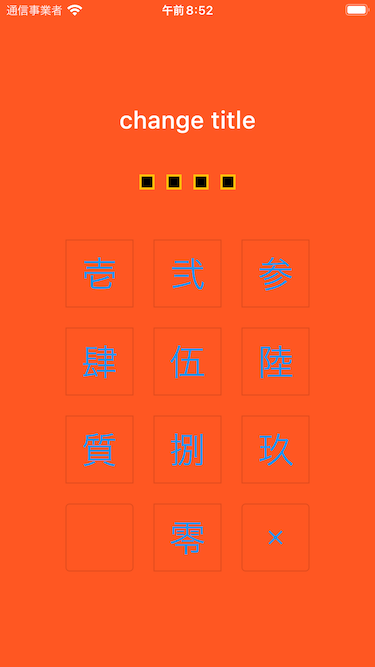
You can customize every aspect of the screenlock. Here is an example:
import 'package:flutter/material.dart';
import 'package:flutter_screen_lock/flutter_screen_lock.dart';

screenLockCreate(
  context: context,
  title: const Text('change title'),
  confirmTitle: const Text('change confirm title'),
  onConfirmed: (value) => Navigator.of(context).pop(),
  config: const ScreenLockConfig(
    backgroundColor: Colors.deepOrange,
  ),
  secretsConfig: SecretsConfig(
    spacing: 15, // or spacingRatio
    padding: const EdgeInsets.all(40),
    secretConfig: SecretConfig(
      borderColor: Colors.amber,
      borderSize: 2.0,
      disabledColor: Colors.black,
      enabledColor: Colors.amber,
      height: 15,
      width: 15,
      build: (context,
              {required config, required enabled}) =>
          Container(
        decoration: BoxDecoration(
          shape: BoxShape.rectangle,
          color: enabled
              ? config.enabledColor
              : config.disabledColor,
          border: Border.all(
            width: config.borderSize,
            color: config.borderColor,
          ),
        ),
        padding: const EdgeInsets.all(10),
        width: config.width,
        height: config.height,
      ),
    ),
  ),
  keyPadConfig: KeyPadConfig(
    buttonConfig: StyledInputConfig(
      textStyle:
          StyledInputConfig.getDefaultTextStyle(context)
              .copyWith(
        color: Colors.orange,
        fontWeight: FontWeight.bold,
      ),
      buttonStyle: OutlinedButton.styleFrom(
        shape: const RoundedRectangleBorder(),
        backgroundColor: Colors.deepOrange,
      ),
    ),
    displayStrings: [
      '零',
      '壱',
      '弐',
      '参',
      '肆',
      '伍',
      '陸',
      '質',
      '捌',
      '玖'
    ],
  ),
  cancelButton: const Icon(Icons.close),
  deleteButton: const Icon(Icons.delete),
);
screenLockConfig parameter to configkeyPadConfig parameter to configdidSomething to onSomethingscreenLock with confirm: true to screenLockCreateScreenLock with confirm: true to ScreenLock.createStyledInputConfig with KeyPadButtonConfigspacingRatio with fixed value spacing in SecretsInputButtonConfig with KeyPadConfig.delayChild to delayBuilder.delayBuilder is no longer displayed in a new screen. Instead, it is now located above the Secrets.BuildContext in secretsBuilder.ScreenLock does not use Navigator.pop internally anymore.screenLock call will pop automatically if onUnlocked is null.Import name has changed from:
import 'package:flutter_screen_lock/functions.dart';
to
import 'package:flutter_screen_lock/flutter_screen_lock.dart';

Lista de dependências 3 itens
{"sdk":"flutter"}{"sdk":"flutter"}^4.0.0Filtre pelo caso de uso, compare a atividade e confira o projeto original antes de adotá-lo.
“A repository is the most basic element of GitHub.”
GitHub Docs — About repositories ↗