v14.0.1
firebase_storage
適用於 Firebase Cloud Storage 的 Flutter 插件,這是一項功能強大、簡單且具成本效益的物件儲存服務,適用於 Android 與 iOS。
1760喜歡 90.6萬近 30 天下載140Pub 分數
AndroidiOSWebmacOSWindows
一個簡單的筆記應用,帶有 Markdown 編輯器,使用 Flutter 和 Firebase 構建

以下為英文專案原文快照,最新內容請造訪 GitHub。
This project is a starting point for a Flutter application. A few resources to get you started if this is your first Flutter project:
Notat is a simple note-taking app with a markdown editor and clean interface, it features:


firebase_messaging: ^12.0.1
uuid: ^3.0.6
flutter_staggered_grid_view: ^0.6.2
auto_size_text: ^3.0.0
tab_indicator_styler: ^2.0.0
flutter_quill: ^5.4.1
loading_animation_widget: ^1.2.0+2
google_fonts: ^3.0.1
animated_text_kit: ^4.2.2
lottie: ^1.4.1
custom_timer: ^0.1.2
jiffy: ^5.0.0
focused_menu: ^1.0.5
flutter_riverpod: ^1.0.4
connectivity_plus: ^2.3.9
flutter_launcher_icons: ^0.9.2
flutter_native_splash: ^2.0.1+1
firebase_storage: ^10.3.4
cloud_firestore: ^3.4.2
firebase_auth: ^3.6.1
firebase_core: ^1.20.0
https://github.com/Dev-Salem/notat.git
Notat isn't available on the app store yet, but you can try it by installing the apk from here
You can contribute by reporting bugs, suggesting improvements, and/or by helping out in code.
適用於 Firebase Cloud Storage 的 Flutter 插件,這是一項功能強大、簡單且具成本效益的物件儲存服務,適用於 Android 與 iOS。
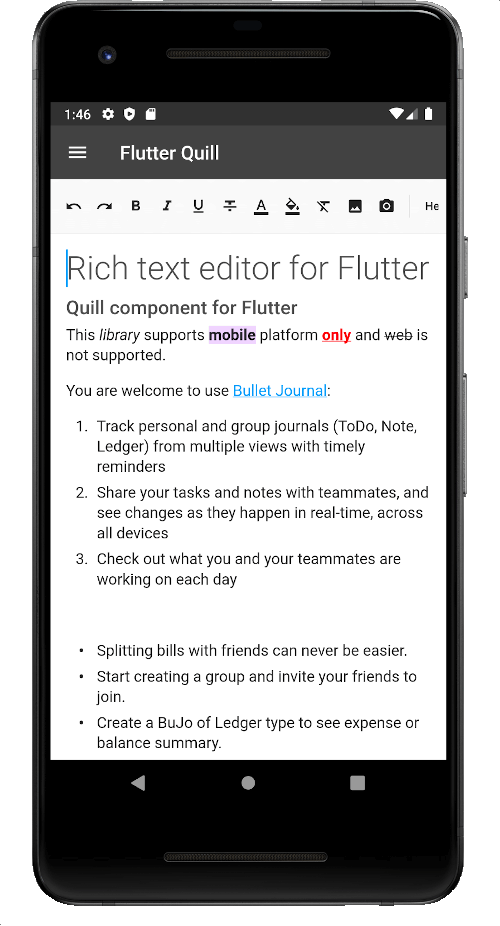
一個為 Android、iOS、Web 和桌面平台打造的富文字編輯器。它是 Flutter 的 WYSIWYG 編輯器與 Quill 元件。
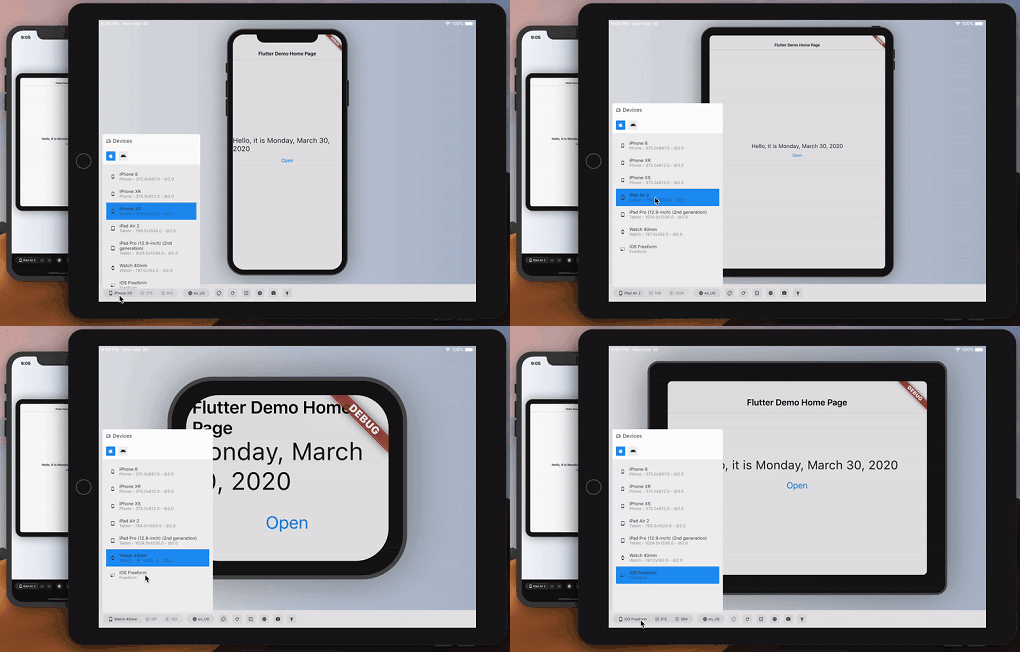
大致預覽您的 Flutter 應用在另一台設備上的外觀和效能。
一個包含一組酷炫且美麗的文字動畫的 Flutter 套件專案。
在 Flutter 中原生渲染 After Effects 動畫。此套件是 Lottie 播放器的純 Dart 實現。
Jiffy 是一個用於解析、操作、查詢和格式化日期時間的 Flutter(Android、IOS 和 Web)日期時間套件
這是一個容易實作的套件,可用於在 Flutter 應用程式中新增焦點長按選單。
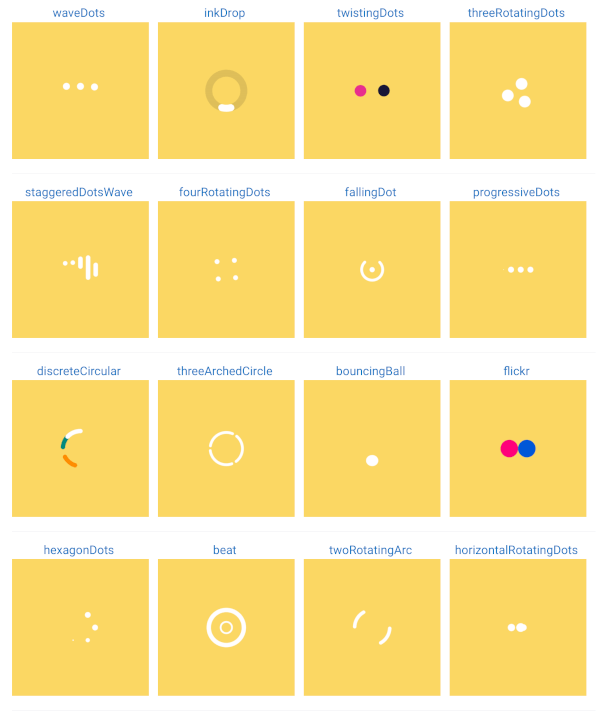
載入動畫或載入旋轉圖示或載入器。用於在應用程式處於載入狀態或某項作業需要不確定時間處理時顯示載入動畫。
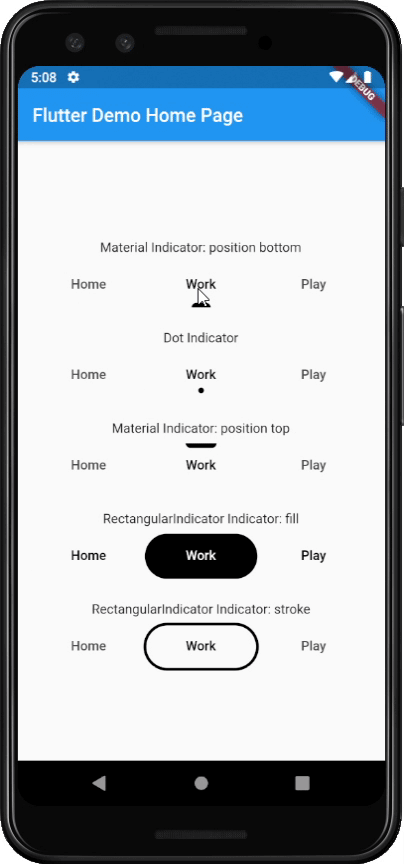
直接將美觀且流行的標籤指示器添加到您的預設 Flutter TabBar 中
一個用於建立可自訂計時器的 Flutter 套件,支援控制器。
依賴清單 25 項
{"sdk":"flutter"}^10.3.4^3.4.2^3.6.1^1.20.0^1.0.2^12.0.1^3.0.6^0.6.2^3.0.0^2.0.0^5.4.1^1.2.0+2^3.0.1^4.2.2^1.4.1^0.1.2^5.0.0^1.0.5^1.0.4^2.3.9^1.1.0{"sdk":"flutter"}^0.9.2^2.0.1+1先依使用情境篩選,再比較專案活躍情況,最後到原始儲存庫確認使用要求。
“A repository is the most basic element of GitHub.”
GitHub Docs — About repositories ↗