
 v4.0.1
settings_ui
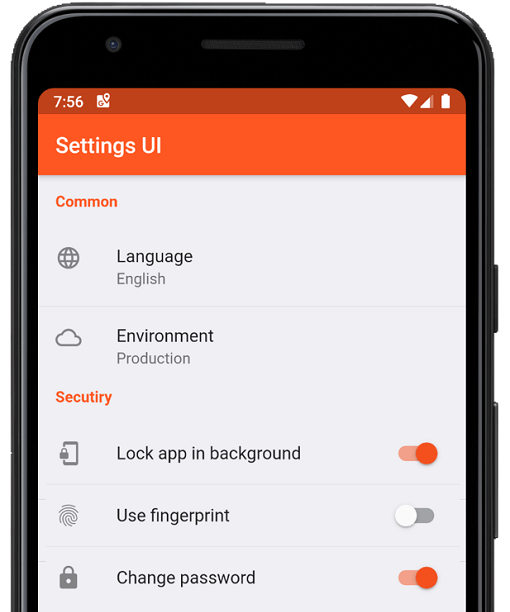
幾分鐘內為 Flutter 應用建立原生設定。使用單一介面進行建構
1040喜歡 33.2萬近 30 天下載160Pub 分數
AndroidiOSWebmacOSWindowsLinux
:weight_lifting: :medal_sports: 開源、跨平台的高強度間歇訓練(HIIT)與Tabata間隔計時器。歡迎提交Pull請求!
 v4.0.1
幾分鐘內為 Flutter 應用建立原生設定。使用單一介面進行建構
 v0.8.0
在螢幕上噴灑出五彩繽紛的彩紙。以風格化的方式慶祝應用內的成就。控制彩紙的速度、角度、重力和數量。
 v1.2.0
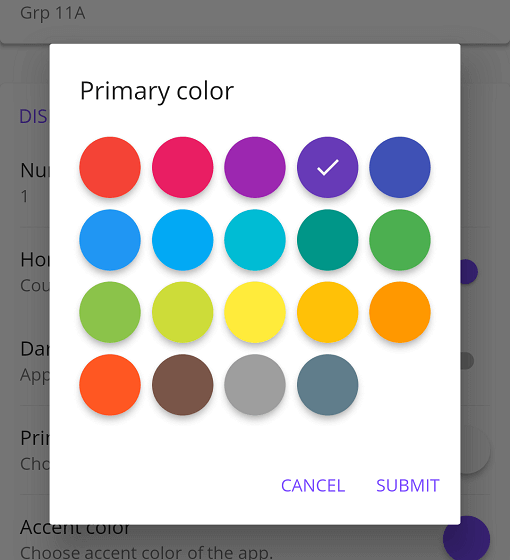
適用於 Flutter 應用的 Material 顏色選擇器,支援一些自訂選項
{"sdk":"flutter"}^1.9.0^4.5.3^0.8.0^2.4.0+2^1.5.2^1.2.0^1.2.3^3.0.0^8.1.0^3.0.0^2.7.0^10.3.10^2.1.3^12.0.2^12.0.0+1^2.5.5^6.3.0^6.1.2^1.0.0^0.1.1^3.0.1^9.0.1^0.14.1{"sdk":"flutter"}^6.0.0{"sdk":"flutter"}以下為英文專案原文快照,最新內容請造訪 GitHub。
Integration Tests Nightly Build Pre-Release Release
https://raw.githubusercontent.com/a-mabe/OpenHIIT/HEAD/assets/icon/openhiit-ios.png
https://www.buymeacoffee.com/assets/img/custom_images/orange_img.png https://raw.githubusercontent.com/a-mabe/OpenHIIT/HEAD/docs/images/Google_Play_Badge.svg Get it at IzzyOnDroid https://raw.githubusercontent.com/a-mabe/OpenHIIT/HEAD/docs/images/Download_on_the_App_Store_Badge_US-UK_RGB_blk_092917.svg
OpenHIIT is a free, open-source interval timer app built with Flutter. Create unlimited workout timers with custom audio/visual cues. No ads, no paywalls, no subscriptions.
▶️ The background timer package is developed separately here.
| ⏲️ Customizable Timers | Build interval timers. |
| 🔊 Visual & Audio Cues | Stay on track with cues for every interval transition. |
| 💾 Save & Load | Store unlimited timer configurations. |
| 📱 Export & Import | Export and share timer configs or import configs. |
| 🖌️ Color Coding | Color-code your timers to keep your routines organized. |
| 🏋️ Exercise Labels | Add exercise names that display on-screen while the timer runs. |
https://github.com/user-attachments/assets/2d64f356-526b-419e-8b71-cc43bf8da65b https://github.com/user-attachments/assets/8ada8439-deae-47ea-b76c-96c49cfdf914 https://github.com/user-attachments/assets/4b470c2f-96db-4e01-95c9-228cccb65316 https://github.com/user-attachments/assets/a74e76e5-4608-4303-a751-e156f1645335
Check out the OpenHIIT Roadmap to see planned features, work in progress, and ideas under consideration. Have a suggestion? Open an issue or start a discussion.
https://raw.githubusercontent.com/a-mabe/OpenHIIT/HEAD/docs/images/Google_Play_Badge.svg https://raw.githubusercontent.com/a-mabe/OpenHIIT/HEAD/docs/images/Download_on_the_App_Store_Badge_US-UK_RGB_blk_092917.svg
Install Flutter — follow the official Flutter installation guide to set up Flutter and the Dart SDK.
Clone the repository:
git clone https://github.com/a-mabe/openhiit.git
cd openhiit
Install dependencies:
flutter pub get
Run the app — connect a device or start an emulator, then:
flutter run
Encountering an issue? Visit the support page for troubleshooting guidance and known issues.
Contributions are welcome! Please open an issue before creating a PR. To begin working on an issue:
feature/rest-round-alerts).Please check the Roadmap and open issues before starting work to avoid duplication.
OpenHIIT is released under the MIT License. You're free to use, modify, and distribute this app under those terms. See the LICENSE file for full details.