
 v35.1.42
syncfusion_flutter_pdfviewer
Flutter PDF 查看器庫用於順暢且高效地顯示 PDF 文件。
1150喜歡 24.3萬近 30 天下載140Pub 分數
AndroidiOSWebmacOSWindowsLinux
SavePass 是一個開源應用程式,可讓您安全地儲存密碼和筆記。
 v35.1.42
Flutter PDF 查看器庫用於順暢且高效地顯示 PDF 文件。
具備依賴注入與路由管理的智慧專案結構
Supabase 的 Flutter 結合。此套件讓開發人員能輕鬆建立安全且可擴展的產品。
一個整合,用於新增對 logging 套件日誌記錄的支援。
將已建構的 widget 轉換為骨架載入器,無需額外努力。
一種統一的 Dart 表單表示形式,旨在以通用方式簡化表單表示和驗證。
受到 Animate.css 啟發的美觀動畫,提供可自訂的小部件動畫,無需外部依賴。
一個實作加密演算法與原語的 Dart 庫,設計上參考了 BouncyCastle 庫。
 v8.2.0
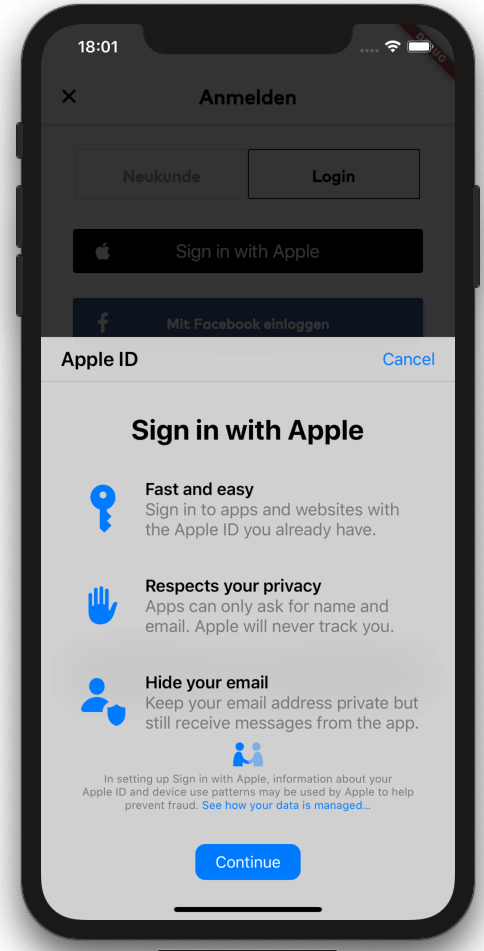
Flutter 橋接,用於啟動使用 Apple 登入(適用於 iOS、macOS 和 Android)。支援金鑰鏈項目以及使用 Apple ID 登入。
從 .env 檔案明確讀取環境變數到 Dart 檔案,以提高安全性並加快啟動時間。
Envied 包的產生器。請參閱 https://pub.dev/packages/envied。
用於加密、數位簽章、金鑰協商、驗證及雜湊的加密演算法。包含 AES、Chacha20、ED25519 等。跨平台(行動裝置、桌面、JS、WASM)。
依賴清單 42 項
^3.3.4{"git":{"url":"https://github.com/judatop/atomic_design_system","ref":"master"}}^3.4.1^5.0.0^3.0.6^2.7.0^1.0.6^0.10.1^11.0.0^5.0.3^0.5.4+1^2.0.5{"sdk":"flutter"}^8.1.6^0.14.1{"sdk":"flutter"}^6.3.2^9.2.2^2.0.14^0.7.0^6.2.2^1.1.2any^2.0.1^2.3.0^1.3.0^3.1.2^8.1.1^11.3.1^3.6.2^8.14.1^8.14.1^7.0.12.0.0^2.8.0^28.2.7^6.3.1^4.5.1^2.4.13^0.5.4+1^3.0.0{"sdk":"flutter"}以下為英文專案原文快照,最新內容請造訪 GitHub。
Image
Image
SavePass project is a password manager developed in Flutter. It's goal is to provide a secure and easy-to-use solution for storing and managing passwords. The app will allow users to create an account, log in, and store their passwords in a secure way. The project is open source and can be used as a starting point for building your own password manager app, just make sure to follow best practices for security and privacy and mention the original project.
If you find issues/improvements with this app, feel free to submit a PR or create a new issue. We want to keep this app with the best practices.
This projects depends on a few external services to work properly, so you'll need to set up a few things before running the app.
We are using Supabase as our database, API, storage and authentication manager. Create an account on https://supabase.com/ and create a new project, then, find and copy the values: SUPABASE_URL and SUPABASE_ANON_KEY.
Supabase Storage is used to store files/images related with the app. You'll need to set up your storage and create a new bucket and folder, copy the values: SUPABASE_BUCKET and SUPABASE_BUCKET_AVATARS_FOLDER.
One of the authentication methods we are using is Google. You'll need to create a new project on Google Cloud Platform and create a new OAuth client ID for web, Android and iOS. Then, copy the values: GOOGLE_WEB_CLIENT_ID and GOOGLE_IOS_CLIENT_ID. After that, you'll need to enable the Google Auth method on Supabase and fill the respective values.
Other authentication method we are using is Github. You'll need to create a new OAuth App on Github and get the Client ID and Client secret. Put these values on the Github configuration on Supabase. Set up the URL Configuration (deep link) on Supabase and assign the value for SUPABASE_REDIRECT_URL.
The database set up is up to you and your needs. You can create the tables and columns manually or use the Supabase SQL editor. The logic or the design for the database/api on this project is confidential for mantain the security of the app.
Flutter Secure Storage is used to store data in secure storage, Keychain for iOS and EncryptedSharedPreferences for Android, in order to use this plugin you need to define some keys with a random value:
Get a local copy of the project by running the following command:
git clone https://github.com/judatop/savepass.git
Use the following command to create your own .env file:
cp .env.sample .env
Fill your env file with the values you got from the previous steps.
Then, you can generate the offuscated values from the .env file using the following command:
dart run build_runner build -d
Install the dependencies with the following command:
flutter pub get
Run the app with the following command:
flutter run
This project is under the MIT License. See the LICENSE file.