v6.0.1
firebase_crashlytics
Firebase Crashlytics 的 Flutter 插件。它會將未捕獲的錯誤報告至 Firebase 控制台。
1330喜歡 249萬近 30 天下載160Pub 分數
AndroidiOSmacOS
Fingrom -- 開源的跨平台財務會計應用程式

以下為英文專案原文快照,最新內容請造訪 GitHub。
[ English | Deutsch | 简体中文 | ... ]
 Financial Accounting Application


Fingrom -- open-source cross-platform financial accounting application without Ads and limitations. The goal of the solution is to create a financial accounting application that is intuitive, efficient, and inclusive. That empowers users to effortlessly manage their finances while ensuring that no one is left behind.

| Type | Alpha Version | Pre-Release | Release |
|---|---|---|---|
 iOS (Apple Store) |
fingrom_iOS.ipa | TestFlight: Fingrom |  |
| macOS (Apple Store) |
fingrom_macOS.zip | Not available for testing |  |
 Android (Google Play) |
fingrom_Android.aab | Google Play |  |
| Android (Galaxy Store) |
fingrom_Android.aab | Galaxy Store |  |
| Android (Huawei Gallery) |
fingrom_Android.aab | App Gallery |  |
| Android (Amazon Appstore) |
fingrom_Android.aab | Amazon Appstore |  |
 Linux (Snap Store) |
fingrom_LinuxSnap.snap |  |
 |
| Linux (Flathub) |
fingrom_LinuxFlatpak.flatpak | Not available |  |
| Linux (AppImage) |
fingrom_Linux.AppImage | Pling Store |  |
 Windows (Partner Center) |
fingrom_Windows.zip | App Center: Fingrom |  |
 Web |
fingrom_Web.tar.gz | GitHub Pages: Fingrom | terCAD: Fingrom |
/-symbol (in name) for the main page/-symbol (in name) for the main pageCSV, QIF, OFX files for Bills and InvoicesXLSX filewidth x height set)| Description | Shortcut |
|---|---|
| Open / Close the Navigation Drawer | Shift + Enter |
| Navigate Up | up |
| Navigate Down | down |
| Open Selected | Enter |
| Zoom In | Ctrl + + |
| Zoom In (with mouse) | Ctrl + scroll down |
| Zoom Out | Ctrl + - |
| Zoom Out (with mouse) | Ctrl + scroll up |
| Reset Zoom | Ctrl + 0 |
| Add new Transaction | Ctrl + N |
| Return Back | Ctrl + Backspace |
As an open-source project, subscribing will not unlock any additional features in the app. However, it would serve as an investment in the continuous evolution and improvement of the application. So, if you'd like to contribute financially towards the efforts, please consider these options:
Or, buy a :coffee:.
Any made contribution is greatly appreciated (also, by mentioning in Contributors section, Release notes, and
in the app About - Contributors as a gratitude), check Contribution Section for more details.
However, if it's been chosen a contribution (not just typo corrections) to this repo, you agree that you're giving me a non-exclusive license to use that content, as I (and my possible team) deem appropriate. You probably guessed that already, but I just wanted to be extra clear on that.
The content herein are all © 2023 terCAD Team (Viachaslau Lyskouski).

This work is licensed under a Creative Commons Attribution-NonCommercial-NoDerivs 4.0 Unported License:
Firebase Crashlytics 的 Flutter 插件。它會將未捕獲的錯誤報告至 Firebase 控制台。
一個用於應用內購買的 Flutter 外掛程式。透過 App Store 和 Google Play 暴露應用內購買的 API。
一個插件,為在 Android 和 iOS 上建立主畫面小工具提供共用介面。
一個用於在客戶端和伺服器端都相容的 Flutter 和 Dart 庫,可用於讀取、建立、編輯和更新電子試算表。
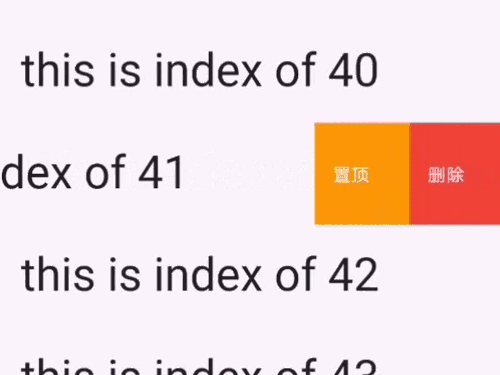
一個出色的 UI 套件,包含 iOS 風格的單元格滑動操作效果。您可以使用此套件來實現 iOS 風格的 tableView 單元格滑動操作
Grinder 是 Dart 的任務執行器,可協助定義和自動化常見的專案工作流程。
一個簡單的 Flutter 應用程式狀態管理解決方案,靈感來自 SolidJS
一個可插入、可模擬的 Dart 檔案系統抽象。支援本機檔案系統存取,以及記憶體中的檔案系統、記錄重播檔案系統和 chroot 檔案系統。
適用於 Dart 的簡單點對點 WebRTC。Flutter 的 PeerJS 端口。
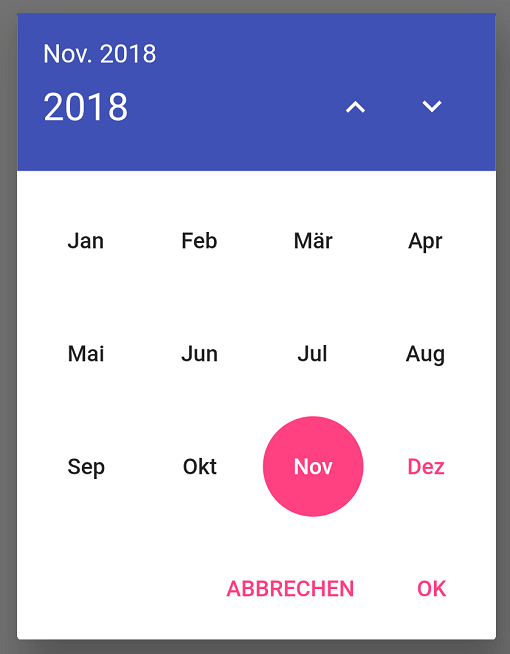
從無限年份列表中選擇單個月份的國際化對話框。
一個可插入的、可模擬的 Dart 平台資訊抽象。
一個簡單的 WebDAV 客戶端,支援一些常見的方法。
依賴清單 53 項
{"sdk":"flutter"}{"sdk":"flutter"}^1.0.2^6.3.0^0.20.2^1.1.0^4.5.1^6.0.5^6.0.3^2.2.2^2.0.15^3.0.35.0.1^3.8.1^11.3.6^4.2.0^1.0.7^8.0.0^6.1.12^1.2.1^10.3.10^6.0.0^0.5.6^1.1.1^2.0.7^3.1.2^1.10.0^3.3.0^1.2.3^2.6.1+7^4.0.6^0.9.3^1.2.0^2.6.1^0.0.2^2.3.0{"sdk":"flutter"}{"sdk":"flutter"}{"sdk":"flutter"}^5.0.0^0.9.4^1.8.3^0.2.2^5.4.2^2.4.67.0.1^3.1.0^3.16.4^3.1.2^1.0.1^1.0.5^1.0.5^1.0.1先依使用情境篩選,再比較專案活躍情況,最後到原始儲存庫確認使用要求。
“A repository is the most basic element of GitHub.”
GitHub Docs — About repositories ↗