
flutter_production_boilerplate
一個包含 bloc、lints、hive、easy_translations 等內容的 Flutter 項目範本!

- 星標
- 178
- 分支
- 44
- 最近推送(UTC)
- 2026年8月17日
- 專案狀態
- 未封存
原始 README
以下為英文專案原文快照,最新內容請造訪 GitHub。
Flutter Production Boilerplate
Note: If you prefer to use Riverpod instead of BLOC you can use flutter_production_boilerplate_riverpod
Note: If you prefer to use GetX instead of BLOC you can use flutter_production_boilerplate_getx
A flutter project containing bloc, flutter_lints, hive, easy_translations and more!
This repository is the starting point for my personal projects. If you have any suggestions or improvements feel free to let me know. The project strives to implement best practices recommended by Google and other developers. These best practices include but are not limited to:
- Using BLOC & Cubit for state management.
- Using Flutter Lints for stricter linting rules.
- Using Hive for platform independent storage that also works for web.
- Project structure, const constructors, extracted widgets and many more...
Installation
This repository requires Flutter to be installed and present in your development environment.
Clone the project and enter the project folder.
git clone git@github.com:reafeichtinger/flutter_production_boilerplate.git
cd flutter_production_boilerplate
You can remove the screenshots located in assets/img/.
Get the dependencies.
flutter pub get
Run the app via command line or through your development environment. (optional)
flutter run lib/main.dart
Pub packages
This repository makes use of the following pub packages:
| Package | Version | Usage |
|---|---|---|
| Bloc | ^9.2.1 | State management* |
| Flutter Bloc | ^9.1.1 | State management* |
| Hydrated Bloc | ^11.0.0 | Persists Bloc state with Hive |
| Equatable | ^2.1.0 | Easily compare custom classes, used for Bloc states* |
| Flutter Lints | ^4.0.0 | Stricter linting rules* |
| Flutter Displaymode | ^0.7.0 | Support high refresh rate displays* |
| Path Provider | ^2.1.6 | Get the save path for Hive |
| Easy Localization | ^3.0.8 | Makes localization easy |
| Hive | ^2.2.3 | Platform independent storage. |
| Hive Flutter | ^1.1.0 | Flutter plugin for hive. |
| Url Launcher | ^6.3.2 | Open urls in Browser |
| FluentUI Icons | ^1.1.273 | Microsoft's open source icon library |
| Staggered Grid view | ^0.7.0 | Better grid views |
* Recommended to keep regardless of your project
Using this package as a starting point
After following the installation steps you can customize your project. The screens and widgets that are inside the project can be easily replaced or removed. They are supposed to give the user a basic understanding of the relations between widgets and some good practices. The code includes some comments with documentation and examples. The examples can be found by searching for "Example:" inside the project files.
Changing the package and app name
You can follow the instructions in this Stackoverflow issue or this Flutter package .
Theme
You can customize your brand colors in the lib/config/style.dart file. The project uses colors from TailwindCSS. The default theme contains comments that indicate which tailwind color is used. Feel free to replace the colors with your own or use dynamic material 3 themes.
Removing unwanted packages
If a package is not listed, then removing it from pubspec.yaml as well as all imports and uses should be enough. This is required for removing every packages, the following instructions are an addition to that.
Flutter Lints
Delete the analysis_options.yaml file. As an alternative you can modify the rules in this file or use a different package like Lint.
Easy Localization
Remove the assets/translations folder. Go to ios/Runner/Info.plist and remove the following code:
<key>CFBundleLocalizations</key>
<array>
	<string>en</string>
   	<string>de</string>
</array>
Url Launcher
For iOS go to ios/Runner/Info.plist and remove the following code:
<key>LSApplicationQueriesSchemes</key>
<array>
  <string>https</string>
  <string>http</string>
</array>
For Android you can take a look at this Stackoverflow issue for more information. Go to android/app/src/AndroidManifest.xml and remove the following code:
<queries>
     <intent>
        <action android:name="android.intent.action.VIEW" />
        <data android:scheme="https" />
    </intent>
</queries>
Screenshots
Light Theme
| Home Light | Info Light |
|---|---|
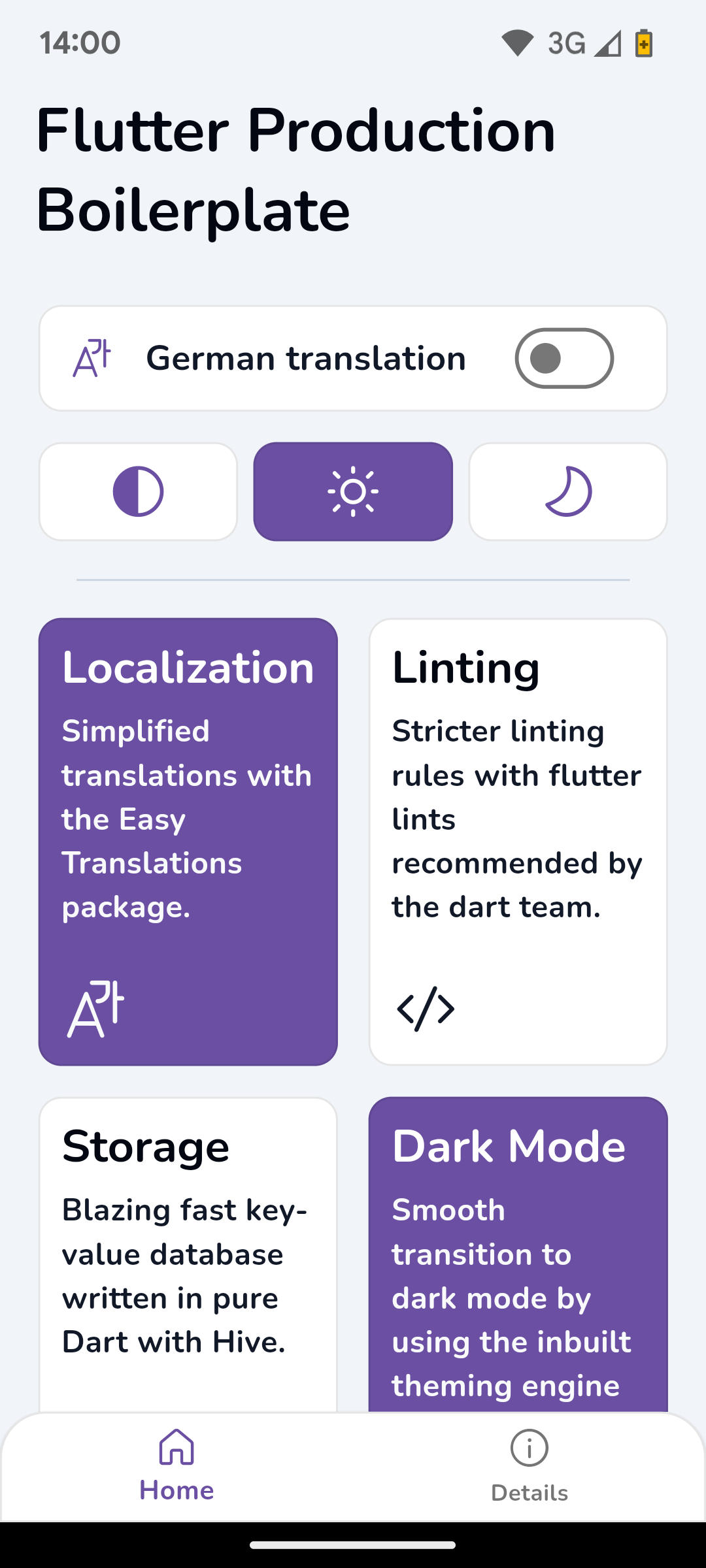 |
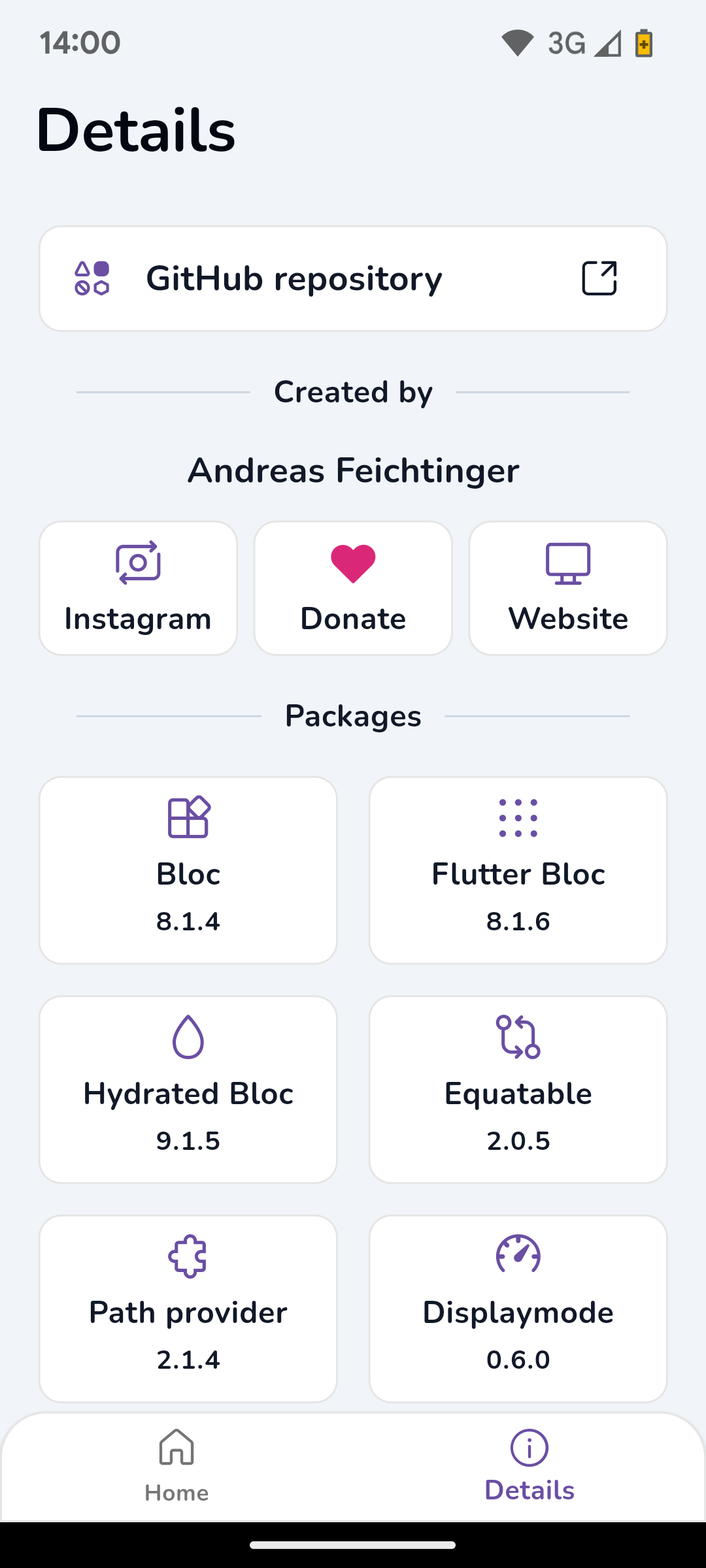 |
Dark Theme
| Home Dark German | Info Dark German |
|---|---|
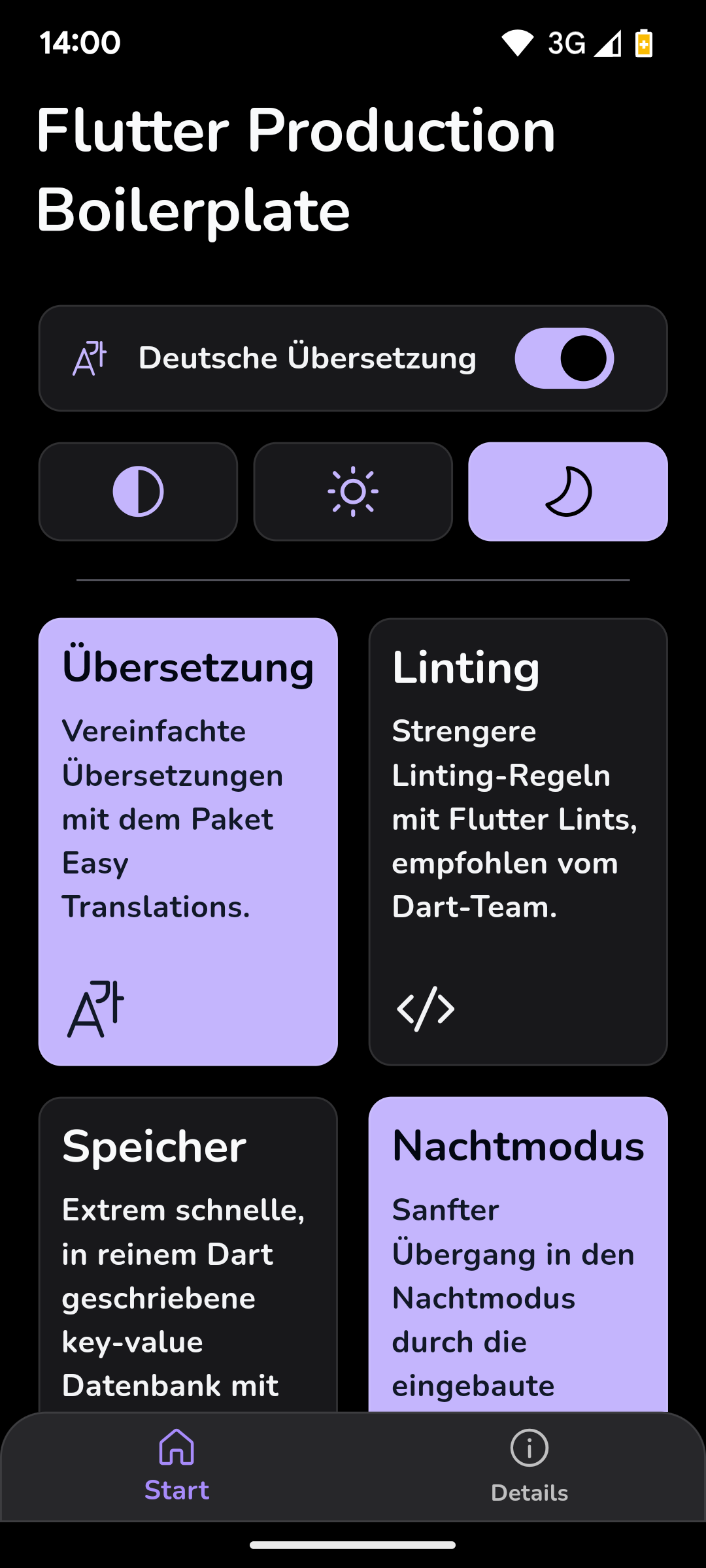 |
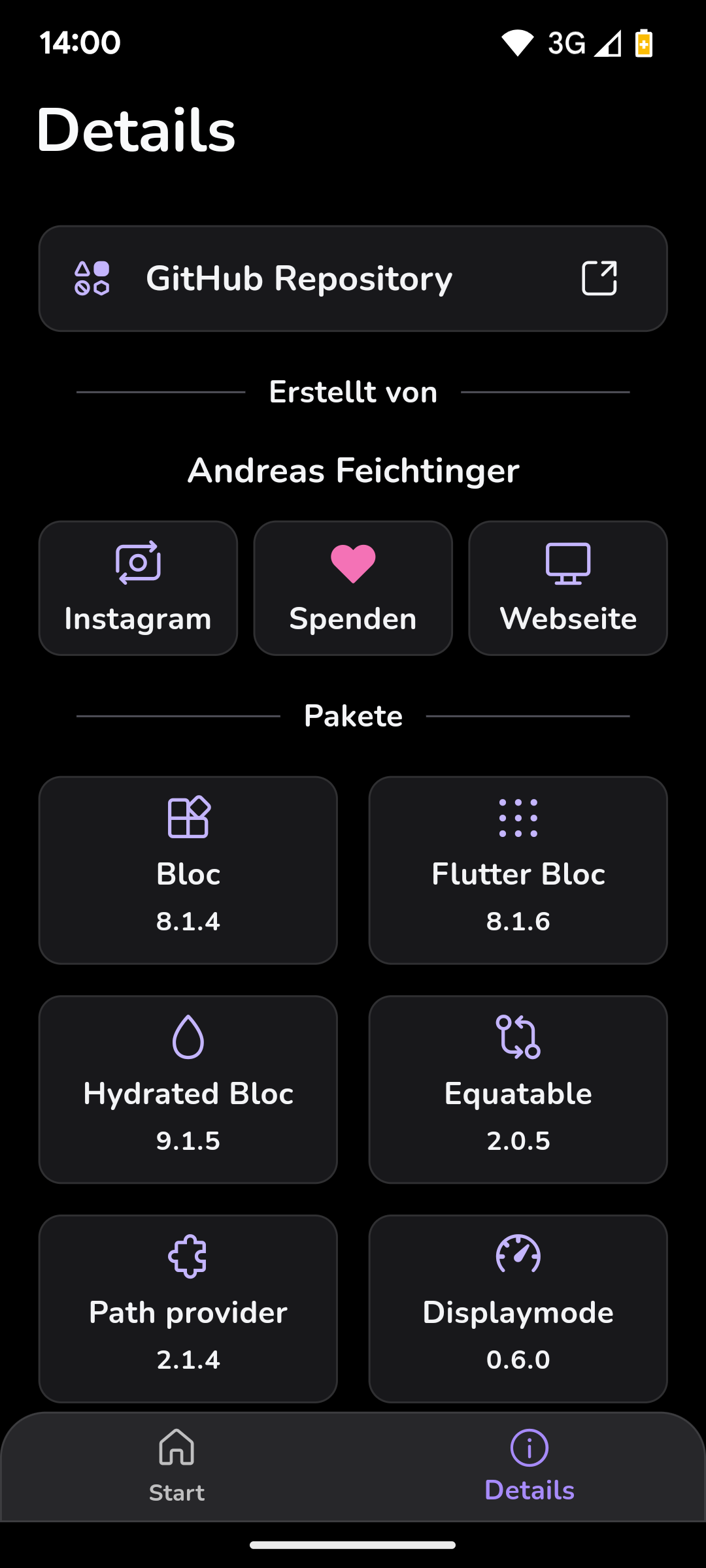 |
License
MIT

Rea Feichtinger ↗
分類
使用的依賴
依賴清單 15 項
- flutter
{"sdk":"flutter"} - bloc
^9.2.1 - flutter_bloc
^9.1.1 - hydrated_bloc
^11.0.0 - equatable
^2.1.0 - flutter_displaymode
^0.7.0 - path_provider
^2.1.6 - easy_localization
^3.0.8 - hive
^2.2.3 - hive_flutter
^1.1.0 - url_launcher
^6.3.2 - fluentui_system_icons
^1.1.273 - flutter_staggered_grid_view
^0.7.0 - flutter_test開發依賴
{"sdk":"flutter"} - flutter_lints開發依賴
^6.0.0
所在榜單
如何選擇適合專案的儲存庫?
先依使用情境篩選,再比較專案活躍情況,最後到原始儲存庫確認使用要求。
- 透過儲存庫名稱、作者或描述搜尋,再依技術分類縮小範圍。
- 綜合星標、分支與最近推送比較專案;星標反映社群關注,不保證品質。
- 使用前在 GitHub 確認 README、授權條款與 Issues。
來源與維護
“A repository is the most basic element of GitHub.”
GitHub Docs — About repositories ↗