
v3.3.1
in_app_purchase
Ein Flutter-Plugin für In-App-Käufe. Bietet APIs zum Durchführen von In-App-Käufen über den App Store und Google Play.
2490Likes 559.00030-Tage-Downloads160Pub-Punkte
AndroidiOSmacOS
Verwenden Sie das OBS WebSocket-Plugin (https://github.com/obsproject/obs-websocket) und steuern Sie Ihren Stream

Ein Flutter-Plugin für In-App-Käufe. Bietet APIs zum Durchführen von In-App-Käufen über den App Store und Google Play.
Leichtgewichtiges und blitzschnelles Schlüssel-Wert-Datenbank, das in reiner Dart-Sprache geschrieben ist. Stark verschlüsselt mit AES-256.
Erweiterung für Hive. Vereinfacht die Verwendung von Hive in Flutter-Apps.
Erweiterung für Hive. Generiert automatisch TypeAdapters, um jede Klasse zu speichern.
Flutter-Integration für MobX. Es bietet eine Reihe von Observer-Widgets, die sich automatisch neu erstellen, wenn die verfolgten Observables sich ändern.
MobX ist eine Bibliothek zur reaktiven Verwaltung des Zustands Ihrer Anwendungen. Nutzen Sie die Kraft von Observables, Aktionen und Reaktionen, um Ihre Dart- und Flutter-Apps zu verbessern.
Codegenerator für MobX, der die Unterstützung für die Annotation Ihres Codes mit @observable, @computed, @action sowie die Erstellung von Store-Klassen hinzufügt.
 v3.0.0
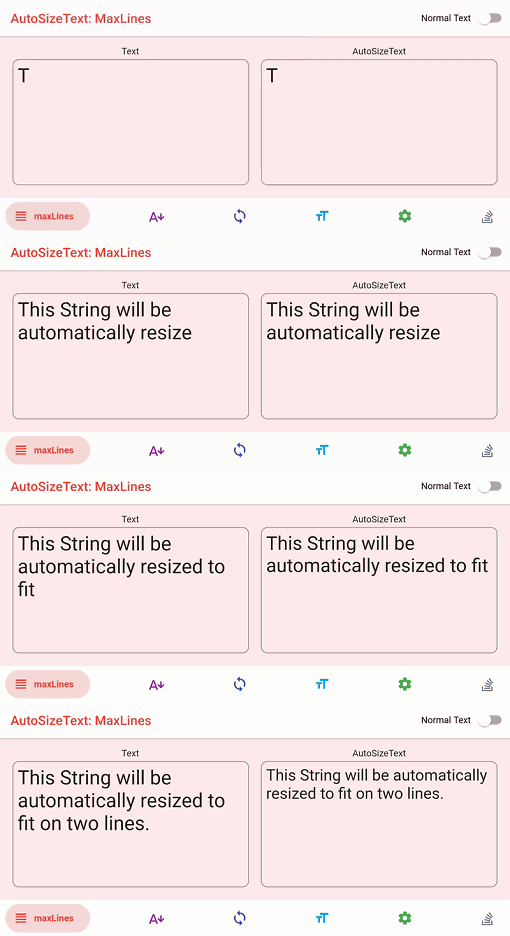
Flutter-Widget, das Text automatisch an seine Grenzen anpasst.
 v3.0.0
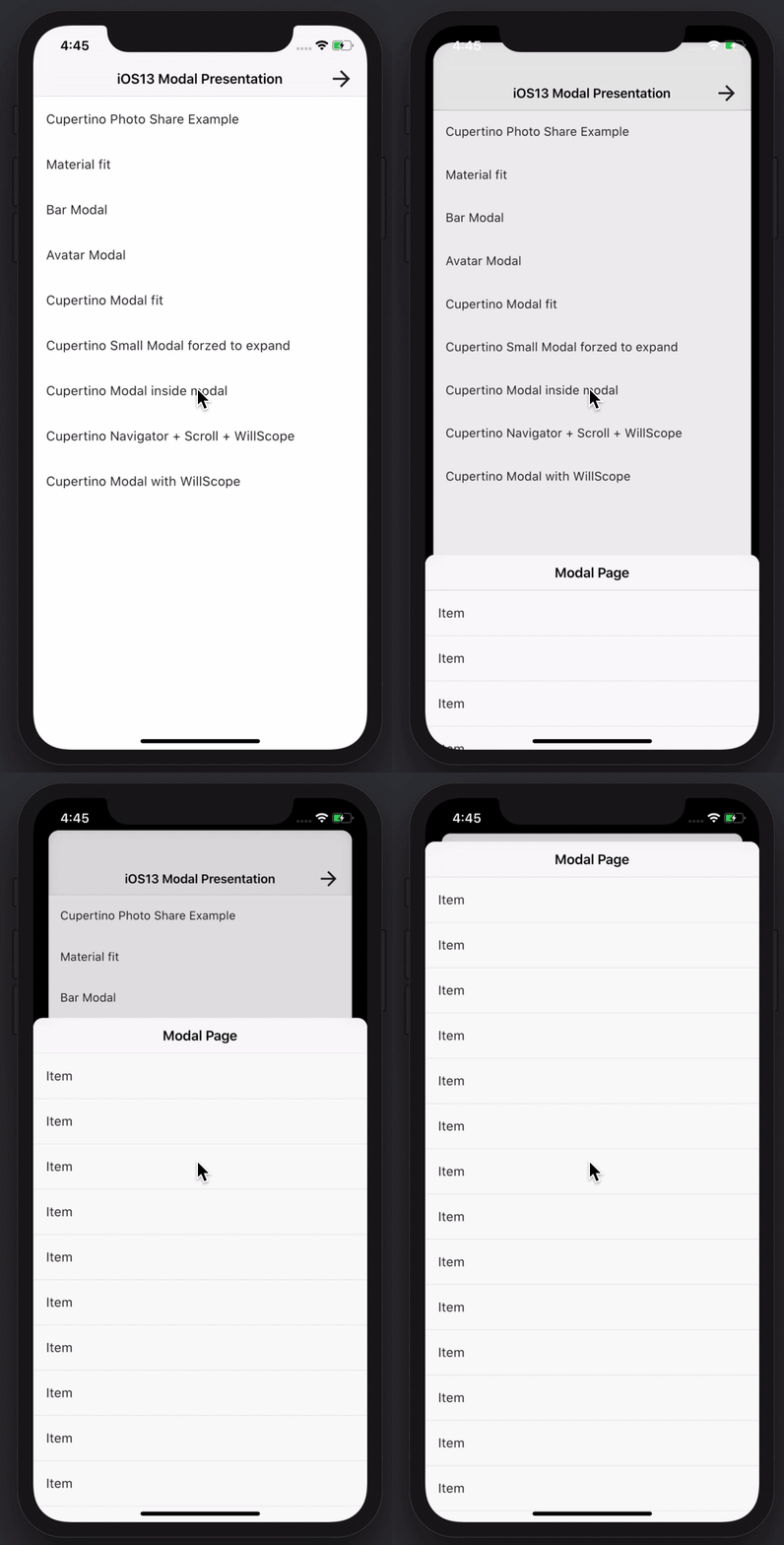
Erstellen Sie beeindruckende und leistungsstarke Modalseiten. Material, Cupertino iOS 13 oder erstellen Sie Ihre eigene Art
Flutter-Plugin zum Entdecken von Informationen (z. B. WLAN-Daten) des Netzwerks.
Ein einfacher und direkter Service-Locator, der die Trennung zwischen Schnittstelle und konkreter Implementierung ermöglicht und den Zugriff auf die konkrete Implementierung von überall im App erlaubt.
 v3.0.0
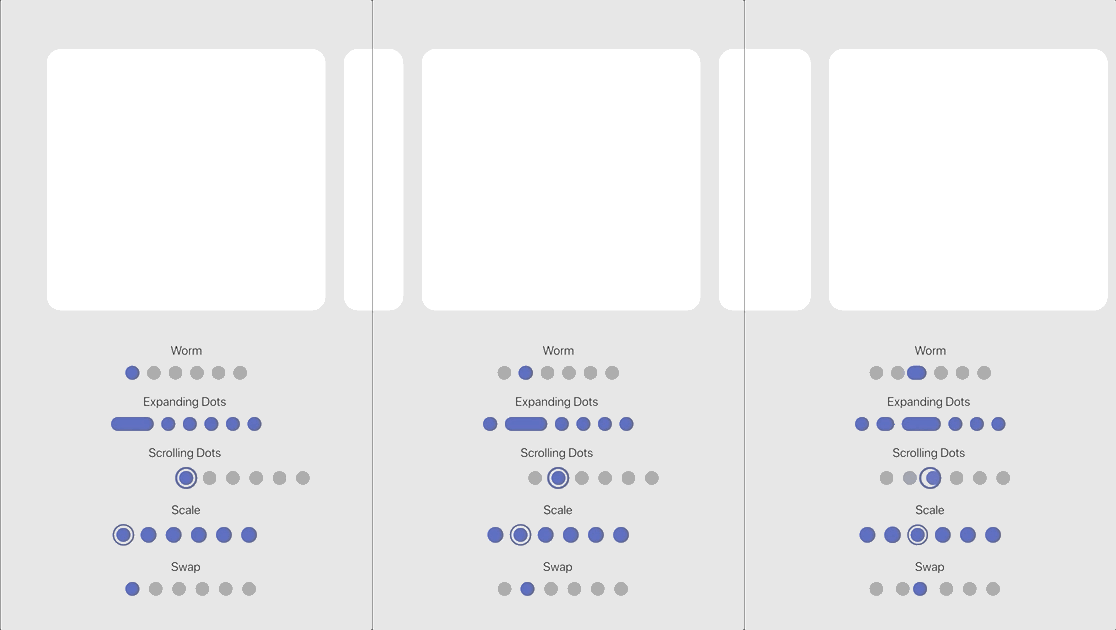
Anpassbarer animierter Seitenindikator mit einer Reihe eingebauter Effekte.
{"sdk":"flutter"}^1.0.6^0.20.2^10.0.0^4.13.0^9.0.0^2.3.3^2.3.0^1.8.3^7.0.0^3.0.1^8.0.0^1.3.0^3.0.5^2.19.3^2.3.4^4.5.1^6.2.1^1.3.2^13.0.0^1.2.0^2.1.5^3.2.1^2.2.0^3.0.0^1.0.0^2.0.0^4.2.1^5.0.1^4.0.0^0.8.0^3.0.0^6.5.0^2.4.8^3.1.0^4.12.0^10.11.0{"sdk":"flutter"}{"sdk":"flutter"}^6.0.0^2.5.4^1.11.2^2.2.0^0.14.4^3.2.5^6.7.1Englischer Projektschnappschuss. Aktuelle Inhalte auf GitHub.
alt text
DISCLAIMER: This app is not in any way affiliated with OBS (Open Broadcaster Software).
Control and manage your stream and recording while using OBS by making use of the WebSocket Plugin for OBS. This project is build with the Flutter framework and could therefore be compiled and deployed for various platforms. This release is optimized for iOS and Android (Phone as well as Tablet).
Feel free to either create issues if something does not work or you want to add a feature request or pull this repo and make changes and build it on your own!
In order to be able to connect to OBS with OBS Blade, you need to have the OBS WebSocket plugin installed. Depending on the OBS Studio version you have installed, you either have to install it manually or can use it out of the box.
If your OBS Studio version is:
28.0 or higher: you are done 🎉🎉🎉 - since OBS Studio 28.0 the WebSocket plugin is part of OBS Studio out of the box and you can use the app immediately!
Lower than 28.0: you need to install the WebSocket manually (if possible, I recommend upgrading OBS Studio itself). Follow these steps to proceed manually:
The device running OBS Blade needs to be in the same network as the device running OBS itself and the autodiscover feature should find open OBS sessions on its own! You can also enter the local (internal) IP address of the device running OBS (How to find my local IP address) or even enter a domain name!
OBS Blade is designed to be your stream companion and help you to manage your live stream. While using OBS (Open Broadcaster Software) you can connect to the running instance and gain control over important parts of the software. This should help you to manage what your audience can see / hear without the need to switch to OBS on your machine and make such changes. You can keep doing what you do and easily use this app to control OBS!
Currently OBS Blade supports:
OBS Blade also saves statistics of your previous streams and recordings so you can track the overall performance and some nice to know facts!
This app is still in its early stages and will get updated with new features over time - for now the main features which I want to add are:
I hope you have a good time using this app. If you encounter any bugs, have feature requests or anything similar, feel free to get in touch with me!
contact@kounex.com
This App is available in the iOS App Store, Google Play Store, F-Droid and here on GitHub:
This app is build with the Flutter framework. To build it yourself, you need to setup Flutter in your environment: https://docs.flutter.dev/get-started/install. Make sure the platform you want to build for is listed and marked as ready (checkmark) when you run:
flutter doctor -v
If your platform is not listed or is not ready (exclamation mark or 'x'), check back with the install guide listed above and make sure you followed everthing correctly and / or check the output of flutter doctor -v what needs to be done.
Once this has been done, open the project with your preferred IDE (VSCode and Android Studio will get all dependencies automatically, if you are using another IDE or this does not happen automatically, run flutter pub get in the root directory of the project to get the dependencies of this project). After that you should not have any errors left and you can run the app with:
flutter run
How to select the device you want the app to build on and how to run this project with your IDE instead of the CLI, refer to the install guide at the beginning.
I love developing free, high quality applications accessible for everyone, no need for In-App purchases or Ads. No one wants that. It takes a lot of time creating and maintaining my work - if you like using them and want me to continue working on them please consider supporting me!