

 v0.0.5
cnic_scanner
A package that lets you to scan your CNIC and ID cards and all types of other cards. It support both Android and iOS and null safe.
66Likes 7630-day downloads140Pub points
AndroidiOS
Faiza-Farooqui/cnic_scanner open-source repository details.

English project snapshot. Visit GitHub for the latest content.
A Flutter package that let's you to scan your CNIC and ID cards and all types of other cards.
Add following dependency in pubspec.yaml file. And add this import to your file.
cnic_scanner: latest version
image_picker: latest version

import 'package:cnic_scanner/cnic_scanner.dart';
// create a obj of CnicModel
CnicModel _cnicModel = CnicModel();
// then call this method fron package, our package needs you to pass ImageSource as an argument
scanImage(imageSource: imageSource) from CnicScanner class
await CnicScanner().scanImage(imageSource: imageSource);
// I have created a custom dialog and passing ImageSource here in ths way. You can furture check it in example
CustomDialogBox(onCameraBTNPressed: () {
scanCnic(ImageSource.camera);
}, onGalleryBTNPressed: () {
scanCnic(ImageSource.gallery);
});
// this class will return these parameters.

class CardModel {
     String _cnicNumber = "";
     String _cnicIssueDate = "";
     String _cnicHolderName = "";
     String _cnicExpiryDate = "";
     String _cnicHolderDateOfBirth = "";
}
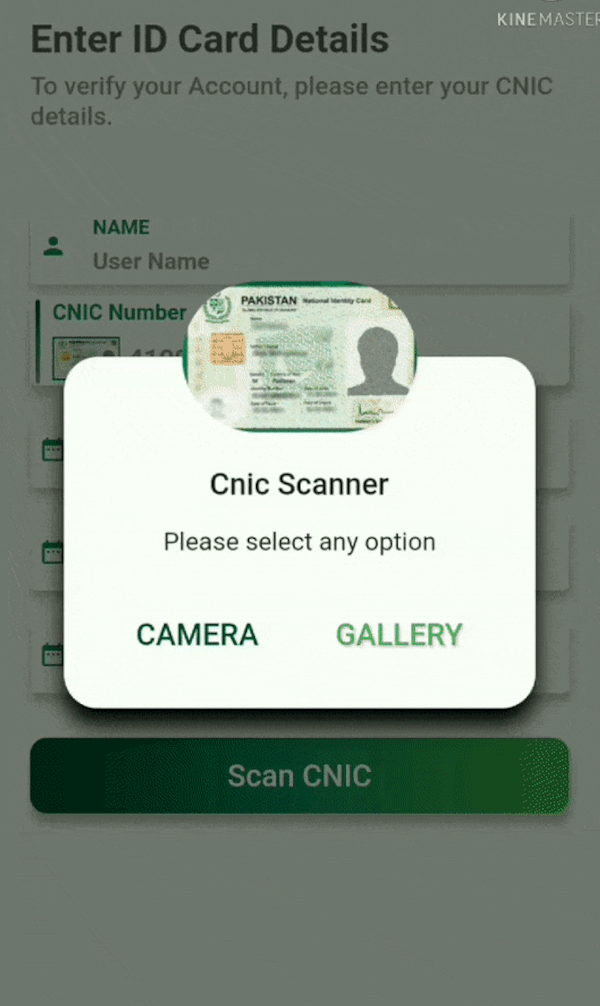
| Cnic Screen | Custom Dialog | Scanned Cnic Data |
|---|---|---|
 |
 |
 |
| Scanned from Gallery | Scanned from Camera |
|---|---|
 |
 |
Faiza Farooqui and Kamran Khan
Dependency list 7 items
{"sdk":"flutter"}^0.13.0^0.8.3+2^8.1.4+2^0.17.0^8.2.1{"sdk":"flutter"}Start with your use case, compare repository activity, and check the original project before adopting it.
“A repository is the most basic element of GitHub.”
GitHub Docs — About repositories ↗