
ferti_optmizer
🌱 FertiOptimizer is a smart agriculture management app built with Flutter, designed to help farmers make data-driven decisions for better crop yields. It integrates real-time sensor data, AI-powered fertilizer recommendations, and remote irrigation control into one intuitive platform.

- Stars
- 6
- Forks
- 0
- Last push (UTC)
- Aug 9, 2025
- Project status
- Active
Original README
English project snapshot. Visit GitHub for the latest content.
🌱 FertiOptimizer App
A powerful Flutter-based smart agriculture management app that helps farmers optimize fertilizer usage, monitor crops, and control irrigation remotely. The app provides real-time sensor data, weather forecasts, and AI-powered recommendations.

👨💻 Creators

Immanuel Jeyam |

Jijin Jebanesh |
🌟 Features
-
🏠 Home Dashboard
- Live sensor data visualization (soil moisture, temperature, humidity)
- Current weather and 24-hour forecast
- Quick access to motor control

-
⚡ Real-time Optimization
- One-click fertilizer optimization using ML model
- NPK level recommendations

-
🤖 Gemini AI-Powered Analysis
- 💬 Chat with a Gemini-powered AI bot for instant answers
- 🌾 Get contextual suggestions based on real-time weather and soil data
- 🗣️ Supports multiple regional languages for enhanced accessibility
- 🧠 AI learns from inputs and provides accurate insights

-
🌦 Weather Forecast
- 7-day weather forecast with remarks
- Weather alerts and recommendations

-
🚰 Irrigation Control
- Remote motor on/off control
- Automatic scheduling based on soil conditions

-
📊 Analytics Dashboard
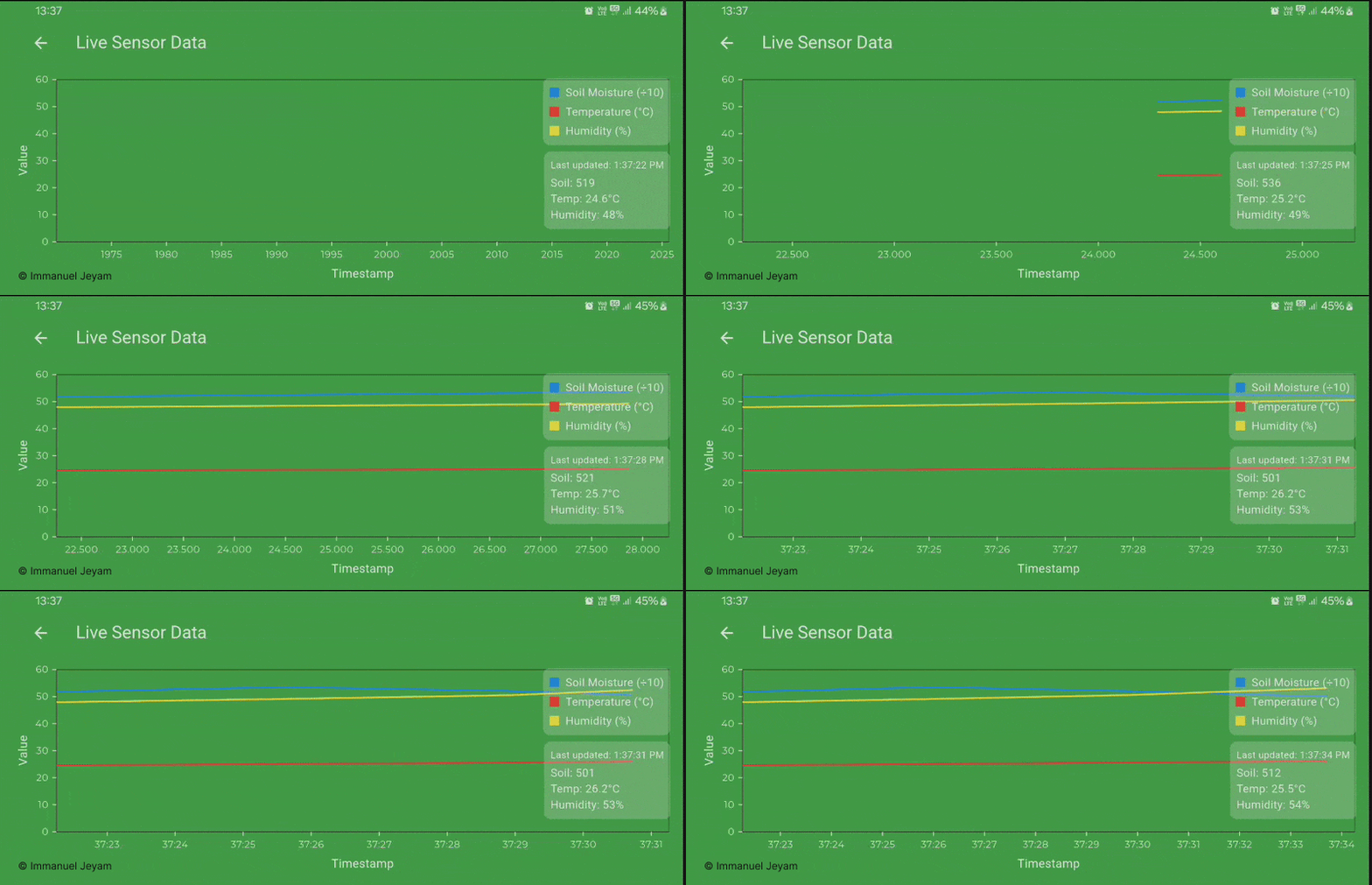
- Live Sensor graph
-
💬 Multi-language Chat Support
- Gemini-powered chat interface
- Regional language support for farmers

-
👤 Field Management
- Switch between multiple fields
- View field-specific sensor data

-
⚙️ Settings Page
- 👤 View and manage your user profile
- 🔔 Toggle Email Alerts for critical updates
- 📲 Enable or disable Push Notifications
- 💧 Switch Remote Motor Control Feature on/off
- 🚪 Use the Logout Button to securely sign out

🛠 Tech Stack
- 🔧 Flutter (Mobile App)
- 🐍 Python (ML Backend)
- 🌐 Node.js + Express.js (Backend)
- 🔥 MongoDB (Realtime Database)
- 🤖 Gemini API (Analysis & Chat)
- 🌦 WeatherAPI (Forecast Data)
📁 Folder Structure
├── API
│   ├── api.dart
│   ├── mlApi.dart
│   └── weather_service.dart
├── constants
│   ├── buttonOutlined.dart
│   ├── image_strings.dart
│   ├── page_indicator.dart
│   ├── sizes.dart
│   ├── spacing.dart
│   └── text_strings.dart
├── helper_functions
│   └── helper_functions.dart
├── main.dart
├── models
│   ├── ferilizer_model.dart
│   ├── nutritionData_model.dart
│   ├── sensorData_model.dart
│   ├── weatherData_model.dart
│   └── weather_model.dart
├── pages
│   ├── analytics2.dart
│   ├── analytics.dart
│   ├── home.dart
│   ├── login.dart
│   ├── settings.dart
│   └── week_screen.dart
├── popups
│   ├── fullscreen_loaders.dart
│   └── loaders.dart
├── providers
│   └── analyticsProvider.dart
├── routes.dart
├── theme
│   ├── custom_theme
│   │   └── elevated_button_theme.dart
│   └── theme.dart
└── utils
    ├── adBox.dart
    ├── analysis_box.dart
    ├── appbar.dart
    ├── CategoryItems.dart
    ├── CFC.dart
    ├── dataContainer.dart
    ├── device_utils.dart
    ├── home_container.dart
    ├── linechart.dart
    ├── npk_box.dart
    ├── productBox_L.dart
    ├── productBox_s.dart
    ├── sensor_data_box.dart
    ├── settingContainer.dart
    ├── sharedPrefs.dart
    ├── shimmerWidget.dart
    ├── TC.dart
    ├── TFD.dart
    └── weatherContainer.dart
🌐 Backend APIs
The backend is built using Node.js with Express.js, handling:
-
Sensor Data Processing
- REST endpoints for receiving sensor data
- WebSocket support for real-time updates
- Data validation and sanitization
-
Machine Learning Integration
- Python child processes for ML model execution
- API endpoints for fertilizer recommendations
- Crop-specific prediction models
-
Weather Data Integration
- Weather API proxy endpoints
- Forecast data caching
- Weather alert system
-
Device Control
- IoT device management endpoints
- Motor control API
- Irrigation scheduling system
-
Authentication & Security
- JWT authentication
- Role-based access control
- API rate limiting
🛠 Setup
git clone https://github.com/IMMANUEL-88/ferti_optimizer.git
cd ferti_optimizer
flutter pub get
flutter run
Note: While you can clone and run the app locally, please be aware that:
- Some backend APIs are currently hosted on a local server (localhost), and others are hosted live.
- To experience full functionality (ML predictions, sensor data sync, motor control, etc.), you’ll need to set up the backend environment locally or deploy it to a live server.
- The necessary environment variables (.env) are maintained privately and are not included in the repository for security reasons.

Immanuel Antony Jeyam B ↗
Categories
Dependencies used
Dependency list 29 items
- flutter
{"sdk":"flutter"} - go_router
— - google_fonts
— - intl_utils
— - http
— - shared_preferences
^2.5.3 - iconsax
— - flutter_dotenv
— - jwt_decoder
— - connectivity_plus
— - smooth_page_indicator
— - fl_chart
— - flutter_riverpod
^2.0.0 - shimmer
— - font_awesome_flutter
— - flutter_markdown
— - geolocator
— - geocoding
— - lottie
— - intl
— - flutter_rating_bar
— - readmore
— - img_picker
— - syncfusion_flutter_charts
^30.1.42 - cupertino_icons
^1.0.6 - flutter_native_splash
^2.4.6 - flutter_launcher_icons
^0.14.4 - flutter_testDevelopment
{"sdk":"flutter"} - flutter_lintsDevelopment
^6.0.0
How do I choose a repository?
Start with your use case, compare repository activity, and check the original project before adopting it.
- Search by repository name, owner or description, then narrow the results by topic.
- Compare stars, forks and recent pushes. Stars show community interest, not a guarantee of quality.
- Read the README, license and issues on GitHub before using a project.
Sources and maintenance
“A repository is the most basic element of GitHub.”
GitHub Docs — About repositories ↗
- IMMANUEL-88/ferti_optmizer · GitHub ↗
- GitHub Docs — Saving repositories with stars ↗
- Directory maintained by Ducafecat ↗