
v12.6.0
firebase_analytics
Flutter plugin for Google Analytics for Firebase, an app measurement solution that provides insight on app usage and user engagement on Android and iOS.
1.3KLikes 2M30-day downloads160Pub points
AndroidiOSWebmacOS
The Medito app is a 100% free meditation app built with flutter. The app is available on Android and iOS.

Flutter plugin for Google Analytics for Firebase, an app measurement solution that provides insight on app usage and user engagement on Android and iOS.
Flutter plugin for Firebase Core, enabling connecting to multiple Firebase apps.
Flutter plugin for Firebase Crashlytics. It reports uncaught errors to the Firebase console.
Flutter plugin for Firebase Cloud Messaging, a cross-platform messaging solution that lets you reliably deliver messages on Android and iOS.
A reactive caching and data-binding framework. Riverpod makes working with asynchronous code a breeze.
A package exposing annotations for riverpod_generator
A code generator for Riverpod. This both simplifies the syntax empowers it, such as allowing stateful hot-reload.
Code generator tool to make communication between Flutter and the host platform type-safe and easier.
A Flutter plugin that provides a WebView widget backed by the system webview.
RxDart is an implementation of the popular ReactiveX api for asynchronous programming, leveraging the native Dart Streams api.
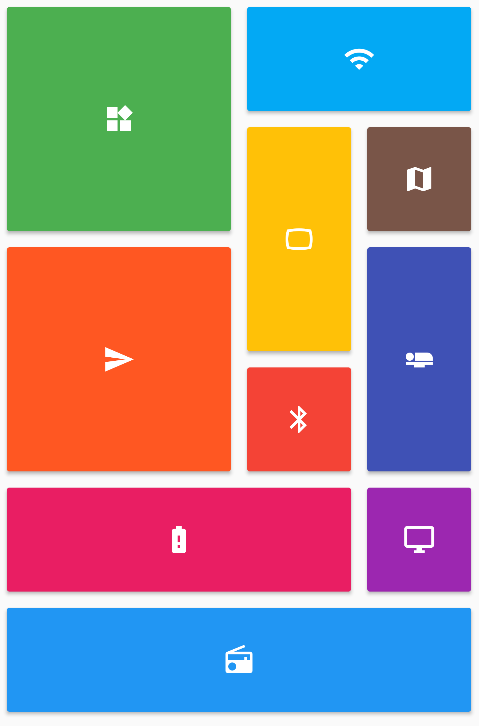 v0.7.0
Provides a collection of Flutter grids layouts (staggered, masonry, quilted, woven, etc.).
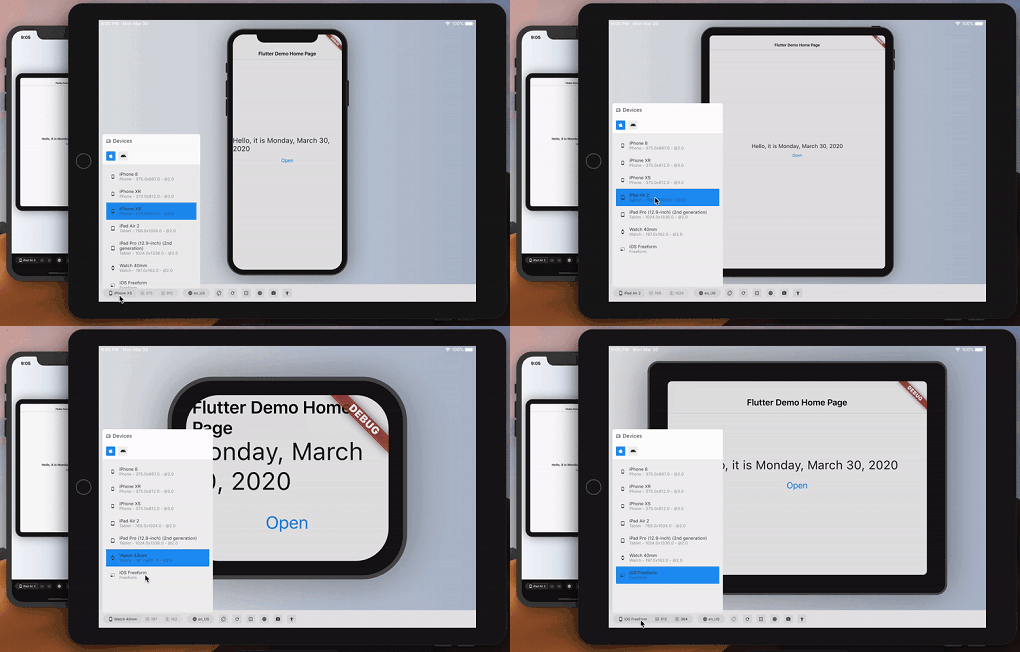 v3.0.0
Approximate how your Flutter app looks and performs on another device.
{"sdk":"flutter"}{"sdk":"flutter"}^7.0.0^2.0.6+1^0.18.18^0.2.3^3.4.1^3.0.7^12.3.0^1.1.2^1.0.3^3.0.0^2.0.8^12.2.0^4.6.0^5.2.1^16.1.3^21.0.0^0.7.7+1^3.3.13.2.1^10.0.0^0.7.012.6.0^2.2.4^0.27.1^3.1.0^13.3.1^1.6.0^4.8.0^2.0.11^0.20.2^4.11.0^0.10.5^9.0.1^2.1.5^12.0.1^0.6.0^4.0.2^0.28.0^12.0.2^2.5.5^3.0.0^3.2.0^0.11.0^6.3.2^4.5.3^4.10.0^6.6.1^6.2.7^0.9.1^0.0.8{"sdk":"flutter"}^2.14.1^3.0.0^6.0.0^3.2.5^6.13.0any^1.0.5^5.6.4any^26.3.2^4.0.3{"sdk":"flutter"}English project snapshot. Visit GitHub for the latest content.
Meditation can positively transform people's lives, and we believe no one should have to pay for it. We are the Medito Foundation, and we've built the Medito App for people who have never meditated before or want to deepen their meditation practice.
The app is free, forever: no ads, no spam, no need to sign up or pay. Medito App is a Flutter project available on Android and iOS maintained by the Medito Foundation and its community.
NOTE: If you install the Medito app using the APK file, please make sure to verify that the APK file is signed by Medito Foundation. See VERIFY_APK for more information.
Contributors can run the app without any API keys or Firebase setup using mock mode. All network calls are intercepted and return hardcoded sample data — no real credentials are needed.
Clone the repository and install dependencies:
git clone https://github.com/meditohq/medito-app.git
cd medito-app
flutter pub get
Generate required code (Pigeon + Riverpod):
flutter pub run pigeon --input pigeon_conf.dart
dart run build_runner build --delete-conflicting-outputs
Create android/keystore.properties using your own debug keystore. The Android SDK auto-creates one at ~/.android/debug.keystore with default credentials:
cp android/keystore.properties.example android/keystore.properties
Then edit android/keystore.properties with your keystore details:
storePassword=<your-keystore-password>
keyPassword=<your-key-password>
keyAlias=<your-key-alias>
storeFile=<absolute-path-to-your-keystore>
appId=meditofoundation.medito
versionCode=1
versionName=1.0.0
For the default Android debug keystore the password, key password, and alias are android, android, and androiddebugkey respectively.
Create a placeholder android/app/google-services.json (Firebase is skipped in mock mode, but Gradle requires the file)
Run the app using the "Flutter (Mock)" run configuration in VS Code or Android Studio, or from the terminal:
flutter run --flavor dev --dart-define=MOCK_MODE=true -d <device-id>
In mock mode, Firebase, the paywall webview, Stripe, and Meta SDK are all skipped. The app runs with sample content so you can work on UI and logic without real credentials.
Clone the repository:
git clone https://github.com/meditohq/medito-app.git
cd medito-app
Install dependencies:
flutter pub get
Set up environment files:
.env.staging and .env.production files in the root directory.Set up Firebase:
google-services.json (for Android) and GoogleService-Info.plist (for iOS) from the Firebase console./lib/firebase_options.dart file.To generate Pigeon code. This is required to communicate with native iOS and Android code.
flutter pub run pigeon --input pigeon_conf.dart
To generate API and state management code with Riverpod:
dart run build_runner build --delete-conflicting-outputs
This project supports separate development and production configurations. Here's how to set up and use them in different IDEs:
Add the following to your .vscode/launch.json (this file is gitignored, so each developer maintains their own):
{
  "version": "0.2.0",
  "configurations": [
    { "name": "Flutter (Dev)", "request": "launch", "type": "dart", "args": ["--flavor", "dev", "--dart-define-from-file=../.staging.json"] },
    { "name": "Flutter (Prod)", "request": "launch", "type": "dart", "args": ["--flavor", "prod"] },
    { "name": "Flutter (Mock)", "request": "launch", "type": "dart", "args": ["--flavor", "dev", "--dart-define=MOCK_MODE=true"] }
  ]
}
These configurations are defined in .run/Flutter (Dev).run.xml, .run/Flutter (Prod).run.xml, and .run/Flutter (Mock).run.xml.
Ensure that your android/app/build.gradle file has the corresponding flavor configurations set up correctly.
For Android APK signing, you need to create a keystore.properties file in the android/ directory:
android/keystore.properties.example to android/keystore.properties.jks) for signing APKsNote: Never commit keystore.properties or your .jks files to version control.
Medito Foundation: https://meditofoundation.org/.