 v2.2.2
macos_ui
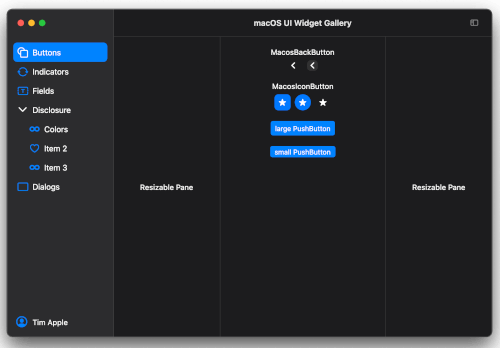
Flutter widgets and themes implementing the current macOS design language.
1.1KLikes 42.1K30-day downloads140Pub points
macOS
A tool that shows the number of consecutive days with at least one commit per day.

English project snapshot. Visit GitHub for the latest content.
A tool that shows how many days there are uninterrupted commits
This is a second tool made from a starter project created by mason using macosui_tool_starter.
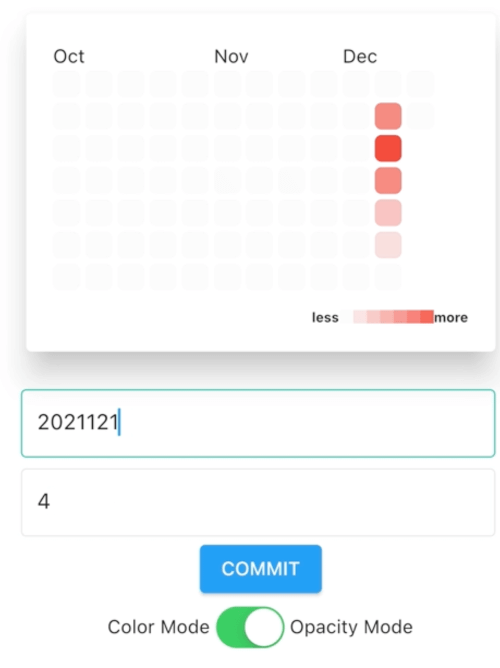
It scans all git repositories below the selected directory and reads the git log to collect all commits done in last 240 days. From this data a "heatmap" and the commit streak is created. The heatmap is a color coded calendar. The darker the green color the more changes were committed on that day. The streak is the number of consecutive days with at least one commit per day.
Create your own version if you have Flutter installed on macOS anyway.
git clone github.com/schilken/git_commit_streak
flutter pub get
flutter build macos
You find the built app here: git_commit_streak/build/macos/Build/Products/Release/GitCommitStreak

In the settings, you can activate reminders at a specified time, as notifications, and as iMessage. For example, I get a notification and an iMessage at 19h if I have not yet committed anything.
On a MacBook:

On the iPhone:

On a Apple Watch:

Currrently there is only a release build for [macOS] (https://github.com/schilken/git_commit_streak/releases/)
The cron package can only schedule the commit checks at the specified time, when the Mac is not powered off and the app is running in der background.
By default, a new Mac is–at least in Europe–configured to power down after some delay being in sleep mode (standy 1). I use this app to remind me at 19:00, when I haven't committed anything yet. And that shall work also when the MacBook is closed. With the pmset -c command, I switch off the auto-power-off only when the Mac is connected to the power grid. Use man pmsetto look up other options, for example -a.
$ sudo pmset -c standby 0
<enter root password>

$ pmset -g
System-wide power settings:
Currently in use:
 standby              0
...
I generated a starter project using mason. If you want to create a similar tool you can generate a starter project like so:
Several ideas are taken from https://github.com/bizz84/complete-flutter-course, a great source for learning advanced Flutter created by Andrea Bizzotto (bizz84). Also, thanks to Reuben Turner (GroovinChip) for his great package at https://github.com/GroovinChip/macos_ui
Flutter widgets and themes implementing the current macOS design language.
A time-based job scheduler similar to cron. Run tasks periodically at fixed times or intervals.
Simple package for parsing pubspec.yaml files with a type-safe API and rich error reporting.
Flutter heatmap calendar inspired by github contribution chart which includes traditional mode / calendar mode.
Dependency list 20 items
^1.16.0^0.5.1^1.0.5^5.2.5{"sdk":"flutter"}^1.0.5^0.18.5+1^13.0.0^0.6.14^2.1.3^0.18.0^1.11.1^0.0.3^1.8.2^1.2.1^2.0.17^0.3.2^2.0.1{"sdk":"flutter"}^1.1.6Start with your use case, compare repository activity, and check the original project before adopting it.
“A repository is the most basic element of GitHub.”
GitHub Docs — About repositories ↗