
Flutter-Chat-Bot
A Flutter-based AI chatbot that allows interaction through text, voice, and images. It features real-time chat, speech-to-text, text-to-speech, and image-based queries, offering a seamless user experience with an animated Lottie splash screen.

- Stars
- 16
- Forks
- 5
- Last push (UTC)
- Jan 29, 2026
- Project status
- Active
Original README
English project snapshot. Visit GitHub for the latest content.
Flutter-Chat-Bot Application (Premium Glassmorphism)
This is a premium, AI-powered chatbot application built with Flutter. It features a stunning Glassmorphic UI and integrates Gemini AI for a seamless conversational experience using text, voice, and images.
✨ Features
- Premium Glassmorphism UI: A modern, translucent design with real-time blur and vibrant gradients.
- Gemini AI Integration: Powered by Google's Gemini 1.5 Flash for intelligent text and image processing.
- Voice Mode: High-fidelity voice interaction with real-time waveform animation and text-to-speech.
- Multi-modal Input: seamlessly switch between typing, voice recognition, and image-based queries.
- Session History: Persistence-ready chat sessions managed via a robust history manager.
- Modular Architecture: Clean, maintainable codebase with extracted services and reusable components.
🏗️ Technical Architecture
The project follows a modular design to ensure high maintainability and scalability:
-
Services Layer:
GeminiService.dart: Centralized API logic for streaming responses and handling multi-modal inputs.HistoryManager.dart: Manages local storage and session persistence.
-
Component library (
lib/components/):AppGlassContainer: Reusable glassmorphic styling engine.ChatBubble: Advanced message rendering with sender-specific gradients.ChatInput: Complex state-managed input controller for text, media, and voice.AnimatedOrb: High-performance visual feedback for AI states.
📸 Screenshots
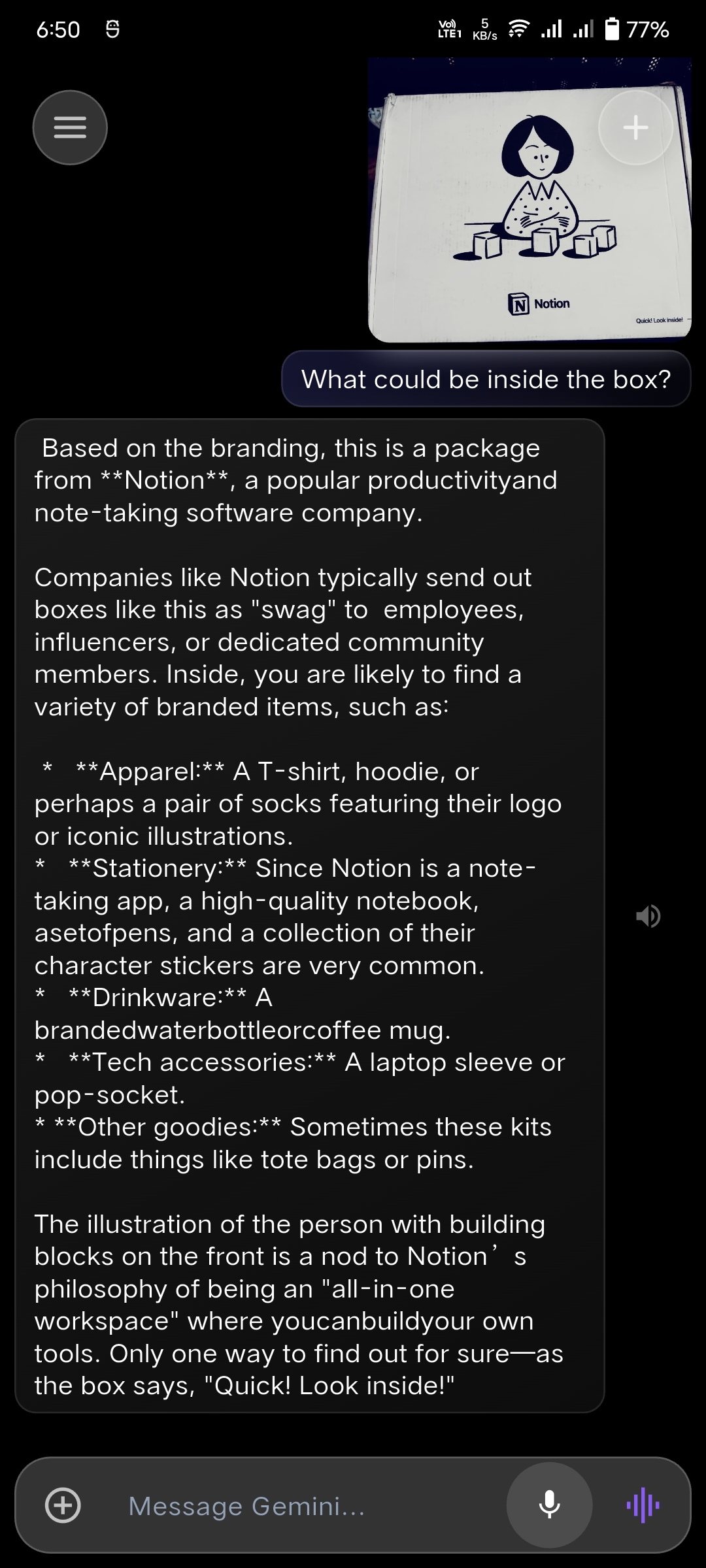
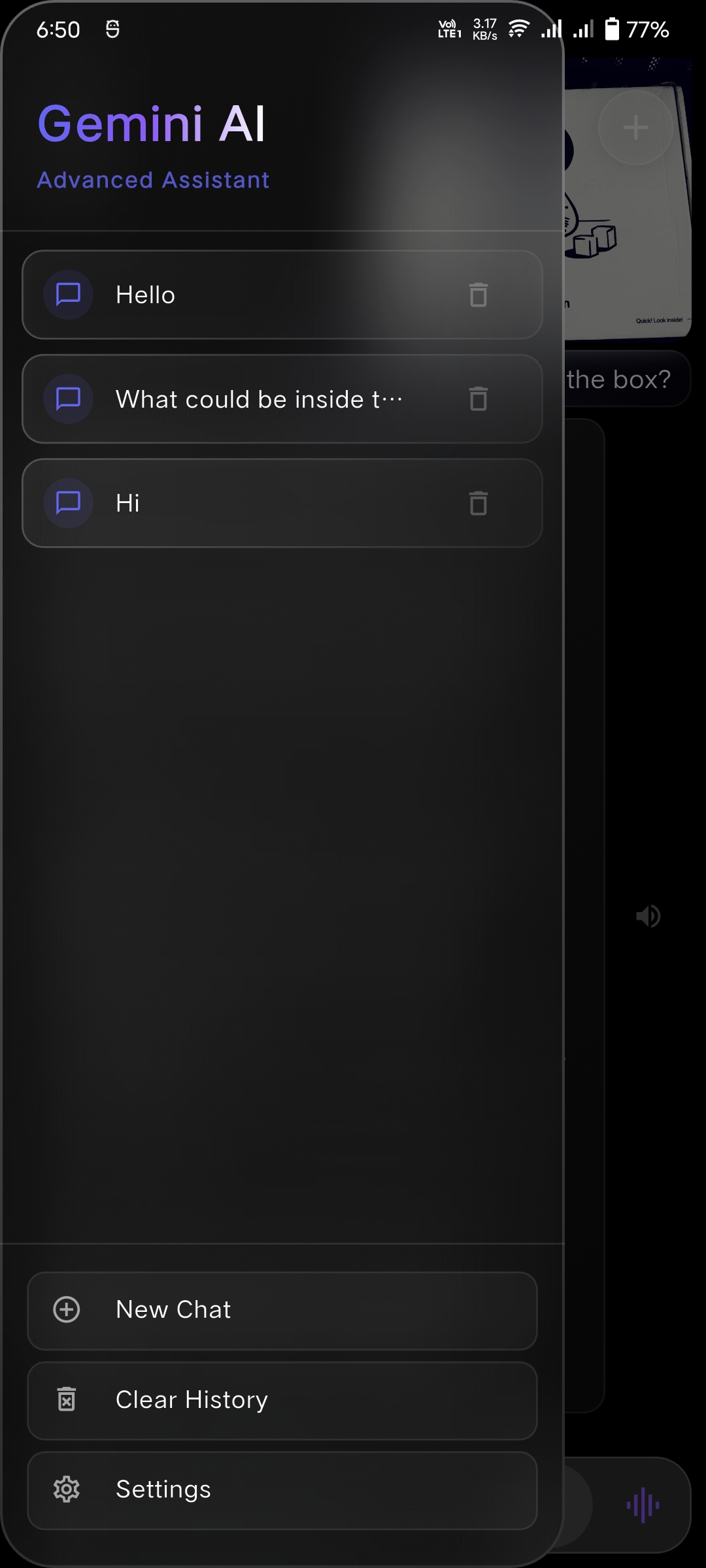
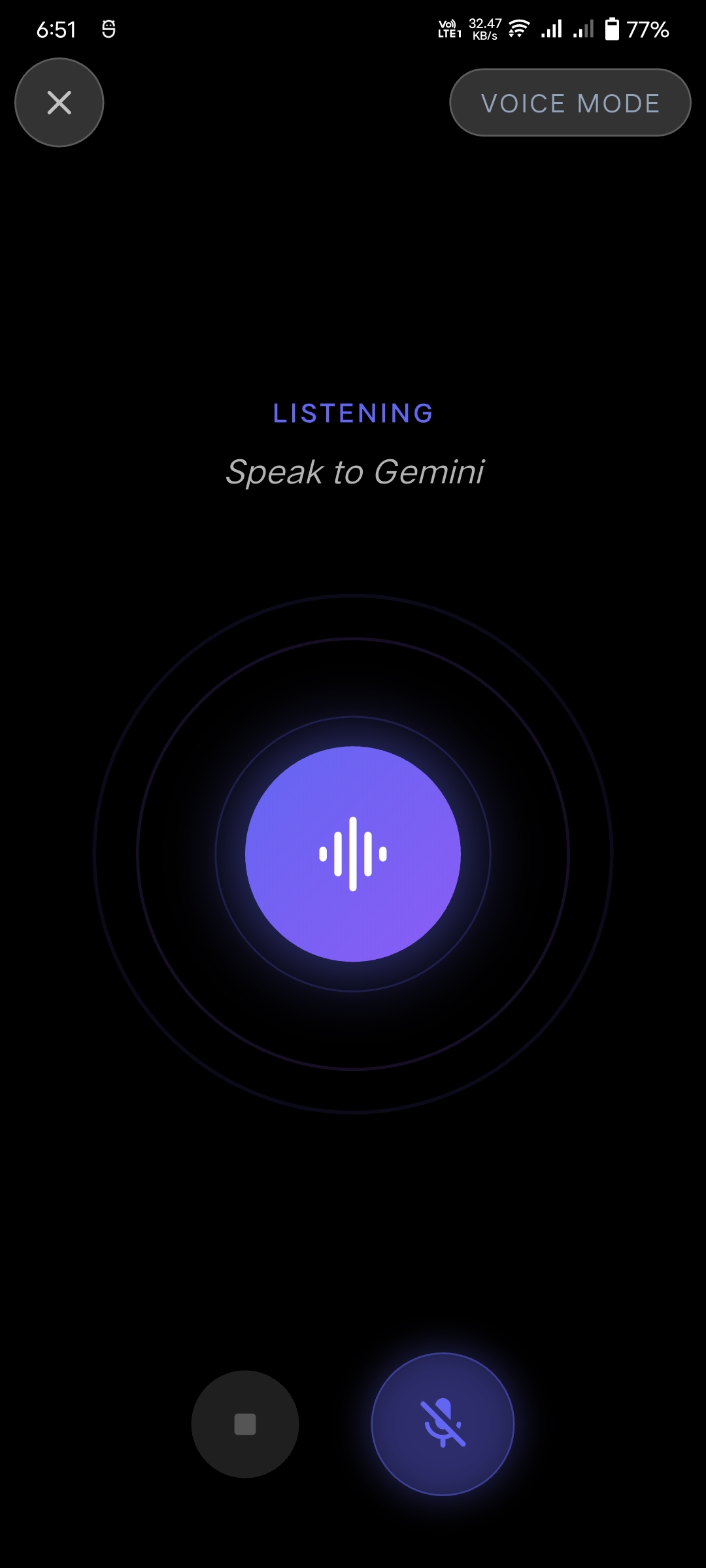
🚀 Tech Stack
- Framework: Flutter
- AI Engine: Google Gemini
- State Management: StatefulWidget + Listeners
- Key Packages:
flutter_gemini(AI Logic)glassmorphism(UI Core)speech_to_text&flutter_tts(Voice)dash_chat_2(Chat Framework)lottie(Animations)
🛠️ Getting Started
- Clone the repository
- Add your Gemini API Key in
lib/const.dart:const String GEMINI_API_KEY = "YOUR_API_KEY_HERE"; - Run the app:
flutter run
📜 Permissions
- Microphone: For voice-to-text functionality.
- Storage/Gallery: To upload and analyze images with Gemini.
🤝 Contributing
Contributions are welcome! If you have ideas for new glassmorphic components or AI features, feel free to fork and PR.

Tariq Jamil ↗
Categories
Dependencies used
Dependency list 21 items
- flutter
{"sdk":"flutter"} - cupertino_icons
^1.0.8 - flutter_gemini
^2.0.5 - image_picker
^1.1.2 - dash_chat_2
^0.0.20 - flutter_tts
^4.0.2 - speech_to_text
^7.0.0 - permission_handler
^11.3.1 - chat_bubbles
^1.6.0 - flutter_sound
^9.16.0 - waveform
^0.0.1-nightly.49 - flutter_svg
^2.0.9 - flutter_launcher_icons
^0.13.1 - lottie
^3.0.0 - animated_splash_screen
^1.3.0 - shared_preferences
^2.5.4 - glassmorphism
^3.0.0 - path_provider
^2.1.5 - dio
^5.9.1 - flutter_testDevelopment
{"sdk":"flutter"} - flutter_lintsDevelopment
^4.0.0
How do I choose a repository?
Start with your use case, compare repository activity, and check the original project before adopting it.
- Search by repository name, owner or description, then narrow the results by topic.
- Compare stars, forks and recent pushes. Stars show community interest, not a guarantee of quality.
- Read the README, license and issues on GitHub before using a project.
Sources and maintenance
“A repository is the most basic element of GitHub.”
GitHub Docs — About repositories ↗
- tariqjamel/Flutter-Chat-Bot · GitHub ↗
- GitHub Docs — Saving repositories with stars ↗
- Directory maintained by Ducafecat ↗